How I automate my own job at Hugging Face using agents — Niels Rogge, Hugging Face
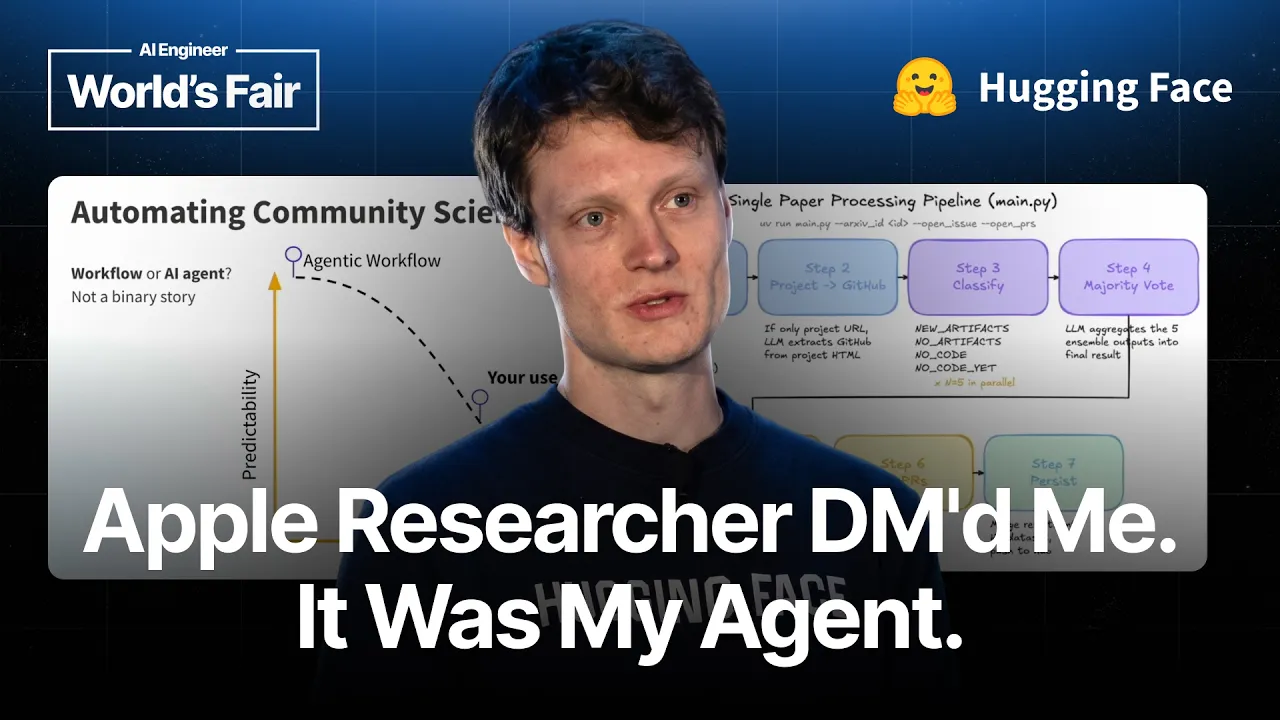
Description
Thousands of GitHub issues, opened automatically, have produced exactly two negative replies. Niels Rogge works on what he calls the Google Drive to the hub team at Hugging Face, whose job is noticing that a paper's weights are sitting on Dropbox or Zenodo where nobody will find them, then asking the authors to publish on the hub instead. Hundreds of papers land on arXiv every day, so he automated himself. The useful part is that he built it twice, in opposite shapes, and explains why each time. The outreach half is a deterministic workflow: a model call at each step of the path he used to walk by hand, no agent framework at all, running nightly as a cron job on free GitHub Actions minutes, with tracing so he can inspect prompts, cost, and latency. He chose that because the prevailing advice when he built it was to avoid agents unless you genuinely need one. The follow up half, built recently, is the reverse. It is a fully autonomous loop whose main tool is bash, carrying one CLI, one skill, and a sandbox, fanned out so that every issue gets its own container. He is also candid that recipients are not told an agent wrote to them, on the grounds that it sends what he used to send himself and a disclosed bot tends to get closed unread. Speaker info: - https://x.com/NielsRogge - https://www.linkedin.com/in/niels-rogge-a3b7a3127/ - https://nielsrogge.github.io/ Timestamps: 0:00 - The Google Drive to the hub problem 1:59 - Paper pages, metadata, and discoverability 3:41 - Why manual outreach does not scale 4:29 - The workflow he was running by hand 5:19 - Workflow or agent, and why it is not binary 7:03 - Nightly cron jobs, and tracing cost and latency 8:46 - The flood of replies, and automating follow up 9:36 - Switching to a fully autonomous loop 10:25 - Bash, one CLI, one skill, one sandbox 12:06 - A container per issue, fanned out 13:49 - What researchers actually reply 15:32 - Migrated models, and a 400 gigabyte dataset 18:06 - Open models, agents over workflows,
Summary
Generated by gpt-5.6-terraAt-a-Glance
- Verdict: Watch fully
- Core thesis: Niels Rogge scaled Hugging Face's research-artifact outreach by using a deterministic nightly workflow for high-volume discovery and issue creation, then a flexible autonomous agent for context-heavy follow-up.
- Why it matters: It is a concrete operating pattern for turning a manual ecosystem/GTM workflow into an agent system: separate predictable pipeline work from ambiguous interaction work, give agents narrow CLI-based capabilities, deploy in parallel, and instrument/evaluate external actions.
- Best use: Use this as a reference architecture for agentic outreach, contribution operations, and external-facing workflow automation—not as proof that fully autonomous posting is safe without an evaluation and governance layer.
Executive Summary
Rogge describes the Hugging Face Community Science team's core job as moving research artifacts—model weights and datasets—from fragmented locations such as Google Drive, GitHub Releases, Dropbox, and Zenodo onto the Hugging Face Hub. The business logic is straightforward: Hub hosting, model/dataset cards, tags, and paper links make research more discoverable, reproducible, documented, and usable.
The original manual workflow was to find a paper's GitHub repository, inspect its README and artifacts, determine whether assets were already on Hugging Face, open either an outreach issue or documentation pull request, and then handle author replies. Since hundreds of arXiv papers arrive daily, Rogge automated the predictable discovery and initial outreach portion as a nightly Python/LLM cron workflow running through GitHub Actions, with LangFuse used for traces, prompts, cost, latency, and outputs.
He kept the initial system deterministic because it replicated a known process and afforded direct control. But he later used Anthropic's Claude Agent SDK for follow-up, where replies and next actions are less structured. The agent uses Bash plus the Hugging Face CLI and a dedicated CLI skill, runs on Modal in parallel containers, comments on GitHub, and posts completed outcomes to Slack. He says improved models enabled him to replace substantial custom workflow code with a relatively small agent-plus-skill setup.
The presentation offers credible signs of usefulness—researchers uploading large datasets, PaddleOCR migrating OCR models, and more than 60 people responding around Tiny Recursive Models—but is light on formal conversion, error, cost, and quality metrics. Its critical lesson is architectural rather than promotional: use workflows where paths are known, reserve agents for judgment-heavy interactions, constrain tools, observe every action, and evaluate before scaling public-facing automation.
Key Takeaways
- Claim: Automate only after decomposing the manual operating process into explicit decisions and actions. | Evidence: Rogge's manual sequence was: locate a paper's GitHub URL, read the README, identify artifacts, check whether they already exist on the Hub and whether cards/tags are complete, create a GitHub issue or Hugging Face PR, then follow up with authors. | Implication: For Ken, agent projects should begin with a written human workflow and clear routing conditions; this exposes which steps need deterministic automation, which require judgment, and which should remain human-approved.
- Claim: Use a deterministic workflow for repeatable, high-volume external actions rather than starting with an autonomous agent. | Evidence: For paper scanning and initial outreach, Rogge built a Python script using LLM APIs at predefined steps, no agent framework, and ran it nightly via GitHub Actions against hundreds of arXiv papers. | Implication: Build predictable pipeline stages—ingestion, enrichment, qualification, deduplication, and draft generation—as explicit control-plane workflows before introducing agent loops. | Caveat: The workflow is only as safe as its eligibility checks and prompts; the talk does not provide precision, false-positive, or issue-closure rates.
- Claim: Autonomous agents are more suitable for follow-up work when interactions require flexible interpretation and tool use. | Evidence: Once nightly issue creation produced a large volume of replies, Rogge replaced manual inbox-style follow-up with a Claude Agent SDK agent that can inspect context, use tools, take next actions, and post results. | Implication: Use an agent loop selectively for exception handling, correspondence triage, and multi-step resolution—not as the default execution pattern for all business processes. | Caveat: Rogge explicitly characterizes this mode as less predictable than workflows, and the external-facing nature of GitHub replies makes quality control materially important.
- Claim: Narrow capabilities can be enough: an agent may need one well-designed CLI, one skill, and a sandbox rather than a large bespoke orchestration stack. | Evidence: The follow-up system mainly uses Bash to run Hugging Face CLI commands, paired with a Hugging Face CLI skill; Rogge says modern models let him replace thousands of lines of custom code with a simpler agent/skill arrangement, citing Cursor's reported reduction from 12,000 lines to a 200-line skill. | Implication: For OpenClaw-style systems, invest in stable, typed, permissioned operational interfaces and reusable skills; the tool contract can matter more than elaborate agent scaffolding. | Caveat: This simplification depends on a mature, safely scoped CLI and reliable model tool use; it should not be generalized to domains with complex transactional or regulated operations.
- Claim: Parallel background deployment makes agent follow-up operationally viable at outreach scale. | Evidence: Rogge deploys on Modal using batch processing, where each container runs one agent loop for one GitHub issue; he invokes the process manually from a Cursor skill and receives aggregated results in a Hugging Face Slack channel. | Implication: Treat large-scale agent work as batch operations with per-item isolation, explicit invocation controls, result aggregation, and operational reporting rather than as a single long-running conversational agent. | Caveat: The transcript gives no concurrency limits, retry behavior, failure isolation design, or per-issue cost data.
- Claim: Observable traces and formal evaluation are necessary safeguards when agents generate public output. | Evidence: He uses LangFuse to inspect inputs, outputs, prompts, cost, and latency, and specifically recommends Hamel Husain's LLM Evals FAQ to avoid agents producing 'slop' or effectively spamming GitHub. | Implication: Before allowing agents to post, comment, email, or modify shared artifacts, Ken should establish offline test sets, production sampling, escalation rules, stop conditions, and metrics for both utility and recipient harm. | Caveat: Despite the recommendation, he reports only anecdotal outcome quality: thousands of issues and only two negative comments, rather than a documented evaluation set or action-quality threshold.
- Claim: The automation appears to create a flywheel: outreach improves Hub supply while also producing distribution and ecosystem value. | Evidence: Reported examples include a researcher seeking to upload a 400 GB dataset, PaddleOCR moving its OCR models to Hugging Face, and over 60 people uploading artifacts after outreach around the trending Tiny Recursive Models paper. A related automated Daily Papers X account reached 90,000 followers and a post about NVIDIA's optimized GLM 5.2 received over 2,000 likes. | Implication: Agentic operations can be strategic when each action improves a shared data/product surface and creates compounding discovery or distribution, rather than merely reducing internal labor. | Caveat: These are illustrative outcomes, not causal conversion analysis; engagement metrics do not establish the business value or quality of all automated outreach.
Detailed Brief
System architecture and model choices
- Claims: The initial automation is intentionally unsophisticated operationally: a scheduled Python script with LLM calls embedded in fixed stages.; The follow-up architecture uses the Claude Agent SDK, though Rogge states he switched from Claude models to GLM 5.2 through Hugging Face Inference Providers during the week of the talk.; Hugging Face Inference Providers offers a unified interface over providers including Together.ai, Fireworks, and Cerebras, with OpenAI- or Anthropic-compatible access.
- Evidence: GitHub Actions serves as the nightly cron environment for discovery and initial issue/PR creation.; Modal is used for agent deployment and batch container fan-out.; Rogge cites GLM 5.2 momentum and claims that it performs well on Cursor Bench and Post-Train Bench, including a claimed result over Opus 4.8 while being cheaper.
- Caveats: The model-performance statements are speaker assertions and benchmark references, not independently substantiated in the transcript.; The talk does not detail prompt versioning, model fallback policy, authentication boundaries, sandbox restrictions, or human review paths.
- Implications: A provider-abstraction layer can make model substitution practical, but routing should be tied to measured task quality, cost, latency, and safety rather than model hype.; The missing control details are the primary implementation gap to resolve before adopting this pattern in a higher-risk environment.
External communication quality and disclosure risk
- Claims: Rogge intentionally does not disclose that the GitHub outreach is agent-generated because he believes recipients may dismiss or close bot-originated issues.; He argues the agent's posts match what he previously wrote manually, and says recipient reaction has been overwhelmingly positive.
- Evidence: He reports only two negative comments among thousands of issues, including one recipient asking to close 'this slop.'; Recipients reportedly responded with messages such as thanks for clear guidance and thanks for helping fix mistakes.
- Caveats: Low reported complaint volume does not establish informed consent, absence of reputational risk, or the appropriateness of non-disclosure for other organizations.; The transcript does not explain rate limits, opt-out handling, account ownership policy, or how the system avoids repeatedly contacting already-hosted or ineligible projects.
- Implications: Ken should make an explicit policy decision about agent identity disclosure and external communications, based on audience expectations and downside risk rather than conversion alone.; Any outbound agent should maintain suppression lists, recipient-level feedback capture, immediate opt-outs, and a kill switch.
Notable Concepts & Terms
- Community Science team: Hugging Face's function for improving the availability, documentation, and discoverability of research models and datasets on the Hub; Rogge summarizes it as a 'Google Drive to the Hub' effort.
- Workflow vs. autonomous agent: A workflow uses LLMs inside predetermined steps for control and predictability; an autonomous agent runs an LLM/tool loop until completion for flexibility in ambiguous tasks.
- Claude Agent SDK: The SDK Rogge uses to implement the autonomous GitHub follow-up agent and its tool-calling loop.
- Hugging Face CLI skill: A narrowly scoped operational capability that lets the agent use the Hugging Face command line rather than requiring a larger custom application layer.
- Modal batch processing: The execution layer used to fan out one containerized agent loop per GitHub issue, enabling background parallel processing.
- LangFuse: The observability layer used to trace LLM inputs, outputs, prompts, latency, and cost for the deterministic workflow.
- Model cards / dataset cards: Structured documentation for model and dataset artifacts; the agent can populate card templates from sources such as a paper PDF and repository README.
- LLM Evals FAQ: Hamel Husain's recommended evaluation resource, cited as the mechanism for preventing low-quality or spam-like agent output.
Operator Notes / Why Ken Should Care
- Create a two-lane automation standard: deterministic workflow first for repeatable operations; autonomous agent only when a documented ambiguity threshold requires it.
- Require every outbound agent to have a pre-send quality gate, recipient suppression/opt-out mechanism, rate limits, human escalation queue, and organization-level kill switch.
- Define a production evaluation suite from representative historical cases before scaling any agent that posts publicly; measure qualification precision, action correctness, recipient sentiment, conversion, cost per successful outcome, and rollback rate.
- Prioritize tool/skill design: expose small, permissioned CLI or API interfaces with clear inputs, idempotency, audit logs, and least-privilege credentials.
- Treat unsubstantiated open-model benchmark claims as a routing hypothesis; run task-specific comparisons against the actual workflow before changing the default model.
- Review whether non-disclosure of agent authorship is acceptable for each external channel; establish a deliberate communications policy rather than adopting Rogge's approach by default.
Source/Metadata
- Title: How I automate my own job at Hugging Face using agents — Niels Rogge, Hugging Face
- Transcript words: 4433
- Duration seconds: 1237
- Timestamp note: No usable timestamps or chapters were present in the supplied transcript; the transcript also contains a repeated closing segment.
Transcript
Tanya Cushman Reviewer Tanya Cushman Reviewer Tanya Cushman Reviewer Tanya Cushman Reviewer Tanya Cushman Reviewer Tanya Cushman Reviewer Okay. All right. Hello, everyone. Thanks for coming by. Today I'll talk about how I automate my own job at Hugging Face using agents. Short introduction. I'm just Niels from Belgium, the land of beer, fries, and chocolate. I studied at KL Leuven, and I'm a machine learning engineer at Hugging Face for five years now. Today I'll talk about the community science team at Hugging Face, which is the team I'm part of. Then I'll talk about how I automate a large part of the community science team, and finally, I'll also discuss some other efforts that we do at Hugging Face. Hugging Face. So let's start with the community science team at Hugging Face. This started when I was seeing trending research passing by on GitHub. And a lot of times when I saw new interesting work, the weights were not available on Hugging Face, sadly. Researchers use either Google Drive or they use GitHub releases. They use Dropbox, they use Zenodo, or other servers to put their artifacts on. And this hurts discoverability of their work. It's not easily visible or discoverable. And when I then open a GitHub issue to say, actually, you could put your weights on Hugging Face for free, most of the time people reply to me, yeah, migrating the weights from Google Drive to Hugging Face actually makes perfect sense. So yeah, the community science team can also be described as the Google Drive to the Hub team. Why? Because on Hugging Face we have these paper pages. And every single paper is sourced from archive. And then on the right side you can list the linked artifacts, like the linked models or data sets. So people can easily reproduce your paper or find the models or data sets. So yeah, you can see them on the right side. This improves the discoverability of your work because we have these metadata tags or filters on the app. So you can easily find, for example, a depth estimation model, an LLM if you're interested. You can find them by language, you can tag them with the library they are compatible with, and so on. So this improves the discoverability of your work. So these are the metadata tags that you can add to every single model on Hugging Face or every single data set. So yeah, this is the main problem that we saw. Lots of people, lots of researchers, are using third-party services to publish their work. We have the Hugging Face platform, which is a centralized place where people can find machine learning artifacts. It also improves documentation because you can add a model card or a data set card. We have tooling so you can easily upload or download stuff from Hugging Face. And it might also help researchers in promoting their work. So it's a win-win both for researchers and other people using the research. So yeah, these are the typical GitHub issues that I was opening. I always had the same template. I just asked, could you please release these checkpoints on Hugging Face? Could you please release this data set on Hugging Face? And then I also opened PRs, pull requests, on Hugging Face to add data set cards or model cards to improve the documentation of those artifacts. But there's a problem. It's not really scalable for me to open all these GitHub issues or pull requests because every single day there are hundreds of research papers coming out on archive, especially now with AI boom. Yeah, also NeurIPS, for example, a major AI conference, they are seeing a massive amount of papers. So can we automate this? Can we scale the community science team with agents? So that's the second part of my talk. How can we scale this to a massive amount of research papers? So the idea is pretty simple. We should have an AI agent which can help me do this outreach to all these researchers who publish models or data sets as part of their research work. And then, yeah, do the outreach in an automated way. So this is the typical workflow that I was following. So whenever I saw a research paper, I first tried to find the GitHub URL of that paper, if it's available. Then I read the readme of that GitHub file. And then I check if there's anything new interesting to be shared on HuggingFace. It could be that it's on HuggingFace already. In that case, I check whether the model cards or data set cards are already properly present, whether the metadata tags, for example, are there. If not, then I might open a pull request. Otherwise, if the artifacts are not yet on HuggingFace, I open a GitHub issue. And then finally, I also follow up with the author. So that's the workflow that I had to automate with agents. And there are several ways to solve this. You could go with a workflow. These pictures are, by the way, taken from the blog post, Building Effective Agents by Anthropic, which is a really great read. So on the left side, you see a workflow which is more deterministic. You use LLM APIs within steps of a predefined path or pipeline, which is more predictable. It's more deterministic. You have more control over it. Of course, it's less flexible. And then on the other hand, you could have a fully-fledged autonomous agent, which is an LLM in a loop that calls tools until it's done, which is more flexible but also less predictable. At the time, yeah, of course, it doesn't have to be a binary story. You can have a workflow on one hand. You can have a fully autonomous agent on the other hand. But you could, of course, also mix and match these types of things for your use case. In my case, I went for a pretty deterministic workflow. Why? Because at the time that I was building this, this was in 2024, at the time that Anthropic wrote their blog post, Building Effective Agents. And there they actually said, try to avoid building agents if you really don't have to. Start simple. Start with a single LLM API. Avoid frameworks. And actually, I think those were great tips. So at the time, I started building a workflow which replicated the workflow that I was doing when I was doing this outreach. So, yeah, this is the whole pipeline. This is created using the Excalibur MCP server and cursor. It's pretty nice to create a visualization of your code. I'm not going to go into the details, but it just replicates the workflow that I was doing when doing the outreach. And I use LLM APIs in each of the steps without any framework, without any agent framework. So it made it quite deterministic, and I had a lot of control over how this goes. In terms of deployment of this workflow, it's a simple cron job. So cron is just something that runs regularly. In my case, I run it once every night. So when I'm sleeping, there is this agent, but technically it's just a cron job, a Python script with an LLM API, which is going to read all these hundreds of archive papers. And then it might open GitHub issues or it might open pull requests on the Hugging Face. I'm using GitHub Actions for this. I saw this very nice blog post, free cron jobs with GitHub Actions. And actually, it's probably the best entry point if you want to set up cron jobs. Because GitHub has a pretty generous tier if you want to get started with putting simple cron jobs up there. And, yeah, it makes it really easy for me in the UI to manage all these cron jobs. And so, yeah, every night I have hundreds of GitHub issues being created. For the tracing part, I'm using LangFuse. LangFuse also has a booth here. LangFuse is pretty great. I use it mostly for the tracing part, the observability part, just to see what is the LLM doing. What are the inputs, what are the outputs, what are the prompts, how much does it cost, latency, and so on. So, yeah, I definitely recommend it. But, yeah, as my agents are opening so many GitHub issues every night, I then end up with a massive amount of unread GitHub notifications. Because people reply to those GitHub issues. And that's a lot of work to then reply to all of those issues. It's kind of like going through your mailbox. So you would wonder, could we also automate the follow-up to those GitHub issues? Because initially, the GitHub issue creation was done by an agent, but I was still the one involved in doing the follow-up. Now, a few months ago, I also automated the follow-up to those GitHub issues. Again, you could think, how should you solve this? Should you go for a more deterministic workflow? Or can you go for a fully autonomous agent? An LLM in a loop which runs with some tools and skills. Well, here I went for a fully autonomous agent. So it's flexible. It's a bit less predictable. But it works quite well. I went for this because in November of last year at AI Engineer in New York, there was a pretty nice workshop by Entropic on the Cloud Agents SDK. And there they were actually saying that agents might be better than workflows. So they were contradicting themselves. Because initially, I was still the one involved in the follow-up, while the GitHub issue creation was done by an agent. A few months ago, I also automated the follow-up to those GitHub issues. Again, you could think, how should you solve this? Should you go for a more deterministic workflow, or can you go for a fully autonomous agent? An LLM in a loop which runs with some tools and skills. Here, I went for a fully autonomous agent. So, it's flexible. It's a bit less predictable, but it works quite well. I went for this because in November of last year at AI Engineer in New York, there was a pretty nice workshop by Entropic on the Cloud Agents SDK. They were actually saying that agents might be better than workflows, so they were contradicting themselves. But they also said that models have become so good that you might actually now start to work with fully autonomous agents rather than a workflow. So, this is why I went with this approach. I actually am using the Cloud Agents SDK for this use case. There was another pretty nice talk by Cursor, also at AI Engineer. This was in the European version in London a few months ago. They talked about how they replaced 12,000 lines of custom code, a pretty sophisticated workflow, with a very simple 200 lines of code skill. Actually, it's pretty similar for me. I can replace a lot of custom code, thousands of lines of code, with nowadays just a simple agent with maybe a CLI as a tool and a skill. And that's it, because the models have become so good. So, in terms of the architecture, this is a bit what it looks like. It's actually just the Cloud Agents SDK, which is, I would say, a pretty good Python SDK for building an agent. Initially, I was using the Cloud models. But since this week, I'm using the GLM 5.2 model via Hugging Face inference providers. Hugging Face does offer a service which wraps a lot of inference providers like Together.ai, Fireworks, Cerebras, and so on. So, you can use a lot of open models in a unified way. It's OpenAI-compatible or Entropic-compatible. Then I deployed this on Modal. Modal is also present here today. It's mainly using Bash as a tool, so the terminal, to do Hugging Face comments because it's using the Hugging Face CLI quite a bit. So, I combine it with the Hugging Face CLI skill, which is actually all it needs. Then it might comment something on GitHub as a follow-up. It also does the posting on Slack because eventually I also want to see the final results on our Slack channel from Hugging Face. Given that there's also a lot of hype on GLM 5.2 recently, for example, Cursor saw great performance on their Cursor Bench. Post Train Bench is another one where it actually beats Opus 4.8 and is cheaper. So, there's no reason not to use GLM 5.2, especially given that I work at Hugging Face. For the deployment, as I said before, I use Modal. It's pretty great if you want to deploy agents. In my case, I'm using the batch processing feature, so they allow you to spin up a massive amount of containers all in parallel. Every single container is basically one agent loop that is processing one GitHub issue. It's super easy to use, I have to say, and the startups are also pretty fast. So, I definitely recommend it if you're building agents that are, for example, running in the background, running overnight. The way I invoke it: technically, I could also just deploy this as a cron job. Modal, for example, has support for this. But typically, the follow-up on the GitHub issues, I still do manually by invoking it as a skill. So, I created a skill for this in Cursor. I call it process unread model. Then what it's going to do is invoke an agent, in this case, Composer 2.5, which is the agent that I'm mostly using in Cursor, which is again going to invoke all the other agents. So, this is the loop that people are talking about. Finally, it's going to post all the results on our Slack channel. This is actually what it posts. It basically posts a huge amount of Hugging Face papers, which are these research papers that people can make available on Hugging Face, because every time someone mentions it in a model cart or dataset cart, we index it on the Hub. Then I just post all the artifacts that people have been uploading based on the outreach that we do via GitHub. I still do this in manual form. I just invoke the skill, and then after a few minutes, these messages appear on our Slack channel. I included some fun results because, to be honest, it's quite fun to see people interacting with the agents. I don't disclose that it's an agent. Why? Because I think if people know it's a bot, then they might quickly close the issue. To be honest, they post exactly the same stuff as I was doing before manually. So, I don't actually see any reason to do that. Then you see replies like this: Hi, Niels. Thanks a lot for your suggestion and the clear guidance. I also oftentimes see people using an agent to reply to my agents. So, it's the death internet nowadays. But people make all their artifacts available on Hugging Face. Out of the thousands of issues that are being created on Hugging Face, so far I've only had two negative comments. One guy said, yeah, please close this slop, so he closed the issue, and then another one. But most people just say, yeah, actually it makes perfect sense to make my weights or my data sets available on Hugging Face. Why didn't I think of this? So, it's a win-win, I would say. I oftentimes also post fun results on our Slack channel. For example, one time someone, a researcher from Apple, sent me a DM: I saw you reached out to me. Technically, it's my agent just posting a GitHub issue regarding publishing the artifacts of a new Apple paper on Hugging Face. Or, for example, it reaches out to Google DeepMind to publish mathematics data sets. So, a lot of times, I receive emails, the one on the right side, where they want to publish a 400-gigabyte data set on Hugging Face. But this was also my agent just opening GitHub issues. This is another fun result. Paddle OCR, it's a Chinese company. They migrated all their OCR models to Hugging Face based on outreach by the agents that create issues for me. So, it's pretty nice. Another fun result is when it completes the default template of model cards on Hugging Face. Mac Mitchell, who also works at Hugging Face, has a famous paper called Model Cards for Model Reporting, making sure that anyone documents their models in a proper way. So, we do provide this template, which you can see on the left side in the Git div. Then the agent is just completing that template based on the content that it finds from that paper, like the GitHub readme, the PDF itself, and so on. It's also quite funny to see, for example, in this case, that it included me in the model cards. It said, model card authors: Niels, part of the Hugging Face community science team. I never prompted it this way, but it's pretty fun to see. Or people replying, thank you for helping me fix my mistakes. Those are all done by the agents. I think the most popular GitHub issue that was created was this paper, Tiny Recursive Models, which you might have seen was quite trending, both on Hugging Face and on Twitter. More than 60 people actually uploaded that issue so that the model was released on Hugging Face. This is, again, the win-win. It's both a win for the researcher, making their research more discoverable on Hugging Face, but it's also better for people who want to build on top of that research and want to use it. I have hundreds of GitHub issues where I think I can show nice results, where people interact with the agents. You might also wonder how to avoid slop, because you might think, okay, you have an agent spamming the whole internet with your GitHub issues. Should you even do this? Again, I already talked about the win-win. But a blog post that I highly recommend if you want to avoid your agent just posting slop is the LLM Evals FAQ by Hamel Hussain. I would say he's the main expert when it comes to LLM evaluation. So, this is, again, I think, the win-win. So, it's both a win for the researcher, making their research more discoverable on Hugging Face. But it's also better for people who want to build on top of that research and want to use them. So, I have hundreds of GitHub issues where I think I can show nice results, where people interact with the agents. You might also wonder how to avoid slop, because you might think, okay, you have an agent spamming the whole internet with your GitHub issues. Should you even do this? Again, I already talked about the win-win. But a blog post that I highly recommend if you want to avoid your agent just posting slop is the LLM Evals FAQ by Hamel Hussain. I would say he's the main expert when it comes to LLM evaluation. He also has a paid course, but he also publishes a lot of stuff for free online, including this blog post. So, I highly recommend going through it if you want to learn more about how to evaluate your agents. So, my conclusion would be that open models are actually getting great, especially now with GLM 5.2. You have DeepSeq V4 and so on. So, we are able now to replace closed-source models with open ones. For my use case, I would say agents are actually better than workflows. They only need a single CLI, which is the Hugging Face CLI. They need a single skill, the Hugging Face CLI skill, and a sandbox, and that's all they need to do their work. And finally, don't forget about evaluation. Finally, I can also discuss some other efforts that we do as part of the community science team very shortly. So, I have a Twitter account that I created. It's called Daily Papers, and it actually uses the exact same workflow as my agents behind the scenes to post interesting research papers on X. It recently crossed 90,000 followers without any involvement from me. I just deployed this, and it posts interesting research papers and artifacts from Hugging Face every four hours, or every time someone releases something cool on Hugging Face. So. And I have Gemini determining the best visual to tweet or to include in the tweet. For example, this recent tweet where I tweeted out that NVIDIA released an optimized version of GLM 5.2 got more than 2,000 likes, so that's pretty cool to see. And a final effort that I'm working on right now is a revival of Papers with Code, which is a website that once existed, then it was acquired by Meta, and then, sadly, it died. So, I'm trying to revive it in making research and state-of-the-art more easily accessible. For now, it lives at paperswithcode.co. So, you can find benchmarks over there. For example, for OCR models, all OCR benches like Popular Benchmark. But I'm also making it an educational resource so that people can learn about technical terms like mid-training, on-policy distillation, and so on. So. That was it for my talk. I hope you learned something. Thanks, all, for your attention. . . . . . . . . . . . . . They migrated all their OCR models to Hugging Face based on outreach by the agents that create issues for me. So, yeah, it's pretty nice. Another fun result is like when it completes the default template of model cards on Hugging Face. So, Mac Mitchell, who also works at Hugging Face, she has a famous paper called Model Cards for Model Reporting, making sure that anyone documents their models in a proper way. And so, we do provide this template, which you can see on the left side in the Git div. And then the agent is just completing that template based on the content that it finds based on that paper, like the GitHub readme, the PDF itself, and so on. Yeah, it's also quite funny to see, for example, in this case, that it included me in the model cards. It said model card authors, Niels, part of the Hugging Face community science team. I never prompted it this way, but it's pretty fun to see. Or people replying, thank you for helping me fix my mistakes. So, those are all done by the agents. I think the most popular GitHub issue that was created was this paper, Tiny Recursive Models, which you might have seen was quite trending, both on Hugging Face but also on Twitter. So, yeah, more than 60 people actually uploaded that issue so that the model was released on Hugging Face. So, this is again, I think, the win-win. So, it's both a win for the researcher, making their research more discoverable on Hugging Face. But it's also, yeah, better for people then who want to build on top of that research and want to use them. So, yeah, I have hundreds of GitHub issues where I think I can show nice results, where people interact with the agents. You might also wonder, yeah, how to avoid slop, because you might think, okay, you have an agent spamming the whole internet with your GitHub issues. Like, should you even do this? Again, I already talked about the win-win. But a blog post that I highly recommend if you want to avoid that your agent is just posting slop is the LLM Evals FAQ by Hamel Hussain. I would say he's like the main expert when it comes to LLM evaluation. He also has like a paid course, but he also publishes a lot of stuff for free online, including this blog post. So, I highly recommend to go through it if you want to learn more about how to evaluate your agents. So, my conclusion would be that open models are actually getting great, especially now with GLM 5.2. You have DeepSeq V4 and so on. So, yeah, we are able to now replace closed source models by open ones. For my use case, I would say agents are actually better than workflows. They only need a single CLI, which is the Hugging Face CLI. They need a single skill, the Hugging Face CLI skill and a sandbox, and that's all they need to do their work. And finally, yeah, don't forget about evaluation. Finally, I can also discuss some other efforts that we do as part of the community science team very shortly. So, I have a Twitter account that I created. It's called Daily Papers, and it actually uses the exact same workflow as my agents behind the scenes to post interesting research papers on X. It recently crossed 90,000 followers without any involvement of me. I just deployed this, and it posts interesting research papers and artifacts from Hugging Face every four hours, or every time someone releases something cool on Hugging Face. So, yeah. And I have, like, Gemini determining the best visual to tweet or to include in the tweet. Like, for example, this recent tweet where I tweeted out that NVIDIA released an optimized version of GLM 5.2. Got more than 2,000 likes, so that's pretty cool to see. And a final effort that I'm working on right now is a revival of Papers with Code, which is a website that once existed, then it was acquired by Meta, and then sadly it died. So, I'm trying to revive it in making research and state-of-the-art easier accessible. For now, it lives at paperswithcode.co. So, yeah, you can find benchmarks over there. For example, for OCR models, all OCR benches like Popular Benchmark. But I'm also making it an educational resource so that people can learn about technical terms like mid-training, on policy distillation, and so on. So, yeah. That was it for my talk. I hope you learned something. Thanks, all, for your attention. . . . . . . . . . . . . .