Agents on the Canvas in tldraw — Steve Ruiz, tldraw
Description
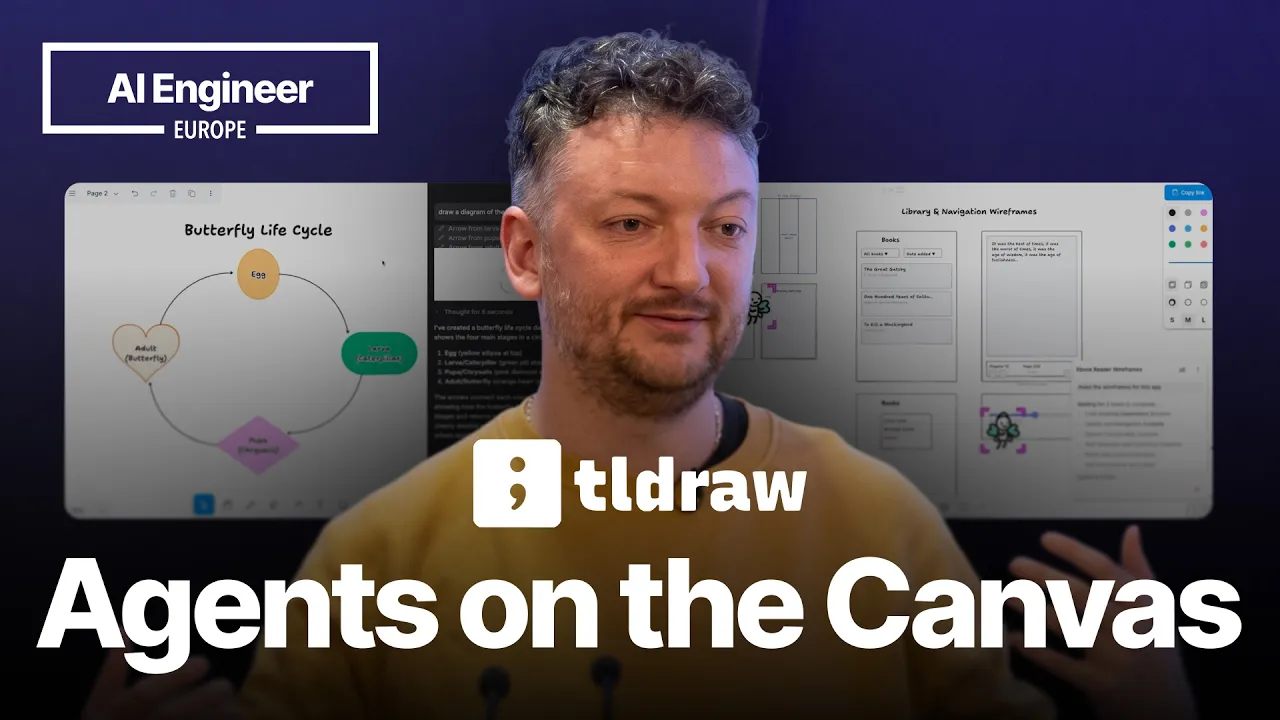
At tldraw, we've been bringing agents to our infinite canvas. In December 2025, we ran a one-month experiment named Fairydraw where users could work with three fairies—virtual collaborators who work with you, with your human collaborators, and coordinate together on large tasks. Learn what we learned. Speaker info: - https://x.com/steveruizok - https://www.linkedin.com/in/steve-ruiz-61a150239/
Summary
Generated by claude-sonnet-4-530-second take
Steve Ruiz, founder of tldraw (a whiteboard SDK that powers Replit Agent Canvas and others), walks through a progression from single-shot AI generation to multi-agent collaboration directly on a visual canvas. His thesis: agents belong on the canvas itself—visible, spatially aware, and capable of delegating work—rather than hidden in sidebars. The most radical idea is giving agents script-injection access to a local-first desktop app, which unlocks genuinely agentic behavior (modifying UI, rewriting bundles, iterating on diagrams) but requires users to accept "sharp tools" risk. Demoes were shaky but the conceptual arc is clear: canvas-based UX makes agent orchestration tangible and motivates local-first architectures that used to be idealistic curiosities.
Key takes
- Canvas-as-interface for orchestration: Placing multiple agents spatially on a canvas (the "fairies" demo) lets users see state, track progress, and coordinate tasks in ways that terminal windows or chat sidebars cannot—agents can observe each other's work zones and elect a leader to delegate tasks.
- Structured output beats diffusion for design tools: Text-to-structured-shape generation (circles, arrows, diagrams) avoids vision-model ambiguities (e.g., Cartesian y-axis vs. web y-axis) and produces editable primitives instead of static images, enabling true iteration.
- Script injection + local-first = maximum agency: Opening an HTTP port in an Electron wrapper so agents can write arbitrary JavaScript against the canvas API is unsafe for SaaS but unlocks radical capabilities (modifying Spotify bundles, generating interactive UIs) when the blast radius is a local file—this flips "local-first" from idealism to necessity.
- Make Real (2023) was pre-vibe-coding breakthrough: Sketch-to-working-prototype using vision models broke containment as the first tool letting non-technical users produce code without seeing code; now quaint but established the pattern of annotating over outputs and re-prompting.
- Leader-follower orchestration emerged organically: The fairies demo (October 2024) independently discovered common agentic patterns—one agent scouts, writes a todo list, delegates to followers, then observes and judges completion—solving shared state and work overlap without formal frameworks.
Useful details
- tldraw is a London-based startup that makes a free whiteboard, a React-based SDK (used by Replit, Luba AI), and a hackable runtime API.
- Make Real (2023): Draw a UI sketch, send image to vision model, get back working HTML/CSS—first viral AI tool for non-coders.
- Fairies demo (fairies.tldraw.com): Drag multiple agents onto canvas; they elect a leader, coordinate tasks (e.g., "draw more animals"), show thinking bubbles, and work spatially.
- Desktop app exploit: Electron wrapper + localhost HTTP endpoint accepting arbitrary JS from Claude—used to modify Spotify bundles, generate interactive tldraw components, rewrite minified code with zero qualms.
- Safety trade-off: SaaS can't allow script injection; local file-based apps can, shifting safety burden to user ("sharp tools, have fun").
- Steve manually rotates API keys after every demo because live-coding leaks them on screen.
Caveats / counterpoints
- Demoes failed repeatedly: Make Real annotation didn't follow instructions; interactive leg-length slider never materialized; Steve acknowledged "mercy of the demo gods." The concepts are compelling but execution reliability is unclear.
- Script injection is reckless in most contexts: The "terrible idea" of an open JS endpoint works only because the desktop app is offline and file-scoped; generalizing this to collaborative or cloud apps invites chaos.
- Local-first adoption is still niche: While agents may motivate local-first architectures, mainstream users expect cloud sync, collaboration, and mobile access—Steve's vision requires cultural/UX shifts that haven't happened yet.
- Vision model brittleness: Conflicts in training data (coordinate systems, left/right conventions) required heavy prompt engineering; structured output isn't a silver bullet if the model hallucinates nonsensical diagrams or ignores annotations.
- No discussion of cost, latency, or model choice: Fairies run multiple concurrent agents; no mention of token budgets, streaming responses, or which models power which features.
Ken relevance
High. This maps directly to Ken's agent orchestration explorations:
- Spatial UX for multi-agent systems: Canvas as a coordination layer (vs. chat or terminal) could inform how Ken visualizes agent workflows, dependencies, or debugging—especially for non-technical stakeholders.
- Structured output over images: If Ken's agents generate diagrams, dashboards, or reports, text-to-primitive generation (SVG, React components) beats raster images for editability and iteration.
- Local-first + agent access: Ken's interest in agentic tools (e.g., MCP, Claude desktop) aligns with the insight that maximum agency requires local control and users accepting risk—relevant for internal tools, not customer-facing products.
- Delegation patterns: The leader-follower orchestration (scout → todo list → delegate → observe) is a practical template Ken could adapt for task decomposition in his own agent systems.
- GTM/content angle: tldraw's viral Make Real moment (700k+ likes) shows how demo-able, delightful AI UX drives adoption—Ken could mine this pattern for launching his own projects.
Less relevant: tldraw is a whiteboard SDK, not a content or ops platform; Ken's use case for canvas-based agents is unclear unless he's building design tools or visual workflows.
Watch verdict
Skim. The conceptual progression (single-shot → multi-agent → script-injectable) is valuable and the leader-follower orchestration pattern is practical, but the failed demos and lack of technical depth (no model names, no code snippets, no latency/cost discussion) limit actionable takeaways. Watch the first 8 minutes for the Make Real → Fairies evolution, then read the transcript for the desktop app idea. Skip the rest unless you're building whiteboard or spatial agent UIs.
Transcript
[SPEAKER_00] Hello. Hey. I'm going to kick off. Sorry, we're starting a little bit late here. I am Steve Ruiz from Teal Draw. Does anyone know Teal Draw? Yes. [SPEAKER_00] Hey, all right. Fans in the room. If you don't know Teal Draw, Teal Draw is a couple of things. Teal Draw is an online whiteboard. You can go to it. It's free. It's really nice. I'm going to be using it for my slides. Teal Draw is also a startup. We're based here in London. And Teal Draw is also an SDK, something that you can use to build other products. So if you've used Replit's new Agent Canvas, then that's built with our Canvas. If you've used Luba AI's new Canvas, that's built with our Canvas. But if you go into this annotate mode, this actually is our Canvas. So we're in there somewhere. It's an Angular app. So anyway, Teal Draw is, again, a company that makes a whiteboard, makes a whiteboard SDK. Part of the idea with the SDK is that you can build cool things with the SDK, which means it's part of my job to build cool things with the SDK to improve it. And a lot of those things recently have involved AI, right? Hackable Canvas, runtime, built with React. In fact, the Canvas is also just React components, so component, component, component, which means you can do some pretty cool stuff. First one, I'm going to be at the mercy of the demo gods here in the internet and other things, so bear with me here. Does anyone remember this app, Make Real? Maybe this tweet about Make Real. Did anyone remember seeing this tweet back in 2023 when the vision models came out? All right, cool. This was one of the first projects to break containment in AI. We're going to go to my phone. We're going to go to my phone, which may itself be a disaster. So the basic idea with Make Real was that you could use the canvas, draw this, then send that to a model and have it make it into a working prototype, which sounds very quaint in 2026, but in 2023, it was all the rage because there was no lovable, there was no vibe coding, hadn't been termed or coined as a term. So this was one of the first projects where non-technical people could make technical stuff without having to code or to look at code. So again, we are at the mercy of the various internet gods, so we'll see. I'm going to let this cook for a minute. But at the risk of leaking my API keys, I will try and switch to a faster model. Oh, no, it's coming. All right. Maybe I just gave it something hard to work on. We'll see. Hang on a second. Basic idea. Something like that. Yeah, there's my API keys. I always have to rotate them every time I do this demo, sadly. We'll see how much gets spent before I get done with the talk. But it's a very simple problem. It's just go make this interactive. This is not what I asked for, but we'll see. All right. Good job. Cool. And this is a working thing, which is great. It's a real little bit of HTML. But you could also annotate on top of it. And you could say, hey, actually, make this green. And why don't we use these colors? I'm going to make this red and black. Use these colors. Right? And so you're constructing a prompt here, even the prompt that includes the old website. And there's not many apps that have actually used this. Only now. Only the Google Stitch that I mentioned before. This idea of, well, it didn't do anything that I asked it for. Terrible demo. We're going to move on. Things have changed in the last couple of years. Anyway. There was another one, Teal Draw Computer, which I'm actually not going to go into. But this was a couple of chains of prompts. But eventually we were, hey, AI on the Canvas section might be pretty good. Maybe we should have the AI work as a collaborator. Work with you on the Canvas. So the first one of those was pretty straightforward idea where you could say, you know, draw a cat. You could do anything. You could say, draw me a diagram. You know, finish my slides. Complete this graph that I'm working on. Things like that. And unlike image models, diffusion models and things like that, it's not building an image. It is using text structured outputs to make the same things that I could make. Right? So I have tools. I have circles and shapes and this. And it's funny to see how these things have changed over time. Oh, it's sad. But the fun of this is as a way of exploring the model and what the model knows and how it can comport all that stuff, make the cat blow out the candle. It's pretty cool. You could also do something draw a mouse. So multiple prompts at the same time on different parts. And so even though I didn't tell it what a candle was, and I certainly, the application doesn't know what a candle is. And I'm not even sure that cats can blow. But it's correctly interpreted that and incorporated it into the design. So with incredible detail as well. Still sad. So this was really fun because this is solving a lot of problems that might not be obvious. Like, vision models, when it comes to structured data, number one, there's much less vision training data than there is for text. Number two, a lot of that training data conflicts in ways that text does not and other types of things don't. So, for example, the y-axis on a Cartesian graph, as you go up, that number goes up, right? And I'm not even sure that cats can blow. But it's correctly interpreted that and incorporated it into the design. So with incredible detail as well. Still sad. So this was really fun because this is solving a lot of problems that might not be obvious. Vision models, when it comes to structured data, number one, there's much less vision training data than there is for text. Number two, a lot of that training data conflicts in ways that text does not and other types of things don't. So, for example, the y-axis on a Cartesian graph, as you go up, that number goes up, right? So zero, one, two, three, four, five. On the web, the y-axis goes up in this direction, right? The top left corner is zero. Your top left corner here. But as you go down, the y goes up. So there's left, right? There's your left. There's stage left. There's all sorts of things that conflict within language and within images. So training the model to behave predictably and produce things like this was really, I used training, prompt engineering the model to do it. It was really tricky. But this was fun. But we felt it didn't go really far enough because it was just one-shotting, right? I wanted to do an agent. So this is what cursor looked like back in 2025 or something when I did this. Draw a diagram of the life cycle of a butterfly. So this put it into an agentic loop as you might have seen elsewhere. But I'm sure you interact with dozens of times a day by now for this crowd where you have it produce an output and then review the output and iterate until it thinks it's done. And we really tried to hew to the conventions at the time of coding agents that were where these agents, this agent loop was seen most often where there's a lot of sub features like rejection, seeing its thinking, seeing how it works. Great. And now we have the butterfly life cycle on the canvas. Pretty cool. So, however, this was still not really enough because as cool as this was, it still felt, I don't know, it felt like I was handing my keyboard to some other AI rather than someone collaborating with me. Although this model has been used really well in a lot of design apps that use Teal Draw, things like Love Art or Magic Path, and in education especially where you have this tutor of helping with homework and fill out, you know, Oh, gosh, let's see if I can do this on the fly. Steve Ruiz, class, age, whatever. And you can ask it to complete my D&D character sheet. All right. And it'll pick up what you're doing and fill out forms and do fun stuff. Maybe I'll come back to that as it chooches along. What I really wanted is to bring the agent out of the sidebar into the canvas itself. Oh, I'm a fighter. Nice. Nice. All right. I'll take that. And so we did. And we did it with fairies, which maybe you saw, maybe not. These are little guys on the canvas. You can throw them around. They don't like to be held for very long. They'll start freaking out. Yeah. Okay. So you can do the same thing, draw a cat or something. Now, putting the agents on the canvas have a whole bunch of interesting things. You can see the state of the agent, right? These are multiple agents that I'm running in coding terms. These would be multiple terminal windows or something. Or this would be in composer. But you can see what they're doing in a way that, hang on. I'm zoomed way out. I did all the sprites myself. And you can not only see its thinking, but you can see its action. You can see where in the project it's acting relative to the other agents. So these other agents can see each other, what they're doing. So if I ask this one to draw a hat on the cat, and I draw this one, draw the cat's neck. We missed the neck. They'll get to work, right? And they're able to work with each other's stuff at the same time. But we could also ask them to work together. So if I grab all three of these fairies, Ferris, Helen, and Joan, draw some more animals. One of them will be elected leader. So this one is the leader. And it's going to scout what's going on on the canvas. And then it's going to create a to-do list. And it's going to delegate that to-do list to the other agents, right? This is all, we were doing this in December, October of last year. And we're figuring this stuff out at the same time that a lot of people were figuring out agent orchestration. This idea of how do we give them shared state? How do we have a leader follower? How do we manage the fact that these things are essentially blind while they're working and prevent them from overlapping in terms of what they're doing? So you can see the leader here isn't doing any of the work. But it is going to observe. Oh, no. That's the leader. That's the leader. It's observing. And judging. And establishing whether this is done or not. And whether it's done correctly. Still not enough, right? Fairies are fun. If you want to play with this, by the way, this is at fairies.tildraw.com. In the same way that Make Real was a really good introduction to AI at all, right? Draw something, click a button. Fairies is a great way to talk about multiple agents working together. And they can do real work. Let me try and grab a, this is a big description of an e-book or something. And if I summon my fairies, make this, make the wireframes for this app. Cool. Still not enough, right? Fairies are fun. If you want to play with this, by the way, this is at fairies.tildraw.com. In the same way that Make Real was a really good introduction to AI at all, right? Draw something, click a button. Fairies is a great way to talk about multiple agents working together. And they can do real work. Let me try and grab a description of an e-book or something like that. And if I summon my fairies, make this, make the wireframes for this app. Cool. And I'll just let them get to work while we keep talking. I started ten minutes late. I'm going to take another five minutes before I jump. The next step for this one is to give more access to the Canvas to the agents. And there's really, we started to run into the barriers of safety. What is actually safe to do with our hackable thing for users? Because we have a runtime API. You can just code against it, right? And AI is really good at coding. So maybe we could do some sandbox stuff. But no, because we need the DOM. We need the browser as a way to see what's going on. We need to be able to generate screenshots, all this stuff. So we decided to use our desktop app instead. Over the holidays, I threw together an app that does an electron wrapper that wrapped tldraw. And I opened a port, essentially. I said, okay, Claude, make a little HTTP server. And open an endpoint. And anything that gets posted to that endpoint, treat it as JavaScript and run it. Which is a terrible idea. Not a good idea. Don't do that on your app. However, for an offline desktop app that is file-based, what's the worst that could happen? You could hurt yourself, I guess, but you're not going to hurt the rest of me. And look at them going. I'm building my little e-book reader. That's fantastic. Thank you, fairies. So what does that give us, though? I'm going to skip the demo where, as you can imagine, I could say, hey, visualize this code. Make a diagram. Cool. All right, I'm going to change the diagram. Update the code to match the diagram. Easy, right? You can have these kind of pulls up the level of abstraction that we want. But the more surprising stuff was actually where I was thinking, okay, check this out. I'm going to draw a little user interface or whatever, right? And I want this to be a leg length. And I want this to be a t-shirt color. And even though tldraw doesn't really have the ability to, we don't have primitives for on hover or on click, or it's not a fully fledged thing. This thing can write code against the editor. So make it interactive. And we'll see where it gets to. So far, the results on this have been really, really cool in ways that are super strange and disturbing. Because the AIs are willing to do some script injection, right? That's the way that it documents itself is, this is how you should do this. It has no qualms at all changing stuff that's on your desktop, on your computer. If you've ever wanted to, for example, one of our team, Max, was thinking, I don't like podcasts in my Spotify. I want to get rid of podcasts in my Spotify app. Claude, can you just do that? And it's, sure. Let me go through the minified code of the bundle of the thing. Let me just rip and tear. And it's happy to do it. It makes them happy. They like it. What was that? I don't even know what you did. You made an HTML. What? It created a new HTML site out of this? And this is the pointer? It's not even a slider? No, I want it in the teal drawer. All right. Yeah. We love it. It's blinking as well. I don't know if you caught that. Come on, do it. Yeah, there we go. Let's see if we can, come on, let's go. So, yeah. There's really no limit to what it can do with the desktop app. And it's happy to do it in a way that I can almost tell that it would love to do this to websites. It would love to get my claws in there. All right. Come on, come on. Still not working. We're going to go. Set up the interactivity. Come on. This is going to be really fun. I think we're going to just release this. I mean, it is released. But the notion that you can take, I love local first apps. I love file over app. There's all these ideas that up to now have been curiosities and almost hang on. Oh, come on. That's such a disappointment. We're going to have to catch me later. I'll make it work. But now, actually, the idea of a local file-based thing that is able to expose itself to cloud and agents, locally in order to essentially script inject, motivates a lot of that stuff, which previously was idealistic, into, well, that's the only way that you could do this. If you really want to maximize the agency in order to maximize what it can do and take the risk, then you kind of just need to hand that to the user and say good luck. I think OpenClaw does this pretty well. These are sharp tools. We're going to have to catch me later. I'll make it work. But now, actually, the idea of a local file-based thing that is able to expose itself to cloud and agents locally in order to essentially script inject motivates a lot of that stuff, which previously was idealistic, into well, that's the only way that you could do this. If you really want to maximize the agency in order to maximize what it can do and take the risk, then you just need to hand that to the user and say good luck. I think OpenClaw does this pretty well. These are sharp tools. Have fun. Anyway, that is my Agents on the Canvas talk. Work continues. [SPEAKER_00] If you want to play with the fairies, I highly recommend it because it's super fun, and you will find things that surprise you, that have surprised me. [SPEAKER_00] They have IRC as well. [SPEAKER_00] Let me see. [SPEAKER_00] Anyway, and if you want to follow along with Tealdraw, we are on Twitter next, at Tealdraw, and then I'm at SteveRuizOK and post a lot about this stuff. [SPEAKER_00] So, thank you for coming. [SPEAKER_00] Cheers.