MCP Apps: Extending the Frontier — Ido Salomon & Liad Yosef
Description
Chat and coding assistants still hand you walls of text when a button, a chart, or a small interactive view would say it faster. Liad Yosef, who co created MCP UI, walks through MCP Apps: a way for an MCP server to return a real interactive interface instead of a block of text, built on the MCP UI project he started and now shaped through an open working group in the MCP committee. A tool call links to a registered resource, the host renders it as a web component, and clicks flow back into the agentic loop, so the same funnel that would take a paragraph to explain becomes something you can see and act on at a glance. The payoff is write once, run anywhere. Because it is a standard rather than a bespoke integration, a UI a server ships shows up across every host that supports it, and Yosef points to adoption by hosts and tools already in the ecosystem. He is candid that the spec is still evolving, with live work on how the app and the chat talk to each other and how apps interoperate, and an open invitation to contribute. The bigger bet is distribution: when a host reaches hundreds of millions of weekly users, a server that speaks MCP Apps reaches all of them at once. Speaker info: Liad Yosef - https://x.com/liadyosef - https://linkedin.com/in/liadyosef - https://ora.ai Ido Salomon - https://x.com/idosal1 - https://www.linkedin.com/in/ido-salomon/ Timestamps: 0:00 - Why we need MCP Apps 1:52 - From walls of text to interactive views 2:29 - MCP UI, created and adopted 4:26 - An open working group in the MCP committee 5:04 - How a tool call becomes an interface 6:31 - Standardizing the flow 8:52 - The architecture: resources and web components 10:10 - Consuming apps through the browser 14:29 - What's still evolving in the spec 16:07 - Interoperability across hosts 17:14 - Write once, reach hundreds of millions
Summary
Generated by gpt-5.6-terraAt-a-Glance
- Verdict: Watch fully
- Core thesis: MCP Apps extends MCP from text-and-tool integrations into portable, sandboxed, interactive UI components whose actions remain mediated by the AI host, potentially making assistants a primary distribution and orchestration layer for web applications.
- Why it matters: For agent systems, it offers a concrete UI/control-plane pattern: services can preserve branded, task-specific interfaces while the host retains context, policy control, auditability, and authority over tool execution.
- Best use: Watch for the interaction architecture, host-versus-app control model, and emerging implementation roadmap; discount the adoption and market-size rhetoric as conference-stage positioning.
Executive Summary
Ido Salomon and Liad Yosef present MCP Apps as the official MCP extension for embedding interactive application interfaces inside AI clients such as Claude, ChatGPT, VS Code, Slack, Cursor, and Copilot. Their starting argument is that textual MCP responses reduce rich services to undifferentiated text, which is both inefficient for users and unattractive to companies that have invested in branded workflows and UX.
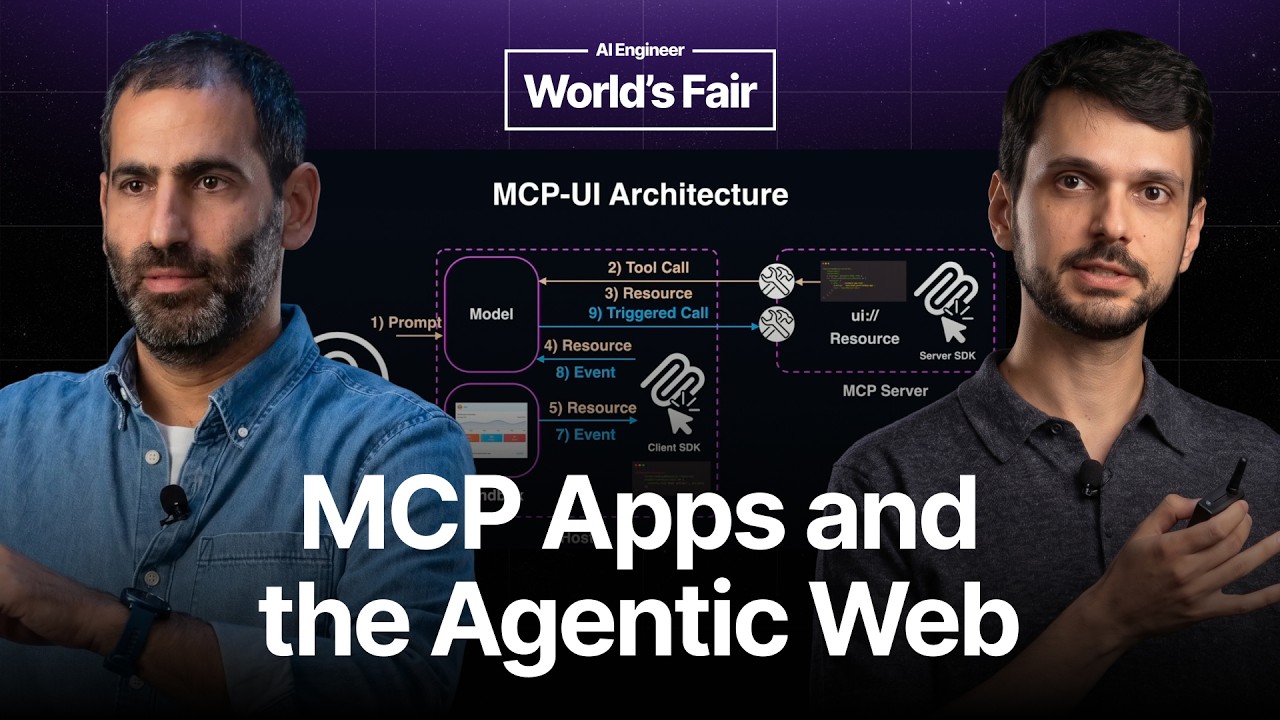
The core architecture is an MCP resource carrying HTML or an app view, rendered by the host in a sandbox. Crucially, an app interaction does not directly execute an action against its own backend: it sends an event to the host, which decides whether and how to prompt the model, invoke a tool, retrieve a resource, or otherwise continue the agentic workflow. The speakers position this host-mediated loop as the mechanism that preserves user-journey control and enables auditability.
Their example contrasts a textual PostHog funnel report with an embedded, branded, interactive funnel widget. A user can click a funnel step and have the app request that the host explain it; the model then advances the interaction. The same pattern is proposed for commerce, planning, forms, analytics, and other workflows where an assistant composes narrow UI fragments from multiple services instead of making the user navigate full websites or dashboards.
The talk is also a roadmap and ecosystem pitch. It highlights reusable views for expensive applications such as 3D renderers, bidirectional host-to-app controls through AppTools/ViewTools, and interoperability across iframe-style MCP Apps, declarative UI standards such as A2UI/JSON Render, and fully generative UI. The practical strategic message is that MCP Apps may become a cross-client application distribution layer, but the specification and its governance are still evolving.
Key Takeaways
- Claim: MCP Apps solves the loss of usability and brand identity that occurs when MCP servers expose only textual outputs. | Evidence: The speakers contrast a plain textual response from a PostHog MCP server with an embedded PostHog funnel widget, arguing that the text may be factually correct but is hard to scan and does not provide the familiar product experience. They name Shopify, Hugging Face, Monday, ElevenLabs, and Postman as examples of services for which recognizable UI matters. | Implication: For agent-facing products, expose compact, task-specific UI where decisions, visual context, or data exploration matter; reserve text-only tools for genuinely simple, low-context operations. | Caveat: The presentation asserts that text is the main blocker for companies building MCP servers, but provides no adoption research or customer evidence to substantiate that as the dominant constraint.
- Claim: The defining architectural feature of MCP Apps is host-mediated interaction: apps request actions, while the AI host retains authority to execute them. | Evidence: In the Spotify-style example, clicking a favorite button sends an event to the host rather than directly to Spotify's backend. The host can then choose to call a Spotify MCP tool. In the described implementation, the UI resource is rendered with a callback; events travel through that callback to the model, which can issue tool calls or access resources. | Implication: Treat the agent host as the control plane for app actions. This creates a cleaner place to apply approval gates, policy checks, logging, identity propagation, and cross-service orchestration than allowing embedded views to independently transact. | Caveat: This model requires host implementations to reliably enforce policy, consent, identity, and tool permissions; the talk describes the control flow but does not detail authorization, event validation, or security guarantees.
- Claim: MCP Apps uses existing MCP primitives to attach interactive UI to an agent operation rather than introducing a wholly separate application protocol. | Evidence: The speakers describe a tool call linked to a resource that returns HTML, typically preloaded by the host. The host consumes that resource and renders it in a sandbox through an MCPUI SDK component or web component that accepts the resource and an event callback. | Implication: An MCP server can evolve from tool-and-text responses toward rich interaction incrementally: register UI resources for high-value operations, link them to tool calls, and let compatible hosts render them. | Caveat: The talk is conceptual rather than a complete implementation guide; it does not specify lifecycle handling, state persistence, authentication boundaries, rendering restrictions, or failure recovery.
- Claim: The speakers envision a shift from browser-centric applications to assistant-composed UI fragments selected using personal context. | Evidence: Their anniversary-planning scenario replaces navigating Google Calendar, Amazon, Booking, maps, and multiple dashboards with an assistant that recognizes the event and pulls narrow calendar, shopping, booking, and map UI components into one flow. They describe these components as reusable UI 'atoms.' | Implication: Product teams should consider what minimum interactive fragment represents their service inside an agent workflow, rather than assuming their full website or dashboard remains the primary interface. | Caveat: This is a forward-looking product thesis, not demonstrated evidence that users will prefer assistants over direct applications or that providers will surrender control over their conversion funnels.
- Claim: MCP Apps formalizes differing levels of application influence over a conversation, including notification and prompt-request patterns. | Evidence: The speakers say an app can notify the chat that an event occurred or ask the chat to run a prompt, thereby handing responsibility for the next step to the host. Their PostHog example uses a click on a funnel step to send a prompt request asking the model to explain that specific step. | Implication: When designing agent UI events, distinguish passive state notifications from requests for model reasoning or tool execution. That separation prevents embedded components from silently taking over workflow logic. | Caveat: The transcript does not enumerate all three control levels or explain the exact user-consent and security semantics for each.
- Claim: The protocol is evolving toward persistent heavy views, host-to-app actions, and interoperability with declarative and generative UI approaches. | Evidence: Reusable views are proposed to avoid repeatedly recreating expensive applications such as Autodesk's 3D renderer. AppTools/ViewTools are described as a host-to-app path for actions such as filling a form. The team also cites A2UI, JSON Render, Claude's Imagine-style generated UI, and a recently released A2UI/MCP Apps interoperability guide. | Implication: Avoid locking an agent UX architecture to one rendering model. Build a compatibility strategy spanning provider-owned sandboxed views, host-rendered declarative UI, and model-generated interfaces. | Caveat: Reusable views and the referenced host-to-app capabilities are described as in development or imminent, so builders should not assume stable availability or identical behavior across clients.
- Claim: MCP Apps is being positioned as a write-once, multi-client distribution channel with active multi-party governance. | Evidence: The speakers state that MCP Apps grew from MCPUI and was developed with Anthropic and OpenAI as an official MCP extension; they cite support across Claude, ChatGPT, VS Code, Slack, Cursor, Copilot, GitHub, Postman, LibreChat, and Goose/Block. They direct contributors to the official MCP repository's Xtaps SDK/spec and describe an open working group meeting every three weeks. | Implication: MCP Apps is worth tracking as a distribution bet, but validate the exact host matrix, sandbox behavior, authentication model, and required fallback experience before committing a critical product workflow. | Caveat: Client support claims do not establish feature parity, production maturity, or durable standardization; the presentation itself emphasizes that the specification is still changing.
Detailed Brief
Emerging UI model: three points on the rendering spectrum
- Claims: The speakers frame MCP Apps as rendering-model agnostic rather than limited to a provider-owned iframe UI.; They distinguish predefined UI supplied by an application, declarative UI in which a service returns instructions for the host to construct the interface, and fully generative UI created by the model.
- Evidence: MCP Apps is described as the predefined, sandboxed application end of the spectrum.; A2UI and JSON Render are cited as declarative approaches where the chat/client builds the UI from returned instructions.; Claude Apps' Imagine feature is cited as an example of generative UI that reportedly uses MCP Apps behind the scenes.; The team says it released guidance for a server to send A2UI to Gemini while wrapping the experience as an MCP App for ChatGPT, and vice versa.
- Caveats: No interoperability contract, degradation behavior, or rendering-equivalence guarantee is described; portability may mean common deployment rather than identical UX across hosts.
- Implications: A durable agent-app strategy may separate domain state and interaction semantics from the final rendering layer, allowing the same capability to target richer proprietary views and more portable declarative fallbacks.
Protocol governance and ecosystem posture
- Claims: The speakers portray MCP Apps as community-shaped infrastructure rather than a closed vendor feature.; They encourage developers to use the Xtaps SDK because spec changes are said to flow into it immediately.
- Evidence: They reference an open repository for the spec and SDK, community pull requests and proposals, and a recurring MCP committee working group involving Anthropic, OpenAI, and other partners.; They cite community integrations, plugins, and courses as signs of early ecosystem formation.
- Caveats: Immediate SDK reflection of specification changes can be useful for experimentation but may introduce upgrade volatility for production systems unless versions are pinned and tested.
- Implications: Participation in the working group or issue tracker can be strategically valuable if Ken has requirements around agent control planes, app permissions, audit trails, or cross-host state management.
Notable Concepts & Terms
- MCP Apps: An extension to Model Context Protocol intended to let MCP servers deliver interactive UI resources into compatible AI hosts and exchange interaction events with those hosts.
- MCPUI: The earlier open protocol/SDK created by Salomon that the speakers describe as a foundation for MCP Apps, covering both UI transmission and app-host communication.
- Host-mediated interaction: The embedded app reports a user event to the AI client, while the client/model decides whether to prompt, call a tool, or take another action; this is the talk's central control and auditability model.
- Resource-linked UI: The implementation pattern in which an MCP tool call is associated with a resource containing HTML or an application view for the host to render.
- Reusable views: A proposed mechanism for retaining and updating an existing rendered app view instead of recreating it, intended for costly or stateful interfaces such as 3D renderers.
- AppTools / ViewTools: The speakers' term for standardized host-to-app communication, enabling an agent to act on a rendered view, such as filling in a form.
- A2UI: A declarative/generative UI standard cited as interoperable with MCP Apps, where a service can provide UI instructions for a host to render rather than shipping an owned app view.
- Agentic web: The speakers' thesis that assistants will compose contextual fragments of services and become the main environment through which users consume and coordinate web applications.
Operator Notes / Why Ken Should Care
- Prototype one high-value MCP workflow using a branded interactive resource plus explicit host-mediated event handling; choose a workflow where a text response demonstrably creates scanning or decision friction.
- Define a host-side event policy before allowing embedded app actions: event schema validation, user-confirmation thresholds, tool permission scopes, audit logging, and identity/authentication propagation.
- Test the same app against the actual target-client matrix rather than relying on general support claims; specifically compare rendering, sandbox limits, state persistence, authorization, and tool-call behavior.
- Maintain a rendering abstraction and fallback path: preserve common task state and action semantics while supporting sandboxed app UI, declarative UI, and text when a client lacks the desired capability.
- Monitor the MCP Apps specification, Xtaps SDK versioning, reusable-view proposal, and AppTools/ViewTools release status before designing workflows that depend on persistent UI state or host-driven form filling.
- Consider contributing requirements around cross-service auditability and host control to the open working group, since those areas are strategically important but underspecified in the presentation.
Source/Metadata
- Title: MCP Apps: Extending the Frontier — Ido Salomon & Liad Yosef
- Transcript words: 3147
- Duration seconds: 1118
- Timestamp note: No timestamps or chapter markers were present in the supplied transcript.
Transcript
Hi. So hi everyone. We did this talk yesterday, so it might be out of date. I'm Idar Salomon. I am the creator of MCPUI and co-creator and maintainer of MCP apps in the MCP Steering Committee. I also created Agent Craft, if you were in the talk yesterday. I'm Liat. I work with Idar on MCPUI. I'm also the co-creator and maintainer of the MCP apps spec and recently co-founded Aura, which is a research lab for the agentic web. And we're going to talk a little bit more about it later. So MCP apps are all around us. You might not even realize it, but all the fancy apps you have today in ChatGPT and VS Code and Slack are actually all based on MCP and the MCP apps spec. And if we take a step back and we ask, why do we need MCP apps? What's the idea behind MCP or MCP apps? So when we work with chats, with chat clients, we use text because that's the natural interface. But text is really the worst way to convey a lot of information, right? Because we don't want walls of text. And actually, this is the main blocker for companies to build an MCP server. They don't want to be reduced to a textual database. They don't want to lose their brand identity in the process. They don't want their data that they worked so hard on building the UX for to look something like this. So instead of this, what if the apps could just send their UI to the chat, right? What if every service and every brand could just send their user interface to the chat? So instead of us looking at something like this, we could just have the apps send their own identity, their own UI chunks into the chat. And then we take a look and we say, OK, yeah, I know this is Shopify in the middle. I know this is Hugging Face. I know this is Monday. And what if we don't want to do it only as a visualization? We also want to do it interactively. So we want the users to be able to actually interact with Hugging Face, for example, and for Hugging Face to actually do something with it. So we don't have to imagine the future, as we said. We partnered with MCPUI, which I created in May last year, and took that, which is essentially an open protocol for interactive applications over MCP. So it's not only how you transmit UI, but also how that UI, that application, communicates with the host. And just a few months ago, we partnered with Anthropic and OpenAI to create the official extension to MCP, which we call MCP Apps, based on MCPUI, AMP SDK, and other solutions in the field. The launch was pretty cool, with Claude and VS Code supporting it to begin with. But now, obviously, also OpenAI and others have adopted it. Yeah, and there are a lot of early adopters of MCPUI. Eleven Labs, Shopify, Postman. That was one of the first companies to support it, like a year ago. They are the ones believing in this spec, in this vision. And Goose also supported it. And it's a funny anecdote because today, Block released their agent e-commerce solution that is based on MCP Apps. So a year ago, Goose was the first client to support MCPUI, and now it is part of Block's product. And today, we have a lot more clients supporting MCPUI. We have Cursor and we have Copilot and GitHub. ChatGPT supports MCP Apps. ChatGPT Apps that you know are actually based on MCP Apps. And OpenAI actually recommends using MCP Apps as a protocol to build ChatGPT Apps. Postman and a lot more. And obviously, Claude supports MCP Apps. But you also have a large community around it. People started to build plugins for MCP Apps and integrations for different agents and also courses on how to build MCP Apps. This is Pi integration for MCP Apps. We have a large community around it. There's a repo, XTAP, which is the repo for MCP Apps, where everyone can just come and propose PRs and ideas of how to extend this spec. And we have a work group in the MCP committee, and we're convening every three weeks. We have a tri-weekly meeting on the future of the protocol and how to make the spec not just serve the big labs, but also the community. So it's an open working group with Anthropic, OpenAI, and all the partners in the MCP Apps protocol. Okay, so let's look at a few of the core concepts of MCP Apps. The first and most obvious one is how do we even transmit UI over MCP? So if we look at this example of Claude, agent times a few months ago, and I would ask something. Best case scenario, it would reach out to my MCP server and it would get back a textual response, which is obviously suboptimal. So let's say I do want to get something better. So now I can use existing MCP primitives, like a resource, and now return HTML. And I can take that HTML and, since Claude supports MCP Apps, it can turn it into an interactive application of the best soundtrack in the world. And what if you want it to be really interactive, right? This is nice because it shows the best soundtrack in the world. But if I want to favorite one of the songs there, I want interaction. I want communication between the app and the host. So when a user clicks on the favorite button, MCP Apps actually standardizes this flow. So instead of the app sending a message to the back end, to Spotify's back end, it's actually sending a message to the host saying, hey, the user clicked a button, do something with it. I recommend you call a tool in Spotify's MCP server, and the host decides what to do. The host keeps this control of the flow. In this case, the host can decide to actually call the favorite tool, and MCP Apps standardizes this flow. Okay, so seeing is believing. So let's see an example from Claude. Yeah. So let's say that I'm a product manager and I want to understand the status of my funnel. So I would go to Claude and I would ask, what's the status? In the, again, old world a few months ago, I would get back the search response. Let's say that it's PostHog. So it reached out to the PostHog server, got back a textual response. It's factually correct, but it's useless. I mean, how do I even take that and understand quickly what's going on? I would have to read, which I don't want to do. And it's pretty challenging. But luckily, because both PostHog server and Claude as a host support MCP Apps, I can just say, show me. And now, instead of getting that block of text, I can actually get something useful, which is this interactive widget that you would get on the PostHog server. And when you have that, you can at a glance see what's going on. And as you can see, it's branded PostHog. So you're actually getting the PostHog experience within ChatGPT or Claude, etc. But it doesn't really end there. As we said, MCP Apps is also an interactive protocol. So not only can I see an interactive widget, I can also do things like ask them to explain what a funnel is. I might not even know that. So again, instead of getting that huge wall of text explaining what a funnel is, I can just get this generative UI answer from Claude, which uses MCP Apps. It streams the HTML inside. And now I can get this nice interactive experience of learning. And not only is it visually nice and helps me understand, but it's also fully interactive. And when we say interactive, it actually means that clicking it would help me communicate with the host. So let's say that I want to understand a particular step in the funnel. I just go and I click on it. And since it's an MCP App, it can send a prompt back to the model and say, okay, explain this specific step to me. And I can advance the flow. So this is an example of how that looks. So how does it actually work if you look at the architecture of it? So we started by prompting. So we typed something in. We asked for the funnel information. A tool call went out. Since our server supports MCP Apps, that tool call is actually linked to a resource. And if you look at the code here, then it's just a resource with some prefix. We take that. It's pretty simple code. You can just register the resource with the HTML and you're done. That resource is then consumed by the host. In practice, it's usually consumed beforehand, like it's preloaded. But imagine that it's just consumed in real time. That same HTML is then passed to the host that also supports MCP Apps. MCP Apps is basically, if you look at the MCPUI SDK, just a React component or a web component that just accepts that resource, plus a callback, which is how we implement that communication protocol you saw earlier, and renders it in a sandbox. So, as we said, not only is it presentational, I can click. So what happens when I click? So we click on it. It sends back through that callback the event all the way up. The model takes that event and then it can send out a tool call or call a resource or anything else, just completing the agentic flow. And this architecture actually brings a new philosophy or a new vision to the web. So instead of us thinking of the web as tabs or services that we need to consume using a browser, we're now consuming it using our own personal assistants, right? What does it mean? It means that if I want to accomplish a task, for example, plan an anniversary. So up until now, I had to open 20 tabs in the browser and I had to try to convey my intent to each of those services. And by saying conveying my intent, it means that I have to interact with the dashboards or the UIs of those companies. So just to plan an anniversary, I need to convey my intent to Google Calendar and Amazon and Booking and Booking again and Amazon again. And I don't need 99% of the UI that is shown there because this UI doesn't know me. It doesn't have the context on me. What if we could just take these UIs and just break them into atoms, and those atoms can be composed by my own personal assistant, right? Because I don't need the UI. I need those atoms. So if we can take these atoms and have my Claude or ChatGPT or OpenClaude just use them using MCPUI, we can have this flow. So my proactive assistant can say, yeah, I know. I see that you have an anniversary coming. And instead of just showing me data from Google Calendar, it can display a Google Calendar chunk. Now, for me, it's good because I know Google Calendar. I trust Google. For Google, it's good because it maintains their brand and identity. And for the host, it's good because they don't need to develop this capability themselves. And it goes even deeper because if I'm interacting with Amazon, instead of Amazon being reduced to just a list of items or text, I can see Amazon. I can know that this is Amazon. And I can complete my entire flow without even leaving my assistant. And this is the agentic web. This is how we are going to consume the web because my assistant will have the context on me. It will know to pull the map from Booking.com. I don't need to know that, right? So this is going to be the shift that we're going to see very soon, where websites are going to shift into small chunks of UIs inside personal assistants. And with that comes a new interaction mindset because if I click on something in Shopify's MCP app, then Shopify doesn't control my journey anymore. The host does. And no application will control the user journey anymore. So Amazon wants to be able to see my flow. Everything will go through the chat for auditability. And MCP Apps actually standardizes it by defining these three levels of control over the user journey. So an app can notify the chat that something happened, or an app can actually ask the chat to run a prompt, releasing all responsibility to the chat. So MCP Apps actually standardizes it. And this is the new software flow, the new flow of interaction that we're going to see between applications, the chats, and the users. In 2026, we had an amazing year of standardizing MCPUI. And 2026 is going to be the year where it's going to be a global standard for UI. But it's still evolving. There's a lot of stuff going on. Even in these past few months, these are some of the things that are already in or already contributed or proposed by the community. So you still have a lot of time and a lot of room to influence how this future will look. So you can go to Xtaps. That's the official SDK. And the spec is also hosted there. It's under the official Model Context Protocol repository. There will be a QR code later, so you don't have to photograph it. And also, the cool thing about using Xtaps in particular is that because it's maintained by us directly, all changes to the spec are immediately reflected in the SDK. So if you use that SDK, then you automatically get all the new stuff out of the bag. These are some of the issues that we have. So please feel free to come and contribute. So what's next? There's a bunch of stuff coming up. The first thing that we get a lot of asks for is reusable views. So if you have companies like Autodesk that have really heavy apps, like they have the entire 3D renderer there, they don't want to keep re-rendering that over and over again because it just takes time. It's inefficient. That's just the way that we had to do it for the MVP. But we are working on thinking of maybe we can pass some identifier from the server in a way that would help the model actually keep updating the same view. The other way to do this is AppTools, which is something, if you've heard of WebMCP, which is Google's standard of how agents will interact with web views. So in MCP Apps, we actually standardized it into AppTools. So up until now, we saw the flow where users do something in the app and the app talks to the host. But what if the host or the chat wants to speak to the app? If the user writes something, fill out this form for me, and the chat will fill out the form for the user. So MCP Apps actually standardizes this flow, which we call ViewTools. That's actually in the spec right now. It's going to be released very soon. And we're working on this generative UI spectrum where you have predefined UIs. That's MCP Apps. That's the black box iframe that renders Alt-Raised UI in that example. But you also have other things on this spectrum, like declarative UI, like JSON Render or A2UI. These specs say, yeah, the app just returns instructions on how to build the UI, but the chat will actually build the UI. And you have fully generative UI on the other end of the spectrum. And if you know Claude Apps, yeah, MCP Apps is agnostic to the way the UI is generated. And if you know Claude Apps' Imagine feature where you can just ask Claude to generate a UI for you, that's actually based on MCP Apps. So this is an MCP App behind the scenes, but it supports generative UI. So we're working on interoperability with those other standards. And actually, just a few days ago, we released a guide on how to do A2UI, which is a generative UI standard, and MCP Apps, which is this standard. How to do interoperability. How a server can write A2UI and ship it to Gemini, but also wrap it as an MCP app to ship to ChatGPT and vice versa. And MCP Apps are supported everywhere, so they can run everywhere. If you build it once, it runs in LibreChat, which is an open source MCP App-supported client, but also in ChatGPT. That's the same app that you're seeing, the same code base that runs in both, which is pretty cool. Yeah. Yeah. Yeah. So this isn't just a technology or a cool feature. This is an entirely new way to distribute applications. So if you look just a few months back, then Sam Altman said that ChatGPT in particular has 800 million weekly users, which is 10% of the entire world population. That's insane. So if you think about the web in general, it took around 13 years to get to that number of users. So if you look at this and you think that in the last few months, we actually had a growth of over 1 billion in GISTWAT, we have like 170 times the total addressable market of the Apple App Store when it launched. So MCP Apps are everywhere. Slack just released it, VS Code, Claude, OpenAI, etc. It's already there. So how do you get started? As I said, you can clone those. You can go to Xtaps. As a host, also go to the Xtaps or the MCPUI website. Please visit the official repo, the Xtaps repo, to get involved. So embrace the new web. It's awesome. With MCP Apps, you can write once and run it everywhere. And the future is looking bright. Not quite Jarvis, but with MCP and MCP Apps, we're close. And come talk to us afterwards. Thank you. Thank you. Thank you. Thank you. Thank you. Thank you. Thank you. Thank you. And you, thank you. To me, and you, and you, and you, to me, and you, and you, you Thank you. Thank you. , and you, thank you. to me, and you, and you, and you, to me, and you, and you, you