The Spatial Harness: Bringing Agents to the Canvas — Max Drake, tldraw
Description
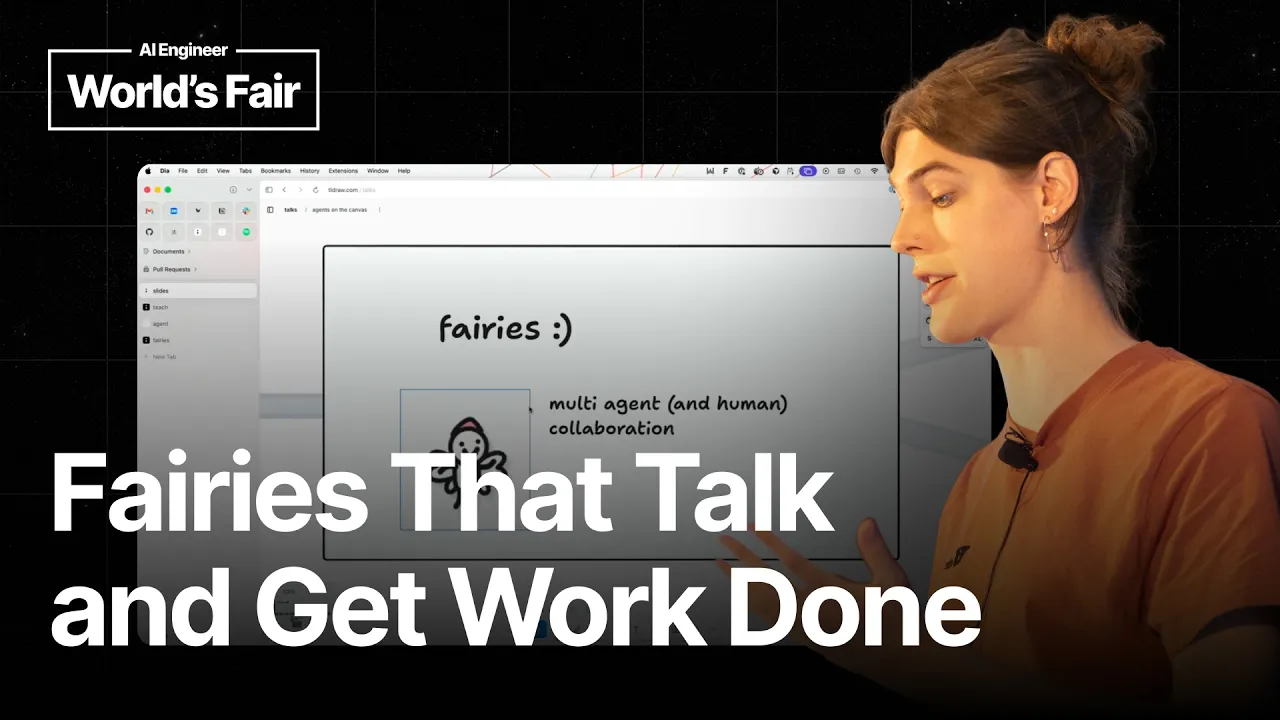
One of Max Drake's colleagues turned a whiteboard app into a window manager, then used it to play Pong with real desktop windows. Drake is a product engineer at tldraw, the London company behind the free infinite canvas app and, more importantly to him, the SDK powering other people's canvases, including Replit's. tldraw exists because people building canvas apps got stuck on the canvas itself, on selection and resizing and matrix math, and never reached their actual product. His talk is about the same trap one layer up. Coding agents work well because code is text in and text out, the medium they were trained on. Ask one to align something in two dimensions and it falls apart. Teaching agents to understand space takes real engineering. The progression starts with getting a model to read a canvas at all, from a screenshot plus the underlying JSON. Told in one shot to make a mouse blow out a candle, it produces wind and then smoke, positioned correctly, out of ordinary shapes. That becomes the agent starter kit, MIT licensed, where an agent sets its own todos and moves its viewport to go looking for things. Then come fairies, agents rendered as visible characters you can throw around and recolor. The whimsy is load bearing: with ten agents running you read their state by glancing at them rather than reading a chat log. Select several and you get a group chat, one of them acting as orchestrator, assigning work and waiting to review it. Last is a dependency graph where every node is a coding agent, and a desktop build that lets any agent script the editor directly. Speaker info: - https://x.com/max__drake - https://www.linkedin.com/in/maxdrake1/ - https://maxdrake.md Timestamps: 0:00 - A demo kicked off before the talk begins 1:08 - tldraw, the app and the SDK behind other canvases 4:14 - Why coding agents work and canvas agents struggle 5:08 - Teaching a model to read and act on the canvas 7:01 - The agent starter kit goes agentic 8:26 - Fairies, multiplayer agents
Summary
Generated by gpt-5.6-terraAt-a-Glance
- Verdict: Watch fully
- Core thesis: A shared infinite canvas can become an effective agent harness and control plane when agents are given spatial perception, autonomous navigation and task tools, visible state, and access to real-world systems beyond the canvas.
- Why it matters: The talk offers concrete interaction and orchestration patterns for making multi-agent work inspectable and collaborative rather than burying plans, delegation, and progress inside isolated chat threads or terminal sessions.
- Best use: Use it as product and systems-design input for a visual agent operations layer: especially dependency-aware task routing, human oversight, agent identity/status visualization, and a canvas UI that controls external tools and local execution.
Executive Summary
Max Drake argues that canvases are more than a novel UI for LLMs: they can function as shared places where humans and agents see context, collaborate, delegate work, and monitor progress. TLDraw’s premise is that the same multiplayer properties that make whiteboards useful for remote teams—shared cursors, selections, viewports, and spatial organization—can make agents legible collaborators.
The technical prerequisite is not trivial. Unlike code agents, which largely operate in the text-in/text-out medium on which models were trained, agents are weak at 2D spatial understanding. TLDraw addressed this by combining a screenshot, canvas JSON, and instructions for interpreting objects and acting on them. Its earlier “Teach” experiment demonstrated single-shot spatial manipulation; the Agent Starter Kit turns that capability into an agentic harness with goals, to-dos, view changes, and iterative action.
The strongest product idea is that agent orchestration should be spatially observable. In the Fairies prototype, agents have distinct visual identities and visible states, while an orchestrator can delegate work to others and wait for completion before review. Drake’s point is that animations and cosmetic differentiation are not merely playful: when many agents are active, users need to recognize who is doing what without reading a long chat transcript.
He then expands the concept from agents trapped inside a canvas to a canvas as a higher-level control plane for real work. TLDraw’s Tech Tree prototype represents a launch plan as a dependency graph whose nodes are coding-agent tasks; users can create tasks spatially, assign them to Claude, inspect and merge resulting PRs, and collaborate with colleagues in the same graph. The desktop app exposes the editor to agents through a server so they can write JavaScript against it while also accessing local files and external information, enabling ephemeral spatial interfaces that affect the actual desktop environment.
Key Takeaways
- Claim: Agents need an explicit spatial harness because raw LLMs are materially weaker at understanding and operating in 2D layouts than they are at producing code or text. | Evidence: Drake contrasts coding agents such as Claude Code, whose work aligns with a text-in/text-out training medium, with UI and canvas tasks such as aligning objects. TLDraw’s “Teach” project had to provide screenshots, canvas JSON, and instructions for both interpreting shapes and predicting the results of actions; in a demo, the model made ordinary canvas shapes representing a mouse blow out a candle with wind and smoke. | Implication: A visual agent product should not assume a general-purpose model can reliably manipulate a workspace from pixels alone; expose a structured scene representation, clear action primitives, and feedback about resulting state. | Caveat: The cited Teach experience was a single-shot prompt demonstration, not an autonomous multi-step agent workflow.
- Claim: The transition from a visual prompt demo to a useful canvas agent requires iterative autonomy: goal creation, search/navigation, state inspection, and action execution. | Evidence: TLDraw’s MIT-licensed Agent Starter Kit lets an agent locate a red friend for a cat elsewhere on a canvas. The visible agent view shows it creating to-dos and changing its viewport to inspect distant objects, analogous to a coding agent searching a codebase before editing it. | Implication: Treat the canvas as an environment with tools—not as a static image-generation surface. Agent capabilities should include pan/zoom or scoped retrieval, object selection, structured edits, task state, and iterative verification.
- Claim: For multi-agent systems, visible identity and behavioral state are core observability features, not decorative UI. | Evidence: In TLDraw’s Fairies prototype, each agent can be visually differentiated by attributes such as hat and color. During a group task to prepare a fiscal-year-2025 financial memo, users can see one agent acting as orchestrator, another doing assigned work, and others waiting or idle rather than inferring status from chat logs. | Implication: If Ken operates multiple agents, assign persistent visual identities and surface status transitions, ownership, task relationships, and waiting/blocking conditions directly in the control surface. | Caveat: The Fairies system is presented as an experimental interaction prototype; the financial-memo demo encountered an internet issue and did not complete normally on stage.
- Claim: A spatial dependency graph is a useful abstraction above agent runtimes because it makes sequencing, parallelism, and bottlenecks understandable to both humans and agents. | Evidence: TLDraw reportedly replaces conventional task tracking near launches with a large dependency graph on a canvas. Drake’s Tech Tree prototype turns each node in a similar graph into a coding-agent task that can be launched autonomously; users can see a completed gesture-controls task, open its PR, merge it, and have the graph update. | Implication: Represent agent work as dependency-linked, reviewable units rather than a flat list of prompts. This gives operators a way to prioritize unblockers, control concurrency, identify critical paths, and insert approval gates. | Caveat: The prototype includes a deliberately casual merge of an agent-generated PR without explanation or review, which is a demo behavior rather than a safe production practice.
- Claim: The canvas becomes substantially more valuable when it is a collaborative control plane rather than a self-contained agent sandbox. | Evidence: The Tech Tree app is multiplayer: colleagues can join the same workspace, add or edit tasks, and inspect current work. A user can also draw a prompt on the canvas, convert it into a task, assign it to Claude, and run it—an approach Drake compares to Conductor and OpenAI Symphony as an abstraction layer over multi-agent coordination. | Implication: Build shared operational context by default: agents, operators, plans, and reviews should live in the same synchronized workspace rather than in individual users’ disconnected agent instances.
- Claim: A visual agent interface should be able to invoke real tools and local data; otherwise agents remain trapped in a representational layer with limited practical value. | Evidence: TLDraw’s desktop app exposes its running editor instance through a server, allowing an agent such as Claude Code to write plain JavaScript against the editor while working locally on files. In the opening task, the agent accessed Gmail, found a Notion specification, and began implementing a demo; a separate example used the desktop canvas plus automation to arrange application windows, and another used windows to play Pong. | Implication: The control-plane architecture should separate visual planning from execution but connect them through governed tool access, explicit credentials, scoped permissions, audit logs, and human approval for consequential local or external actions. | Caveat: The opening end-to-end implementation had still not completed after 13 minutes during the talk, and the desktop examples imply powerful local-computer access without discussion of permissions, sandboxing, or approval controls.
Detailed Brief
TLDraw’s product position and the reusable canvas stack
- Claims: TLDraw positions itself both as a free infinite-whiteboard application and as an SDK for building canvas-native products.; The company’s motivation is to remove canvas-engineering complexity—selection, resizing, synchronization, and matrix math—so product teams can focus on their differentiated workflows.; Drake cites Replit’s newer agent-canvas work as being built on TLDraw.
- Evidence: The SDK includes multiplayer live synchronization as well as collaborators’ cursors, selections, and viewports.; The talk frames potential SDK users as teams building products such as a Miro alternative or slide designer.
- Caveats: The Replit reference is a speaker claim in a product talk and is not independently substantiated in the transcript.; The presentation is principally a vision and prototype demonstration rather than a benchmark of task success, cost, reliability, or user outcomes.
- Implications: For teams building a visual agent operations product, a mature canvas substrate can reduce implementation risk, but it does not solve the separate hard problems of spatial grounding, execution reliability, permissions, and review workflow.
Design principles implied by the prototypes
- Claims: Spatial organization provides a high-level overview that chat histories and individual agent terminals do not naturally provide.; A canvas can support lightweight, expressive task creation: users can draw a region or annotation, wrap it as a task, and assign it to an agent.; The most ambitious direction is an ephemeral interface model, where agents dynamically create visual controls that map to actions in the user’s real computing environment.
- Evidence: The Tech Tree interface uses dependency relationships to show what must happen next and what is currently in process.; The window-manager example has an agent create rectangles in TLDraw and use desktop automation to move real windows.
- Caveats: The examples establish interaction potential but do not show conflict resolution when multiple agents edit the same objects, recover from partial failure, or negotiate competing dependencies.; Ephemeral interfaces that control a desktop create a larger security and accidental-action surface than ordinary canvas editing.
- Implications: A production spatial harness should make execution boundaries explicit: distinguish plans, proposed actions, running jobs, completed artifacts, failed tasks, and actions requiring approval.; The right success metric is not visual novelty; it is whether operators can understand, steer, and safely intervene in parallel work faster than through existing chat-and-terminal workflows.
Notable Concepts & Terms
- Spatial harness: The implied system layer that gives an agent a structured understanding of a canvas, tools to navigate and modify it, and feedback loops for multi-step work.
- Teach: TLDraw’s earlier single-shot experiment for grounding an LLM in canvas screenshots, JSON state, and action consequences.
- TLDraw Agent Starter Kit: An MIT-licensed starter implementation that wraps canvas understanding into an agentic workflow with autonomous goal setting, to-dos, navigation, and actions.
- Fairies: A collaborative multi-agent canvas prototype where agents have visual embodiment, distinguishable identities, visible statuses, and delegation behavior.
- Tech Tree: A prototype agent-management interface that models work as a dependency graph whose tasks can be assigned to and executed by coding agents.
- Canvas control plane: A higher-level shared workspace above individual agent runtimes where humans create tasks, inspect dependencies, monitor status, review outputs, and coordinate execution.
- Ephemeral UI: A dynamically created visual interface that an agent uses to represent and control external real-world or desktop state, rather than merely drawing inside the canvas.
Operator Notes / Why Ken Should Care
- Prototype a dependency-graph view for agent programs in which each node has an owner, model/runtime, input context, permission scope, current state, artifact links, retry history, and an explicit human approval requirement where appropriate.
- Require structured scene data and tool-mediated edits for any agent expected to operate spatially; do not rely on screenshot-only UI control for precision workflows.
- Define a multi-agent observability specification before increasing parallelism: persistent agent identity, task assignment, idle/waiting/blocked/running/failed states, delegation links, and a concise event trail should be first-class.
- Put security controls around any desktop or external-system bridge: least-privilege credentials, scoped tool access, confirmation for irreversible actions, action logging, and isolation from unrestricted local-machine control.
- Evaluate whether a spatial control plane improves operator decision speed on real workflows such as launch planning or software delivery; reject it if it only produces a more attractive visualization of opaque agent behavior.
Source/Metadata
- Title: The Spatial Harness: Bringing Agents to the Canvas — Max Drake, tldraw
- Transcript words: 6758
- Duration seconds: 1131
- Timestamp note: No usable timestamps or chapters were provided. The transcript contains a substantial repeated section of the talk.
Transcript
Thank you for coming here to my talk to watch me talk about agents on the canvas. The first thing I'm going to do though is before, I have to record my screen. The first thing I'm going to do is I'm going to ask my agent to do something on the canvas. And what I'm going to do is say, hey, my colleague Spencer just emailed me a link to a Notion document for a really cool demo we could build with the TLDraw desktop app. Can you find that document and then can you build it on the desktop app? Thank you. Okay, so that's going to build and then we're going to come back to it later and hopefully it'll work. Hi everyone, my name is Max Drake. Thanks so much for coming. I work on agents on the canvas at TLDraw. I'm a product engineer there. So first things first, am I qualified to be giving this talk? I like to think so. I've been doing agents on the canvas stuff since before ChatGPT came out. I think it's really cool. I think there's so much UX stuff you can do with when you get LLMs and you have them working in space. And I think it's really interesting. I've been doing it for about as long as you can have been doing it. More recently, I've been talking about this a lot. Here's some proof. And yeah, so I work at this company called TLDraw. Can I get a quick show of hands? Has anybody ever heard of or used TLDraw before? Yeah, okay. Awesome, so yeah. The thing that you probably use if you use TLDraw is this app right here. So this is all TLDraw. TLDraw is a free infinite canvas whiteboarding app. We have selections and arrows and resizing and all the things that you need in a whiteboard. TLDraw is also the company that makes this app. It's based in London. It's where I work. But the last thing that TLDraw is, which is I think in my opinion the most important, is it's the infinite canvas SDKs that powers this app. And so what that means is that this is the TLDraw SDKs, the engine that powers a lot of infinite canvas experiences because it turns out it's really hard to get that kind of stuff right. And so if you ever want to build a Miro competitor or a slide designer or if you're with Replit, Replit has their whole new agent canvas stuff built on top of TLDraw. And so the reason we built TLDraw in the first place was that we were running into this issue, or people were running into this issue where they had this idea for this really great killer canvas app and they went to go build it. And everybody would run into the same problem where they would have trouble making the actual canvas part of the app. And they would try to deal with resizing and selection and all the matrix math. And the issue is that they wouldn't be able to build their actual app itself. They would get stuck on the canvas. And so we built TLDraw to be the engine that could be the canvas so that they could focus on the actual app. When LLMs came out, we, like a lot of other people, saw that this was going to be this weird new type of software. I'm sure a lot of you were building in 2022 and it was really exciting. And a lot of people had the exact same thing. People had an idea for this cool app that would involve LLMs on the canvas, having them manipulating things in space. But then they would try to build it and they'd get stuck. There are no best practices. People didn't really know how to do it, and so at TLDraw, we realized that we need to make it easy for people to build with agents, with LLMs on the canvas. Also, TLDraw, the SDK as well as the app, has multiplayer built in with live sync. It's really nice. There's cursors. You can see your collaborators' cursors and selections and viewports. And I think all of the things that make just the canvas in general a really great place for interacting with and collaborating with your colleagues also make it a really great place for interacting and collaborating with agents. And I hope I'm going to be able to show you guys some of that in the demos that come up. So before we talk about agents on the canvas, really quickly I want to talk about agents not on the canvas. I'm sure you guys have all used an app that looks like this, you know, Claude Code. And I'm going to really oversimplify here, but the reason why these apps are so good and why they work is because the medium in which they're working, writing code, is essentially the medium in which they were trained. It's text in, text out. That's how they were trained. And when we work with them, we give them a prompt and they write code. It's text in, text out. Again oversimplifying, but that's essentially how they work. I don't know if you guys have ever tried to get your agents to do UI stuff and try to get them to align something. I found that they could not do that whatsoever. Because it turns out agents are really, really bad at working in 2D space and understanding 2D space. And it actually requires a lot of engineering work to get them to do it. And that's the project that we've been embarking on at TLDraw recently. And so the first thing we had to do—this is an older project—but the first thing we had to do is teach the agents, or at this point, not agents, LLMs, to understand the canvas and understand what they're even looking at. So we had this project called Teach, where we taught. I'm going to prompt this really quick. I'm going to say, hey, make the mouse blow out the candle. Yeah. So that's going to take a second. This is an older project. But basically, what we had to do is we had to teach the LLMs how to take the screenshot that we give it and the JSON and all of the other information about the canvas and have. Oh. Yeah, there we go. Okay, so yeah, that's some wind. Sometimes it gives us smoke as well. Yeah, and we got a little smoke as well. So we basically had to teach it how to. And I want to be very clear, this is not a special mouse shape. These are just shapes on the canvas. And so the work behind this—it's a single shot prompt—but we basically tell the agent how to interpret, both via screenshots and via the data, what is actually on the canvas, what it's looking at, which is actually not a trivial problem. And then also how to actually act on the canvas and to understand how the actions that it produces will affect the canvas. So it got the positions right, and it understood what it was doing. So we got this, we kind of figured out how to teach it what the canvas is, but this was a single shot, single prompt kind of thing. And so the next thing we built is the TLDraw Agent Starter Kit, which basically takes that and wraps it in a harness that lets an agent work agentically on the canvas. The code is also MIT licensed, you can find it on the website. So here's a little cat. I'm going to make this a little bigger. But what I'm going to say is, hey, so somewhere else on the canvas, there are some friends for the cat. Can you please bring one of them over to the cat? Her favorite color is red. And so I'm going to zoom out, I'm going to show you guys what's actually going on. So you can see the view of the agent. There's some potential friends over here, and if you read the. All right, so basically, what's going on is that the agent has a prompt, and using the information it has about the canvas, it's going to make some goals for itself. You can see there's some to-dos in the corner here. It changed its view in order to see what was, you know, the other stuff that was on the canvas. The same way that if you ask a coding agent where we define this thing in the code base, it can search, it can find it. So this is turning that single-shot prompting experience into an agentic thing that you can have. It can autonomously set goals and work towards them. The next thing we did, we did this project called Fairies. And if you read the all right, so what's going on is that the agent has been given a prompt, and using the information it has about the canvas, it's going to make some goals for itself. You can see there's some to-dos in the corner here. It changed its view in order to see what was the other stuff that was on the canvas. The same way that if you ask a coding agent where do we define this thing in the code base, it can search and find it. So this is turning that single-shot prompting experience into an agentic thing that you can have. It can autonomously set goals and work towards them. The next thing we did was a project called Fairies, and so we had this agentic experience, but we realized that TL Draw and the canvas in general is so collaborative, it's so multi-player, and we wanted people to be able to work together with their agents, and we also wanted the agents to be able to work together. So this is a fairy, and if you guys want to scan this QR code, you can actually join this. This is multi-player. It requires a Gmail sign-up, but you don't need to pay for tokens. This is the link. So basically, this is a fairy. This fairy's name is Joan. They don't like being grabbed. You can throw them around. We added a lot of important stuff. You can change its hat, you can change the color, and this seems silly, but it's actually really important, and I'll talk about this a little bit more later. When you get a high-level view of when you see your agents working on the canvas, it's important to know which one is which, and differentiating them is actually important, which is why we added the leg slider. But so I can say hey to it, and I can say draw a cat, and I can have it work, but the most important thing here is that fairies have friends, right, and they can work together. So we designed this multi-agent collaboration system that works on the canvas, and my colleagues' agents are here working, making this really great scene. I'm going to bring mine over, and I'm going to give them a slightly different prompt. So I'm going to select them all, and now I have a group chat of the agents, right, and I'm going to say: hey, I have a board meeting coming up in like 10 minutes, and I don't have any of my figures. Can you draw up a little memo for all of my financial data for fiscal year 2025? Thank you. Okay, so what's going to happen there is this creates a multi-agent coordination thing. We have one of the fairies writing out a plan. You can see it. And the animations are cute and funny, but it's actually really important. I don't have to read a chat or go through imagine if I have 10 agents working. I don't have to read a chat in order to know what's actually going on. I can look at the state of the agents, and I can see what's happening. So we have a task here that's been defined. It seems like the fairy is waiting for that to finish. Yeah, so that one's bored. That one's waiting. So this is the orchestrator fairy. What it's done is it's assigned the task, and now it's waiting for the other ones to start and finish it, and it's going to get notified. It's going to get prompted in order to review. It seems like for whatever reason my internet's not working, but never mind. So we have one fairy who made the task, one fairy who's working on it, and this is this multi-agent coordination system on the canvas. I have my colleague who has his agents over here. They're working as well. And you can collaborate with people and with agents in this environment, and I think that's really cool. So the next thing, the problem with fairies is that they're trapped in the canvas, and if you want to build something like this, it requires you to opt in and have your entire harness be a canvas harness. And the downside of that is that it makes it really hard to have any of this work with stuff outside in the real world. The fairies are trapped in the canvas. And so I built this experiment. We had a little hackathon internally. But first as a quick motivation for that, at TL Draw, whenever we're getting closer to a launch, we abandon all of our task tracking software and we make just one massive dependency graph of how this is what an actual real thing from when we launched fairies. And this is what it looks like when we're really when things are hitting the fan at TL Draw when we're launching something. And I really like this interface because it lets you see what depends on what, it lets you know what's coming next, it lets you get a high level overview. These are all green because we finished them, but you can imagine during the project, some of them are in process. And I really wanted something like this, but something that I could actually do the work itself. And so I prototyped this thing. It's called the Tech Tree app. And basically it's similar to this. It's a dependency graph, but each of these tasks is a coding agent that you can kick off and you can have your agent be running and doing them autonomously. The project itself that's working on is this little demo app, but this is a multimodal input thing. I haven't written any of the code for this. This is all written by agents. But I can manage all of the work that's being done in this desktop app or in this app here. And so I can do something like I can see this one has finished building some gesture controls for the canvas. So I can open the PR. And unfortunately, I am just going to merge this. I am not going to have it be explained to me. But so this is great, awesome. It looks good. And then eventually this is going to get marked as complete. And this is also multiplayer, which is really cool. And you can have people working together. Yeah, so that's finished. And you can also prompt from inside the app. You can draw and have a prompt. So I can basically take all of this, and I can draw a little prompt, and I can wrap it in a task. And I can call it facial animation canvas control. And then I can assign that to Claude, and I can just hit run. And so now that's working as well. And so this is something similar to Conductor or OpenAI Symphony, where you're using an abstracted interface above what the actual is, in order to manage your multi-agent coordination and things like that. And the thing I like about this also is that because this is multiplayer, one of my colleagues can come and join and add tasks and edit things and see the work that's been going on. So it's much more collaborative than your own instance of something. Here's the moment of truth. Let's see if that demo that I had it build in the beginning worked. All right, it hasn't built the fluid simulation yet. It's been working for 13 minutes. That's actually fine. And so basically, this is the TLDraw desktop app. Something that's really cool here is that we have this running locally. It's working on files. We'll see if it finishes. We'll let this run. But basically what this does is this exposes the editor instance of the TLDraw app that's running here. And it has a server that lets any agent, for example In order to manage your multi-agent coordination and things like that. And the thing I like about this also is that, because this is multiplayer, one of my colleagues can come and join and add tasks and edit things and see the work that's been going on. So it's much more collaborative than your own instance of something. Here's the moment of truth. Let's see if that demo that I had it build in the beginning worked. All right, it hasn't built the fluid simulation yet. It's been working for 13 minutes. That's actually fine. And so this is the TLDraw desktop app. Something that's really cool here is that we have, so this is running locally. It's working on files. We'll see if it finishes. We'll let this run. But basically what this does is this exposes the editor instance of the TLDraw app that's running here. And it has a server that lets any agent, for example, my Cloud Code, write just plain JavaScript against the editor. And it's code mode if you've ever used code mode. But you can basically turn your TLDraw desktop app into a scripting environment. And one of my colleagues actually is, I'm going to, this is the off the rails bit of the canvas here, or of the talk. So here's something my colleague made using the same thing. So this is, he has a TLDraw desktop app in the corner here. And he's using it as his window manager. And what he did, the way he did this was he just told Cloud Code to, because Cloud Code has access to your actual computer, it's not locked into the canvas. It basically made some rectangles. And it probably wrote some Apple script or something to actually move the things around. And so you can kind of make all of these ephemeral UIs and have them actually be doing things in the real world. Another really cool one that he did was, if this loads, it's Pong on the desktop. Let's hit it with a little refresh there and see if it works. Yeah, so this is, he's got in the corner here, you have TLDraw running, this is the desktop app, and it's using the Windows in order to play Pong. And so again, kind of crazy, but there's, maybe it seems a little silly, but let's see if this worked. Oh, it's still working, man. It was usually much faster. But I think this stuff is so cool because this lets you kind of do all of the weird spatial interfaces that you can do on the canvas. You get all of the primitives of the canvas. But you can have your agents working in the real world. It has access to real data. If I scroll up, I'll show that if, this is my cloud code and it found the Gmail, it got the Notion doc, it found the spec, and it's going to implement it. But yeah, to sum up, I think that agents working on the canvas is so cool and I think that there's so much we can do if we use the agent, the canvas as a place to work with agents and I think the place part of it is really important because, when we do, with remote work collaboration, we do a lot of stuff online with each other and we collaborate with people on the canvas. And I think that the canvas can be a place where we collaborate with agents. And I'm vamping because I'm trying to see if this is finished but I don't think it's going to finish. But thank you so much. TLDraw is a free infinite canvas whiteboarding app. We have selections and arrows and resizing and all the things that you need in a whiteboard. TLDraw is also the company that makes this app. It's based in London. It's where I work. But the last thing that TLDraw is, which is I think in my opinion the most important, is it's the infinite canvas SDKs that powers this app. And so what that means is that this is kind of the TLDraw, the SDKs, the engine that powers a lot of infinite canvas experiences because it turns out it's really hard to get that kind of stuff right. And so if you ever want to build a Miro competitor or a slide designer or if you're like Replit, Replit has their whole new agent canvas stuff built on top of TLDraw. And so the reason we built TLDraw in the first place was that we were running into this issue or people were running into this issue where they had this idea for this really great killer canvas app and they went to go build it. And everybody would run into the same problem where they would run into, they would have trouble making the actual canvas part of the app. And they would try to deal with resizing and selection and all the matrix math. And the issue is that they wouldn't be able to build their actual app itself. They would get stuck on the canvas. And so we built TLDraw to kind of be the engine that could be the canvas so that they could focus on the actual app. When LLMs came out, we like a lot of other people saw that this was going to be this weird new type of software. I don't know if anyone, you know, I'm sure a lot of you were building in 2022 and it was really exciting. And a lot of people, it was the exact same thing. People had the idea, had an idea for this cool app that would, you know, involve LLMs on the canvas, having them manipulating things in space. But then they would try to build it and they'd get stuck. There are no best practices. People didn't really know how to do it and so at TLDraw, we realized that we need to make it easy for people to build with agents, with LLMs on the canvas. And also, so TLDraw, the SDK as well as the app, has multiplayer built in with like live sync. It's really nice. There's cursors. There's, you can see your collaborators' cursors and selections and viewports. And I think all of the things that make just the canvas in general a really great place for interacting with and collaborating with your colleagues also make it a really great place for interacting and collaborating with agents. And I hope I'm going to be able to show you guys some of that in the demos that come up. So before we talk about agents on the canvas, really quickly I want to talk about agents not on the canvas. I'm sure you guys have all used an app that looks like this, you know, Cloud Code. And I'm gonna really oversimplify here, but basically part of the reason why these apps are so good and why they work is because they're, the medium in which they're working, writing code, is essentially the medium in which they were trained. You know, it's text in, text out. That's how they were trained. And when we work with them, we give them a prompt and they write code. It's text in, text out. You know, again oversimplifying, but that's essentially how they work. I don't know if you guys have ever tried to get your agents to do like UI stuff and try to get them to align something. Found that they could not do that whatsoever. Because it turns out agents are really, really bad at working in 2D space and understanding 2D space. And it actually requires like a lot of engineering work to get them to do it. And that's kind of the project that we've been embarking on at Teal Draw recently. And so the first thing we had to do, this is an older project, but the first thing we had to do is get them to teach them, teach the agents, or at this point, not agents, LLMs, to understand the canvas and understand kind of what they're even looking at. So we had this project called Teach, where we taught, so I'm gonna prompt this really quick. I'm gonna say, hey, make the mouse blow out the candle. Yeah. So that's gonna take a second. This is an older project. But basically, what we had to do is we had to kind of like teach the LLMs how to take the screenshot that we give it and the JSON and all of the other information about the canvas and have, oh. Yeah, there we, okay, so yeah, that's some wind. It's, is it, sometimes it gives us smoke as well. Yeah, and we got a little smoke as well. So, so we basically had to take it, how to like, and I wanna be very clear, this is not, this is not like a special mouse shape. These are just like, you know, these are just shapes on the canvas. This is, and so the work behind this, it's a single shot prompt, but we basically, we tell the agent how to interpret, both via screenshots and via the data, what is actually on the canvas, like what it's looking at, which is actually, you know, it's not a trivial problem. And then also how to, we teach it how to actually act on the canvas and to understand how the actions that it produces will affect the canvas. So, you know, it got, it, you know, it made the, it made the smoke, it made the, it made the wind, it got the positions right, and it understood what it was doing. So, we got this, we kind of figured out how the, like kind of, we got, we taught it what the canvas is, but this was like a single shot, single prompt kind of thing. And so the next thing we built is the TealDraw Agent Starter Kit, which basically turns that and wraps in a harness that lets an agent work agentically on the canvas. The code is also MIT licensed, you can find it on, you can find it on the website. So, here's a little, here's a little cat, I'm gonna make this a little bigger. But what I'm gonna say is, hey, so somewhere else on the canvas, there are some friends for the cat. Can you please bring one of them over to the cat? Her favorite color is red. And so, I'm gonna zoom out, I'm gonna show you guys what's actually going on. So, you can see the view of the agent, there's some potential friends over here, and you know, if you read the, all right, so, and basically, what's going on is that the agent has kind of like, we've given it a prompt, and using the information it has about the canvas, it's going to kind of like, make some goals for itself. You can see there's some to-dos in the corner here. It changed its view in order to see what was, you know, the other stuff that was on the canvas. The same way that, if you ask a coding agent, you know, you ask it, you know, where do we define this thing in the code base, it can go, it can search, it can find it. So, this is kind of like turning that single-shot prompting experience into this kind of like agentic thing that you can have, you know, it can autonomously set goals, and work towards them. The next thing we did, we did this project called Fairies, and so, we basically, we had this agentic experience, but we realized that, you know, TL Draw and, you know, the canvas in general is so collaborative, it's so multi-playered, and we wanted to basically, we wanted people to be able to work together with their agents, and we also wanted the agents to be able to work together. So, this is a ferry, there's also, if you guys want to scan this QR code, you can actually, this is multi-player, you can join if you want. It requires a Gmail sign-up, but you don't need to pay for tokens. This is what the link is. So, basically, this is a ferry. This ferry's name is Joan. They don't like being grabbed. You can throw them around, you know, we added a lot of really important stuff. You can change its hat, you can change the color, and this seems silly, but it's actually really important, and I'll talk about this a little bit more later, but actually understanding, when you get a high-level view of, when you see your agents working on the canvas, it's important to know which one is which, and so differentiating them is actually important, which is why, of course, we added the leg slider. But, so, you know, I can say, like, you know, I can say hey to it, and I can say, you know, it's something like draw a cat, and I can have it work, but the most important thing here is that fairies have friends, right, and they can, here we go, and they can, fairies can work together, and so we kind of designed this, like, multi-agent collaboration system that works on the canvas, and I'm gonna actually, I'm gonna go to, I think one of my, yeah, I think so, my colleagues' agents are here working, making this really great scene. I'm gonna bring mine over, and I'm gonna give them a slightly different prompt, so I'm gonna select them all, and now I have a group chat of the agents, right, and I'm gonna say, hey, I have a board meeting coming up in, like, 10 minutes, and I don't have any of my figures. Can you draw up, like, a little memo for all of my financial data for fiscal year 2025? Thank you. Okay, so what's gonna happen there, basically, is this kind of, like, creates this multi-agent, you know, coordination thing. We have one of the fairies is writing out a plan. You can see it. And again, the animations are kind of cute and funny, but it's actually really important. I don't have to read a chat or go through, you know, imagine if I have 10 agents working. I don't have to read a chat in order to know what's actually going on. I can look at the state of the agents, and I can actually, you know, I can see what's happening. So we have a task here that's been defined. It seems like, you know, the fairy is waiting for that to finish. Yeah, so that one's bored. That one's waiting. So this is the orchestrator fairy. What it's done is it's assigned the task, and now it's waiting for the other ones to start and finish it, and it's going to get notified. It's gonna get prompted in order to review. It seems like for whatever reason my internet's not working, but thankfully, oh, never mind. So yeah, we have one, we have this one, so yeah, we have one fairy who made the task, one fairy who's working on it, and so this is this kind of, you know, multi-agent coordination system on the canvas. I have, you know, you can see my colleague has his agents over here. They're working as well. And so you can kind of collaborate with people and with agents in this environment, and I don't know, I think that's really cool. So the next thing, so the problem with fairies is that they're kind of trapped in the canvas, and all the stuff you've seen before, this requires, if you want to build something like this, this requires you to opt in and have your entire harness be a canvas harness. And the downside of that is that it makes it really hard to have any of this work with stuff outside in the real world. The fairies are trapped in the canvas. And so I built this experiment. We had a little hackathon internally. But first as a quick motivation for that, at TL Draw, whenever we're getting closer to a launch, we abandon all of our task tracking software and we make just one massive dependency graph of how, like, so this is what an actual, this is a real thing from when we launched fairies actually. And so this is what it looks like when we're like, really like, when shit is hitting the fan at TL Draw when we're launching something. And I really like this interface because it kind of lets you, this is not like a special app. This is still just tldraw.com. You can, you know, move your shapes around and things like that. But I really like this because it both, it lets you see like what depends on what, it lets you know what's coming next, it lets you get a high level overview. You know, these are all green because we finished them, but you know, you can imagine during the project, some of them are in process. And I really wanted something like this, but something that I could actually, that could actually do the work itself. And so I prototyped this thing. It's called the Tech Tree app. And basically it's similar to this. It's a dependency graph. But each of these tasks is a coding agent that you can kick off and you can have your agent kind of like be running and doing them autonomously. The project itself that's working on, it's this little, this is just kind of like a demo app. But this is, oh, can I? Yeah, so this is a little fun, you know, multimodal input thing. I haven't written any of the code for this. This is all written by agents. But I can manage all of the work that's being done in this desktop app, or in this app here. And so I can do something like, I can see this one has finished building some gesture controls for the canvas. So I can open the PR. And unfortunately, sorry Jeffrey, I am just going to merge this. I am not going to have it be explained to me. But so this is, and so yeah, great, awesome. It looks good. And then, you know, eventually this is going to get marked as complete. And this is also a multiplayer, which is really cool. And you can have people working together. Yeah, so that's finished. And you can also prompt from like inside the app. You can draw and have a prompt. So I can basically, I can just take all of this, and I can draw a little, like, so this is my prompt. And I can wrap it in a task. And I can, you know, call it facial animation canvas control. And then I can assign that to Claude, and I can just hit run. And so now that's working as well. And so this is kind of like, you know, this is kind of something similar to Conductor or OpenAI Symphony, where you're using a kind of like one abstracted interface above what the actual, in order to like manage your multi-agent coordination and things like that. And the thing I like about this also is that, because this is multiplayer, one of my colleagues can come and join and add tasks and edit things and see the work that's been going on. So it's much more collaborative than like your own instance of something. Here's the moment of truth. Let's see if that demo that I had it build in the beginning worked. All right, it hasn't built the fluid simulation yet. It's been working for 13 minutes. That's actually fine. And so basically, this is the TLDraw desktop app. Something that's really cool here is that we have, so this is running locally. It's working on files. We'll see if it finishes. We'll let this run. But basically what this does is this basically exposes the editor instance of the TLDraw app that's running here. And it has a server that lets any agent, for example, my Cloud Code, write just plain JavaScript against the editor. And it basically, you know, it's code mode if you've ever used code mode. But you can basically turn your TLDraw desktop app into a like scripting environment. And one of my colleagues actually is, I'm gonna, this is the kind of off the rails bit of the canvas here, or of the talk. So here's something my colleague made using the same thing. So this is, he has a TLDraw desktop app in the corner here. And he's using it as his window manager. And what he did, the way he did this was he just told Cloud Code to, because Cloud Code has access to your actual computer, it's not locked into the canvas. It basically, you know, it made some rectangles. And it probably wrote some Apple script or something to actually re, you know, move the things around. And so you can kind of make all of these like ephemeral UIs and have them actually be doing things in the real world. Another really cool one that he did was, if this loads, it's Pong on the desktop. Let's hit it with a little refresh there and see if it works. Yeah, so this is, he's got in the corner here, you know, you have TLDraw running, this is the desktop app, and it's using the Windows in order to play Pong. And so again, like kind of crazy, but there's, you know, maybe it seems a little silly, but let's see if this worked. Oh, it's still working, man. It was usually much faster. But I think this stuff is so cool because this lets you kind of, you know, do all of the weird kind of like spatial interfaces that you can do on the canvas. You get all of like the primitives of the canvas. But you can like, you can have your agents working kind of like in the real world. It has access to real data. If I scroll up, I'll show that if, you know, this is my cloud code and it found, it got the Gmail, it got the Notion doc, it found the spec, and it's going to implement it. But yeah, so to sum up, I think that agents working on the canvas is so cool and I think that there's like so much we can do if we use like the agent, the canvas as a place to work with agents and I think the place part of it is really important because, you know, when we do, you know, with remote work collaboration, we do a lot of stuff online with each other and we collaborate with people on the canvas. And I think that the, yeah, the canvas can be a place where we collaborate with agents. And I'm vamping because I'm trying to see if this is finished but I don't think it's going to finish. But thank you so much.