How AI Agents Pay: Checkout in ChatGPT and Google AI Mode — Sam Parsons, PayPal
Description
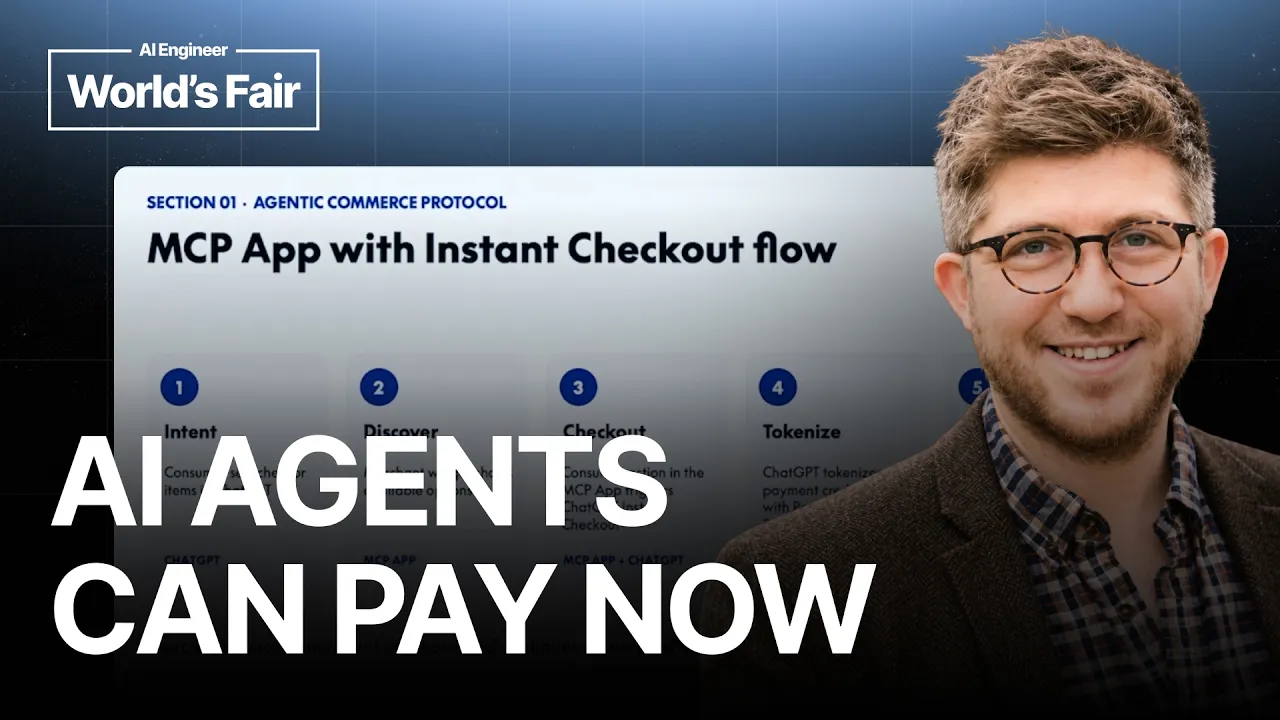
Your next customer might check out without ever visiting your site. Here's how the payment actually works. Sam Parsons, senior staff engineer at PayPal working on PayPal Enterprise Payments (formerly Braintree), walks through three ways merchants can accept payments initiated by AI agents. First, Instant Checkout in ChatGPT with the Agentic Commerce Protocol and a merchant-built MCP app. Second, Google AI Mode with the Universal Commerce Protocol and Google Pay, where merchants only stand up endpoints. Third, an MCP app with an external checkout page that gives full control. He demos each flow, explains how tokenization keeps card details out of the agent and the merchant's PCI scope, shows the integration points, and covers how tokens are limited by merchant, amount, currency and expiry. In this talk: • How the Agentic Commerce Protocol (ChatGPT) and Universal Commerce Protocol (Google) compare • What MCP apps are, and how merchants control the UI inside agents • How tokenization and constrained tokens keep agent payments safe • Trade-offs between in-agent checkout and an external checkout handoff SPEAKER Sam Parsons, Senior Staff Software Engineer, PayPal Enterprise Payments (Braintree) LinkedIn: https://www.linkedin.com/in/sjparsons/ Website: https://sjparsons.com/ LINKS PayPal Agent Ready overview: https://docs.paypal.ai/growth/agentic-commerce/agent-ready/overview Agentic Commerce Protocol integration: https://docs.paypal.ai/growth/agentic-commerce/agent-ready/agentic-commerce-protocol-integration Universal Commerce Protocol integration: https://docs.paypal.ai/growth/agentic-commerce/agent-ready/universal-commerce-protocol-integration Braintree docs: https://developer.paypal.com/braintree/docs CHAPTERS 0:00 Intro 0:37 PayPal Enterprise Payments (formerly Braintree) 1:07 Three paths to agentic payments 2:07 Instant Checkout in ChatGPT (ACP) 3:06 The checkout flow 4:51 Demo: booking a hotel in ChatGPT 6:00 What tokenization does 7:00 Integration points 8:00
Summary
Generated by gpt-5.6-terraAt-a-Glance
- Verdict: Skim
- Core thesis: PayPal Enterprise Payments is positioning itself as a token-processing bridge that lets merchants accept agent-originated purchases through ChatGPT's Agentic Commerce Protocol, Google AI Mode's Universal Commerce Protocol, or merchant-controlled MCP-app checkouts without rebuilding their core payment operations.
- Why it matters: This is a concrete pattern for agentic commerce: the AI host can own discovery and/or credential capture while the merchant retains order fulfillment, payment authorization, and its existing settlement, refund, chargeback, and compliance stack.
- Best use: Use it to compare three agent-payment integration patterns and extract the security/control requirements for any agent workflow that moves from recommendation or search into a real purchase.
Executive Summary
Sam Parsons of PayPal describes agentic commerce as a payments-routing problem rather than a wholly new merchant payment stack. Across ChatGPT, Google AI Mode, and generic MCP-capable agents, PayPal's role is to turn a buyer's payment credential into a constrained token that the merchant can process through its normal PayPal Enterprise Payments/Braintree integration.
The central architectural distinction is where experience control sits. In ChatGPT Instant Checkout, a merchant-built MCP app controls product discovery and merchandising within the chat interface, while ChatGPT owns the embedded checkout credential experience. In Google AI Mode, the merchant does not build an in-agent UI; it publishes products and payment endpoints through Universal Commerce Protocol. In the third path, the merchant uses an MCP app for discovery but hands the user to an external checkout page for maximal payment-method and UX control.
For all three paths, the merchant ultimately receives a familiar payment token and submits a standard charge. The tokens are bounded by merchant, amount, currency, and expiration, reducing misuse relative to passing raw credentials through an agent workflow. Transaction attribution also records the source, such as ChatGPT, in PayPal's systems.
The presentation is useful as an implementation-oriented overview but is repetitive and promotional, with little detail on fraud controls, authorization delegation, conversion data, liability allocation, API schemas, or production failure handling. Skim the demos and integration descriptions rather than watching the full repeated session.
Key Takeaways
- Claim: Agentic checkout can be integrated as a new payment-entry channel while preserving a merchant's existing processing and post-payment operations. | Evidence: In each flow, the merchant receives a PayPal Enterprise Payments token and processes it like a normal token; Parsons says settlement, refunds, chargebacks, compliance, and payment processing remain standard operations. | Implication: Treat agent checkout as a channel-adapter layer around existing order and payment systems, not as a reason to create a parallel payments ledger or settlement process. | Caveat: The talk asserts operational continuity but does not explain whether fraud liability, dispute rules, customer support ownership, or authorization policies differ for agent-originated orders.
- Claim: ChatGPT Instant Checkout splits merchant-controlled discovery UI from host-controlled payment credential capture. | Evidence: The merchant creates an MCP app with HTML/JavaScript to render products such as hotel options and trigger checkout; once the user proceeds, ChatGPT renders the Instant Checkout experience, collects or uses stored card credentials, and returns a token through the flow. | Implication: For ChatGPT, design the MCP app as a constrained commerce frontend—catalog, selection, confirmation, and order-status state—while allowing the host/payment provider to minimize merchant exposure to payment credentials. | Caveat: The merchant must still build and operate the MCP app and server-side completion handling, so the integration is not simply a payment API switch.
- Claim: Tokenization is the primary security boundary that makes agent-mediated payment feasible without passing raw card data through merchants or agent applications. | Evidence: Parsons defines tokenization as exchanging a transactable credential such as a card number for a token; the host tokenizes via PayPal Enterprise Payments, and the merchant receives the resulting token rather than the underlying card details. | Implication: Any agent-payment design should bind the payment instrument to an explicit, server-validated order and retain a separate approval/authorization policy for high-risk or non-reversible actions. | Caveat: Tokenization reduces PCI exposure but does not by itself solve agent authorization, prompt-injection-driven purchase intent, incorrect cart contents, or account takeover.
- Claim: Agent-payment tokens are deliberately constrained to limit replay and misuse. | Evidence: The speaker states that tokens are restricted to a specific merchant, maximum dollar amount, currency, and expiration; processed transactions are also attributed to their originating source, such as ChatGPT. | Implication: Use narrowly scoped, short-lived payment artifacts rather than general-purpose payment credentials when an agent or external host participates in checkout, and log channel provenance for reconciliation and risk analysis.
- Claim: Google AI Mode uses a similar token-and-charge model but a fundamentally different merchant integration surface from ChatGPT. | Evidence: Through Universal Commerce Protocol, an AI-mode agent creates a merchant session; Google Pay tokenizes with PayPal Enterprise Payments, and the merchant receives a completion call carrying the token. The merchant declares configuration in a well-known JSON file and exposes UCP checkout-session endpoints rather than creating an MCP UI. | Implication: Separate commerce capabilities into portable backend primitives—catalog, session, quote/cart, checkout completion, and charge—from channel-specific adapters such as MCP app UI and UCP discovery configuration. | Caveat: The presentation says Agentic Commerce Protocol and Universal Commerce Protocol are 'almost identical,' but it does not provide a detailed compatibility matrix or demonstrate portability of a single integration.
- Claim: A generic MCP app plus external checkout is the available cross-agent fallback when merchants want full experience and payment-method control. | Evidence: The Claude demonstration uses an MCP connector to show a merchant-designed product card, opens an external checkout session on button press, and then automatically updates the MCP app with the completed order status. | Implication: Choose the external-checkout path when payment choice, branded checkout, or channel independence outweighs conversion benefits from a native in-chat checkout. | Caveat: This approach introduces additional user friction because payment completion occurs outside the agent interface; the proposed future improvement, MCP 'elicitation' via an iframe-like validation flow, is not yet supported by most major hosts.
Detailed Brief
Practical integration shape by channel
- Claims: ChatGPT integration has two merchant touchpoints: client-side JavaScript in the MCP app to invoke checkout, and a server-side MCP tool/completion handler that receives the token.; Google AI Mode has two core integration tasks: publish UCP configuration and accept a checkout-session completion request containing the payment token.; The external-checkout MCP pattern requires session correlation between the agent-rendered widget and the browser checkout so that the in-agent order state can update after payment.
- Evidence: For UCP, the speaker references a well-known JSON file containing the PayPal Enterprise Payments/Braintree routing selection, merchant ID, and public client key.; In the Claude connector example, completion of an externally opened checkout automatically changes the MCP app state to show order completion.; MCP apps may appear as 'apps' or 'connectors' depending on the host; Parsons names ChatGPT, Claude, and Goose as examples of MCP-capable environments.
- Caveats: No concrete API payloads, idempotency strategy, inventory reservation behavior, webhook model, or retry semantics are provided.; The material is framed around PayPal Enterprise Payments, so its claims do not establish equivalent capabilities or terms across other processors.
- Implications: Build a channel-neutral order/session service before adding host-specific checkout adapters.; Require durable correlation IDs and idempotent completion endpoints because browser handoffs and agent-tool invocations can be retried or arrive out of order.
Notable Concepts & Terms
- PayPal Enterprise Payments / Braintree: PayPal's enterprise payment-processing offering; Parsons uses the names as referring to the same underlying merchant payment platform in this talk.
- Agentic Commerce Protocol (ACP): OpenAI-created protocol referenced as the mechanism behind ChatGPT Instant Checkout interactions between an MCP app, the host, and the merchant payment flow.
- Universal Commerce Protocol (UCP): Google-associated commerce protocol used for Google AI Mode; it emphasizes merchant-published product/payment endpoints and checkout sessions rather than a merchant-built in-chat UI.
- MCP app: An MCP server/application that embeds renderable UI such as HTML and JavaScript, enabling a merchant to present interactive catalog or selection experiences inside compatible AI hosts.
- Instant Checkout: ChatGPT's in-chat checkout experience; the merchant initiates it from an MCP app, but the host provides the credential-entry/payment interface.
- Payment tokenization: Replacement of a raw transactable payment credential with a token that can be processed while reducing exposure of card data and PCI scope.
- Elicitation: An emerging MCP-app feature described as enabling a more seamless external validation/request flow, potentially through an iframe; it is not yet broadly supported.
Operator Notes / Why Ken Should Care
- Define a payment-action policy before enabling autonomous purchasing: require explicit approval thresholds, bind approval to merchant/SKU/amount/currency, and make any authorization short-lived.
- If evaluating commerce agents, model integrations as adapters over a canonical catalog, order, session, and idempotent payment-completion service; avoid coupling core order logic to ChatGPT MCP or Google UCP.
- Ask PayPal/OpenAI/Google for production answers not covered here: fraud and dispute liability, approval semantics, token replay behavior, inventory/price locking, refunds initiated through the host, observability, and test/sandbox maturity.
- Prefer an external hosted checkout path initially when supporting multiple agent surfaces or payment methods; adopt native in-chat checkout only after measuring conversion lift against reduced UX and control flexibility.
- Instrument source attribution, approval events, checkout abandonment, token expiration, completion retries, and post-payment disputes separately by AI host.
Source/Metadata
- Title: How AI Agents Pay: Checkout in ChatGPT and Google AI Mode — Sam Parsons, PayPal
- Transcript words: 4378
- Duration seconds: 892
- Timestamp note: No timestamps or chapter markers were provided. The latter portion substantially repeats the earlier presentation content.
Transcript
Okay, so I'm going to talk to you about agentic commerce with PayPal Enterprise payments. So this is about how do we accept payments from agents, maybe a human in the loop, maybe not, for merchants. So I'm from PayPal and I work on our agentic commerce area. My name is Sam Parsons, senior staff engineer here. So first of all, you may have heard of Braintree before and Braintree is PayPal's large enterprise payments. So by now it's PayPal Enterprise Payments. So I'm going to say PayPal Enterprise Payments, but if you know it as Braintree, it's the same thing. So we handle payments for really large corporations. Think of the biggest ones that you can think of, huge volume, huge scale. So what we're going to talk about here is a couple of things, three different paths. And really the key takeaway that I want you to have is that PayPal Enterprise Payments is building the bridges for merchants to be able to accept payments from many different places. And so I'm going to give you a flavor of some of them, but really this is a fast evolving area. You're going to see way more over the coming months and year. So first of all, we're going to talk about agentic commerce protocol. So this is, OpenAI has created that. And that'll be in ChatGPT, you can use this. Universal commerce protocol, Google partnered with some others and created that protocol. And these are very similar. So if you go look at the specs, you're going to find out, oh, they are almost identical. And again, we're in early days here. But also, we're going to demo for you another path towards accepting agentic payments, human in the loop, using just MCP apps and an external checkout. So let's dive in. So first of all, this is instant checkout in ChatGPT using agentic commerce protocol. So PayPal Enterprise payments built an integration to agentic commerce protocol that allows you to start taking payments in this manner. So there's a couple different flavors. The one I'm going to walk through uses an MCP app. So an MCP app is like an MCP server, but you embed inside of that app, you embed UI. So it has HTML, JavaScript, and things like that. And those then can get rendered inside of different agents. So ChatGPT can render those. You can add an app. You can render them in Claude. You call that a connector. Same thing. It's an MCP app. And this extension, many of different agents out there, Goose or other ones also support. So this is a general standard. Instant checkout allows us within ChatGPT to trigger an in-chat purchase of something. So let me walk through what that flow looks like. So first of all, the user will have their intent. So they're searching in ChatGPT. They'd like to buy something and move to the next part. There's discovery there. So the merchant using an MCP app can show to the user, here's things that you may want to purchase. They get to control that experience. So it's inside of ChatGPT, but the merchant gets to control it. They get to control the look, the feel. They get to control what's showing up and interact there. Then when the user decides, I'd like to go to the next step and buy this, they can trigger this checkout. So that's where the MCP app talks to its host, ChatGPT, and says, I'd like to purchase something. That uses agentic commerce protocol. Behind the scenes, the user would enter in a credit card or maybe they had that stored and move to the next part. That would get tokenized against PayPal systems, PayPal enterprise payments. And finally, when we get to the end of that, they'll complete that and send that across to the merchant who then charges that. So we look at this big life cycle. At the end of it, from the merchant's perspective, they do a couple of things as far as bridging that gap. They're providing these MCP app experience to the user, but they're also providing, they're receiving these tokens that come from ultimately PayPal enterprise payments. And that looks like every token they normally process. So this is a seamless integration for them at the end of it. And on the back of it, settlements, refunds, chargebacks, compliance, all of that remains the same and is supported through PayPal enterprise payments in general. So right now we're going to do a walk through of searching here in ChatGPT. This will give you that instant checkout experience. So this one here is a travel app. So I'd like to buy some hotels. Here's some different options and I'll just pause here. So you can see this UI here is not a ChatGPT UI. This is controlled by the merchant. Merchant gets to specify that. They can have their interface for what makes sense, depending on what they're selling. And so then we continue here. When they're ready, they go to proceed to checkout. This now is pulling up the ChatGPT instant checkout experience inside of there. So the merchant isn't actually generating this. This is provided from the instant checkout experience. And from there, they start entering in their credentials. So they're going to enter in some credit card details. It's a test credit card number that they're going to enter. And behind the scenes, that'll be tokenized with PayPal. So if you're not familiar with payments, tokenization means where the user exchanges a real payment credential that's transactable, say your credit card number. And instead, they exchange that for a token. That can then be passed around without increasing PCI scope and dangerous things happening. So that's what's going to happen right here behind the scenes is a tokenization will occur. And the merchant doesn't have to do that. This is within the host. The host app is going to do that tokenization, send it to PayPal enterprise payments. And then we give back the token to ChatGPT. And that's safe to pass around. So this is what's happening right now. Tokenization is occurring. And then it's going to be sent to the merchant. The merchant receives that and says, okay, now I transact with that token securely. And now you see they've come back to the MCP app. This has been updated. Their booking has been confirmed. And so you can see from a merchant's perspective, they have control of what that UI looks like. And it's seamless for the user. What are the integration points here? So the first integration point is inside of that MCP app widget. So I'm showing you the real code for doing this instant checkout with OpenAI. You need to have this JavaScript code that triggers that checkout experience. So that's provided within the context of your MCP app. And then the next place where the merchant picks this up is they receive a call to their MCP server with this complete checkout tool. And they get that token. And then they can proceed as usual with their processing of a typical PayPal enterprise payments token. So it's straightforward as far as that goes. Now, there's still the work of creating an MCP app within that experience. Also, there's links here to the QR code if you want to follow and look at the docs for how you would set this up. And what's happening behind the scenes here is these tokens are constrained in a number of ways. One of them is with the merchant. So this can only be processed on a given merchant. It has a max amount of dollars that are applied. It has a currency. It also has an expiration. So you can't use this forever. And all of those transactions, when processed, they get attributed to the source where they came from. So this would show up within PayPal enterprise payments as a ChatGPT transaction that occurred. So next, I'm going to walk through Google AI mode and how we're meeting merchants there. So the flow looks a little different when you're processing transactions on Google AI mode. So first of all, the user might be shopping in AI mode, want to buy, say a pair of running shoes or something. So behind the scenes, using the universal commerce protocol, the agent will create a session against that merchant for the user. So that exists as an entity belonging to the merchant and it uses that. Then when the user says, I now want to check out with this, the tokenization happens. But here, this is using Google Pay. So Google Pay would tokenize with PayPal enterprise payments. And that's step three and then give that token back to the merchant. And you can see, this is a very similar model. Then at the completion step, they provide that to the merchant. And at step five, we do the charge. So the merchant comes along and says, here's my token. I would like to process this transaction. Here's all the information about it. And the same sorts of things like this, again, settlement, refunds, chargeback risk, compliance. This all is standard operating procedure from the merchant's perspective. But they received this token from a different path. This came in through Google AI mode. One of the things to note here is in Google AI mode, the merchant doesn't create an MCP app. They don't create an experience. Their integration with Google AI mode is more providing, here are my products. Here are my endpoints for receiving the payments, the complete checkout payment, and so forth. There is no UI that you have to build. You have to stand up endpoints, essentially, to integrate with this. So you can see here, one of them is specifying in your well-known JSON file for Universal Commerce Protocol. And you specify some things that tell us or tell Google Pay, this needs to be processed on Braintree or PayPal Enterprise Payments. And here's your merchant ID. And here's your client key. And that's safe to pass through in the public. Then Google will take that. And the end of it is you will get a call to this endpoint from UCP checkout session with that session ID and a complete. And you then get to process that. And what you'll receive in there is this token representing the credit card behind that Google Pay payment. So, again, two main key integration points as far as receiving those payments. The next one I'm going to show you here is about MCP apps. And just opening up your mind about what are the other things that you could do with MCP apps. This one gives the merchant full control over the whole experience. And we're going to work in things that are not necessarily Google or ChatGPT, but there's a lot of different agents that already support MCP apps. So a couple of key pieces here. One is that there's the MCP app widget. So this will, in our example here, show a product card and you'll get a checkout button. Then there'll be a handoff that will open up the checkout into an external page. So then you can complete that there and then come back and get it automatically updated within your MCP app. So that gives you more control, but there is a little more friction that's introduced in this mode because you're not doing the checkout inside of your agent. So let's walk through this one. So here we're going to search for some things that we'd like to buy. And this loads up an MCP app. And you can see this is using Claude. And this is a connector. So MCP apps show up as connectors or apps depending on the container. So this is the MCP app. The merchant would design this. They add the things that the user is now picking what they want. And when they click checkout, this is going to pop up an external link. And you can tie these together with a session as a merchant. So that's what's happening here. This opens up that session. They can then complete things with any payment method that they want. You have complete control as a merchant over everything. But when you complete that, notice how this MCP app updates automatically. So we're using communication behind the scenes to allow us to know exactly that it was completed and the status of that order and everything. So that just demos for you what you can do with an MCP app and what's on the table. And there's a lot of new things coming along here. MCP apps has a new feature. It's not supported in most of the major ones yet that is called elicitation. And so you can do that maybe a little more seamlessly as far as requesting that external validation in an iframe or something. So that's coming soon. I wanted to show you what you could do today, which is this. This gives you an overview of what are the different options that we offer merchants today and what are some of the trade-offs. So if you want to be in ChatGPT or you want to be on Google, there's options for you. Or if you want more control as a merchant over the whole experience, you also have options there too. And so that's the main thing that I wanted to share with you. There's a link here on this QR code if you want to look at our docs, find out more about how to sign up and how to use that. And if you have any questions, I'd love to hear that. I don't know if we can maybe do questions here. Maybe just come talk to me afterwards. We also have a booth over there in the back of the room. So I'm going to be there for the next hour or so and would love to talk to any of you who have any questions about what we offer. Thank you. Okay? So let me kind of walk through what that flow looks like. So first of all, the user will have their intent. So they're searching in chat GPT. They'd like to buy something and move to the next part. There's discovery there. So the merchant using an MCP app can show to the user, here's things that you may want to purchase. They get to control that experience. So it's inside of, say, chat GPT, but the merchant gets to control it. They get to control the look, the feel. They get to control what's showing up and interact there. Then when the user decides, I'd like to go to the next step and buy this, they can trigger this checkout. So that's where the MCP app talks to its kind of host, chat GPT, and says, I'd like to purchase something. That uses agentic commerce protocol. Behind the scenes, the user would enter in maybe a credit card or maybe they had that stored and move to the next part. That would get tokenized against PayPal systems, PayPal enterprise payments. And finally, when we get to the end of that, they'll complete that and send that across to the merchant who then charges that. So we kind of look at this big life cycle. At the end of it, from the merchant's perspective, they do a couple of things as far as bridging that gap. They're providing these MCP app experience to the user, but they're also providing, they're receiving these tokens that come from ultimately PayPal enterprise payments. And that looks like every token they normally process. So this is a really seamless integration for them at the end of it. And on the back of it, settlements, refunds, chargebacks, compliance, all of that remains the same and is supported through PayPal enterprise payments in general. So right now we're just going to do a walk through of searching here in chat GPT. This will give you that instant checkout experience. So this one here is like a travel app. So I'd like to buy some, looking for some hotels. Here's some different options and I'll just pause here. So you can see this UI here is not a chat GPT UI. This is controlled by the merchant. Merchant gets to specify that. They can have their interface for what makes sense, depending on what they're selling. Sorry, that fast forwarded through there. Hit play. And so then we continue here. When they're ready, they go to proceed to checkout. This now is pulling up the chat GPT instant checkout experience inside of there. So the merchant isn't actually generating this. This is provided from the instant checkout experience. Apologies about that. And from there, they start entering in their credentials. So they're going to enter in some credit card details. It's just a test credit card number that they're going to enter. And behind the scenes, that'll be tokenized with PayPal. So if you're kind of not familiar with payments, tokenization means where the user exchanges a real payment credential that's transactable, say your credit card number. And instead, they exchange that for a token. That can then be passed around without increasing PCI scope and dangerous things happening. So that's what's going to happen right here behind the scenes is a tokenization will occur. And the merchant doesn't have to do that. This is like within the host. The host app is going to do that tokenization, send it to PayPal enterprise payments. And then we give back the token to chat GPT. And that's safe to pass around. So this is what's happening right now. Tokenization is occurring. And then it's going to be sent to the merchant. The merchant receives that and says, okay, now I transact with that token securely. And now you see they've come back to the MCP app. This has been updated. Their booking has been confirmed. And so you can see from a merchant's perspective, they have all control of what that UI looks like. And it's pretty seamless for the user. What are the integration points here? So the first integration point is inside of that MCP app widget. So I'm showing you the real code for do this instant checkout with OpenAI. You need to have this JavaScript code that triggers that checkout experience. So that's provided within the context of your MCP app. And then the next place where the merchant picks this up is they receive a call to their MCP server with this complete checkout tool. And they get that token. And then they can proceed as usual with their processing of a typical PayPal enterprise payments token. So it's really pretty straightforward as far as that goes. Now, there's still obviously the work of creating an MCP app within that experience. Also, there's links here to the QR code if you want to follow and look at the docs for how you would set this up. And what's kind of happening behind the scenes here is these tokens are constrained in a number of ways. One of them is with the merchant. So this can only be processed on a given merchant. It has a max amount of dollars that are applied. It has a currency. It also has an expiration. So you can't just use this forever. And all of those transactions, when processed, they get attributed to the source where they came from. So this would show up within PayPal enterprise payments as a chat GPT transaction that occurred. So next, I'm going to walk through what Google AI mode and how we're meeting merchants there. So the flow looks a little bit different when you're processing transactions on Google AI mode. So first of all, the user might be shopping in AI mode that, you know, want to buy, you know, say a pair of running shoes or something like that. So behind the scenes, using the universal commerce protocol, the agent will create a session against that merchant for the user. So that kind of exists as an entity belonging to the merchant and it uses that. Then when the user says, I now want to check out with this, the tokenization happens. But here, this is using Google Pay. So Google Pay would tokenize with PayPal enterprise payments. And so that's step three and then give that token back to the merchant. And you kind of see, this is actually a very similar model. Then at the completion step, they provide that to the merchant. And at step five, we do the charge. So the merchant comes along and says, here's my token. I would like to process this transaction. Here's all the information about it. And the same sorts of things like this, again, settlement, refunds, chargeback risk, compliance. This all is just standard operating procedure as far as the merchant's perspective. But they received this token from a different path. This came in through Google AI mode. One of the things to note here is in Google AI mode, the merchant doesn't create an MCP app. They don't create an experience. Their integration with Google AI mode is more providing, here are my products. Here is my endpoints for receiving the payments, the complete checkout payment, and so forth. There is no UI that you have to build. You have to stand up endpoints, essentially, to integrate with this. So you can see here, one of them is specifying in your well-known JSON file for Universal Commerce Protocol. And you specify some things that tell us or tell Google Pay, this needs to be processed on Braintree or PayPal Enterprise Payments. And here's your merchant ID. And here's your client key. And that's safe to pass through in the public. Then Google will take that. And the final end of it is you will get a call to this endpoint from UCP checkout session with that session ID and a complete. And you then get to process that. And what you'll receive in there is this token representing the credit card behind that Google Pay payment. So, again, two main key integration points as far as receiving those payments. The next one I'm going to show you here is about MCP apps. And just kind of opening up your mind about what are the other things that you could do with MCP apps. This one gives the merchant really full control over the whole experience. And we're going to work in things that are not necessarily Google or ChatGPT, but there's a lot of different agents that already support MCP apps. So a couple of key pieces here. One is that there's the MCP app widget. So this will, in our example here, will show like a product card and you'll get a checkout button. Then there'll be a handoff that will open up the checkout into an external page. So then you can complete that there and then come back and get it automatically updated within your MCP app. So that gives you a lot more control, but there is a little bit more friction that's introduced in this mode because you're not doing like the actual checkout inside of your agent. So let's walk through this one. So here we're going to search for some things that we'd like to buy. And this loads up an MCP app. And you can see this is using Claude. And this is a connector. So MCP apps show up as connectors or apps depending on the container. So this is the MCP app. The merchant would design this. They add the things that the user is now picking what they want. And when they click checkout, this is now going to pop up an external link. And you can tie these together with a session as a merchant. So that's what's happening here. This opens up that session. They can then complete things with any payment method that they want. You have complete control as a merchant over everything. But when you complete that, notice how this MCP app updates automatically. So we're using communication behind the scenes to allow us to know exactly that it was completed and the status of that order and everything. So that, again, just kind of demos for you what you can do with an MCP app and kind of what's on the table. And there's a lot of new things coming along here. MCP apps has a new feature. It's not supported in most of the major ones yet that is called elicitation. And so you can do that maybe a little bit more seamlessly as far as requesting that external validation in an iframe or something. So that's coming soon. I wanted to show you what you could really do today, which is like this. This kind of gives you a little bit of an overview of what are the different options that we offer merchants today and kind of what are some of the trade-offs. So like if you want to be in ChatGPT or you want to be on Google, there's options for you. Or if you want more control as a merchant over the whole experience, you also have some options there too. And yeah, so that's the main thing that I wanted to share with you. There's a link here on this QR code if you want to look at our docs, find out more about how to sign up and how to use that. And if you have any questions, I'd love to hear that. I don't know if we can maybe do questions here. Maybe just come talk to me afterwards. We also have a booth over there in the back of the room. So I'm going to be there for the next hour or so and would love to talk to any of you who have any questions about what we offer. Thank you. Thank you. Thank you. Thank you.