Why Bigger Context Windows Won't Save Your Agent — Elizabeth Fuentes Leone, AWS
Description
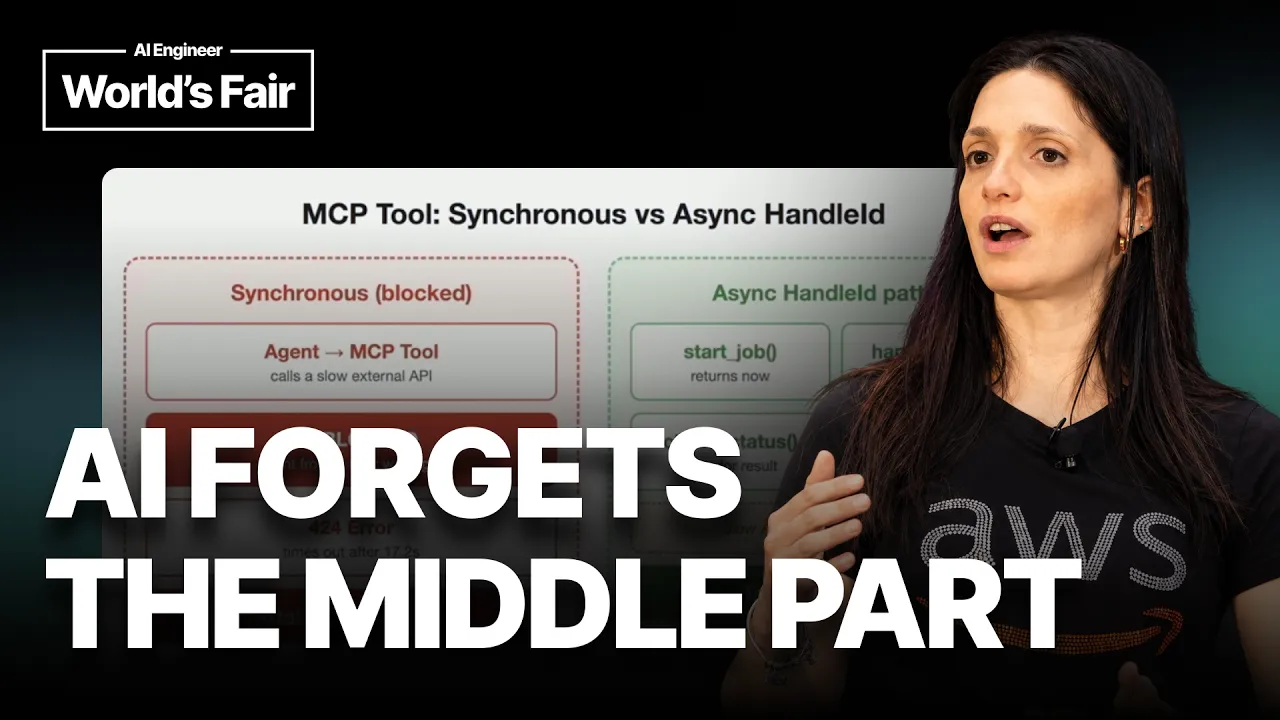
A bigger context window won't save your agent. Past a point, it forgets the middle. Elizabeth Fuentes Leone, developer advocate at AWS, explains why agents break when tools return huge amounts of data, and why bigger context windows aren't the fix: models remember the start and end of a long context but lose the middle. Using the open-source, model-agnostic Strands Agents framework, she walks through four strategies (externalize, select, compress, isolate) with code. She covers sliding-window and summarizing conversation managers, short-term, long-term and graph memory, memory pointers that keep big tool outputs out of context, sharing pointers across a swarm of agents, capping tool calls to stop endless loops, and async handles for slow MCP tools. She ends with the anti-patterns to avoid. In this talk: • Why bigger context windows don't fix agents, and how models lose the middle • Four strategies: externalize, select, compress and isolate • Memory pointers, conversation managers and multi-agent state in Strands • Stopping endless tool loops and handling slow MCP tools SPEAKER Elizabeth Fuentes Leone, Developer Advocate, AWS LinkedIn: https://www.linkedin.com/in/lizfue X: https://x.com/lizfue Website: https://elifuentes.tech LINKS Strands Agents: https://strandsagents.com Strands Agents on GitHub: https://github.com/strands-agents CHAPTERS 0:00 Intro 0:37 Why agents break on big tool outputs 1:12 Example: a log-watching agent 1:57 Bigger windows aren't the fix 2:12 Lost in the middle 2:42 What context engineering is 3:17 Externalize, select, compress, isolate 4:07 Conversation managers 5:07 What Strands Agents is 5:57 Summarizing conversation history 6:42 Short-term, long-term and graph memory 8:12 Memory pointers for large tool outputs 9:47 Sharing pointers across a swarm 10:42 Agents that never stop 11:22 Limiting tool calls 12:12 Async handles for slow tools 13:41 Anti-patterns to avoid 14:36 Cheat sheet Recorded at the AI Engineer World's Fair 2026 in San
Summary
Generated by gpt-5.6-solAt-a-Glance
- Verdict: Watch fully
- Core thesis: Reliable agents require deliberately engineered context—externalizing bulky artifacts, selectively retrieving information, compressing history, and isolating agent state—because larger context windows still suffer degraded attention, contamination, cost, and operational failure.
- Why it matters: The talk provides a compact architecture checklist for preventing log-heavy tools, shared multi-agent histories, repeated tool calls, and slow external APIs from destabilizing production agent systems.
- Best use: Use it as a design review for agent memory, tool-result handling, multi-agent state boundaries, loop controls, and asynchronous integrations.
Executive Summary
Fuentes Leone rejects the idea that increasing token capacity solves agent context problems. Long contexts can still exhibit a U-shaped attention pattern in which models retain information near the beginning and end while overlooking the middle. Excess context also raises token consumption and can expose the agent to irrelevant data or prompt injections embedded in accumulated history.
Her organizing framework is to externalize, select, compress, and isolate. Large tool outputs such as application logs should live in persistent storage behind lightweight memory pointers; only relevant information should be retrieved. Conversation managers can retain recent messages while summarizing older ones, and memory can be divided into short-term history, vector-backed long-term memory, and graph-based relational memory.
For multi-agent systems, she argues against sharing an entire context window because one agent's irrelevant state becomes another's noise. Agents should instead exchange references through invocation state. She complements context management with operational controls: per-tool invocation limits to stop loops, clear tool responses, and asynchronous start/status patterns for MCP tools or external APIs that may exceed request timeouts.
The recommendations are immediately applicable but remain architecture-level guidance rather than a measured comparison. The talk gives example settings such as retaining four recent messages, summarizing 50% of older history, and allowing three calls per tool, but it does not provide benchmark results demonstrating optimal thresholds.
Key Takeaways
- Claim: A larger context window does not eliminate context failure because model attention degrades as the amount of included material grows. | Evidence: The speaker describes an attention U-curve in which the model tends to retain the beginning and end of a large context while forgetting or underweighting information in the middle. | Implication: Ken should treat advertised context length as capacity rather than dependable working memory and evaluate agents on retrieval accuracy at realistic context sizes. | Caveat: The talk presents this as a design principle without supplying a model-by-model benchmark or a quantified context threshold.
- Claim: Context engineering should provide information only when it is needed rather than continuously carrying every prior message and tool output. | Evidence: The talk organizes the solution into four strategies: externalize large data, select relevant material, compress history through summarization or compaction, and isolate context across agents. | Implication: Context composition should be an explicit orchestration layer with policies for admission, retrieval, compression, and separation—not an unbounded transcript passed directly to the model.
- Claim: Large tool outputs should be stored externally and represented in the agent state by a retrievable pointer. | Evidence: For an application-monitoring agent, fetched logs are written to storage and replaced in context by an ID; another tool can inspect the logs or retrieve the original artifact later if the model needs it. | Implication: OpenClaw and similar systems should make artifact references a first-class tool-return type so logs, database dumps, and documents do not repeatedly consume the reasoning context. | Caveat: A pointer architecture requires durable storage, authorization, lifecycle management, and enough metadata for the agent to know when retrieval is warranted, none of which is addressed in depth.
- Claim: Agent memory should be tiered instead of modeled as one ever-growing conversation history. | Evidence: The proposed layers are recent-message short-term memory, vector-database long-term memory retrieved across sessions, and entity-graph memory for relationships and traversal-based questions. A conversation-manager example keeps the last four messages while summarizing 50% of older history. | Implication: Ken should define distinct retention and retrieval policies by memory type, preserving source artifacts or structured facts whenever lossy summaries would create operational risk. | Caveat: Generic summarization can discard details that later become necessary, so summaries cannot be assumed to be lossless memory.
- Claim: Multi-agent systems should exchange scoped state references rather than share a common full context window. | Evidence: The speaker warns that shared histories add one agent's irrelevant material as 'garbage' for other agents and recommends passing a memory-pointer ID through invocation state between agents in a swarm. | Implication: Multi-agent orchestration should default to isolated contexts with explicit handoff schemas, shared artifact references, and least-privilege access to cross-agent state. | Caveat: The talk does not cover conflict resolution, concurrent writes, pointer permissions, or provenance when multiple agents modify shared state.
- Claim: Tool execution needs hard operational boundaries because poor responses, excessive tool availability, and slow dependencies can trap agents in loops or blocked requests. | Evidence: The talk demonstrates a maximum call count of three for individual tools and proposes an asynchronous interface with separate Start Long Job and Check Job Status tools for MCP servers or external APIs that may exceed AWS API Gateway response limits. | Implication: Agent runtimes should enforce tool budgets and support durable asynchronous jobs instead of depending on prompts to prevent infinite loops or synchronous timeouts. | Caveat: Fixed call limits and polling are safeguards rather than complete recovery strategies; the presentation does not discuss backoff, cancellation, idempotency, or escalation behavior.
Detailed Brief
Framework-level implementation details
- Claims: The demonstrated agent framework abstracts the agent loop so the developer primarily supplies a system prompt, model, and tools.; Tool functions can access agent state through tool context, enabling them to write an artifact externally and preserve only its reference in the active session.; The asynchronous integration pattern is exposed as two model-callable operations rather than keeping one model turn open while a remote job runs.
- Evidence: The slides reportedly show a one-line agent-loop construction, a tool decorator for functions such as fetch application logs, and agent-state access for storing a memory-pointer ID.; The long-running job example uses FastAPI and exposes Start Long Job plus Check Job Status.; The framework is described as open source, using Amazon Bedrock in the example while allowing alternative model integrations such as Ollama, Gemini, Anthropic, and OpenAI.
- Caveats: The transcript contains a duplicated second half and inconsistent automatic transcription of the framework name: the first rendering says LangChain, while the repeated rendering says Strands. Given the AWS framing and described SDK behavior, this likely refers to AWS Strands Agents, but the transcript alone is inconsistent.
- Implications: The architectural patterns are portable across agent frameworks even if the exact SDK methods or imports shown in the slides differ.; The deck or source code should be consulted before copying framework-specific syntax.
Tool-contract quality as a control mechanism
- Claims: Ambiguous tool responses contribute to repeated calls because the model cannot determine whether the requested work succeeded or what it should do next.; Reducing the available tool set and returning explicit state can improve tool awareness before hard invocation limits are reached.
- Evidence: The speaker links endless reuse of the same tool to too many available tools and the absence of a clear response.; Her closing checklist pairs clear tool state with limited invocation counts rather than relying on call limits alone.
- Caveats: No formal response schema or error taxonomy is provided.
- Implications: Tool APIs for agents should return structured status, result location, error classification, retry guidance, and completion state rather than prose-only responses.
Notable Concepts & Terms
- Attention U-curve: The claimed tendency for a model to attend more reliably to the beginning and end of long input while missing information in the middle, undermining the assumption that capacity equals recall.
- Context engineering: The deliberate process of selecting, timing, compressing, and isolating information supplied to an agent for better accuracy, security, and token efficiency.
- Externalize, select, compress, isolate: The talk's four-part framework for controlling context growth and preventing irrelevant or unsafe state from reaching the model.
- Memory pointer: A compact ID kept in agent state that refers to a large artifact stored outside the model context and allows later retrieval when required.
- Tiered memory: The separation of recent conversational memory, vector-retrieved long-term memory, and graph-based relational memory according to their retrieval needs.
- Invocation state: Scoped state passed between agent steps or agents, used here to exchange artifact references without sharing complete histories.
- Maximum tool count: A runtime budget limiting how many times an agent can call a particular tool, preventing indefinite tool loops.
- Asynchronous tool handle: A start-and-check interface that lets an agent launch a slow operation, persist its job reference, and collect the result in a later invocation.
Operator Notes / Why Ken Should Care
- Add an artifact-reference response type to the agent tool contract, including URI or ID, content type, size, provenance, authorization scope, expiration, and a short model-facing synopsis.
- Create regression tests that place critical instructions and facts at the beginning, middle, and end of realistic long contexts; compare retrieval accuracy before approving a model or routing policy.
- Instrument per-run context growth, summary operations, artifact retrievals, tool-call counts, timeout rates, and repeated-call patterns so context failures are observable rather than inferred from user complaints.
- Require each production tool to declare a call budget, timeout, retry policy, idempotency behavior, terminal statuses, and escalation path.
- Audit whether multi-agent workflows currently share full transcripts; replace broad sharing with typed handoffs and scoped artifact permissions where possible.
- Verify the framework-specific examples against the speaker's deck because the supplied transcript alternates between LangChain and Strands.
Source/Metadata
- Title: Why Bigger Context Windows Won't Save Your Agent — Elizabeth Fuentes Leone, AWS
- Transcript words: 4019
- Duration seconds: 953
- Timestamp note: No usable timestamps or chapter markers were included. The transcript also repeats much of the talk and inconsistently transcribes the framework name.
Transcript
Hi. Well, first, I have to say, I am Elizabeth, I am not Morgan, but the guy for the agenda, they never change the agenda. So we are almost the same, but with different color hair, okay? So it's going to be similar. So today, I'm going to talk about the infinite content window is a myth. Yes, it's because right now a system breaks when tools return a large amount of data. Context window overflow, and the agent starts to hallucinate and start the performance degrading. So right now, context engineering helps us to give us a better architecture for this agent's application. So we have some techniques that allow us to improve the context window for this agent's application. So imagine that you have an agent that is responsible to supervise some application. So this agent has to retrieve lots of logs for this application. So every time this agent is doing the retrieve for the logs, he's putting data for the content window. And every time, this content window is going to grow. It's going to grow every time because when we have one session, and each session is going to retrieve the last session, because it's going to remember everything. That's the way that the agents remember, and they use the content window for that. In the past, about probably one year ago, before this agentic era, we saw that just add more tokens that will fix it. Yeah, this is more bigger content window that is going to fix it. And today, we know that it's not true because we have the attention U curve. What is this? We have a lot of data, but if the data is super big, the agent is going to forget the middle in the curve. It's only going to remember the first part and the last part that we sent to that content window. And I'm talking here about context engineering. But I can move. But context engineering is giving the model information it needs when it needs it. Sometimes the agent doesn't need all the information inside that content window. Sometimes the content window is poisoning the agent because you can have a prompt injection inside your content window. And the context engineering helps us to create the content window for optimal outcomes and token consumption. So today, I'm going to show you some techniques that can help you to improve the content window. And these techniques I manage for a strategy. We have the externalize because move this big data to a persistent storage. You can create a memory pointer to storage that data. I'm going to share the deck at the end. So you don't need to have to. Please pay me attention. And because I'm going to share you all the information that I'm going to talk about. And the second one is select. You can retrieve only what is relevant. We have compress that reduce token because you can summarize and you can compact that information. And the last one is isolate because you can separate context across agents. And let's start. So the starting point conversation manager. This is strategy. Yeah, we have some strategies that are a little complicated. But we are going to start for the easy one that we can use inside the framework. So here in this strategy, we are going to use a LangChain engine. It's a framework AWS maintains. It's completely open source. Yes, it's free. And it's AWS. Yeah, it's open source free. And it's completely modern and no stick. So here with LangChain, you can use three different strategies inside the framework. So we have a sliding window that allows you to keep only the most recent messages. We have summarization inside the framework that allows you to summarize all the messages and keep recent one. And the last one is a combination of two of us. We have that you can combine summarize of all the messages with recent one. So first, let's see what is LangChain. LangChain is this. So you only need one line of code to create the agent loop. So this line here creates all the agent loop behind the scene. You need to create the nodes, the graph, nothing. Because LangChain can do that for you. And you have the system prompt and the tools. And yes, this is simple because it's using Amazon Bedrock behind the scene. But if you want to use Ollama, Gemini, and Anthropic, you only need to add one line. Because you can do that. You import the library for OpenAI, for example. And then you add the model line. And that's it. So let's return to our strategy. If you want to use Summarization Conversation Manager, that's the only line that you can add for this agent loop. So you have the summary ratio that is, in this case, is 50%. And you want to preserve the last four messages. So every time that you invoke this agent in this session, this session is going to manage your content window in this way. So it's going to keep the four last messages and it's going to summarize the other 50%. And yes, this is amazing. But what happens when you have a lot of memory and you don't want to lose all the memory inside that content window. So you can use, always we have short-term memory. Because short-term memory is when you have the recent conversation history. So you can use this application, this function that I just mentioned in the short-term memory. But what happens when you want to return and you have a new session for this engine and you don't have short-term memory. You can have long-term memory. And you can create a vector database for that long-term memory. You can have different types of memory inside that vector database with different prompts that can understand your conversation and save whatever you want. And the third one is relational memory. You can use entity graph. You can go to the guide for Neo4j. They can explain you more about that. You can use traversal based set or how things connect. So you can understand. You can use a combination of three of those. You can have long-term memory for the session that you have. Then you can retrieve the memory that is in the past, the long-term memory. And if you have some relational theme that you want to keep in a different way, you can add for that a graph memory as well. Let's continue with the other one. So what happened with this application with a lot of logs, as I told you? You don't want to put that logs inside your content window every time that you invoke that agent. You can save that inside a memory pointer. So how this works? You have the tools. The tools that returns you a bunch of logs. You can use another tool that is going to be capable to take that logs and save that logs in storage. And you are going to retrieve an ID for that storage. And for that, using the LangChain, you can have that using the agent state. In the agent state, you are going to have all the information for the tools. Then you can use another tool that is going to be capable to understand that logs. And it's going to send to the agent, hey, the logs are okay. You don't need the logs to understand that. But what happened is you need the logs. You can go and say, hey, this is my ID. Come on, retrieve the logs because I need it to know. So this is something that you can build in your architecture. And it's something like this. You can have two different tools. That's the way that we create tools inside the LangChain, only with the tool decorator. So we have fetch application logs. And if you can see there, you have the tool context agent state. So we retrieve that information and we save that in a memory pointer. We create a memory pointer ID that is going to preserve inside our content window. But what happened is your application is super complicated and the tools is not enough. You can use, ah, I forget that. You can use a multi-agent application. So you can create a LangChain swarm with multi-agents. But you share the context window between agents. It's adding garbage to the other agents because not only agents need the information between them. So you can share the information between the invocation state pointer. So you can create an ID between that swamp, a gentle swamp, and you can share the memory pointer between the invocation state between the agents. And that's the way that we create the swamp in a LangChain agent. And oh my god, nine minutes. I want to be fast. And the next one is, what? The next one is what happens when the agent is going to stop never. And sometimes we have this agent that stays in the loop forever. Invoking the same tool, the same tool again, and it's never ending. So you can stop that with a minimum amount of invocation inside the loop. So what is the problem? You say the problem. Too many tools may be available. So what does happen when you look, when you don't have a clear response when you evolve the tool. So you can avoid that with the tool awareness. With the clear response and with amounts of invocation for the tool. And you don't like this. So you have a limited tool count. So you set max tool count. For this example, if my tools search fly, you only can invoke that tool three times. And the other tool, yeah, three times as well. So the agent never is going to do this eternal loop. It's only going to invoke that tool three times. And the last one, yes, I'm almost there. The last one is, ah, it's not something that helps you with the content window. It's something that you can use to help your content window. Why? Because sometimes we are invoking MCP tools or IMCP or we have external API that never answer you at the time that you need it. Sometimes, for example, we have API gateway, AWS API gateway. It has maximum time that is going to receive the answer. So if you don't have that time, it's going to stop your application because of the delay. So you can avoid that using an asynchronous handle. So when you use synchronous, your agent is going to wait forever for the answer for your MCP. But if you have an asynchronous handle, you can invoke your MCP, your external API. So then you can save that and you can retrieve the answer in the next invocation when you need it. Yes, this is going to depend on the case that you are building. And you can do that like this. Create MCP. This is a function that uses FastAPI. And with FastAPI, you only need to create the tools. So I'm going to have two different tools. One is Start Long Job. And another one is Check Job Status. And I did a lot of tests using this asynchronous handle. And the difference is a lot. For example, if you have the different engine never stopped to answer me. So because I wait, then he can retrieve the information. And to close this session, six minutes, we have the anti-patterns. So why you have to avoid. You have to avoid content stuffing. So you don't need to include everything in the kitchen. You don't have to include everything in the content window. Because the engine doesn't need all the information there. You can only share what the engine needs to create the answer that your user or you're asking for. You can have native summarization sometimes. When you do native summarization, the engine can forget what you need. If you're doing whatever summarization, what you're making for, probably in that summarization, you are not going to have everything that the engine is needed to answer you. And context population. Again, don't pass everything to the engine. The engine doesn't need all that information. And what is a good thing here? So tool returns large data. Logs, database, a lot of information. Externalize, select, and use a memory pointer. Many engines need the same large data. You can share invocation between steps. And agent loops or tool has, you can have clear state, give a clear answer for the tool. And limited tools counts. And asynchronous handle. Thank you. And of course, if you want to learn more about LangChain, we have a huge booth there. We have a lot of swag. We have a little Legos for Amazon that you can have. And see you there. We have the specialists. And I am Elizabeth, no more can remember. Thank you so much. Thank you. We have the externalize because move this big data to a persistent storage. You can create a memory pointer to storage that data. I'm going to share the deck at the end. So you don't need to have to. Please pay me attention. And because I'm going to share you all the information that I'm going to talk share. And the second one is select. You can retrieve only what is relevant. We have compress that reduce token because you can summarize and you can compact that information. And the last one is isolate because you can separate context across agents. And let's start. So, the starting point conversation manager. This is strategy. Yeah. We have some strategies that are a little complicated. But we are going to start for the easy one that we can use inside the framework. So, here in this strategy, we are going to use a strance engine. It's a framework like AWS we maintain. It's completely open source. Yes, it's free. And it's AWS. Yeah. It's open source free. And it's completely modern and no stick. So, here with strance, you can use three different strategies inside the framework. So, we have a sliding window that allows you to keep only the most recent messages. We have summarization inside the framework that allows you to summarize all the messages and keep recent one. And the last one is a combination of two of us. We have that you can combine summarize of all the messages with recent one. So, first, let's see what is strance. Strance is this. So, you only need one line of code to create the agent loop. So, this line here creates all the agent loop behind the scene. You need to create the nodes, the graph, nothing. Because strance can do that for you. And you have the system prompt and the tools. And yes, this is simple because it's using Amazon better behind the scene. But if you want to use Olamba, Gemini, and Tropic, you only need to add one line. Because you can do that. You import the library for OpenAI, for example. And then you add the model line. And that's it. So, let's return to our strategy. If you want to use Summarization Conversation Manager, that's the only line that you can add for this Agente loop. So, you have the Summarly Radio that is, in this case, is 50%. And you want to preserve the last four messages. So, every time that you invoke this agent in this session, this session is going to manage your content window in this way. So, it's going to keep the four last messages and it's going to summarize the other 50%. And, yes, this is amazing. But what happens when you have a lot of memory and you don't want to lose all the memory inside that content window. So, you can use, always we have short-term memory. Because short-term memory is when you have the recent conversation history. So, you can use this application, this function that I just mentioned in the short-term memory. But, what happens when you want to return and you have a new session for this engine and you don't have short-term memory. You can have long-term memory. And you can create a vector database for that long-term memory. You can have different types of memory inside that vector database with different prompts that can understand your conversation and save whatever you want. And the third one is relational memory. You can use entity graph. You can go to the guy for Neo4j. They can explain you more about that. You can use traversal base set or how things connect. So, you can understand. You can use a combination of three of those. You can have long-term memory for the session that you have. Then, you can retrieve the memory that is in the past, the long-term memory. And if you have some relational theme that you want to keep in a different way, you can add for that a graph memory as well. Let's continue with the other one. So, what happened with this application with a lot of logs, as I told you? You don't want to put that logs inside your content window every time that you invoke that agent, that agent. You can save that inside a memory pointer. So, how this works? You have the tools. The tools that returns you a bunch of logs. You can use another tool that is going to be capable to take that logs and save that logs in storage. And you are going to retrieve an ID for that storage. And for that, using the strands, you can have that using the agent state. In the agent state, you are going to have all the information for the tools. Then, you can use another tool that is going to be capable to understand that logs. And it's going to send to the agent, hey, the logs are okay. You don't need the logs to understand that. But what happened is you need the logs. You can go and say, hey, this is my ID. Come on, retrieve the logs because I need it to know. So, this is something that you can build in your architecture. And it's something like this. You can have two different tools. That's the way that we create tools inside the strands, only with the tool decorator. So, we have fetch application logs. And if you can see there, you have the tool context agent state. So, we retrieve that information and we save that in a memory pointer. We create a memory pointer ID that is going to preserve inside our content window. But what happened is your application is super complicated and the tools is not enough. You can use, ah, I forget that. You can use a multi-agent application. So, you can create a strand swarm with multi-agents. But you share the context window between agents. It's like add garbage to the other agents because no only agents need the information between them. So, you can share the information between the invocation state pointer. So, you can create an ID between that swamp, a gentle swamp, and you can share the memory pointer between the invocation state between the agents. And that's the way that we create the swamp in a strands agent. And, oh my god, nine minutes. I want to be fast. And the next one is, what? The next one is what happens when the agent is going to stop never. And sometimes, we have this agent that stays in the loop like forever. Invoking the same tool, the same tool again, and it's never ending. So, you can stop that with a minimum amount of invocation inside the loop. So, what is the problem? Like, you say the problem. To sell more tools may be available. So, what does happen when you look, when you, you don't have a clear response when you evolve the tool. So, you can avoid that with the tool away. With the clear response and with amounts of invocation for the tool. And you don't like this. So, you have a limited tool count. So, you set max tool count. For this example, if my tools search fly, you can, you only can invoke that tool three times. And the other tool, yeah, three times as well. So, the agent never is going to do, to do this, ah, eternal loop. It's only going to invoke that tool three times. And the last one, yes, I'm almost there. The last one is, ah, it's not something that helps you to the content window. It's something that you can use to help your content window. Why? Because sometimes, we are invoking, ah, MCP tools or IMCP or we have external API that never answer you at the time that you need it. Sometimes, for example, we have API gateway, AWS API gateway. It has maximum time that is going to receive the answer. So, if you don't have that time, it's going to, ah, like, stop your application because of the delay. So, you can avoid that using a, ah, a synchronous handle. So, when you use synchronous, your agent is going to wait forever for the answer for your MCP. But if you have an, ah, a thin handle, you can invoke your MCP, your external API. So, then, you can save that and you can retrieve the answer in the next invocation when you need it. Yes, this is going to depend on the case that you are building. And you can do that like this. Create MCP. This is a function that uses Fast API. And with Fast API, you only need to create the tools. So, I'm going to have two different tools. One is Start Long Job. And another one is Check Job Status. And I did a lot of tests using this, ah, a sync handle. And the difference is a lot. For example, if you have the different, ah, the, ah, the, ah, the engine never stopped to answer me. So, because I wait, then he can retrieve the information. And to close this session, six minutes, we have the anti-partis. So, why, ah, you have to avoid. You have to avoid content stuffing. So, you need, you don't need to include everything in the kitchen. You know, you don't have to include everything in the content window. Because the engine doesn't need all the information there. You can only share what the engine needs to create the answer that your user or you're asking for. You can have, ah, native summarization sometimes. When you do native summarization, the engine, ah, can, ah, you can, ah, forget what you need. If you're doing whatever summarization, what you're making for, probably in that summarization, you are not going to have everything that the engine is needed to answer you. And context population. Again, don't pass everything to the engine. The engine doesn't need all that information. And what is a good thing here? So, tool returns large data. Logs, database, a lot of information. Externalize, select, and use a memory pointer. Many engines need the same large data. You can share invocation between steps. And, agent loops or tool has, you can have clear stare, you know, give a clear answer for the tool. And, limited tools counts. And, a same handle. Thank you. And, of course, if you want to learn more about StrangSang, we have a huge booth there. We have a lot of swag. We have a little, ah, Legos for Amazon that you can have. And, see you there. We have the specialists. And, I am Elizabeth, no more can remember. Thank you so much. Thank you.