Rethinking Claude Code Best Practices — Lydia Hallie, Anthropic
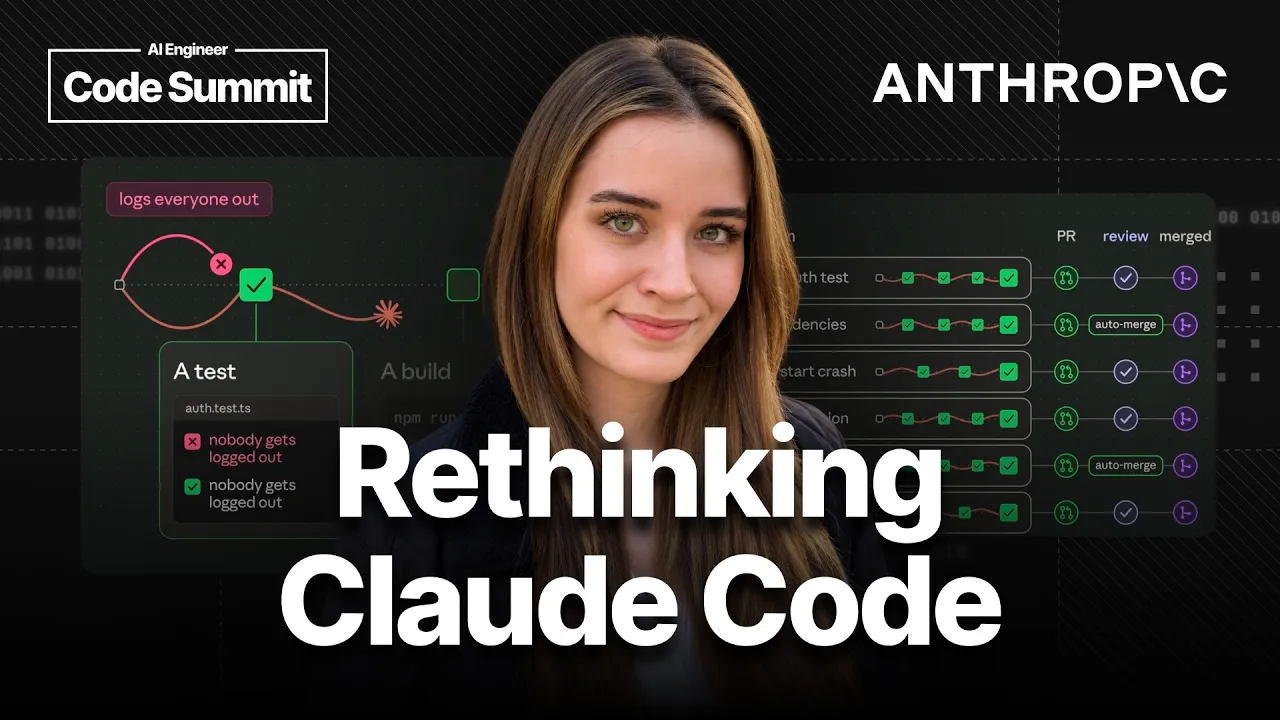
Description
The models have gotten really good, and most of what we've added to our Claude Code setups over the past year is now holding them back. In this talk I'll go through what Claude Code best practices look like for the Claude 5.5 models, what's still worth keeping, and what you no longer need to think about. Speaker info: Lydia Hallie Member of Technical Staff, Anthropic Lydia Hallie is a Member of Technical Staff at Anthropic, working on developer relations for Claude Code. She creates technical content, talks, and workshops that help developers understand how Claude Code works and how to use it effectively.
Summary
Generated by gpt-5.6-terraAt-a-Glance
- Verdict: Watch fully
- Core thesis: As coding agents become capable of hours-long, parallel work, developers should stop micromanaging prompts and permissions and instead shift control into an enforceable harness: isolated environments, irreversible-action guardrails, automated verification, CI, and risk-tiered review.
- Why it matters: This is a concrete operating model for safely scaling agentic software production from one supervised coding session to many autonomous workers and eventually an orchestrator-worker hierarchy.
- Best use: Use it as a reference architecture and implementation checklist for Claude Code or OpenClaw-style engineering agents, especially around sandboxing, CI gates, autonomous repair loops, and delegated orchestration.
Executive Summary
Lydia Hallie argues that the old Claude Code workflow—heavy prompting, manual command approval, and close human steering—has become the wrong bottleneck as stronger models can understand repositories, execute longer tasks, and self-verify. Anthropic's reported engineering throughput rose from roughly 2,500 changes per day in May to more than 30,000 in September, alongside a shift toward dozens of concurrent, hours-long sessions.
The replacement is not blind autonomy. Human responsibilities move into a layered control plane: the model handles intent interpretation and execution; auto mode handles routine permissions; deny rules prevent explicitly unacceptable actions; sandboxing and cloud isolation limit what commands can reach; hooks, tests, and CI verify output; and humans apply review proportional to change risk.
The security argument is particularly important: a permission system can decide whether to launch a command, but cannot constrain all effects of a command once it runs. A seemingly benign command such as npm test can execute compromised dependency code that reads local secrets or exfiltrates data. Sandboxing and disposable cloud environments therefore matter more than simply approving or denying individual commands.
For quality, Hallie recommends treating verification as first-class workflow design rather than an end-of-task code review. Define pass/fail checkpoints, enforce critical ones through hooks and CI, return failed work to the agent automatically, and reserve human review for cases where automated checks cannot adequately express the risk. The end state is an orchestrator session that delegates implementation to worker sessions while judging results and retrying failures.
Key Takeaways
- Claim: Modern coding-agent practice should optimize for delegated execution rather than continual human steering. | Evidence: Hallie contrasts earlier single-session workflows using Opus 4.5 and manual approvals with Anthropic's current pattern of dozens of concurrent sessions running for hours, verifying their own work, and sometimes orchestrating other sessions; she cites a reported increase from about 2,500 changes/day in May to more than 30,000 in September. | Implication: Ken should design agent operations around portfolio management, delegated task completion, and exception handling—not around interactive supervision of each tool call. | Caveat: Higher throughput is not itself evidence of correctness; the rest of the talk is explicitly about replacing human oversight with safety and verification mechanisms.
- Claim: Repository instructions should be minimized because stronger models infer most visible context directly from the codebase, and excessive imperative prompting can degrade performance. | Evidence: Hallie says legacy ClaudeMD patterns such as repeated "important" or "never do this" emphasis can lead to more tool calls and worse results. She recommends retaining only information Claude cannot discover in code, such as a legacy dependency or external source not directly referenced; she cites a "Dr. Prompt Audit" command to identify instructions and skills a newer model no longer needs. | Implication: Audit agent instruction files to remove stack descriptions, navigation advice, and rhetorical emphasis that the codebase already supplies; preserve hidden dependencies, non-code policies, and hard constraints. | Caveat: Instructions remain useful for non-observable constraints and organizational context that are genuinely absent from the repository.
- Claim: Use auto mode for routine command authorization, but encode irreversible or unacceptable outcomes as hard deny rules rather than relying on model judgment or human approval. | Evidence: Auto mode applies a separate classifier to actions beyond file reads/edits and normally permits safe operations such as tests and dependency installation. In Anthropic's cited August study, humans caught only about 14% of clearly dangerous commands while auto mode blocked 89%, but roughly one in ten dangerous commands still passed. Deny rules are evaluated before the classifier, so matching calls never reach it. | Implication: Create an explicit irreversibility policy: hard-block secret reads, destructive repository operations, force pushes, and similar non-recoverable actions; allow the model latitude on reversible implementation choices. | Caveat: A deny rule is appropriate when a mistake cannot be meaningfully reversed—examples include reading secrets into a transcript or discarding uncommitted changes—not merely when an agent could write incorrect, revertible code.
- Claim: Command permissions are insufficient security controls because approved commands can execute untrusted or compromised child code; isolation must constrain runtime access. | Evidence: Hallie uses npm test as the example: approving it may also run dependency code or generated scripts that read .env or SSH keys and transmit them to an unknown server. A local sandbox lets the operating system enforce file-read, directory-write, and network-host restrictions for the command and its child processes. | Implication: Treat tool authorization and runtime isolation as separate layers. Do not infer that a safe-looking command is safe; restrict filesystem and egress access, and avoid hosting agent-adjacent services and secrets on the same machine where possible. | Caveat: The sandbox described covers shell commands Claude launches and their descendants, but Claude's own files, MCP servers, and hooks run outside that sandbox on the host machine. The default sandbox may also still read much of the machine unless additional rules protect sensitive paths.
- Claim: Disposable cloud sessions are the preferred execution environment for long-running coding agents because they remove host secrets by construction while enabling work to continue after the laptop closes. | Evidence: A cloud session receives its own machine and fresh repository copy; files not committed to Git, such as .env, SSH keys, and GitHub tokens, are absent. Required API keys can be supplied as network secrets without sending them to the model, and network access defaults to limited endpoints such as package registries and GitHub unless additional domains are explicitly permitted. | Implication: Run autonomous or overnight jobs in ephemeral, least-privilege environments; version policy rules with the repository, narrowly provision secrets, and keep outbound destinations allowlisted. | Caveat: The machine being disposable does not make external effects disposable: pushed commits and connector messages persist. Hallie still recommends auto mode and repository-stored deny rules to limit those actions.
- Claim: Autonomous implementation needs enforced verification loops at task and session boundaries, not just prompts requesting tests. | Evidence: For an auth migration, equally plausible agent outcomes might leave the old API in place, cover only new logins, or log out every user. Hallie recommends pass/fail checks such as focused tests, builds, and screenshots. Hooks can lint after every edit, run domain-specific tests before task completion, and run the full suite before session completion; failed checks send Claude back to repair the work. | Implication: Translate product requirements into machine-checkable acceptance criteria and wire them into hooks. Validate the exact exit-code and retry semantics of the agent harness before trusting self-repair behavior. | Caveat: Prompting an agent to verify is not a guarantee. Hallie notes that, in this setup, a normal test failure with exit code 1 may still mark the task complete; scripts must exit with code 2 to cause Claude Code to return and fix the failure.
- Claim: Scale review through CI, independent agent review, risk-tiered human approval, and ultimately an orchestrator-worker model. | Evidence: Every session eventually opens a PR, making CI the common control point. Claude can receive failed CI results through CI auto-fix and repair them; "merge when ready" can merge after checks for suitable low-risk changes. Hallie's team has Claude review each PR using fresh context and a separate agent group, then applies no human review to docs/copy, one reviewer to ordinary product work, and two reviewers to riskier changes. Claude Code Projects, described as beta, lets a main session decompose tasks, launch threads, evaluate results, and resend incomplete work. | Implication: Implement a merge and review matrix by change class, keep author and reviewer contexts independent, and use an orchestrator to eliminate human context-switching only after the underlying execution and verification controls are reliable. | Caveat: Automatic merging is not the default and should vary with the risk of the change. The talk presents orchestration as an emerging direction, not a universal substitute for governance.
Detailed Brief
Control responsibilities move from the developer into three layers
- Claims: The central reframing is not that previous best practices disappear, but that their ownership changes.; The model increasingly performs mid-task steering; the harness decides and enforces allowed actions; the environment limits what execution can access; tests, hooks, and CI establish correctness.
- Evidence: Hallie summarizes the target arrangement as: the model steers; auto mode approves; deny rules and the environment restrict what is possible; tests, hooks, and CI check the result; and Claude can ultimately initiate work as well.; Auto-mode settings can be expressed in plain language to name trusted repositories, buckets, domains, always-allowed behaviors, and forbidden behaviors, reducing recurring approval friction such as deployment-repository access.
- Caveats: Configuring auto mode to approve more is a convenience measure, not a replacement for hard restrictions or environmental isolation.
- Implications: A scalable agent platform should make its control boundaries explicit: policy classification, deterministic pre-execution blocks, OS/container containment, and output validation should be independently inspectable.; Recurring human approval requests are diagnostic signals: either define a safe policy, improve the environment configuration, or determine that the action genuinely needs review.
Practical adoption path
- Claims: Hallie recommends expanding task size before expanding autonomy breadth: choose one job substantially larger than the team would normally give Claude, then observe where it fails or still requests human intervention.; The next automation target should be identified empirically from the points where the session stalls or pulls a person back into the loop.
- Evidence: Her suggested setup sequence is to ensure CI catches the failures that matter, configure network access, secrets, and setup scripts, launch the job in a cloud environment, and inspect where the session gets stuck.; Separate cloud machines reduce shared-working-directory conflicts and reduce the need to manually manage worktrees for parallel sessions.; In the projects model, the main session can use a model optimized for planning and judging work, while worker threads use a model optimized for implementation; their model assignments can be configured separately.
- Caveats: The transcript identifies Claude Code Projects as beta.; Parallelism without sound CI, isolation, and risk classification simply increases the rate at which unsafe or low-quality work can be produced.
- Implications: Pilot autonomy as a controlled systems exercise rather than a prompt-engineering exercise: first measure gate coverage and failure modes, then automate one human intervention at a time.; Use different agent roles and contexts for planning, implementation, and review rather than asking a single session to author and validate its own work.
Notable Concepts & Terms
- Auto mode: A Claude Code permission mode using a separate classifier to automatically allow routine actions and block uncertain ones; it reduces command-by-command approval but is not a complete security boundary.
- Deny rules: Deterministic policy rules evaluated before the auto-mode classifier, intended for irreversible or unacceptable actions such as secret access or destructive repository operations.
- Sandbox: Operating-system-enforced restrictions on filesystem, write paths, network hosts, and child processes, addressing side effects that tool-call permissions cannot see.
- Cloud session: An isolated, disposable remote machine with a fresh repository copy, limited network access, and separately supplied secrets; suitable for long-running autonomous work.
- Network secret: A mechanism described for providing an API key to an isolated environment without exposing that key to the model.
- Hooks: Scripts triggered at specified Claude Code lifecycle points, used to enforce linting, focused tests, and full test suites before work can progress or finish.
- CI auto-fix: A loop in which Claude sees CI failures on a PR and returns to repair them, shifting routine check failures away from human reviewers.
- Orchestrator and threads: A hierarchical agent pattern in which a main session plans, delegates, evaluates, and retries work performed by separate worker sessions, reducing human context switching.
Operator Notes / Why Ken Should Care
- Run a policy audit that classifies every current agent permission as either reversible-model-discretion, hard-deny due to irreversibility, or environment-level containment; do not leave this distinction implicit.
- Test whether the current agent runner's hooks convert a failed validation into an actual retry. Specifically verify exit-code semantics rather than assuming ordinary test failures block completion.
- Move unattended agents to ephemeral remote environments with explicit egress allowlists and narrowly scoped injected secrets; inventory MCP servers and hooks separately because they may execute outside the command sandbox.
- Create acceptance tests for high-risk migration invariants—such as backward compatibility, existing-session behavior, and data preservation—rather than relying only on generic build and lint checks.
- Define a written PR automation matrix now: auto-merge eligibility, required automated gates, independent AI review requirements, and one- versus two-human-review thresholds by change risk.
- Pilot an orchestrator-worker workflow only after one worker session can reliably pass isolation, verification, and CI gates on a larger-than-usual scoped task.
Source/Metadata
- Title: Rethinking Claude Code Best Practices — Lydia Hallie, Anthropic
- Transcript words: 7428
- Duration seconds: 1051
- Timestamp note: No timestamps or chapter markers were provided. The transcript substantially repeats the talk, so the stated word count includes duplicated content.
Transcript
I had some technical difficulties during my talk this morning, so I ran back home and I'm just going to record it from my computer instead. So hi everyone, I'm Lydia. I work on the ClockCode team at Anthropic. And the models have gotten really good lately. So we have Opus 5.5, which is my favorite daily driver. And earlier this week, we also launched Fable 5.2. And these models are extremely good at long running tasks and understanding your code base. And especially Fable is also really good at verifying its own output. But as these models get better, the way that we work with them in CloudCode also changes. So earlier this year, I don't know if you remember, but sessions used to look like this. So we'd use a model like Opus 4.5, which honestly, for its time was really good. I really enjoyed working with Opus 4.5. But compared to today, it would just stop a lot earlier. So it would just run for shorter amounts of time. And we'd also keep correcting it. We'd keep reminding it to do things, add things like importance, exclamation mark, all these things to our CloudMD file. And also features like auto mode didn't exist yet. So we were either approving everything manually or taking the riskier approach with dangerously skip remission. So we were still very much in the loop as humans. But as these models got better at taking on bigger tasks, our sessions also changed. So nowadays, at least at Anthropic, our sessions look more like this. So we're running dozens of sessions at the same time, running for hours, verifying their own results along the way. And we even have sessions orchestrate other sessions. So whereas we used to be in the loop for almost every step and running one or just a couple sessions at a time, we've now essentially become managers for dozens of sessions. We also get a lot more done though. Now you may have seen our blog post in October about how Anthropic went from about 2,500 changes a day in May to more than 30,000 a day in September. But this also means that we as developers just have to rethink what we're focused on instead. So if you think about our best practices from earlier this year, it was mainly about steering sessions, approving commands, saying no to certain things or restricting what Cloud could do, checking the output and also starting the sessions. So everywhere that we now step out of that loop, something else has to take over. And this is either the model, the harness, or the environment that it's running in. So if we are not in a loop to approve every command and we're running so many sessions at the same time, how can we make sure that the code it's writing is still high quality? And most importantly, if these sessions are running for hours without our supervision, how can we make sure that they're running safely? So let's go through that by taking this old session and seeing what we have to change to get to that end result that I showed earlier. Well, first of all, let's use the actual defaults we start sessions in nowadays. So that's not really something you should think about. So let's update the model here from Opus 4.5 to Opus 5.5 and change the manual permission to auto mode. And Opus 5.5 is a lot better at understanding your intent and understanding your code base. So we really don't have to steer it as much anymore mid-session. And you also no longer have to approve every command because we started making auto mode the default permission mode back in August. Now, being better at understanding your intent and your code base also means that we have to rethink the instructions we have in our code base. So if you followed our best practices from earlier this year, you may still have things like important or never do this exclamation mark, all these things in your CloudMD file. But with today's models, you really don't need that. And it can actually make the model go off track. So you end up with more tool calls and overall worse results. So nowadays, your CloudMD file should only include the things that Cloud cannot see from your code. So for example, maybe you have a service that's still using some legacy source somewhere, but it's not directly referenced in the code. That's still good to keep in there. But everything else, like what stack you're on or where to look, you really don't need that anymore. And we actually have a command for this called Dr. Prompt Audit, which makes it really easy to optimize your environment for a specific model. So if you're on Opus 5.5 here and you run this command, it will automatically check your CloudMD and your skills to see what the new model no longer needs. Now, auto mode is a permission mode that runs a separate classifier on pretty much everything that isn't just reading or editing files in your project. So it automatically allows commands that it knows are safe, like running tests or installing dependencies, but it still blocks commands where it's unsure whether they're safe. And normally, that's pretty good. Normally, that's what we want. But for example, here, if we ask it to ship something to staging, we would have approved the push to our deploy repo. But by default, auto mode only trusts this folder and this repo. So it would block that command. So we're back in the loop. Now, the defaults should be good in most cases. But if you still notice that you have to approve a lot of commands, even in auto mode, the first thing to look at is settings here, because you can configure auto mode in your own settings, just in plain English. And this is what gets sent to the classifier, which then decides whether to reject or allow certain commands. So here we can just write which repos, buckets, domains we trust, and what it should always allow or never do. Okay, so honestly, this was pretty easy. But just using today's defaults, we've already gotten rid of most of our in the loop stuff. Because the model took over the steering and auto mode took over all the approving. So getting out of the loop is easy. But the harder question now is how do we make sure it's okay that we're not there anymore. So first is keeping it safe, and then also verification. So let's start with keeping it safe, because everything so far, upgrading the model and using auto mode, it's just working with a model. And in most cases, it does what you tell it to do, but that's not a guarantee. So in a study we published back in August, we tested auto mode versus real people in the loop, and only about 14% of people caught a clearly dangerous command. Auto mode blocked 89% of them. So it is a lot better at it than we were. But about one in 10 of those commands still went through. So if you do want the guarantee, you can only enforce that in the harness. And this is where some of our older best practices still matters, and that's permission. So for example, if you have a deny rule for a specific tool call in your project, Cloud Code looks at this rule before the auto mode classifier even looks at it. In fact, if a tool call matches a deny rule, the classifier never even sees it. So having deny rules is still the best way to make sure Cloud actually never does something. But then how do you know what needs to be a rule in your project versus what the model can just know because they've gotten so good at it? I think it just comes down to if Cloud gets this wrong once, can I take it back? So if it writes the wrong code, you can still revert that. So you can still leave that to the model. But if it throws away our uncommitted changes or it reads a key that's now in your transcript and you don't want that, that should still be a rule. So for example, let's say that we just never want Cloud reading our .env file. Now by default, auto mode is fine with this, so it would have just approved it. So if you want to make sure that Cloud can never read this file, you should just add a deny rule. And then commands like cat cannot open this file either. But it's not always that straightforward because sometimes certain commands can have side effects. So for example, let's say that npm test here, a very normal command, it's just a test. So auto mode runs it, that's fine. But when the script is running, it runs code that you didn't write, like your dependencies, or maybe Cloud runs a script real quick that it wrote just to quickly check something. So if one of those scripts is compromised, it could just open that same .env file or your SSH keys and send those to a server you've never heard of. Right. And even if we were still there as humans approving everything, honestly, we would have just clicked allow because there was nothing to say no to. It's just part of the script that in this example case, npm test runs. And permissions only decide if a tool call runs, but they cannot limit what it can reach once it's running. So we want to make sure that these kinds of scripts can still run because this is just part of how Cloud can check its own work running tests. So we cannot just block npm it runs code that you didn't write, like your dependencies, or maybe a Cloud runs a script real quick that it wrote just to quickly check something. So if one of those scripts is compromised, it could just open that same end file or your SSH keys and send those to a server you've never heard of. Right. And even if we were still there as humans approving everything, honestly, we would have just clicked allow because there was nothing to say no to. It's just part of the script that in this example case, npm test runs. And permissions only decide if a tool call runs, but they cannot limit what it can reach once it's running. So we want to make sure that these kinds of scripts can still run because this is just part of how Cloud can check its own work running tests. So we cannot just block npm test, but we want to limit its side effects. So really, we just want to limit the environment that it's running in. So if you're running it locally or on your own machine, you can run commands like that in a sandbox. So then you have control over which files in a command it can read, which folders it can write to, which hosts it can reach, and the operating system enforces that. Also, this also applies to everything that command then starts, so any child processes. So on its own, that deny rule gets checked by Cloud before the command runs. But all it sees there is npm test. So it doesn't see which files that scripts ends up opening. But with the sandbox on, that same rule gets passed on to the operating system. So now when that dependency tries to open our end file, the operating system just doesn't let it. And by default, it can still read most of your machine. So you'd want to add another rule for your SSH keys if you care about that. And it also cannot reach a host that wasn't approved. But the sandbox only covers the shell commands that Cloud runs and whatever those start. But Cloud's own files, your MCP servers, and all of your hooks still run outside of it. So the rest of your session still runs on your own machine and everything that's on there. So ideally, you want this whole thing to run somewhere where none of that is even there in the first place. And that is a cloud session. Because there it gets its own machine with a fresh copy of our repo. And this runs even when we close our laptop, which is definitely something you want for these longer running sessions that run for hours. So in this case, this automatically gets rid of the end file issue because it's not in Git. And neither are my SSH keys or our GitHub token. And if it still needs an API key, you can add that as a network secret, or it will tell you like, hey, I'm missing an API key mid-session. So it can use it without actually ever sending it to the model. And by default, also in a cloud session, network access is limited to things like package registries in GitHub. So you have to explicitly add those domains to your environment for Cloud to reach other hosts. Okay, so with a cloud session, we can run these long running sessions even with our laptop closed. And it keeps us safe because it runs in its own environment. Now, it's still good to remember that this machine is disposable, but the things that leave it aren't. So a commit it pushed or a message it sent through a connector. So we still run it in auto mode with our deny rules, just commit it into the repo so they come along. So it could still catch things like a force push or a secret in a commit, all that kind of stuff. And beyond just safety, we also need to make sure that Cloud is actually working on the right thing. So next is verification. And the nice thing about being in a loop, like we kind of knew the work was good because we'd already kind of seen every change, we'd approved everything. But now if Cloud works for hours in the background, we don't have that anymore. And we're not really going to read every file at the end either. So, you know, say that we ask you to move our auth to a new API. Well, Cloud is very good at understanding what we want, but there are still a lot of small decisions that it has to make along the way. So with the exact same prompt, you know, one run might move it over, but leave the old API in there, or one might move it, but only for new logins and another one might move it, but log everyone out. And these all look pretty reasonable, but it really helps to set up these verification points along the way. So Cloud keeps verifying its own results. And those can be anything that comes back as a pass or fail. So tests, a build, a screenshot, whatever you have. So now we just want to make sure that we review these verification points. They're a lot shorter to review than if we just had to, you know, review the whole change at the end. So that's pretty reasonable. So if one of these runs would still log everyone out, it doesn't get past that first check, and then it just has to find another way. And there's a couple of ways to set this up. The easiest one is of course, just in your prompt. So, you know, you say what done looks like and ask it to split that into tasks. So they have their own tests. And I also like to ask it to show the actual output because you weren't there to see it. But again, prompting is not a guarantee that a model will do it. So for the ones that have to run guaranteed, I would use hooks, which are just, you know, scripts that cloud code runs at a specific point. And those give you a lot of control because you decide when they run and what they run and what they check. So for example, every time it edits a file, we can run our linter. Every time it wants to mark a task as complete, we can run the tests for what it changed. So, you know, if it touched our auth code or something, it has to pass the auth tests. And when it wants to finish the whole session, we can just run the entire test suite. And if one of those fails, it goes, oh, that's still broken. It goes back until it passes. So it fixes that. Now, just one thing, when a test fails by default, most tools exit with a one exit code, but with a one that task by cloud code just gets marked as completed anyway. So make sure that your scripts exit with a two exit code, because that's what actually sends cloud back to fix it. So, okay. Now we have one session that I'm pretty comfortable with leaving alone. So now we can start with a few more of those because they've all got their own machine. So they're, you know, not all working in the same folder and we don't really have to think about work trees too much ourselves anymore. But then we still start every session ourselves and we review every one of them. And honestly, this is already a pretty good place to be. We are still fully in control over what gets started and when we call a task done. But even there, you know, we're still the ones kicking off every session and we're still in the loop for all of them. So I think the most important thing to have in place here now is your CI, because all of these sessions eventually open a PR and your CI runs the same checks on every one of them, no matter how that session was set up or, you know, what Claude decided to do along the way. And if you turn on auto fix, we have like CI auto fix. Claude can also see when one of those checks fails and then go back to fix it. So you're not the one spending your review on things that, you know, a check could have already caught. And for some of them, you can even turn on merge when ready. So then GitHub merges the PR once all of the checks have passed. So you're not in the loop to review. But again, that's not the default and that really depends on how risky the change is. So for example, on our team, every PR gets reviewed by Claude first. So not by the session that wrote it. So it comes with a fresh context and also a separate group of agents to just double check every bug it finds. And then how much we review ourselves just depends on the risk. So smaller changes like docs or copy, they don't need a person. So once the automated checks are green, we're pretty good to go. Maybe ordinary product changes just need one reviewer and then risky changes might need two. Now, ultimately, kind of where we see things going and we're already kind of doing more of that at Anthropic is that you're not really starting all of those sessions yourself either. Because if you're anything like me, I'm terrible at context switching. So having to manage so many sessions at the same time doesn't always go well. So instead, you just have one main session. That's your orchestrator. And you can already see this in things like cloud code projects, which is still in beta. But you just tell it what needs to be done. And the orchestrator splits that up and then starts other sessions for each task. And it keeps track of what comes back. So it automatically smaller changes like docs or copy, they don't need a person. So once the automated checks are green, we're pretty good to go. Maybe ordinary product changes just need one reviewer and then risky changes might need two. Now, ultimately, where we see things going and we're already doing more of that at Anthropic is that you're not really starting all of those sessions yourself either. Because if you're anything like me, I'm terrible at context switching. So having to manage so many sessions at the same time doesn't always go well. So instead, you just have one main session. That's your orchestrator. And you can already see this in things like cloud code projects, which is still in beta. But you just tell it what needs to be done. And the orchestrator splits that up and then starts other sessions for each task. And it keeps track of what comes back. So it automatically starts and verifies these threads, which are just new sessions. So instead of talking to eight sessions, you're just talking to one. And the main session doesn't write the code itself. So there you want a model that's really good at deciding what to do and judging what comes back. A model like Claude. And if something comes back that isn't actually done, it just sends it back. So until it's actually done and it passes everything. And the threads need a model that's good at actually doing the work like Claude 3.5 Opus. And you can set those separately. So one model for the main session and then another one for the threads. And another benefit is that with this setup, with cloud code projects specifically, we don't manage context anymore. That's all done automatically for us. So we no longer have to think about when to compact or clear all of that stuff. Okay. So if you look back at those old best practices, they're all still there, but they've just moved. So the model steers it now. Auto mode approves your deny rules and the environment restricts what's possible. Your tests, your hooks, and your CI checks it. And then ultimately, Claude can just start them as well. So almost everything we used to do ourselves is now either the model, the harness, or the environment. And we're really just here to start that first one and to just review what comes out. So if you want to try this in your own setup, I would say just take one thing that's way bigger than you normally give Claude. Make sure your CI actually catches the things you care about. And then spend a bit of time just configuring your environment like its network access, its secrets, and its setup script. And then start in Claude and see where your sessions get stuck and where you're still in the loop because that's the next thing to hand over to Claude. I also highly recommend checking out our best practices in the docs as well. Thank you so much. favorite daily driver. And earlier this week, we also launched Fable 5.2. And these models are extremely good at long running tasks and understanding your code base. And especially Fable is also really good at verifying its own output. But as these models get better, the way that we work with them in CloudCode also changes. So earlier this year, I don't know if you remember, but sessions kind of used to look like this. So we'd use a model like Opus 4.5, which honestly, for its time was really good. I really enjoyed working with Opus 4.5. But compared to today, it would just stop a lot earlier. So it would just run for shorter amounts of time. And we'd also keep correcting it. We'd keep reminding it to do things, add things like importance, exclamation mark, all these things to our CloudMD file. And also features like auto mode didn't exist yet. So we were either approving everything manually or taking the riskier approach with dangerously skip remission. So we were still very much in the loop as humans. But as these models got better at taking on bigger tasks, our sessions also change. So nowadays, at least at Anthropic, our sessions look more like this. So we're running dozens of sessions at the same time, running for hours, verifying their own results along the way. And we even have sessions orchestrate other sessions. So whereas we used to be in the loop for almost every step and running one or just a couple sessions at a time, we've now essentially become managers for dozens of sessions. We also get a lot more done though. Now you may have seen our blog post in October about how Anthropic went from about 2,500 changes a day in May to more than 30,000 a day in September. But this also means that we as developers just have to rethink on what we're focused on instead. So if you think about our best practices from earlier this year, it was mainly about steering sessions, approving commands, saying no to certain things or restricting what Cloud could do, checking the output and also starting the sessions. So everywhere that we now step out of that loop, something else has to take over. And this is either the model, the harness, or the environment that it's running in. So if we are not in a loop to approve every command and we're running so many sessions at the same time, how can we make sure that the code it's writing is still high quality? And most importantly, if these sessions are running for hours without our supervision, how can we make sure that they're running safely? So let's go through that by taking this old session and seeing what we have to change to get to that end result that I showed earlier. Well, first of all, let's use the actual defaults we start sessions in nowadays. So that's not really something you should think about. So let's update the model here from Opus 4.5 to Opus 5.5 and change the manual permission to auto mode. And Opus 5.5 is a lot better at understanding your intent and understanding your code base. So we really don't have to steer it as much anymore mid-session. And you also no longer have to approve every command because we started making auto mode the default permission mode back in August. Now, being better at understanding your intent and your code base also means that we have to rethink the instructions we have in our code base. So if you followed our best practices from earlier this year, you may still have things like important or never do this exclamation mark, all these things in your CloudMD file. But with today's models, you really don't need that. And it can actually make the model go off track. So you end up with more tool calls and overall a worse results. So nowadays, your CloudMD file should only include the things that Cloud cannot see from your code. So for example, maybe you have a service that's still using some legacy source somewhere, but it's not directly referenced in the code. That's still good to keep in there. But everything else, like what stack you're on or where to look, you really don't need that anymore. And we actually have a command for this called Dr. Prompt Audit, which makes it really easy to optimize your environment for a specific model. So if you're on Opus 5.5 here and you run this command, it will automatically check your CloudMD and your skills to see what the new model no longer needs. Now, auto mode is a permission mode that runs a separate classifier on pretty much everything that isn't just reading or editing files in your project. So it automatically allows commands that it knows are safe, like running tests or installing dependencies, but it still blocks commands where it's unsure whether they're safe. And normally, that's pretty good. Normally, that's kind of, you know, what we want. But for example, here, if we ask it to ship something to staging, we would have just, you know, approved the push to our deploy repo. But by default, auto mode only trusts this folder and this repo. So it would block that command. So we're back in the loop. Now, the defaults should be good in most cases. But if you still notice that you have to approve a lot of commands, even in auto mode, the first thing to look at is settings here, because you can configure auto mode in your own settings, just in plain English. And this is what gets sent to the classifier, which then decides whether to reject or allow certain commands. So here we can just write which repos buckets domains we trust, and what it should always allow or never do. Okay, so honestly, this was pretty easy. But just using today's defaults, we've already gotten rid of most of our in the loop stuff. Because the model took over the steering and auto mode took over all the approving. So getting out of the loop is easy. But the harder question now is how do we make sure it's okay that we're not there anymore. So first is keeping it safe, and then also verification. So let's start with keeping it safe, because everything so far, so upgrading the model and using auto mode, it's just working with a model. And in most cases, it does what you tell it to do, but that's not a guarantee. So in a study we published back in August, we tested auto mode versus real people in the loop, and only about 14% of people caught a clearly dangerous command. Auto mode blocked 89% of them. So it is a lot better at it than we were. But about one in 10 of those commands still went through. So if you do want the guarantee, you can only enforce that in the harness. And this is where some of our older best practices still matters, and that's permission. So for example, if you have a deny rule for a specific tool call in your project, Cloud Code looks at this rule before the auto mode classifier even looks at it. In fact, if a tool call matches a deny rule, the classifier never even sees it. So having deny rules is still the best way to make sure Cloud actually never does something. But then how do you know what needs to be a rule in your project versus what the model can just know because they've gotten so good at it? I think it kind of just comes down to if Cloud gets this wrong once, can I take it back? So if it writes the wrong code, you can still revert that. So you can still leave that to the model. But if it throws away our uncommitted changes or it reads a key that's now in your transcript and you don't want that, that should still be a rule. So for example, let's say that we just never want Cloud reading our .n file. Now by default, auto mode is fine with this, so it would have just approved it. So if you want to make sure that Cloud can never read this file, you should just add a deny rule. And then commands like cat cannot open this file either. But it's not always that straightforward because sometimes certain commands can have side effects. So for example, let's say that npm test here, a very normal command, it's just a test. So auto mode runs it, that's fine. But when the script is running, it runs code that you didn't write, like your dependencies, or maybe a Cloud runs a script real quick that it wrote just to quickly check something. So if one of those scripts is compromised, it could just open that same end file or your SSH keys and send those to a server you've never heard of. Right. And even if we were still there as humans approving everything, honestly, we would have just clicked allow because there was nothing to say no to. It's just part of the script that in this example case, npm test runs. And permissions only decide if a tool call runs, but they cannot limit what it can reach once it's running. So we want to make sure that these kinds of scripts can still run because this is just part of, you know, how Cloud can check its own work running tests. So we cannot just block npm test, but we want to limit its side effects. So really, we just want to limit the environment that it's running in. So if you're running it locally or on your own machine, you can run commands like that in a sandbox. So then you have control over which files in a command it can read, which folders it can write to, which hosts it can reach, and the operating system enforces that. Also, this also applies to everything that command then starts, so any child processes. So on its own, that deny rule gets checked by Cloud before the command runs. But all it sees there is npm test. So it doesn't see which files that scripts ends up opening. But with the sandbox on, that same rule gets passed on to the operating system. So now when that dependency tries to open our end file, the operating system just doesn't let it. And by default, it can still read most of your machine. So you'd want to add another rule for your SSH keys if you care about that. And it also cannot reach a host that wasn't approved. But the sandbox only covers the shell commands that Cloud runs and whatever those start. But Cloud's own files, your MCP servers, and all of your hooks still run outside of it. So the rest of your session still runs on your own machine and everything that's on there. So ideally, you want this whole thing to run somewhere where none of that is even there in the first place. And that is a cloud session. Because there it gets its own machine with a fresh copy of our repo. And this runs even when we close our laptop, which is definitely something you want for these longer running sessions that run for hours. So in this case, this automatically gets rid of the end file issue because it's not in Git. And neither are my SSH keys or our GitHub token. And if it still needs an API key, you can add that as a network secret, or it will tell you like, hey, I'm missing an API key mid-session. So it can use it without actually ever sending it to the model. And by default, also in a cloud session, network access is limited to things like package registries in GitHub. So you have to explicitly add those domains to your environment for Cloud to reach other hosts. Okay, so with a cloud session, we can run these long running sessions even with our laptop closed. And it keeps us safe because it runs in its own environment. Now, it's still good to remember that this machine is disposable, but the things that leave it aren't. So a commit it pushed or a message it sent through a connector. So we still run it in auto mode with our deny rules, just commit it into the repo so they come along. So it could still catch things like a force push or a secret and a commit, all that kind of stuff. And beyond just safety, we also need to make sure that Cloud is actually working on the right thing. So next is verification. And the nice thing about being in a loop, like we kind of knew the work was good because we'd already kind of seen every change, we'd proved everything. But now if Cloud works for hours in the background, we don't have that anymore. And we're not really going to read every file at the end either. So, you know, say that we ask you to move our auth to a new API. Well, Cloud is very good at understanding what we want, but there are still a lot of small decisions that it has to make along the way. So with the exact same prompt, you know, one run might move it over, but leave the old API in there, or one might move it, but only for new logins and another one might move it, but log everyone out. And these all look pretty reasonable, but it really helps to set up these verification points along the way. So Cloud keeps verifying its own results. And those can be anything that comes back as a pass or fail. So tests, a build, a screenshot, whatever you have. So now we just want to make sure that we review these verification points. They're a lot shorter to review than if we just had to, you know, review the whole change at the end. So that's pretty reasonable. So if one of these runs would still log everyone out, it doesn't get past that first check, and then it just has to find another way. And there's a couple of ways to set this up. The easiest one is of course, just in your prompt. So, you know, you say what done looks like and ask it to split that into tasks. So they have their own tests. And I also like to ask it to show the actual output because you weren't there to see it. But again, prompting is not a guarantee that a model will do it. So for the ones that have to run, guaranteed run, I would use hooks, which are just, you know, scripts that cloud code runs at a specific point. And those give you a lot of control because you decide when they run and what they run and what they check. So for example, every time it edits a file, we can run our linter. Every time it wants to mark a task as complete, we can run the tests for what it changed. So, you know, if it touched our auth code or something, it has to pass the auth tests. And when it wants to finish the whole session, we can just run the entire test suite. And if one of those fails, it goes, oh, that's still broken. It goes back until it passes. So it fixes that. Now, just one thing, when a test fails by default, most tools that exit with a one exit code, but with a one that task by cloud code just gets marked as completed anyway. So make sure that your scripts exit with a two exit code, because that's what actually sends cloud back to fix it. So, okay. Now we have one session that I'm pretty comfortable with leaving alone. So now we can start with a few more of those because they've all got their own machine. So they're, you know, not all working in the same folder and we don't really have to think about work trees too much ourselves anymore. But then we still start every session ourselves and we review every one of them. And honestly, this is already a pretty good place to be. We are still fully in control over what gets started and when we call a task done. But even there, you know, we're still the ones kicking off every session and we're still in the loop for all of them. So I think the most important thing to have in place here now is your CI, because all of these sessions eventually open a PR and your CI runs the same checks on every one of them, no matter how that session was set up or, you know, what Claude decided to do along the way. And if you turn on auto fix, we have like CI auto fix. Claude can also see when one of those checks fails and then go back to fix it. So you're not the one spending your review on things that, you know, a check could have already caught. And for some of them, you can even turn on merge when ready. So then GitHub merges the PR once all of the checks have passed. So you're not in the loop to review. But again, that's not the default and that really depends on how risky the change is. So for example, on our team, every PR gets reviewed by Claude first. So not by the session that wrote it. So it comes with a fresh context and also a separate group of agents to just double check every bug it finds. And then how much we review ourselves just depends on the risk. So smaller changes like docs or copy, they don't need a person. So once the automated checks are green, we're pretty good to go. Maybe ordinary product changes just need one reviewer and then risky changes might need two. Now, ultimately, kind of where we see things going and we're already kind of doing more of that at Anthropoc is that you're not really starting all of those sessions yourself either. Because if you're anything like me, I'm terrible at context switching. So having to manage so many sessions at the at the same time doesn't always go well. So instead, you just have one main session. That's your orchestrator. And you can already see this in things like cloud code projects, which is still in beta. But you just tell it what it needs to be done. And the orchestrator splits that up and then starts other sessions for each task. And it keeps track of what comes back. So it automatically starts and verifies these threads, which are just new sessions. So instead of talking to eight sessions, you're just talking to one. And the main session doesn't write the code itself. So there you want a model that's really good at deciding what to do and judging what comes back. A model like Fable. And if something comes back that isn't actually done, it just sends it back. So until it's actually done and it passes everything. And the threads need a model that's good at actually doing the work like Opus 5.5. And you can set those separately. So one model for the main session and then another one for the threads. And another benefit is that with this setup, with cloud code projects specifically, we don't manage context anymore. That's all done automatically for us. So we no longer have to think about when to compact or clear all of that stuff. Okay. So if you look back at those old best practices, they're all still there, but they've just moved. So the model sears it now. Auto mode approves your deny rules and the environment restrict what's possible. Your test, your hooks, and your CI checks it. And then ultimately, cloud can just start them as well. So almost everything we used to do ourselves is now either the model, the harness, or the environment. And we're really just here to start that first one and to just review what comes out. So if you want to try this in your own setup, I would say just take one thing that's way bigger than you normally give cloud. Make sure your CI actually catches the things you care about. And then spend a bit of time just configuring your environment like its network access, its secret, and its setup script. And then start in the cloud and see where your sessions get stuck and where you're still in the loop because that's the next thing to hand over to cloud. I also highly recommend checking out our best practices in the docs as well. Thank you so much.