Grep or Embeddings? Agentic Search Over Company Documents — George He, LlamaIndex
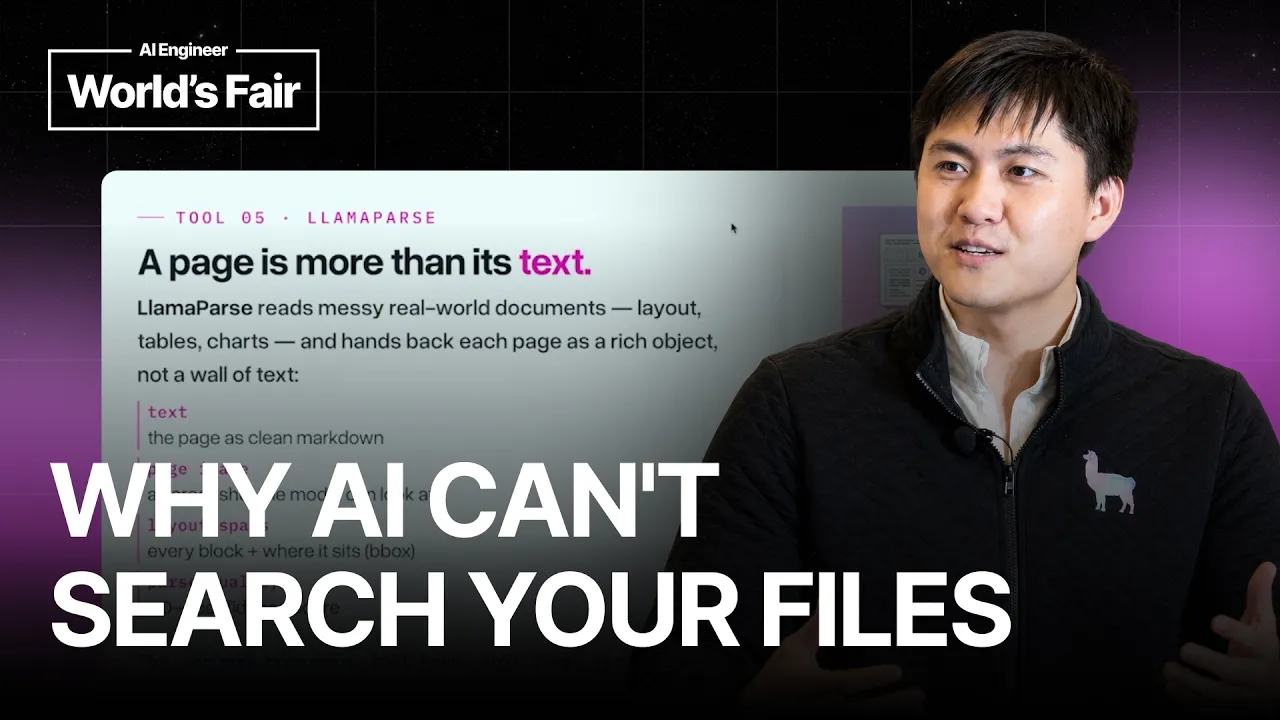
Description
Grep works great on a codebase. Try it on millions of PDFs, slides and scanned schematics. George He, head of engineering at LlamaIndex, explains when agents need pre-indexed search and when plain file traversal is enough. Claude Code skipped embeddings because code is small, text-based, local and full of breadcrumbs. Company data is huge, messy, multimodal and permissioned. He shows how to give an agent a harness of tools so it can choose: hybrid retrieval as a compass, then listing, metadata filtering, grep and reading to dig in, plus parsed text and page screenshots for complex documents. He covers parsing with LlamaParse and the open-source LiteParse, permissions and freshness in production, and the ingest-parse-index pipeline. Then he demos an agent building a cash-flow table from 135 Alphabet financial filings, grounded in the source files. In this talk: • Why Claude Code's grep approach works for code but breaks on company documents • Hybrid search as a compass, then grep and read to ground the answer • Parsing complex PDFs, tables and schematics, with page screenshots • Production concerns: multi-tenancy, permissions and data freshness SPEAKER George He, Head of Engineering, LlamaIndex LinkedIn: https://www.linkedin.com/in/georgehe4/ GitHub: https://github.com/georgehe4 LINKS LiteParse (GitHub): https://github.com/run-llama/liteparse LlamaParse docs: https://developers.llamaindex.ai/llamaparse/ LlamaIndex: https://www.llamaindex.ai LlamaIndex on X: https://x.com/llama_index CHAPTERS 0:00 Intro 1:12 When do agents need vector search? 2:17 Why Claude Code skipped embeddings 3:27 What makes code easy 3:57 Company documents are different 5:17 It depends on scale 6:32 Bigger context isn't free 7:12 Sub-agents get expensive 8:22 Let the agent choose 8:57 Five tools for document search 10:52 Tool 1: hybrid search 11:57 Tools 2–4: list, filter, grep 12:42 Tool 5: reading complex documents 13:27 LlamaParse and LiteParse 14:22 Measuring parse quality 15:17 Permis
Summary
Generated by gpt-5.6-terraAt-a-Glance
- Verdict: Watch fully
- Core thesis: For enterprise document corpora, agents should use a hybrid retrieval harness: pre-indexed hybrid search to locate likely material, then metadata filtering, file traversal, grep/read, and page-image inspection to verify and ground answers.
- Why it matters: This is a concrete control-plane pattern for agentic knowledge access that addresses the central trade-off between Claude Code-style live file search and RAG-style pre-indexing, while treating permissions, document freshness, multimodality, cost, and answer grounding as first-class concerns.
- Best use: Use it as an architecture review for any internal-document agent: extract the tool primitives, ingestion pipeline, and authorization/freshness requirements rather than adopting a pure vector-search or pure grep approach.
Executive Summary
George He argues that the question is not whether grep or embeddings is categorically better. Claude Code's grep/read/glob approach works well for a relatively small, local, semi-structured code repository, but enterprise knowledge bases contain far more files, heterogeneous formats, weak organization, and access-control constraints. At that scale, repeatedly navigating and reading raw files wastes tokens and latency, while fully pre-indexed systems introduce synchronization and freshness problems.
His proposed design is an agent-controlled hybrid harness. Hybrid keyword-plus-semantic retrieval acts as a compass that narrows a large corpus to plausible files or chunks; the agent then uses conventional inspection primitives—list files, filter metadata, grep, read specific offsets, and inspect rendered pages—to resolve ambiguity and substantiate the final response. Retrieval identifies candidates; verification through traversal is what makes an answer trustworthy.
The architecture depends heavily on preprocessing complex documents. PDFs, scans, charts, tables, PowerPoints, and schematics should be parsed into structurally faithful text or markdown and stored with page screenshots, rather than repeatedly pushed through a model's context window. The agent can use text, metadata, and visual page representations together when ordinary chunking loses layout or spatial meaning.
The production message is equally important: ingestion, parsing, indexing, permissions, and incremental synchronization are part of retrieval quality, not peripheral infrastructure. The talk offers a useful enterprise pattern, although its claims about hybrid-search superiority and its demo are directional rather than accompanied by independently reported benchmarks, latency figures, or cost data.
Key Takeaways
- Claim: Claude Code-style live filesystem traversal is appropriate for small, local, structured codebases, but is not a sufficient retrieval strategy for large enterprise document estates. | Evidence: He cites Claude Code's use of local grep, read, and glob tools, and says Anthropic experimented with a vector database but did not choose it. Code is already local, concise, semi-structured, and contains navigational breadcrumbs such as imports and tests; enterprise corpora instead mix PDFs, images, PowerPoints, scans, diagrams, and poorly organized data-lake content. | Implication: Ken should avoid generalizing code-agent retrieval patterns directly to company knowledge systems; select retrieval architecture based on corpus scale, structure, modality, and update rate. | Caveat: The suggested threshold of roughly 100 to 1,000 files for local traversal is a heuristic, not a demonstrated capacity limit; document size, agent quality, latency targets, and task complexity will shift it.
- Claim: The preferred enterprise pattern is a hybrid retrieval-and-traversal harness, where search narrows the space and the agent verifies evidence through file-level tools. | Evidence: The proposed toolset combines semantic search, keyword/regex search, metadata and filename filtering, file listing, and targeted read operations. He describes hybrid search as the 'compass direction,' followed by traversal to inspect the actual relevant details and ground answers rather than hallucinate. | Implication: Build search as a composable tool layer under agent control, not as a single RAG endpoint that returns chunks directly to the final-answer model.
- Claim: Hybrid keyword and vector retrieval, followed by reranking, is the recommended candidate-generation stack for enterprise search. | Evidence: He contrasts BM25/keyword, vector search, traditional RAG, and Graph RAG, arguing that fusing and weighting keyword and semantic retrieval avoids the blind spots of either alone. He suggests retrieving a broad candidate set—illustratively the top 100—and reranking it with an LLM or another deeper process. | Implication: For implementation, measure recall and grounded-answer quality for lexical-only, vector-only, hybrid, and reranked variants before committing to one retrieval path. | Caveat: The talk refers generally to benchmark results but provides no named benchmarks, measurements, weighting method, or comparison data; the recommendation should be validated against the target corpus and queries.
- Claim: Pre-parsing and indexing are especially valuable for multimodal documents because raw text chunking loses tables, layout, charts, and schematics. | Evidence: He recommends converting documents into structured text or markdown, preserving tables and segmented content, and persisting screenshots produced during page rendering. He notes that OCR outputs from systems such as Textract or Tesseract must be assessed for fidelity to table and layout structure, since downstream LLM reasoning suffers when spatial relationships are lost. | Implication: Treat document parsing quality and multimodal evidence storage as retrieval dependencies; do not evaluate a knowledge agent only on embedding model or vector-database choice. | Caveat: Parsing text alone is not enough for visually structured content; the speaker explicitly recommends retaining image/page representations alongside extracted text.
- Claim: Larger context windows and subagents do not eliminate the economic and latency case for preprocessing and retrieval. | Evidence: He notes the growth from 100K and 200K contexts to million-token contexts, but argues that repeatedly sending document tokens or binary-rendered material through a model is still expensive. Subagents can contain context bloat, but each receives environment/context overhead and therefore adds token and latency cost. | Implication: Do not use long context as a substitute for document ingestion, indexing, or selective evidence retrieval; reserve model context for the narrowed evidence set and reasoning task.
- Claim: Permissions and freshness must be implemented in the retrieval data plane, otherwise an enterprise document agent will either leak data or become operationally expensive. | Evidence: The speaker identifies multi-tenancy, Google Drive/SharePoint permission synchronization, and freshness as recurring production blockers. He recommends attaching permission metadata during ingestion and filtering on it in the vector-storage layer; he also describes synchronization as ingestion, parsing/standardization, then indexing/export. | Implication: Make authorization-aware retrieval and incremental reprocessing explicit design requirements before exposing cross-company search to agents. | Caveat: He acknowledges that frequent changes to complex content and metadata make pre-indexing difficult to keep fresh—the same maintenance burden that led Claude Code to avoid an index for code.
- Claim: A layered storage design is better suited than fully memory-resident vector storage for multi-tenant corpora reaching millions or tens of millions of documents. | Evidence: Based on LlamaIndex's stated multi-tenant experience at millions to tens of millions of documents, He recommends persisting data on disk with a protected or 'shielded' memory layer for efficient retrieval. The demo references Turbo Puffer as the storage system and uses metadata in the storage layer for filtering. | Implication: For large-scale agent search, evaluate disk-backed retrieval, caching behavior, tenant isolation, metadata-filter performance, and cost together rather than optimizing vector-query latency in isolation. | Caveat: This is an architectural recommendation from a vendor presentation, not a neutral performance comparison among storage systems.
Detailed Brief
Concrete agent tool contract
- Claims: The agent should be able to interact with remote document storage without downloading the entire corpus into a local working directory or model context.; The tool sequence is intentionally iterative: retrieve candidates, inspect their context, search within a specific file, read a bounded region, then revise or expand the search if necessary.; The speaker frames this as providing primitives rather than forcing a manually chosen retrieval mode for every request.
- Evidence: In the demo, a grep operation identifies a matching location in a specific file, then a read request uses an offset and maximum length to retrieve only the relevant text.; The demo corpus contains 135 Alphabet financial-report files, combining HTML and raw PDFs, with metadata such as source location and potentially company/year tags.; Search results include both returned text chunks and corresponding page screenshots, enabling an agent to request local context around an identified chunk.
- Caveats: The demo illustrates a cash-flow-table request but does not show failure cases, retrieval traces in detail, answer accuracy measurement, permission enforcement, or comparative performance against a simple RAG baseline.
- Implications: A remote read/grep interface can be a practical alternative to mounting or syncing the full corpus into every agent runtime.; Tool observability should capture the candidate set, metadata filters, inspection steps, source pages, and final citations so operators can audit whether the agent actually verified its output.
Operational pipeline and evaluation criteria
- Claims: Synchronization should be decomposed into ingestion, standardized parsing, and bundling/exporting into an indexed state.; Parsing should be distributed and evaluated as a scalable subsystem rather than treated as a one-time utility.; The central quality question is whether parsed output faithfully preserves the source content a human would use to answer the question.
- Evidence: The speaker names structural representation of tables, layout fidelity, and spatial reasoning as relevant evaluation dimensions.; LlamaIndex positions LlamaParse and open-source LightParse as tools for structural extraction, including conversion of complex documents to markdown or other agent-consumable representations.
- Caveats: The presentation does not specify freshness SLAs, event-driven versus polling synchronization, deletion handling, ACL revocation propagation, or a test methodology for parse fidelity.
- Implications: The retrieval system needs separate service-level objectives for ingestion delay, parse success/fidelity, index availability, ACL propagation, and answer-level groundedness.
Notable Concepts & Terms
- Hybrid retrieval: A weighted combination of lexical/keyword retrieval and semantic/vector retrieval; presented as the best enterprise starting point because each method recovers cases the other misses.
- Retrieval harness: The agent-facing orchestration layer that decides among search, metadata filtering, file listing, grep, bounded reads, and visual inspection rather than relying on a single RAG call.
- Compass direction: The speaker's metaphor for initial retrieval: it need not find the final answer, but must guide the agent toward the right subset of a huge corpus.
- Grounded traversal: Using direct file and page-level inspection after retrieval to confirm the evidence supporting an answer and reduce hallucination.
- Structured parsing: Converting complex documents into a representation that preserves tables, segmentation, and layout sufficiently for agent reasoning, rather than using undifferentiated OCR text.
- Screenshot index: Persisted page renders associated with indexed chunks, allowing agents to inspect visual information and spatial context that text extraction may omit.
- Permission metadata filtering: Attaching source-system ACL and tenant metadata during ingestion and applying it at retrieval time, so authorization constrains which candidates the agent can ever inspect.
- Layered storage: A disk-persistent document/vector layer with a faster memory layer for active retrieval, proposed for cost-effective multi-tenant scale.
Operator Notes / Why Ken Should Care
- Define a retrieval-tool contract for document agents: hybrid search, metadata/ACL filter, file listing, regex/keyword search, bounded read by offset, and page-image retrieval.
- Run a corpus-specific evaluation that compares lexical-only, vector-only, hybrid, and hybrid-plus-reranker retrieval using both recall and final answer citation accuracy.
- Set parse-fidelity tests for tables, multi-column layouts, charts, scanned documents, and schematics before indexing production content.
- Require source-system ACL propagation, tenant isolation, document deletion handling, and permission-revocation latency targets in the ingestion design.
- Instrument agent traces so each final answer can be tied to retrieved candidates, files read, page screenshots inspected, and exact supporting excerpts.
- Avoid treating million-token context or subagents as the primary solution for enterprise document access; model token budget should be an explicit operating-cost metric.
Source/Metadata
- Title: Grep or Embeddings? Agentic Search Over Company Documents — George He, LlamaIndex
- Transcript words: 7913
- Duration seconds: 1401
- Timestamp note: No timestamps or chapters were present in the supplied transcript; the latter portion substantially repeats the earlier presentation content.
Transcript
We're going to get going. Nice to meet you everyone. My name is George. Today we'll be going over a talk on search, document search, and how we get better results here at Lama Index. My name is George. I'm the head of engineering here at Lama Index. We are a series A startup. We focus quite a bit on document parsing, orchestration, and knowledge management. Today the topic of the talk will center around how we've helped enterprise customers scale up search, rep, and generally manage context using agentic orchestration and just general infrastructure tooling. The plan today is going to be going through a discussion or a debate around how to best orchestrate and perform document search, how to get the best results, and we'll iterate through the technical challenges that we've seen all the way to a live demo at the end if we do have time. All right. So to get started, the question that I'd like to pose to everyone is when and why specifically do agents need vector context in some discussions or just context period. And the major takeaway here is over the last few years models have gotten much better at orchestration and instruction following. They're able to traverse local file systems. They're able to work with skills, MCPs, in order to retrieve information in ways that are better than before. But you still have your local search and your local context problems, right? In order to manage large corpuses, in order to manage complex documents, the easiest way is still to manage it locally. And so there are kind of two evolving approaches to orchestration between grep, or what I like to call kind of local file search and file execution, or embeddings, or pre-indexing, pre-retrieval. We'll kind of talk through what the different approaches offer and when you might prefer one over the other, or when it's appropriate to do a hybrid of both. To get started in understanding where this problem kind of popped up in industry, when Claude Code launched, there was a lot of discussion around the internal mechanics of how Claude Code works. It's actually a really interesting problem to think about how you're going to traverse and manage your local file system if you're going to go through coding, right, as a solution or a problem. And Anthropic has taken the approach of using your local file system, grep, read, using glob management to manage your local file system. And it's perfect for your local execution needs, because code is easy to manage locally, it's concise, and it's already in text format. But you'll also notice that this tweet by Boris, Claude Code creator, kind of highlights that Claude Code experimented with a vector database, didn't end up choosing it. And the reasons aren't just for performance reasons, but because of practical scaling and maintenance reasons. It's hard to keep a pre-indexed vectorized index in sync, especially as code keeps on updating. And so specifically, the solution that Claude Code took, which was no pre-indexing, no RAG, no vector search, works really well, but only because of a few characteristics of code. They did not care about pre-indexing information because the code in your repo is usually small. It's usually semi-structured. Usually your code leaves breadcrumbs for what else is being imported, what else is being tested. And it leaves a natural hierarchy for how an agent might move about your file system. And the largest part there is code is already on disk and local, especially if your agent has context. So why complicate it with a pre-retrieval system? And the reality is when you switch over to larger company datasets, where you have images, you have PDFs, you have PowerPoints mixed in, it's harder because there's not really a folder to grep. You can't really grep the folders across a company dataset because it's not organized like code, right? You have to think about how much effort has been put into curating the code that you write. It must be syntactically sound, it must have proper references. And then you see your company database or whatever is in your data lake, and you realize it's really hard to keep things in sync, right? The scale is at a completely different level. You care quite a bit more about security, who can access what information. The format is not standardized. You might have really complex PDFs, schematics, manufacturing diagrams mixed in. And the scale just makes it so that you can't run this locally anymore. So how do you keep a system in sync, right? The industry has gone through many different solutions. You can use an MCP server. You can try to manage this using Anthropic's Cloud MD. So in addition to having just this blob of a data source available somewhere, you keep track and let your agent know, hey, you can traverse the data this way, right? So MCP skills, cloud agent files, instruction files, these are all options for keeping track of some type of hierarchy. But the major takeaway here is actually it really comes down to the scale of the data that you have and how much curation effort you're going to put in in order to maintain that retrieval system or that data management system that makes sense, right? People are talking about context engineering, about creating a harness. But at the end of the day, it's all about keeping the right primitives in place. But in order to do that, you have to understand what's the scale that you're dealing with, right? So if you have 100 to 1,000 files, it may be appropriate to just keep down to local file search because your agents can manage this in context. They won't burn too many tokens just iterating through files or managing the literal file names as it traverses. But as you scale out to thousands or millions of files, that's not possible. You don't want to burn those tokens. You don't want to read the files every single time. You want to have some needle in the haystack sense of roughly where you're looking for. At least if it's not the needle in the haystack, it's a rough compass on the direction you should be going, right? And so we'll talk a bit about what the right approach is between hybrid-based search, semantic-based search, as well as your old school file traversal here. The other reason for why you might care about this is obviously as each model increases in its memory capabilities, right? We got one million token context length now. Before it used to be 200K, before that 100K, and even smaller before that. The important thing to think about here is actually as the model capabilities increase, what you're willing to pay as you're going through this process, right? Do you want to shove those tokens through the model's ingestion pipeline? Do you want to send binary data over to your model for it to try to render in maybe its own engine, and then extract data out for your search? It just becomes extremely expensive in order to use your model context for ingestion in search. And there have been solutions around how you can use sub agents, right? Have one larger agent issue sub commands so that a smaller agent can deal with the memory context to memory bloat and just give a response back. But the issue there is because each sub-agent needs full context, and even though they might use cheaper or simpler models, if you've noticed in Claude Code, sometimes your main session may issue commands to weaker model sub-sessions in order to execute the jobs, the environments are actually rather token heavy and latency heavy, right? So in order to speed up your process and make sure that you're not burning tokens unnecessarily reprocessing documents each time, you may actually think about building out a pre-indexing system. And so we'll talk about that here in building out a harness and letting an agent choose what's going on, right? So specifically, we don't really want our system or any system that can scale out to be manually deciding, should I use a hybrid RAG approach or should I just individually search through files? And the cleanest way that we found in this era of engineering is managing that with a harness. So give your agent the tools needed to either search through specific files using your old school grep, your old school cat, file name filtering or metadata filtering in addition to semantic filtering. And that way you can get the best of both worlds going through traversal so you can get the rough direction of which files you want to search and use semantic search to down scope your files. And then using your agent's built-in file traversal capabilities to dig into the meat of the details so that you can actually ground your answers instead of hallucinating them. So the five tools that we'll talk through today in enabling document search or complex document search, as you might see in like insurance, finance, healthcare industries, right, where you just have a ton of uncategorized or semi-labeled data is what are the tools that we're going to use, right? So the question first is where am I even going to look? What's the compass direction we're going to go? And then you have three tools that are going to be there and you know you have a lot more of these in your local file system to figure out what actually is in this subset or this sub-corpus of documents that we've identified with our compass direction, right? So listing files, traversing files by metadata. Semantic search to down scope your files. And then using your agent's built-in file traversal capabilities to dig into the meat of the details so that you can actually ground your answers instead of hallucinating them. So the five tools that we'll talk through today in enabling document search or complex document search, as you might see in insurance, finance, healthcare industries, where you just have a ton of uncategorized or semi-labeled data is what are the tools that we're going to use, right? So the question first is where am I even going to look? What's the compass direction we're going to go? And then you have three tools that are going to be there and you know you have a lot more of these in your local file system to figure out what actually is in this subset or this sub-corpus of documents that we've identified with our compass direction, right? So listing files, traversing files by metadata, grepping specific files to see if there are multiple keywords available that make a specific document more desirable. These are all things that you could run in a pre-indexing pipeline or a live pipeline. And the last one is what does the document actually say? And specifically for multimodal documents you need a way to pre-render the documents and this is one unique approach to multi-page or long schematics which is in your pre-indexing process one of the most important parts is to chunk or break your documents down into digestible portions, right? But that applies to not just the textual side but also the rendering side because one of the hardest parts of free-form document rendering is you actually have to rasterize or render the document into a human compatible view. These use cases are usually where you have an actual person that would have done this instead of AI, right? So these schematics, these PDFs, these PowerPoints, they're not really built for pure machine consumption. So giving the agent a pre-built screenshot index to search through is also very useful as you're performing RAG. All right, so we'll take a look at some of the details of the tool itself. So in terms of retrieval itself, which is the compass direction, there are tons of approaches you can take here. There's graph RAG, there's traditional RAG, there's your old school keyword-based BM25 search. We usually recommend a hybrid for enterprise use cases and that's just mostly because keyword-based search has its place for developers. Keyword-based search also has its place for AI agents that are looking for specific pre-indexed words in a corpus, right? At the same time, semantic meaning and similarity is really important. Combining the two through a hybrid-based search usually gives you much better results. You can see in various benchmarking data sets that raw keyword or vector will get you to a baseline. But when you put in a fusion, you combine and weight keyword as well as vector search, you get better results because you aren't blinded by specifics of your search method. And re-ranking the final results, you might take the top 100, re-rank them using an LLM or some other deeper process, ultimately gets you much better retrieval results. But that's just one part of the pipeline, right? That's the document search. We care about results. And so tools two through four we'll talk through and show later, which is once you have the compass direction of what is the general group of files that might matter, right? What's the metadata that might associate most closely with your query? Because your agent at the start might not know all the metadata or the extracted content of your system. It can then traverse through the file hierarchy, search for similar files inside of your corpus that weren't even returned in that initial search in order to expand out and then further narrow down its results. So giving your agent the primitives of listing out the files, grep and read that you have locally is really important in a shared and distributed file system, especially if it's one that you don't want to download onto your agent's context every single time, which can get expensive. And diving a bit deeper into the content itself, right, this is where complex documents like stuff with charts, stuff that's scanned in, stuff that has schematics, for example, breaks apart for your traditional document indexing and chunking workflow, because it is not a human read line of text, right? It's a separate representation. And so thinking about how you do your pre-indexing flow and parsing flow so that you don't have to reread the documents every single time using your agent is also important. You don't want to burn those binary encoded tokens every single time you want to read a new document. So we usually recommend pre-indexing or pre-parsing your documents using structured parsing flow. We have a product called LlamaParse. We've also open sourced a tool called LightParse, which handles structural content extraction. So this is if you have tables, charts, or segmented information, you want to encode that as either markdown or something that your agent really can understand the spatial reasoning of. Because when you have multimodal data, spatial reasoning is important. Last one there is, of course, in your pre-parsing flow, you usually want to generate those screenshots as you actually render the page, right? So whatever you're doing for pre-parsing, you probably also want to store and persist screenshots as they're being generated from document rendering. It's not always clear if something is text or has metadata associated with it. You probably want to combine the two together. And so parsing is an important part, but it's not the only part of a pipeline. We usually advocate for people to think about how you can distribute parsing and think about scaling out to improve your parsing pipeline, right? There are some metrics that I would advocate for people to think about and how you can optimize or improve your pipeline for each of those dimensions. So if you dump your data into a traditional OCR pipeline like Textract, or you use an OCR engine like Tesseract, does it actually capture the tables, the table representation? How faithful is it to the actual content layout, right? Because if you get those wrong, your LLM on its semantic reading side later down the line is going to pay for it. It might be fine at the start, but if your LLM doesn't understand the location and spatial reasoning, it falls apart at some point. All right. So before we get to the demo, there are just a few caveats to think about with building out an actual production pipeline, right? Which is when you have actual customers that care about using it and scaling it out, there are a few things that will always be brought up. There's multi-tenancy, you know, can one person see another person's data? How does permissioning metadata get pulled in, right? If I'm using Google Drive or if I'm using SharePoint, how do I pull in and yank that permission metadata without causing the whole system to grind to a halt or without re-indexing and re-parsing the pipelines each time? And that's related to the last one, which is freshness, right? This is why Anthropic and a lot of other companies have given up on trying to pre-index data, because data freshness is really hard to achieve if your data is complex, and you also have metadata that needs to be up to date. All right. So in order to break it down more easily, we think about the synchronization process as three steps, right? One is pure ingestion, you know, can we get all your documents into a synchronized system? The second step is going to be parsing, which is how do we actually convert your document to a standardized format? For our use cases today, we'll talk through converting all documents into a markdown or a text format, but there are also other formats you can use if you only care about multimodal representations. And last stage is obviously rebunding that data and then exporting it into a pre-index state in order to make it available for all the tools and steps that we talked about before. All right, so I'm going to skip through this for the sake of time. One major thing that we want to highlight here is storing your data is actually quite important. In order to distribute your data out, you usually want some type of layered storage system. A lot of vector storage services store everything on memory. Usually you're playing with some trade-off of do I want it on disk and then load it into a faster memory store or do I want everything just in the memory store? For us, we've dealt with this problem at the multi-tenant level to millions, tens of millions of documents. Our recommendation here is to try to persist your data onto disk and then have a shielded memory layer in order to retrieve the data more efficiently. For our use cases today, we'll be looking at Turbo Puffer. And Turbo Puffer, as well as most vector stores, will also handle permissioning, right? So what's the metadata that you have? How do you pull the data in is actually quite an important part of your system success because when you have too many documents, you need to filter by metadata. So we push that into the vector storage layer, you know... storage system. A lot of vector storage services store everything on memory. Usually you're playing with some trade-off of do I want it on disk and then load it into a faster memory store or do I want everything just in the memory store? For us, we've dealt with this problem at the multi-tenant level to millions, tens of millions of documents. Our recommendation here is to try to persist your data onto disk and then have a shielded memory layer in order to retrieve the data more efficiently. For our use cases today, we'll be looking at Turbo Puffer. And Turbo Puffer, as well as most vector stores, will also handle permissioning, right? So what's the metadata that you have? How do you pull the data in is actually quite an important part of your system success because when you have too many documents, you need to filter by metadata. So we push that into the vector storage layer as the data is being ingested, let's just make sure we tag that into the vector stores. All right, so we're going to jump through a demo. And for the demo today, the process to think about is how is the agent going to use the subcomponents in order to actually give you a response that's grounded, that actually can traverse multiple documents, and actually gets you a result that you're happy with. All right, so we'll go through there here. Let's see. All right, so in this demo, we will have a pre-indexed set of documents that is available from a data source that we've defined ahead of time. This is going to be 135 files that are derived from Alphabet's financial reports, right? So we have all these HTM files that are mixed in with raw PDF files. And if you actually look at them, we've pulled in the metadata for where this information can be found. So if you have file metadata available along with later on you can tag this with the year that it came from or the specific company it came from, that gives your agents the capabilities to filter down the data. And what we'll see here is in your hybrid retrieval flow, right, you'll have the option of if you want to be more keyword based or more semantic based in your retrieval flow. Let's just do an even balance for now. And we're going to search for just any cash flow statements. And we'll talk through the tools that your agent would want to use along this process, right? So what you've seen here on the right is the set of chunks that are returned from our query, as well as page screenshots that correspond to what is essentially the page that it came from, right? So these two together gives your agents the capability to filter down to a specific chunk and request context around that specific chunk in a much cleaner way than before. You then might want to think about how you would grep for a specific piece of text in the file, right? So what happens if you have a regex pattern that you're looking for, now you're looking specifically for cash flow, and you can find that easily. In order to find that in a specific file, all you need to do is issue a grep command and then read from that specific command what that offset is, and then what the max length is that you want. So this is a different file. So I'll just give an example, if we offset 500 characters and pull in the next thousand, we'll end up with this text being available, right? So with these two tools, this suite of tools together, your agent doesn't really need the files in a local file state anymore. You can interact with what is effectively a remote file storage without needing to spin up or download all the data that would need to be streamed to your system. And that gives the agent a much more capable set of capabilities without actually downloading all the information and burning the tokens. So we will go to a chat example, and I'm going to pull it up here. So give me the cash flow from as a table from 2021 to 2025 for income as a table. So let's go. All right. So give me a second here. I'm going to run this again. Give it a few seconds. While that's running, I'm going to show you guys the end results. Let's go to the chat. So this is going to be a chat flow timeline. Let's see. Still thinking there. So as an agent is running over the process of retrieving your answers from the corpus, it's going to look through your corpus by issuing search commands, right? And as it's issuing the search commands, you want your agent to be able to review the screenshots, review the context, and then determine what is actually relevant for its search in a much more holistic way, right? So you get to think through the process. You get to read specific files. You get to search through files again and re-scope your queries. And in the end, that gives you a much cleaner result, right? So in this agent response, you can see the cash flow summary by, and you can see that it's been pulled in from multiple files as part of its thinking process. So when we do go into the traversal flow, you can usually find and ground your answers in a specific file. And that gives you much more confidence that your agents found the right component or the right chunk. That's what we're looking for at the end of the day for agent based retrieval. So all right. So we're going to jump back here. We'll take a look at that session once it finishes streaming. But the idea here and the takeaway is that search helps you find information and the harness gives you the results that you can trust. So, okay, if you're interested, feel free to visit the QR code here. Thank you. Thank you. sync, especially as code keeps on updating. And so specifically, the solution that Cloud Code took, which was no pre-indexing, no RAG, no vector search, works really well, but only because of a few characteristics of code. They did not care about pre-indexing information because the code in your repo is usually small. It's usually semi-structured. Usually your code leaves breadcrumbs for what else is being imported, what else is being tested. And it leaves a natural hierarchy for how an agent might move about your file system. And the largest part there is code is already on disk and local, especially if your agent has context. So why complicate it with a pre-retrieval system? And the reality is when you switch over to larger company datasets, where you have images, you have PDFs, you have PowerPoints mixed in, it's harder because there's not really a folder to grep. You can't really grep the folders across a company dataset because it's not organized like code, right? You have to think about how much effort has been put into curating the code that you write, it must be syntactically sound, it must have proper references. And then you see your company database or whatever is in your data lake, and you realize it's really hard to keep things in sync, right? The scale is at a completely different level. You care quite a bit more about security, who can access what information. The format is not standardized. You might have really complex PDFs, schematics, manufacturing diagrams mixed in. And the scale just makes it so that you can't run this locally anymore. So how do you keep a system in sync, right? The industry has gone through many different solutions. You can use an MCP server. You can try to manage this using Anthropics Cloud MD. So in addition to having just this blob of a data source available somewhere, you keep track and let your agent know, hey, you can traverse the data this way, right? So MCP skills, cloud agent files, instruction files, these are all options for keeping track of some type of hierarchy. But the major takeaway here is actually, it really comes down to the scale of the data that you have and how much curation effort you're going to put in, in order to maintain that retrieval system or that data management system that makes sense, right? People are talking about context engineering, about harness, you know, making a harness. But at the end of the day, it's all about keeping the right primitives in place. But in order to do that, you have to understand what's the scale that you're dealing with, right? So if you have 100 to, you know, 100 or, you know, 100 to 1,000 files, it may be appropriate to just keep down to local file search because your agents can manage this in context. They won't burn too many tokens just iterating through files or managing the literal file names as it traverses. But as you scale out, right, to thousands or millions of files, that's not possible. You don't want to burn those tokens. You don't want to read the files every single time. You want to have some needle in the haystack sense of roughly where you're looking for. At least if it's not the needle in the haystack, it's a rough compass on the direction you should be going, right? And so we'll talk a bit about what kind of what the right approach is between hybrid-based search, semantic-based search, as well as your old school file traversal here. The other reason for why you might care about this is obviously as each model increases in its memory capabilities, right? We got one million token context length now. Before it used to be 200K, before that 100K, and even smaller before that. The important thing to think about here is actually as the model capabilities increase, what you're willing to pay as you're going through this process, right? Do you want to shove those tokens through the model's ingestion pipeline? Do you want to send binary data over to your model for it to try to render in maybe its own engine, and then extract data out for your search? It just becomes extremely expensive, right, in order to use your model context for ingestion in search. And there have been solutions around how you can use sub agents, right? Have one larger agent issue sub commands so that a smaller agent can deal with the memory context to memory bloat and just give a response back. But the issue there is because each sub-agent needs full context, because sub-agents, even though they might use cheaper or simpler models, if you've noticed in Cloud Code, sometimes your main session may issue commands to weaker model sub-sessions in order to execute the jobs, the environments are actually rather token heavy and latency heavy, right? So in order to speed up your process and make sure that you're not burning tokens, unnecessarily reprocessing documents each time, you may actually think about building out a pre-indexing system. And so we'll kind of talk about that here in kind of building out a harness and letting an agent choose what's going on, right? So specifically, we don't really want our system or any system that can scale out to be manually deciding, should I use a hybrid RAG approach or should I just individually search through files? And the cleanest way that we found that in this era of engineering is managing that with a harness. So give your agent the tools needed to either search through specific files using your old school grep, your old school cat, file name filtering or metadata filtering in addition to semantic filtering. And that way you can get kind of the best of both worlds going through traversal so you can get the rough direction of which files you want to search and use semantic search to down scope your files. And then using your agent's built-in file traversal capabilities to dig into the meat of the details so that you can actually ground your answers instead of hallucinating them. So the five tools that we'll talk through today in enabling kind of document search or complex document search, as you might see in like insurance, finance, healthcare industries, right, where you just have a ton of uncategorized or semi-labeled data is what are the tools that we're going to use, right? So the question first is where am I even going to look? What's the compass direction we're going to go? And then you have three tools that are going to be there and you know you have a lot more of these in your local file system to figure out what actually is in this subset or this sub-corpus of documents that we've identified with our compass direction, right? So listing files, traversing files by metadata, grepping specific files to see if there are multiple keywords available that make a specific document more desirable. These are all things that you could run in a pre-endexing pipeline or a live pipeline. And the last one is kind of you know what does the document actually say? And specifically for multimodal documents you need a way to pre-render the documents and this is one kind of unique approach to multi-page or long schematics which is in your pre-indexing process one of the most important parts is to chunk or break your documents down into digestible portions, right? But that applies to not just the textual side but also the rendering side because one of the hardest parts of free-form document rendering is you actually have to rasterize or render the document into a human compatible view. These use cases are usually where you have an actual person that would have done this instead of AI, right? So these schematics, these PDFs, these PowerPoints, they're not really built for pure machine consumption. So giving the agent a pre-built screenshot index to search through is also very useful as you're performing RAG. All right, so we'll take a look at some of the details of the tool itself. So in terms of retrieval itself, right, which is the compass direction, there are tons of approaches you can take here. There's graph RAG, there's traditional RAG, there's kind of your old school keyword-based BM25 search. We usually recommend a hybrid for enterprise use cases and that's just mostly because keyword-based search has its place for developers. Keyword-based search also has its place for AI agents that are looking for specific pre-indexed words in a corpus, right? At the same time, semantic meaning and similarity is really important. Combining the two through a hybrid-based search usually gives you much better results. You can see in various benchmarking data sets that, you know, just raw keyword or vector will get you to a baseline. But when you put in a fusion, you know, you combine and weight keyword as well as vector search, you get better results because you aren't blinded by, you know, specifics of your search method. And re-ranking the final results, you know, you might take the top 100, re-rank them using an LLM or some other deeper process, ultimately gets you much better retrieval results. But that's just one part of the pipeline, right? That's the document search. We care about results. And so tools two through four we'll talk through and kind of show later, which is once you have the compass direction of what is the general group of files that might matter, right? What's the metadata that might associate most closely with your query? Because your agent at the start might not know all the metadata or the extracted content of your system. It can then traverse through the file hierarchy, search for similar files inside of your corpus that weren't even returned in that initial search in order to expand out and then further narrow down its results. So giving your agent the primitives of listing out the files grep and read that you have locally is really important in a shared and distributed file system, especially if it's one that you don't want to download onto your agent's context every single time, which can get expensive. And diving a bit deeper into the content itself, right, this is where complex documents like, you know, stuff with charts, stuff that's scanned in, stuff that has, you know, schematics, for example, kind of breaks apart for your traditional document indexing and chunking workflow, because it is not a human read line of text, right? It's a separate representation. And so thinking about how you do your pre-indexing flow and parsing flow so that you don't have to reread the documents every single time using your agent is also important. You don't want to burn those, you know, binary encoded tokens every single time you want to read a new document. So we usually recommend pre-indexing or pre-parsing your documents using structured parsing flow. We have a product called LlamaParse. We've also open sourced a tool called LightParse, which handles structural content extraction. So this is like if you have tables, charts, or segmented information, you want to encode that as either markdown or just something that your agent really can understand the spatial reasoning of. Because when you have multimodal data, spatial reasoning is important. Last one there is, of course, in your pre-parsing flow, you usually want to generate those screenshots as you actually render the page, right? So whatever you're doing for pre-parsing, you probably also want to store and persist screenshots as they're being generated from document rendering. It's not always clear if something is text or has, you know, got metadata associated with it. You probably want to combine the two together. And so parsing is an important part, but it's not the only part of a pipeline. We usually, you know, advocate for people to think about how you can distribute parsing and think about scaling out to improve your parsing pipeline, right? There are some metrics that I would advocate for people to think about, you know, if they're relevant to your pipeline and kind of how you can optimize or improve your pipeline for each of those dimensions. So if you dump your data into a traditional OCR pipeline like Textract, or you use an OCR engine like Tesseract, does it actually capture the tables, the table representation? How faithful is it to the actual content layout, right? Because if you get those wrong, your LLM on its semantic reading side later down the line is going to pay for it. It might be fine at the start, but if your LLM doesn't understand the location and spatial reasoning, it falls apart at some point. All right. So before we get to the demo, there are just a few caveats to think about with building out an actual production pipeline, right? Which is when you have actual customers that care about using it and scaling it out, there are a few things that will always be brought up. There's like multi-tenancy, you know, can one person see another person's data? How does permissioning metadata get pulled in, right? If I'm using Google Drive or if I'm using SharePoint, how do I pull in and yank that permission metadata without causing the whole system to grind to a halt or without re-indexing and re- parsing the pipelines each time? And that's related to the last one, which is freshness, right? This is kind of why Anthropic, a lot of other companies have kind of given up on trying to pre-index data, because data freshness is really hard to achieve if your data are complex, your data is complex, and you also have metadata that needs to be up to date. All right. So in order to break it down more easily, we like to think about the synchronization process as three steps, right? One is pure ingestion, you know, can we get all your documents into a synchronized system? The second step is going to be parsing, which is how do we actually convert your document to a standardized format? For our use cases today, we'll talk through converting all documents into a markdown or a text format, but there are also other formats you can use if you only care about multimodal representations. And last stage is obviously rebunding that data and then exporting it into a pre-index state in order to make it available for all the tools and steps that we talked about before. All right, so I'm going to skip through this for the sake of time. One major thing that we want to highlight here is, you know, storing your data is actually quite important. In order to distribute your data out, you usually want some type of layered storage system. A lot of vector storage services store everything on memory. Usually you're playing with some trade-off of do I want it on disk and then load it into a faster memory store or do I want everything just in the memory store? For us, you know, we've dealt with this problem at the multi-tenant level to, you know, millions, tens of millions of documents. Our recommendation here is to try to persist your data onto disk and then have a shielded memory layer in order to retrieve the data more efficiently. For our use cases today, we'll be looking at Turbo Puffer. And Turbo Puffer, as well as most vector stores, will also handle permissioning, right? So what's the metadata that you have? How do you pull the data in is actually quite an important part of your system success because when you have too many documents, you need to filter by metadata. So we push that into the vector storage layer, you know, as the data is being ingested, let's just make sure we tag that into the vector stores. All right, so we're going to jump through a demo. And for the demo today, the process to think about is, you know, how is the agent going to use the subcomponents in order to actually give you a response that's grounded, that actually can traverse multiple documents, and actually gets you a result that you're pretty happy with. All right, so we'll go through there here. Let's see. All right, so in this demo, we will have a pre-indexed set of documents that is available from a data source that we've defined ahead of time. This is going to be 135 files that are derived from Alphabet's financial reports, right? So we have all these HTM files that are mixed in with raw PDF files. And if you actually look at them, we've pulled in the metadata for where this information can be found. So if you have file metadata available along with, you know, later on you can tag this with the year that it came from or the specific company it came from, that gives your agents the capabilities to filter down the data. And what we'll see here is in your hybrid retrieval flow, right, you'll have the option of if you want to be more keyword based or more semantic based in your retrieval flow. Let's just do an even balance for now. And we're going to search for just any cash flow statements. And we'll talk through kind of the tools that your agent would want to use along this process, right? So what you've seen here on the right is the set of chunks that are returned from our query, as well as page screenshots that correspond to what is essentially the page that it came from, right? So these two together gives your agents the capability to filter down to a specific chunk and request context around that specific chunk in a much cleaner way than before. You then might want to think about how you would grep for a specific piece of text in the file, right? So what happens if you have a regex pattern that you're looking for, you know, now you're looking specifically for cash flow, and you can find that easily. In order to find that in a specific file, all you need to do is issue a grep command and then read from that specific command kind of what that offset is, and then kind of what the max length is that you want. So this is a different file. So I'll just give an example, you know, if we offset 500 characters and pull in the next thousand, we'll end up with this text being available, right? So with these two tools, this suite of tools together, your agent doesn't really need the files in a local file state anymore. You can interact with what is effectively a remote file storage without needing to spin up or download all the data that would need to be streamed to your system. And that gives the agent a much more capable set of capabilities without actually downloading all the information and burning the tokens. So we will go to a chat example, and I'm going to pull it up here. So give me the cash flow from as a table from 2021 to 2025. For income as a table. For income as a table. So let's go. All right. So give me a second here. I'm going to run this again. Give it a few seconds. While that's running, I'm going to show you guys the end results. Let's go to the chat. So this is going to be a chat flow timeline. Let's see. Still thinking there. So as the, as an agent is running over the, over the process of, you know, retrieving your answers from the corpus, it's going to look through your corpus by issuing search commands, right? And as it's issuing the search commands, you want your agent to be able to review the screenshots, review the context, and then determine what is actually relevant for its search in a much more holistic way, right? So you get to think through the process. You get to read specific files. You get to search through files again and re-scope your queries. And in the end, that gives you a much cleaner result, right? So in this agent response, you can see the cash flow summary by, you know, and you can see that it's been pulled in from multiple files as part of its thinking process. So when we do go into the traversal flow, you can usually find and ground your answers in, in a specific file. And that gives you much more confidence that your agents found the right component or the right chunk. You know, that's what we're looking for at the end of the day for agent based retrieval. So, all right. So we're going to jump back here. We'll take a look at that session once it finishes streaming. But, you know, the idea here and the takeaway is that, you know, search helps you find information and the harness gives you the results that you can trust. So, okay, if you're interested, feel free to visit the QR code here. Thank you. Thank you.