Accelerating AI on Edge — Chintan Parikh and Weiyi Wang, Google DeepMind
Description
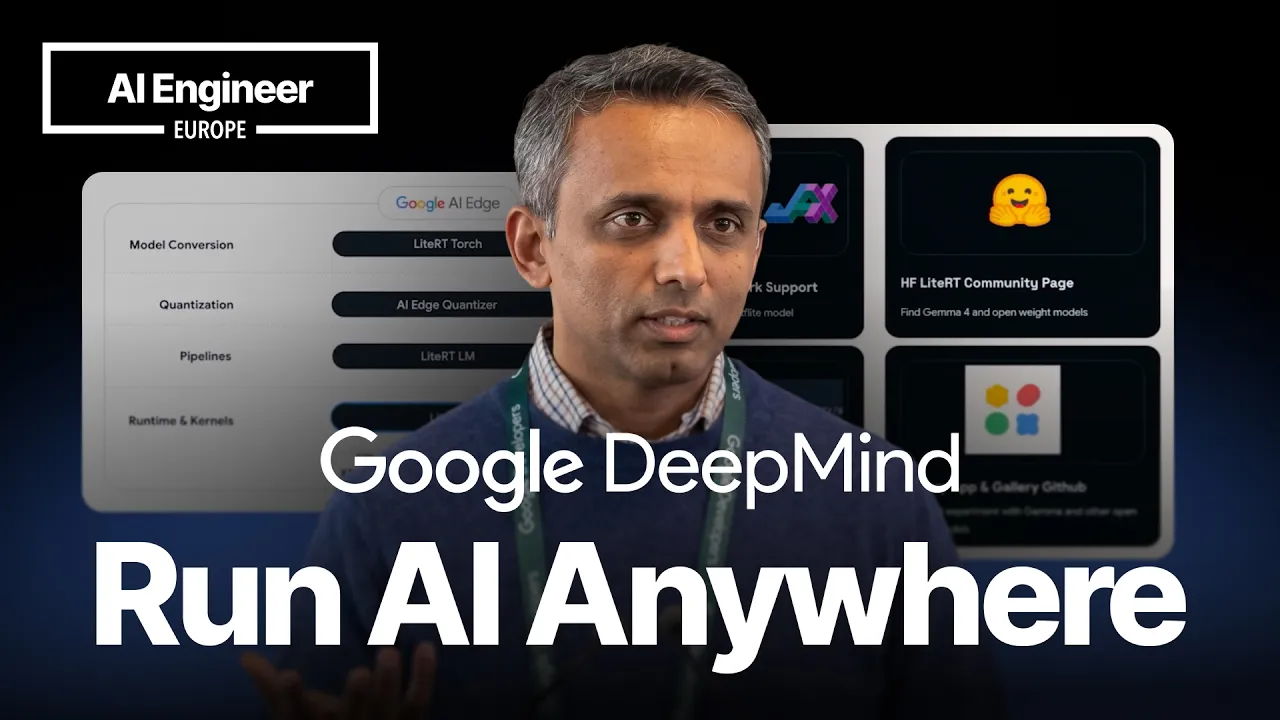
As models get smaller and more capable, more AI workloads can move onto the device itself. In this talk, Chintan Parikh from Google DeepMind walks through what that looks like in practice, from Gemma 4 edge models and on-device agent skills to the real tradeoffs around latency, privacy, cost, and cross-platform deployment. The session covers LiteRT, the Google AI Edge stack for running models across Android, iOS, desktop, web, and IoT, along with demos of local tool calling, structured output, reasoning, benchmarking, and hardware acceleration on CPUs, GPUs, and NPUs. If you're building on-device AI systems, this is a practical overview of the current edge stack and where it is headed. Speaker info: - https://www.linkedin.com/in/weiyiwang1993 - https://www.linkedin.com/in/chintansparikh
Summary
Generated by claude-haiku-4-5-20251001Accelerating AI on Edge — Summary
Main Topics
- Gemma 4 Edge Models: Introduction of 2B and 4B parameter models optimized for on-device deployment
- LightRT Framework: Google's on-device AI framework built on TensorFlow Lite for cross-platform deployment
- Edge AI Use Cases: Practical applications demonstrating real-time, privacy-focused AI capabilities
- Hardware Acceleration: NPU, GPU, and CPU support across multiple platforms
- Cross-Platform Deployment: Supporting Android, iOS, Linux, Windows, macOS, web, and IoT devices
Key Points
Gemma 4 Edge Models
- 2B Model: ~1-2GB RAM usage; suitable for voice interfaces, summarization, low-latency processing
- 4B Model: More resource-intensive; designed for laptops and IoT devices
- Apache 2.0 licensed and available on Hugging Face
New Capabilities in Gemma 4
- Function Calling: Built-in tool calling support with ability to invoke external APIs
- Structured JSON Output: Native support without requiring prompt engineering
- Chain of Thought Reasoning: "Thinking mode" shows model's reasoning process
- Hardware-Native Optimization: Seamless cross-platform deployment
Edge Computing Benefits
- Latency: Critical for real-time applications (video filters, virtual backgrounds, live calls)
- Privacy: Keeps sensitive data local (medical records, financial info)
- Offline Capability: Works without internet connectivity
- Cost Reduction: Eliminates expensive cloud inference token usage
- Hybrid Approach: Optimal balance between edge and cloud processing
LightRT Framework Features
- 100,000+ deployed apps with billions of active users
- Multi-framework support: TensorFlow Lite, PyTorch, and JAX models
- Conversion tools: LightRT Torch for model conversion and quantization
- Model Explorer: Analyze and optimize model graphs for mixed precision
- AI Edge Portal: Cloud-based benchmarking for Android device fleet testing
Acceleration Technologies
- CPU/GPU: Universally available
- NPU (Neural Processing Unit):
- Integrated with Qualcomm and MediaTek
- Provides 3-10x performance improvement
- Up to 13x boost in specific cases
- Dramatically reduces power consumption
- Game-changer for ASR, TTS, AR/VR applications
Performance Metrics
- Mobile Runtime: Up to 35x faster than comparable solutions (vs. Llama)
- Desktop Performance: Comparable to alternatives
- IoT Performance: 3x improvement
- Token Generation: ~56 tokens per second (platform-dependent)
Gallery App Demonstrations
- Open-source playground for testing Gemma 4 capabilities
- Includes sample skills: Wikipedia augmentation, sleep tracking agent, music pairing, animal sound identification
- Community GitHub repository for sharing custom skills
- Available on multiple platforms with instructions for building custom extensions
Notable Quotes
> "Running on Edge has many benefits... latency is important for those who are keen on any real-time camera use cases, filters where you're looking to replace backgrounds or video calls. Real-time latency is king."
> "The NPU is going to give you at least 3 to 10x improvement in performance and it's going to be a game changer in terms of the amount of energy you are going to use."
> "LightRT supports all these frameworks. If you're looking to bring models from different frameworks, you can."
> "We have the models on hugging face and then we also have a gallery app which is a nice playground for you to try this out."
Takeaways
- Accessible Edge AI: Gemma 4 models (2B/4B) are now production-ready for on-device deployment with Apache 2.0 licensing
- Choose the Right Tool:
- 2B for mobile/edge devices
- 4B for laptops/IoT devices
- Convert models from PyTorch or JAX as needed
- Start Experimenting: Use the Gallery App and GitHub samples to understand capabilities before building production apps
- Leverage Hardware: NPU acceleration (3-13x improvement) is critical for real-time applications—verify platform support (Qualcomm, MediaTek)
- Cross-Platform Strategy: Test on multiple device generations using AI Edge Portal before deployment
- Hybrid Architecture: Use edge for privacy-sensitive/latency-critical tasks and cloud for complex processing when needed
- Resources Available:
- Hugging Face models and documentation
- Open-source Gallery App on GitHub
- CLI tools for easier deployment
- Community skill repository
- Real-World Applications: Focus on use cases with clear privacy, latency, or cost benefits (biometric unlock, local video processing, offline functionality)
Transcript
Good afternoon everyone. We'll get started. My name is Chintan Parikh, product manager for Lide RT, which is part of Google AI Edge. And I also have my colleague here, Wei Yi, also. He'll be joining us for the Q&A part of this session. Quick show of hands, how many of you are working on deploying on Edge or are keen on learning more about what the big benefits will be? Okay, and some of you are already deploying. So I'm going to go through the slides. I'll try to also leave it open to understand if you guys have any use cases or anything you're working on that you'd like to discuss so we can keep it open in that sense. Great. So here's a quick set of agenda items. I'm going to go through some of the new models that are coming up. Also, some Edge use cases that will be relevant. I'm going to show you some of the new capabilities in the Gallery app. And then we'll go through our stack for deploying AI on Edge devices. In addition, we also want to emphasize the cross-platform support we offer because I think a lot of you are looking to deploy on more than just mobile platforms, but also other platforms. So we'll cover some of that. Google DeepMind recently launched Gemma 4. And this talk is going to focus a little more on the 2B and the 4B Edge models that are focused on deploying on device. Google certainly has a big suite of models, and even the Gemma 3 family, which are also in smaller sizes, all the way down to 270 million parameters. So if you're looking for extremely small models that you're able to fine-tune, we certainly have a Hugging Face page, which I'll go over, which has more of these models. So the big evolution with Gemma 4 is going to be moving from chatbot-type capabilities to more autonomous agents that also support reasoning capabilities and more sophisticated features. And a lot of it is also going to be great how you can deploy these on different devices. So running on Edge has many benefits. I think my colleague went over some of these yesterday, and I'll run through this really quick also. So certainly latency is important for those who are keen on any real-time camera use cases, filters where you're looking to replace backgrounds or video calls. Real-time latency is king over there. So on-device can help with that. Privacy is also critical for any use cases where you have sensitive details, or you're summarizing documentation which is sensitive. Offline use cases where you have poor connectivity and costs. I've seen so many presentations at this AI engineer event where people are complaining about the number of tokens that are getting used. But I think on-device always offers this hybrid approach where if you're looking for how to really offset running things on the Edge versus on cloud and where can I get the best balance, I think there is something here. Cool. So in terms of models, there are two models, and I think a lot of the use cases I'll show are going to be built on these. So the Gemma 4E2B roughly from an amount of RAM usage is roughly anywhere from 1 to 2 GB of RAM usage. So it could be usable, but it depends on your end use cases again. Certainly good for any voice interfaces or use cases for summarization or any kind of low-latency local processing. 4B is going to be a little more heavy-duty if you're looking to run on bigger platforms like laptops or IoT devices. It will have a higher RAM requirement. Again, this is once it's been quantized to your desired size. So I want to do a quick deep dive on what's going to be new this time on Gemma 4E2B and E4B capabilities in terms of agentic capabilities. So I'm going to show you what's already there in the next couple of slides in terms of use cases, and touch a little bit on exactly what the new capabilities are. So function calling, built-in support for tool calling, and also models to interact with other local APIs. So you can certainly start the inferencing on edge, but you have the path to call other APIs outside, and I'll show that in some of my examples. But the core of the inferencing will be on the edge. Structured JSON output. So native support for any structured JSON output is supported here, which was built into the model architecture rather than achieved through some kind of specific prompt engineering. You can do this as well, and I'll show examples for the same. Chain of thought is new. So there is a thinking mode, which we will demonstrate via app, where the thinking mode will help you understand the thought process that the model is going through. Our gallery app, which I will showcase, will support that. And finally, these models are optimized for hardware-native support. It means you can run seamlessly across multiple platforms and multiple hardware, and we want to give you the flexibility of deploying into various platforms. So just for starters, if anyone's thinking, okay, so where can I get these models? We have these models already ready to go. Our Hugging Face page has these models. So if you're looking, they're all Apache 2.0 licensed models. So you are able to download these and start building with it. And we'll give you some paths of how you may want to build with it. and really we want to give you the flexibility of deploying into various platforms. So just for starters, if anyone's thinking, okay, so where can I get these models? We have these models already ready to go. So our Hugging Face page has these models. So if you're looking, you can, they're all Apache 2.0 licensed models. So you are able to download these and then start building with it. And we'll give you some paths of how you may want to build with it. All right. So, yeah, let's talk about some of the use cases now. So in terms of, these are just some of the many possible use cases. These are use cases that are possible today. This is our gallery app, which we have been demoing down on the third floor. And we also have our demo slam session after this for anyone who's keen on learning more. I do have QR codes for this too, so in the next couple of slides. At present, what's new is the gallery app allows you to demonstrate the agent skill capabilities. And also it has the audio scribe capabilities or ask image and also other features that were related to chat experiences. All of this is happening on device. The purpose of this app that is created by Google is to help you get a playground to get a feel for what these models are capable of. Each of these capabilities has sample code as well that anyone can go and grab and then you are able to also fork this app to build your own experiences. But this is essentially to inspire and motivate you to build your own experiences. So some of the next couple of slides I'll be focusing on is going to be related to some of the Gemma 4 Edge use cases. These are going to emphasize on the voice agent capabilities or the local agent capabilities. And also a lot of these are going to be privacy-focused as well. So there are three key pillars that are going to be new here versus what was already supported in the previous slides. So let's dive into the Gemma 4 use cases. So let's see this place. So here's one use case where you're augmenting knowledge. And, for example, you can build a skill to query Wikipedia allowing the agent to query and respond to any encyclopedia question. So this is a skill that's already available in our app that's there. So if you're looking to build something like this, this is possible. These are new skills in addition to basic on-device skills like summarization or ask image and things of that nature. This is another category where essentially let's see if you can... [SPEAKER_01] ...journal entry with score nine and comment. [SPEAKER_01] I got eight hours of sleep and I'm looking forward to heading out with Amy today. So here's what you're going to see creating and summarizes and display trends of hours of sleep. So you're going to build a sleep in a quick agent that helps you track your mood. [SPEAKER_01] Analyze the trend in my mood over the last seven days. So you can see that it's able to create this all on-device. It's taking your input. It's feeding it. It's able to understand. So the reasoning and the thinking capability are new in the new model and the on-device capabilities have gotten a lot more powerful. Another similar example is going to be on expanding the core capabilities. So, for instance, you can also pair photos and it's going to read the photo and have image understanding and generate music also all on-device. So let's try this one. [SPEAKER_01] I'm sending a photo. [SPEAKER_01] Can you pair this vibe with some music? It's taking a few seconds and then... So a lot of these skills can be written by yourself on the app itself. So you don't even need to leave the app. The app has instructions on how to do this. Again, the whole sole focus of this is to help you understand the capabilities of a model and build something by yourself that you really like. So that's useful. One last one is to really want to do a working app that describes, let's say, vocal calls of animals. Now here we are trying to navigate multiple apps and users and you can manage a more complex workflow here in this case. So this is another example. And you can also change the CPU, GPU, and hopefully you have NPU support soon so you can decide the accelerator you want to use when you decide. So this was sound generation here from purely the prompt by the person. Again, the skill was set up and created and loaded and the skill is running on device. And this is for something similar. Right. So there's a lot you can do with it. There is a whole GitHub repo that we have where actually there's users are posting their own skills on the GitHub website and they're able to share that with others, with the community. So you're also welcome to explore that or you're welcome to download on these apps. Another option is the sample app is actually open source as well on GitHub. So you're welcome to take it and fork it and you can also make changes to that app if you like. So the GitHub link is also here and it's an opportunity to do that. And creating your own skill is also here. So these are just examples of what folks have done. This QR code is instructions on how to build a skill. So if you're looking to essentially get guidance on, okay, how do I do this, you can get started. All right. Another option is the sample app is actually open source as well on GitHub. So you're welcome to take it and fork it and you can also make changes to that app if you like. So the GitHub link is also here and it's an opportunity to do that. And creating your own skill is also here. So these are just examples of what folks have done. This QR code is instructions on how to build a skill. So if you're looking to get guidance on how do I do this, you can get started. All right. The next part of the talk is I'm going to focus a little bit on deploying this now on Edge devices. So we've talked about what's possible with the Gemma models. The framework that is used here, right? So Google has an offering with Light RT for bring your own models, essentially. So Light RT, essentially, is Google's on-device framework. It's built on the TensorFlow framework, TensorFlow Lite, if you guys are familiar with that. Is anyone familiar with TensorFlow Lite? Some of you guys? Okay. Awesome. Okay. So that's what this is built on. It's really meant to also be built on using the same TensorFlow Lite model format. And that's what we are focusing on at this point. So here, the point is that the underlying framework for the app that was running all these experiences is Light RT. And then we are going to show you that this is basically it's been one of the most widely deployed frameworks so far. It has 100,000 plus apps, billions of active users, and also lots of daily interpreter invocations. It's essentially a number of inferences that are happening every day. Why this is interesting is to show that we are building on a trusted foundation. And when you do this, we also have our TF Lite file format. And this is going to be very important because if you were a developer that was building with TensorFlow Lite, your models are still going to run on Light RT. And these models, the same model format is cross-platform. So it's not just Android, but you can run it on iOS, macOS, Linux, Windows, web, and even IoT devices. And I'll also show some examples on IoT that we were actually just building this morning, actually. So I'll show you that. Cool. So from a development side of a flow standpoint, and essentially you have your model files. So we are able to accept the reason. It's got branded to Light RT. One of the bigger motivation for the rebranding was to also demonstrate that it's not just TensorFlow Lite models that we accept, but also PyTorch models and Jaxx models. So if you are working with PyTorch models, you can take one of those models, convert it to the TF Lite file format, and then go through this journey and deploy. So we have a lot of sample apps and things like that, but I will not go through the whole journey here. But simply put, you have portability of the model and you have multi-framework support from the models. All right. So the complete, this is a complete solution that provides one unified cross-platform architecture. Maybe a quick question. How many of you are looking to deploy on multiple Android or iOS devices? Like you want something that you build that you can test easily on many devices? Because if you are trying to build apps that you're like, okay, I made it, but how do I know if it's going to work on five-year-old phones and six-year-old phones and all of that stuff? So we have options for that too. So I'll walk you through the stack. So LightRT torch is going to be your conversion path. If you, basically, it's your bring your own model. If you found a model, you like it, you want to run it, you convert it to TF Lite format. You can quantize it if needed. If you do, if it's LLM, you go through the LightRT LLM path, essentially, and then if it's not, you can go through LightRT. What's interesting here is that we also have the model explorer tool which can help you explore the graph and decide which aspects of the graph you want to change and quantize so you can actually study the graph and decide how to best do mix precision or basically convert, quantize the model as you like. The AI Edge portal is a benchmarking tool which could be of interest for those who are looking to deploy broadly on Android. So this is a cloud-based benchmarking service called AI Edge portal. This is available, basically, to help, and a lot of our third-party app developers and even internal developments use this tool, essentially, to get a good pulse check that, hey, if I have a model that's so many parameters, do I need to use ahead-of-time compilation or just-in-time compilation? What is going to be my right recipe to ensure it's actually deployable across a broad fleet of devices and be reliable in that manner? Yeah, sorry. One more thing on this slide is the next part is acceleration. So CPU and GPU are pretty universal right now. So these are essentially libraries If I have a model with so many parameters, do I need to use ahead-of-time compilation or just-in-time compilation? What is going to be my right recipe to ensure it's actually deployable across a broad fleet of devices and be reliable in that manner? One more thing on this slide is the next part is acceleration. So CPU and GPU are pretty universal right now. These are essentially libraries that will help you run CPU and GPU. I also want to emphasize, with this framework, you are able to deploy on multiple platforms with the CPU and GPU running. NPU acceleration is also another focus. We have completed integration with Qualcomm MediaTek and we are also focusing on additional integrations with other partners on different platforms. We also offer, if you are looking, I think this is going to be a game changer for a lot of your apps or a lot of your products that you are trying to run, ASR, TTS, so any of these applications that are going to be, you are acquiring real-time capability or you are setting up some kind of AR, VR application where you want to be able to have real-time improvements or updates to the camera feeds, I think the NPU is going to give you at least 3 to 10x improvement in performance and it's going to be a game changer in terms of the amount of energy you are going to use and the amount of performance you are looking for to unlock those use cases. The flexibility part is we have the ahead of time or on device and then for ease of use there are many options here in terms of how we simplify and there's a lot more documentation and support on that. So the next part is I'm going to go with some performance numbers on how we are performing. So far we've given you an example of what you can do at the app level, what's possible at the framework level and how you can scale it. In terms of our coverage, right, so just with the Gemma models, this is the coverage right now. A lot of times they come to the booth or demo booth and ask, "Can you just do this on Android?" But no, we've tested this on all these platforms right now. The models that you have on Hugging Face, you can actually test it on many of these platforms. On Android, iOS, Linux, Raspberry Pi as well. Here's a quick demo we just did this morning. It's going to take a while, but this is our little robot that's sitting down in our demo booth. We just made it this morning, so it's not super performant, but what we did here is we showed a robot a sign to say, "Move your antenna." The two lights are blinking, so it's doing inferencing. You'll see it's running a Raspberry Pi, it's running on a CPU, running on our LiDAR TLM. In a few seconds you'll see that it's going to wiggle the Sharpies that are its antennas. There it is. There are other questions, like "will you marry me" and things like that. If you're interested, you can try it out downstairs. That was amusing, but we do need to work on the performance because we just made it this morning. We also have a CLI tool, so for those who are looking to deploy and you want to have an easier way of doing it, there is a new CLI tool that's been developed, so that is also available on our website in terms of Python binding support and many of that. It's on our website, so if anyone's interested, you'll find it. In terms of performance, I have some quick performance numbers. I just want to emphasize, running on some of these new accelerators and NPUs can't give you a big benefit advantage. You can get up to 13x boost in some cases. You also have iOS performance as well, so we are supporting all of this here. Roughly 56 tokens per second. You'll find it. In terms of performance, I have some quick performance numbers. I just want to emphasize running on some of these new accelerators and NPUs can give you a big benefit advantage. You can get up to 13x boost in some cases. And also, you have iOS performance as well, so we are supporting all of this here. So roughly 56 tokens per second and so on and so forth. Desktop is here too. So a lot of these numbers can be found on our hugging face page. So the quant is already listed there. So I'm just pulling from there, so you will find it there. So when you download our models, you will get performance details on all these platforms in IoT. Our runtime is also very performant versus Lama. At least on mobile, we've seen up to 35 times faster performance. On desktop, it's at par and then IoT also, we have 3x performance. All right. So I have a minute left. So in summary, LightRT supports all these frameworks. If you're looking to bring models from different frameworks, you can. We have the models on hugging face and then we also have a gallery app which is a nice playground for you to try this out. And these are there. So if there's any questions, happy to take them. Yeah, thank you. [SPEAKER_03] Can you recognize crisis? Yes. [SPEAKER_03] Tell me about the security camera at my home recognizing that my son came home. [SPEAKER_00] Yes. [SPEAKER_03] Because pushing this to the cloud would cost an enormous amount of money and since this can be done locally with a local computer, maybe this is a security feature of my home camera. [SPEAKER_00] Yeah, so on your phones, on let's say even iPhones or Pixels, when you do face unlock, it's typically running locally already. So and that is using this same framework in Google devices as well. Apple has Apple's face unlock is also on device on core ML. So that is possible, yes. [SPEAKER_03] And then you would stream it constantly, every two seconds for example to recognize the face or how do you do that? [SPEAKER_00] Typically, you have the camera on and you can stream it but for your home camera, I think it would be a little different story. [SPEAKER_00] So you would have to do some sort of algorithm to check the authenticity and do that. So it'll be a little different from how it's deployed on the phone but yes, you can totally run that on device. [SPEAKER_02] That would consume a lot of time. [SPEAKER_02] It would be better to put up the pie to the camera and only when that individual is recognized. Then message your phone, right? [SPEAKER_03] Right. [SPEAKER_03] Yeah, I'm speaking about a local device connected with my camera. [SPEAKER_03] Right. [SPEAKER_03] A local device is actually checking the frames. [SPEAKER_02] The frames. Let me see, I don't know if I have Oren here. Not here, but I think we have it on our hugging face. I don't think I had it here. Yeah. I think we have some groups that are working on, let's say, a speaker and a thinking agent type of architectures. I don't have any examples to share, but that is one way of distributing what, and there's orchestration to decide what should run locally and should run elsewhere. [SPEAKER_00] So I don't have examples here, but yes, there are different types of, you can think of a health agent, a coaching agent of sorts. [SPEAKER_02] I think it's a pretty common practice, you have a classifier or a very simple model. [SPEAKER_02] Yeah, that's actually a pretty common practice, obviously. Yeah. [SPEAKER_02] Thank you very much. [SPEAKER_02] Thanks, Rosh. [SPEAKER_02] The next one. Thank you. Yeah. [SPEAKER_04] I have a mobile app which is going to use a general live API for audio to audio models. Right. [SPEAKER_04] Is there any documentation on this? [SPEAKER_04] This seems like audio to text models. Right, right, right. [SPEAKER_04] Is there any documentation around that? Yeah. So if you have open-weight models that you prefer, we are able to support any of them. [SPEAKER_02] Yeah, that's a pretty common practice. Yeah. [SPEAKER_02] Thank you very much. [SPEAKER_02] Thanks, Rosh. [SPEAKER_02] The next one. Thank you. Yeah. [SPEAKER_04] I have a mobile app which is going to use a general live API for audio to audio models. Right. [SPEAKER_04] Is there any documentation on this? [SPEAKER_04] This seems like audio to text models. Right, right, right. [SPEAKER_04] Is there any documentation around that? Yeah. So if you have open-weight models that you prefer, we are able to support any of them. Hopefully we just need to make sure we get them in the right file format and if the sizes are acceptable. So we should be able to, if you know which models you're thinking about. Not these are at least... [SPEAKER_04] Here we have focused on Gemma because of the DeepMind track, but essentially our Hugging Face page has other open-weight models and you can. So some of them we provide for ease of use. Others you are welcome to convert and use yourself as well. But if there is a model that you've identified, then we can certainly discuss. Thank you. Yeah. [SPEAKER_02] Thanks. Thanks. All right. Cool. Cool. you can kind of get started. All right. The next part of the talk is I'm going to focus a little bit on deploying this now on Edge devices. So we've talked about what's possible with the Gemma models. The framework that is used here, right? So Google has an offering with Light RT for bring your own models, essentially. So Light RT, essentially, is Google's on-device framework. It's built on the TensorFlow framework, TensorFlow Lite, if you guys are familiar with that. Is anyone familiar with TensorFlow Lite? Some of you guys? Okay. Awesome. Okay. So that's what this is built on. It's really meant to also be built on using the same TensorFlow Lite model format. And that's what we are focusing on at this point. So here, the point is that the underlying framework for the app that was running all these experiences is Light RT. And then we are going to show you that this is basically, it's been one of the most widely deployed frameworks so far. It has 100,000 plus apps, billions of active users, and also lots of daily interpreter invocations. It's essentially a number of inferences that are happening every day. Why this is interesting is to show that we are building on a trusted foundation. And when you do this, we also have our TF Lite file format. And this is going to be very important because if you were a developer that was building with TensorFlow Lite, your models are still going to run on Light RT. And these models, the same model format is cross-platform. So it's not just Android, but you can run it on iOS, macOS, Linux, Windows, web, and even IoT devices. And I'll also show some examples on IoT that we were actually just building this morning, actually. So I'll show you that. Cool. So from a development side of a flow standpoint, and essentially you have your model files. So we are able to accept the reason. It's got branded to Light RT. One of the bigger motivation for the rebranding was to also demonstrate that it's not just TensorFlow Lite models that we accept, but also PyTorch models and Jaxx models. So if you are working with PyTorch models, you can take one of those models, convert it to the TF Lite file format, and then go through this journey and deploy. So we have a lot of sample apps and things like that, but I will not go through the whole journey here. But simply put, like you have portability of the model and you have multi-framework support from the models. All right. So the complete, this is a complete solution that provides one unified cross-platform architecture. Maybe a quick question. How many of you are looking to deploy on multiple Android or iOS devices? Like you want something that you build that you can test easily on many devices? Because if you are trying to build apps that you're like, okay, I made it, but how do I know if it's going to work on like five-year-old phones and six-year-old phones and all of that stuff? So we have options for that too. So I'll walk you through the stack. So LightRT torch is going to be your conversion path. If you, basically, it's your bring your own model. If you found a model, you like it, you want to run it, you convert it to TF Lite format. You can quantize it if needed. If you do, if it's LLM, you go through the LightRT LLM path, essentially, and then if it's not, you can go through LightRT. What's interesting here is that we also have the model explorer tool which can help you explore the graph and decide which aspects of the graph you want to change and quantize so you can actually study the graph and decide how to best do mix precision or basically convert, quantize the model as you like. The AI Edge portal is a benchmarking tool which could be of interest for those who are looking to deploy broadly on Android. So this is a cloud-based benchmarking service called AI Edge portal. This is available, basically, to help, and a lot of our third-party app developers and even, like, internal developments use this tool, essentially, to get a good pulse check that, hey, you know, if I have a model that's so many parameters, do I need to use ahead-of-time compilation or just-in-time compilation? What is going to be my right recipe to ensure it's actually deployable across a broad fleet of devices and be reliable in that manner? Yeah, sorry. One more thing on this slide is the next part is acceleration. So CPU and GPU are pretty universal right now. So these are essentially libraries that will help you run CPU and GPU. I also want to emphasize back, like, with this sort of framework, you are able to deploy on multiple platforms with the CPU and GPU running. NPU acceleration is also another focus. So we have completed integration with Qualcomm MediaTek and we are also focusing on additional integrations with other partners on different platforms. We also offer, if you are looking, I think this is going to be a game changer for a lot of your apps or a lot of your products that you are trying to run, ASR, TTS, so any of these applications that are going to be, you are acquiring real-time capability or you are setting up some kind of AR, VR application where you want to be able to have real-time improvements or updates to the camera feeds, I think the NPU is going to give you at least like 3 to 10x improvement in performance and it's going to be a game changer in terms of the amount of energy you are going to use and the amount of performance you are looking for to unlock those use cases. So the flexibility part is we have the head of time or on device and then for ease of use also there are many options here in terms of how we simplify and there's a lot more documentation and support on that. All right, so the next part is I'm going to go with some performance numbers on how we are performing. So, so far we've given you an example of what you can do at the app level, what's possible at the framework level and how you can scale it. In terms of our coverage, right, so just with the Gemma models, like this is a, this is the coverage right now. So a lot of times they come to the booth or demo booth and ask, hey, okay, so, you know, can you just do this on Android? But no, we've been, we've tested this on all these platforms right now. So the models that you have on Hugging Face, you can actually test it on many of these platforms. So on Android, iOS, Linux, Raspberry Pi as well. And here's like just a quick demo we just did this morning. It's going to take a while, but this is our little robot that's sitting down in our demo booth. So we just made it this morning, so it's not super performant, but what we did here is we showed a robot a sign to say, move your antenna. So now the two lights are blinking, so it's doing inferencing. And then, you know, you'll see it's running a Raspberry Pi, it's running on a CPU, running on our LiDAR TLM. And you'll see in a few seconds that it's going to wiggle the Sharpies that are its antennas. And so there it is. So there are other questions, like will you marry me and things like that. If you're interested, you can try it out downstairs, it's there. Cool. So, yeah, that was amusing, but also, yeah, we do need to work on the performance because we just made it this morning. We also have a CLI tool, so for those who are looking to deploy and you want to have an easier way of doing it, so there is a new CLI tool that's been developed, so that is also available on our website in terms of Python binding support and many of that. So I'll just, it's on our website, so if anyone's interested, you'll find it. In terms of performance, so I have some quick performance numbers. Like I just want to emphasize, like running on some of these new accelerators and NPUs can't give you a big benefit advantage. You can get up to 13x boost in some cases. And also, you have iOS performance as well, so we are supporting all of this here. So roughly 56 tokens per second and so on and so forth. Desktop is here too. So a lot of these numbers can be found on our hugging face page. So the quant is already listed there. So I'm just pulling from there, so you will find it there. So when you download our models, you will get performance details on all these platforms in IoT. Our runtime is also very performant versus Lama. At least on like mobile, we've seen up to like 35 times faster performance. On desktop, it's at par and then IoT also, we have like 3x performance. All right. So I have a minute left. So yeah, in summary, LightRT supports all these frameworks. If you're looking to bring models from different frameworks, you can. We have the models on hugging face and then we also have a gallery app which is a nice playground for you to try this out. And these are there. Yeah. So if there's any questions, happy to take them. Yeah, thank you. Can you recognize crisis? Yes. Tell me about like the security camera at my home recognizing that my son came home. Yes. Because pushing this to the cloud would cost enormous amount of money and since this can be done locally with a local computer, maybe this is like a security feature of my home camera. Yeah, so on your phones, like on let's say even iPhones or Pixels, when you do face unlock, it's typically running locally already. So and that is using this same framework in Google devices as well. Apple has, Apple's face unlock is also on device on core ML. So that is possible, yes. And then you would stream it constantly like every two seconds for example to recognize the face or how do you do that? Typically, yeah, you have the camera on and you can stream it but like for your home camera, I think it would be a little different story, I think, yeah. So you would have to maybe do some sort of a algorithm to check the authenticity and kind of do that. So it'll be a little different from how it's deployed on the phone but yes, you can totally run that on device. That would consume a lot of time. It would be better to put up the pie to the camera and only when that individual is recognized. Then message your phone, right? Right. Yeah, I'm speaking about like a local device connected with my camera. Right. A local device is actually checking the frames the frames and the frames and the frames and the frames and the frames and the frames and the frames and the frames and the frames and the frames and the frames and the frames and the frames and the frames and the frames ! and the frames and the frames Let me see, I don't know if I have Oren here. Not here, but I think we have it on our hugging face. I don't think I had it here. Yeah. I think we have some groups that are working on, let's say, like a speaker and a thinking agent type of architectures. I don't have any examples to share, but that is one way of distributing what, and there's orchestration to decide what should run locally and should run elsewhere. So I don't have examples here, but yes, there are different types of, you can think of a health agent, a coaching agent of sorts. I think it's a pretty common practice, like you have a classifier or a very simple model, just to . Yeah, that's actually a pretty common practice, obviously. Yeah. Thank you very much. Thanks, Rosh. The next one. Thank you. Yeah. I have a mobile app which is going to use a general live API for audio to audio models. Right. Is there any documentation on this? This seems like audio to text models. Right, right, right. Is there any documentation around that? Yeah. So if you have open-weight models that you prefer, like we are able to support any of them. I mean, hopefully we just need to make sure we get them in the right file format and if the sizes are ... So we should be able to, if you know which models you're thinking about. Not these are at least ... Here we have just focused on the Gemma because of the DeepMind track, but essentially our Hugging Face page has other open-weight models and you can ... So some of them we provide for ease of use. Others you are welcome to like convert and use yourself as well. But yeah, if there is a model that you've identified, yeah, then we can certainly discuss. Thank you. Yeah. Thanks. Thanks. All right. Cool. Cool.