How to Write Your First AI Eval - SallyAnn DeLucia, Arize AI
Description
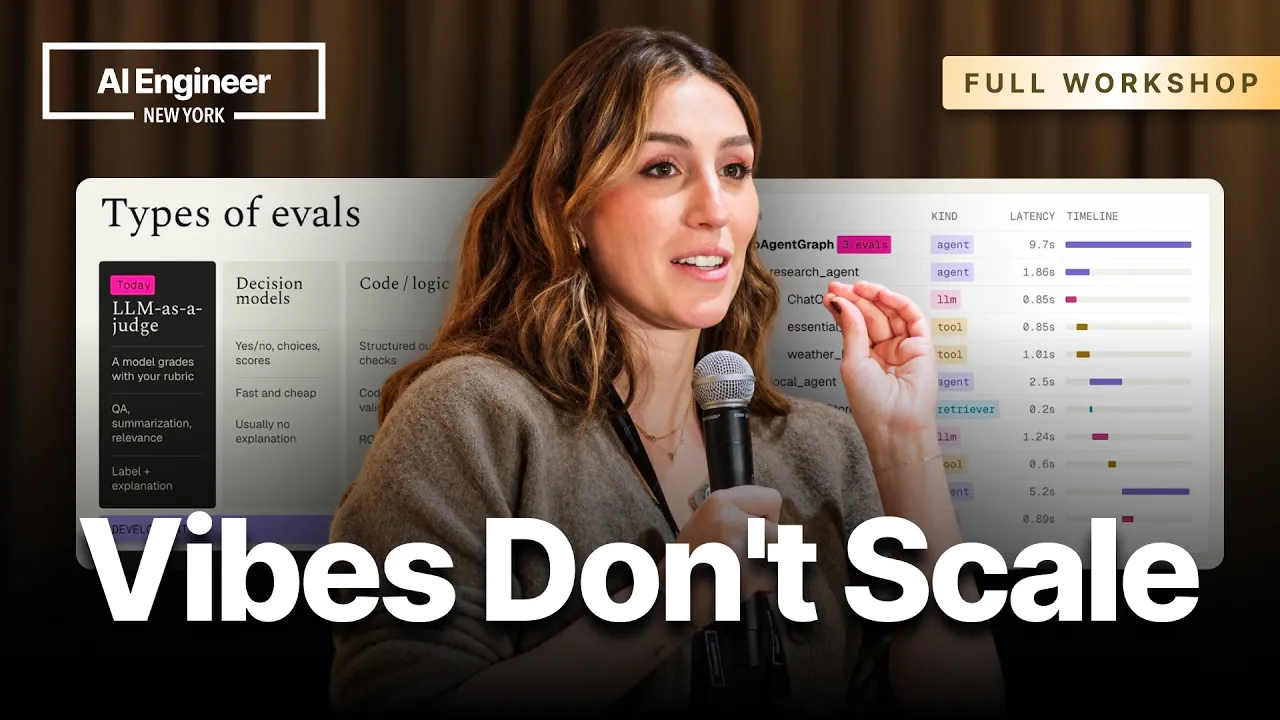
A hands-on workshop from SallyAnn DeLucia, head of product at Arize AI, on moving from vibe checks to real evals. She covers what an eval is and how it differs from a unit test, the main types (LLM as a judge, decision models, code evals, annotations, agent as a judge), how to read a trace, how to write concrete pass/fail criteria, and how to build and iterate on an LLM judge in Arize's prompt playground. Chapters 00:00 Intro and agenda 02:06 Why vibe checks don't scale 03:08 Is an eval just a unit test? 04:13 Why agents make evals harder 05:15 Types of evals 07:29 Workshop setup 10:16 Exploring the travel agent's traces 14:20 How to read a trace 19:03 Defining what good means 22:02 Writing pass/fail criteria 25:19 Building a dataset from traces 26:53 Building and testing an LLM judge 32:08 Next steps: alignment, online evals, Signal SallyAnn DeLucia, Arize AI Join us in SF for the second annual AIE CODE summit: https://aie.codes our last flagship summit of 2026. Applications live now!
Summary
Generated by gpt-5.6-terraAt-a-Glance
- Verdict: Skim
- Core thesis: Reliable agent development requires trace-grounded, use-case-specific evals that turn subjective "vibe checks" into continuously monitored quality signals.
- Why it matters: The workshop provides a practical minimum viable eval loop—inspect traces, define one concrete quality criterion, build an LLM judge, align it to human labels, then run it online—which is directly applicable to agent reliability and release gating.
- Best use: Use it as a beginner-to-intermediate operating recipe for establishing an eval program; skim the Arize UI walkthrough and focus on the criteria-design, dataset-selection, alignment, and lifecycle sections.
Executive Summary
SallyAnn DeLucia argues that teams cannot safely iterate on agents by intuition. Prompt or model changes may appear better initially while quietly breaking prior use cases; without evals, teams cannot detect regressions, compare models objectively, or establish CI quality gates. Her core framing is that traces are the logs of an AI system, while evals are its tests: traces reveal the otherwise opaque sequence of agent, tool, retrieval, and LLM actions that must be assessed.
Her practical method starts with production-like traces rather than abstract benchmarks. Teams should inspect actual agent behavior, identify the exact span whose behavior they want to judge, and define concrete success and failure criteria. For the travel-planning example, criteria such as following a user's follow-up, matching the requested number of days, and staying within budget are preferable to vague standards such as “helpful” or “accurate.”
For an initial LLM-as-judge eval, she recommends evaluating one quality dimension at a time, explicitly supplying the relevant input/output data, defining pass and fail examples, choosing labels, and reviewing judge explanations. The eval should be iterated against a small dataset—roughly 20 traces—and then checked against human annotations before being deployed as an online evaluator over new traces.
The session is product-led and repetitive due to duplicated transcript content, but its durable message is sound: start with one narrowly defined, traceable failure mode; use generic templates only as a starting point; and expand the eval suite from real production failures. Arize's internal agent reportedly grew from a small initial set covering correctness, user frustration, and safety to 32 ongoing evals.
Key Takeaways
- Claim: Evals are necessary to replace subjective agent iteration with measurable regression detection and release controls. | Evidence: DeLucia describes the “vibes problem”: a prompt change can seem better when shipped, yet the previously fixed use case can fail a week later with no objective way to prove whether quality improved or regressed. She specifically names prompt/model comparisons and CI quality gates as capabilities unavailable without evals. | Implication: Treat every meaningful prompt, model, tool, or orchestration change as a candidate for an eval-backed comparison rather than relying on anecdotal conversations or spot checks.
- Claim: Agent evals differ from conventional unit tests because agent outputs are non-deterministic and agent logic is only observable after execution. | Evidence: A traditional test generally has one input and one correct output, with readable source logic; an agent may produce many valid itineraries and its actual behavior emerges through traces containing LLM calls, tool calls, retrieval, and sub-agent work. | Implication: Build a mixed test stack: conventional/code assertions for hard constraints, plus semantic evaluators for qualities such as correctness, relevance, instruction-following, and quality of synthesis. | Caveat: Deterministic requirements should still use code-based evals; the speaker gives checking for forbidden words or valid JSON as examples.
- Claim: The first and most important eval-design step is to operationalize “good” into concrete, observable pass/fail criteria. | Evidence: For the travel agent, “helpful” is replaced with criteria such as answering the user's follow-up directly, matching the requested number of days, and keeping the plan within the stated budget. The proposed criteria worksheet includes task, success condition, failure condition, what is being judged, and three specific pass and fail bullets. | Implication: Before selecting a judge model or writing a prompt, force product, engineering, domain experts, support, and security stakeholders to specify what observable evidence constitutes success and failure.
- Claim: For LLM-as-a-judge, evaluate one quality dimension per evaluator rather than asking a single judge to score a broad bundle of qualities. | Evidence: DeLucia says research shows LLM judges perform best with one criterion at a time; she contrasts this with decision models and agent-as-judge approaches, where multiple criteria can sometimes be combined. | Implication: Create separate evaluators for distinct failure modes—e.g., instruction adherence, groundedness, correct tool selection, policy compliance, and output format—so failures produce actionable diagnoses. | Caveat: A single broad quality gate may be tempting operationally, but it reduces diagnosability and can make the judge less reliable; complex multi-criterion assessments may justify an agent-as-judge or decision-model design instead.
- Claim: Trace structure should determine the unit of evaluation: evaluate root spans for end-to-end outcomes and lower-level spans for component behavior. | Evidence: In the workshop, root spans contain the user input and final itinerary, while child spans represent units of work such as a research agent, a tool call for external data, an LLM choosing a tool, and an LLM summarizing tool output. The speaker advises filtering root spans with parent ID equal to null, or filtering named tool spans when evaluating a tool-specific behavior. | Implication: Do not evaluate only final answers. Instrument and sample at the level where the suspected failure occurs, allowing separate evals for orchestration, retrieval/tool outputs, intermediate reasoning products, and final user responses.
- Claim: An LLM judge should be built and validated as an iterative prompt system, not treated as a trustworthy evaluator immediately after creation. | Evidence: The proposed workflow is to select trace spans into a dataset, write a prompt that assigns the judge's role and supplies data and explicit criteria, map dataset fields to prompt variables, choose labels such as correct/incorrect/partially correct/not applicable, run the judge, inspect its explanations, and revise the template. The speaker recommends starting with about 20 traces, one dimension, and one judge. | Implication: Version eval prompts and judge models, maintain a deliberately labeled calibration set, and require measured agreement with human reviewers before using a judge for release decisions or production monitoring. | Caveat: Judge explanations are useful for inspection but are not proof of correctness; the next required step is alignment against human annotations.
- Claim: Evals must evolve from development assets into production monitoring signals grounded in real failures. | Evidence: DeLucia distinguishes development-and-production evals from user feedback and business metrics, explains that online evals can run on every incoming trace, and notes that Arize's internal agent expanded from initial correctness, frustration, and safety coverage to 32 evals as usage exposed more requirements. | Implication: Establish an ongoing loop: observe traces, identify novel failure patterns, label examples, update or add evaluators, monitor online results, and use aggregate metrics to prioritize which evaluated failure modes warrant intervention. | Caveat: Metrics and evals serve different roles: a metric can indicate that something is wrong, whereas an eval should identify the failure mode.
Detailed Brief
Eval modality selection
- Claims: LLM-as-a-judge produces a categorical label plus an explanation and is the workshop's default method for semantic assessments.; Decision models are presented as a newer option for fast, low-cost question-answer judgments that return a probability and a true/false or label outcome.; Code evaluators fit deterministic constraints; annotations create golden truth datasets; agent-as-a-judge can address especially complex criteria; user feedback and business metrics are primarily production signals.
- Evidence: The speaker names QA correctness, summarization, and relevance as LLM-judge use cases.; Examples of deterministic code checks include presence/absence of a word and JSON validity; ROUGE and BLEU are also named as common code-based measures.; She suggests converting an existing LLM-as-judge criterion into a decision-judge question and comparing their performance.
- Caveats: Decision models do not provide the textual explanation available from an LLM judge, reducing immediate interpretability during debugging.; Generic out-of-the-box templates for hallucination, QA correctness, or session coherence are useful starting points but should be made specific to the application's actual task and risks.
- Implications: Choose the cheapest reliable evaluator type per requirement rather than treating LLM judging as the universal answer.; Maintain reusable generic safety and quality templates across the organization, but layer task-specific criteria on top of them.
Instrumentation and evaluator portability
- Claims: Good evals depend on traces containing the inputs, outputs, and intermediate attributes required to make the judgment.; Auto-instrumentation can capture common LLM attributes, while manual or hybrid instrumentation should add use-case-specific context.; Separating evaluator prompt variables from the physical field names in datasets and traces makes an evaluator reusable across changing schemas.
- Evidence: The speaker describes common captured fields such as LLM input values and input messages, while noting that custom attributes can be added.; Arize's variable mapping is presented as a way to map differently named fields in a dataset versus live traces without rewriting the evaluator.; The session describes the platform as framework-agnostic and references OpenInference auto-instrumentors.
- Caveats: An evaluator cannot reliably assess facts that the trace does not preserve; instrumentation choices therefore constrain what can be evaluated later.
- Implications: Define an evaluation data contract alongside the agent: preserve user request, policy/context version, tool inputs and outputs, retrieved evidence, final output, model configuration, and trace identifiers needed for analysis.
Notable Concepts & Terms
- Trace: The recorded tree of an agent execution; it exposes the sequence of root request, sub-agent work, LLM calls, tool calls, inputs, and outputs that makes agent behavior inspectable.
- Span: A single unit of work inside a trace, such as an agent invocation, tool call, or LLM call; choosing the right span determines what an eval can actually judge.
- Root span: The top-level trace span, often identifiable by parent ID equal to null, which commonly contains the end-user input and final output for end-to-end evaluation.
- LLM-as-a-judge: A secondary LLM prompted with explicit criteria and relevant data to label some aspect of an agent's behavior, typically with an explanatory rationale.
- Decision model / decision judge: A fast, lower-cost classification-style evaluator that returns a probability and label or boolean answer, but generally not the explanation produced by an LLM judge.
- Alignment: The validation process of comparing evaluator outputs with human annotations on a labeled dataset to determine whether the automated judge is trustworthy enough for use.
- Online eval: An evaluator run continuously over incoming production traces so quality can be monitored after deployment rather than only during development.
- Variable mapping: Mapping an evaluator's logical input variables to differently named fields across datasets or trace schemas, allowing the same evaluator logic to be reused.
Operator Notes / Why Ken Should Care
- Create a first eval backlog by collecting the top 5 recurrent agent failure modes from support tickets, incident reviews, and manually inspected traces; write concrete pass/fail criteria for each before choosing models.
- Adopt a trace data contract for all agents so evaluators can access the user request, final output, tool inputs/outputs, retrieved context, policy or prompt version, model version, and routing decision.
- Build a small human-labeled calibration set of approximately 20 representative and adversarial traces for the first evaluator; measure judge-human disagreement before connecting it to CI or automated remediation.
- Split current broad quality checks into independently reportable dimensions, particularly final-answer adherence, tool-selection correctness, grounding/retrieval use, safety, and formatting.
- Add an evaluation gate to model-routing and prompt-release workflows only after validating that the judge is stable across the distribution of real production traces.
- Run a controlled comparison of an explanatory LLM judge versus a lower-cost decision judge for one high-volume binary criterion, measuring agreement, latency, cost, and debugging value.
Source/Metadata
- Title: How to Write Your First AI Eval - SallyAnn DeLucia, Arize AI
- Transcript words: 13497
- Duration seconds: 2119
- Timestamp note: No usable timestamps or chapter markers were present in the supplied transcript; substantial portions of the workshop transcript are duplicated.
Transcript
Before we get started, I just wanted to introduce myself. I'm Sally Ann, and I'm head of product at Arise. Been at Arise for four years now. One of the first projects that I owned was building our AI agent, Alex, into our platform. So I've been doing evals for a while now, and even building a lot of our evals product. And so the way that I think about evals is that they're our primary signal for our agents, and that includes all of our evals at Arise. So my goal today is you'll leave with three things. A clear definition of what an eval is and what it isn't. Being able to write your own criteria. I'm hopefully going to be able to provide you with a recipe for how you can think about evals and how you can apply that for any of your real agent scenarios. And then we're actually going to build a working judge in Arise. I'll show you a bit about the life cycle there, and how you can think about improving your evals over time. So this is our agenda. I'm going to give you context. I don't want to spend too much time in slides, but I want to make sure everyone has a solid foundation for what an eval is and how you should think about it. We're going to explore some data in Arise together. Write our criteria, and then we'll actually build our eval. That's the main part of our workshop today. And then I'll give you a bit about what's next. I'd love to have some working sessions so people can collaborate together. I'll walk around the room and help folks out. And then I will show a one pager that's in Notion that you can open and follow along as well. So just check the room a bit. Who here has shipped a chatbot or an agent, ever written an eval, or even just opened the Arise product today? Anyone here? All right. We got a few folks here. So I think this is going to be great for folks who maybe haven't done any of this. And even if you have, I think today should still be pretty helpful. I'm going to start with context about why I don't think vibe checks scale. This is the vibes problem as I see it. You have Monday, you maybe change something to your prompt, you ship it. It overall feels better. You don't really have a way to know, but overall things are looking good. Tuesday, ship it. A week later, the use case that you shipped a fix for is broken. And then next week, as the problem continues to get worse, there's no way for anybody to prove whether something was fixed or that it's actually failing. You just have vibes to go off of. What you can't do without evals is you can't detect regressions when you change a prompt. You can't objectively compare a prompt or different model versions. You don't know if a new model is any better for your use case. And you can't actually put any official quality gates into CI as you're shipping your agent. So without evals, it's pretty hard to know how your agent is performing. A question I commonly get is, is an eval just a unit test? I think there's a lot of comparison of AI evals to traditional software tests. And I do think they're a bit different. Because for a software test, you have one input and there's one correct output. You can also read all of the logic in the code. With an AI agent, you actually cannot read any of that logic. That comes out after in the form of traces. And so you need to have this AI eval where you can look at the day by day itinerary in this travel planner example I have here. The budget breakdown or multiple criteria. So there are many valid outputs that you can't have, you know, a traditional unit test on like you can with software. So the way I like to think about this is traces are the logs for AI and evals are actual tests. I always say that you need traces. You need observability to actually do your evals. This is an example here for why agents make this harder. This is a sample example of what a trace could look like. For anybody in the room who's maybe not familiar with what a trace is, it is all of the steps that an AI agent took to get an answer back to a response. A user says something and then what I'm showing here in all those spans is all the individual steps the agent took to get that answer. In this example, there's a research agent that's going to perform some research, maybe do some tool calls. You have your local agent that's maybe retrieving something from a knowledge base. Lots of back and forths are happening. This is where you can see the logic of your agent. We're going to explore some traces in the Arise UI. You can see there's lots of LLM calls, lots of things composed together. So you can imagine just having one single unit test like in software won't accurately capture all the complexity that's in an agent and tell us how it's performing. There are lots of different types of evals. Today, we're going to focus on LLM as a judge. LLM as a judge is where we take a secondary LLM and ask it to grade some aspect of our agent. There can be things like QA, summarization, relevance, and then you get a label and an explanation out of that. Explanations are helpful. Explanations are the reasoning or the thinking behind providing a label. It gives you understanding and not just have to take a label at face value. But there are lots of different types of evals. I want to call out decision models. This is something that's pretty new. If anybody took or was part of the Jev as a Jev storm that happened about two weeks ago, OpenAI just last week released their decision model API. So I think decision models are going to be a huge part of evals in the future. Those are cheap and fast and it's more like a question answer and you get a probability and an output whether it's true or false or a label. So you don't get that explanation that you get with LLM as a judge. The other type of eval is code. These are great for any deterministic tests. Maybe you have some eval criteria that's checking if a word isn't in an output or making sure that something's in JSON. That's going to be great for code-based evals. There are also things like ROUGE and BLEU scores that are popular code evals. Annotations, I do see as a form of evaluation. This is where we have golden truths on golden data sets. Sometimes they're synthetic as well. Agent as a judge is a newer type of eval that we've seen over the last six months. That's where we take a full agent and evaluate something with a different agent. I think this is good for super complex success criteria. Then we have user feedback and business metrics and those three at the end are going to be more for your production use cases. But you'll notice the first four are something that you want to use across your life cycle in development and production. That's important because you want this to evolve with your use case and you don't want to put a lot of investment in something you're using in development and just throw it away. Those evals can grow with you over time and it gives you consistent performance. All right. Let's go ahead and look at the data. I'm going to pause here on this slide, give everyone a few minutes to get started. That QR code is for the one pager which has all of the instructions for our workshop today. But I want everyone here to go to app.arise.com. We want to log into AX. So if you don't have an account, I encourage you to make a free account today. And then I'll go over the steps from there in a second. For anybody who might already have an Arise account, the next step is going to be getting an API key from a model provider. I'll pause there, walk around, and make sure nobody has any issues logging into the platform. The question was, can you have to use a custom endpoint? Do you have to use a common provider for step two? No, feel free to set up whatever LLM provider you want. We just want something that we can make LLM calls to so we can test our eval out. All of the instructions for our workshop today. But I want everyone here to go ahead to app.arise.com. We want to log into AX. So if you don't have an account, I encourage you to make a free account today. And then I'll go over the steps from there in just a second. And for anybody who already might have a rise account, the next step is going to be getting an API key from a model provider. So I'll pause there, walk around, make sure nobody has any issues logging into the platform. The question was, can you use a custom endpoint? Do you have to use a common provider for step two? No, feel free to set up whatever LLM provider you want. We'll just want something that we can make LLM calls to so we can test our eval out. But step two, go to your Anthropic console, your OpenAI console, whatever provider of your choosing. You can find your AI providers under settings in the product. And we're just going to want to go ahead and add that API key in. So let me go to my laptop here and show you all how to do this. So settings here in the nav, you're going to click into that. And then under your account settings, you're going to come to AI providers. And you can see here, we have a whole bunch of different providers. So just choose one that is your favorite to use, Anthropic, OpenAI, Gemini, doesn't matter, just something that we can use to make API calls with. And I encourage you to use the test integration button when you're doing that, just so we can make sure we have a working API key. Yeah, for folks, you'll find the demo project. Sorry, I'll go back, just trying to make sure everyone has time to catch up. But you can access the demo project that we're going to use in one of two ways. The first is on this tracing page here, you'll see "see demo project." I have the LLM agent. I know some folks might have our older demo model there. It does not matter which one you have, you should be able to do our exercise today. So we just want to be able to look at some traces. And you can expand the time if you want to see a little bit more data there. But give everyone a few more minutes, because I only saw a handful of hands that got the error provider. And I'm going to see what I can do to see if I can get one that we can share really quickly, too. All right, so if you have that travel agent demo project opened, this is a travel planning agent. It takes a request from a user, and then can make follow up questions, call tools, and basically returns a plan. What I think good looks like in product terms is it answers the follow up questions the user asked for, and respects the trip stays in budget. So this is generally what a user request looks like. You can see the destination, how long they want to go, what their budget is, and what their general travel style looks like. And that's an example of what we might see from a user who goes to this travel agent. So I'd love for everyone to take a few minutes. We want to look at the traces. We kind of want to just take inventory. What are users asking for? What did the agent do? Which tools? What are the answers? And then just make note, is this an answer that you would ship? So just want to explore the data and get familiar with it. So open one or two traces, and maybe start thinking a little bit about what you'd want to measure as you're looking through the data here. So as an example, let me hop on over to the product. I expanded mine to last day. Let's go ahead and take a look at one of these traces. So you can see here, this destination is for Prague, Czech Republic for three days, $800 budget. The user asked for an option that feels more local, less touristy. We have some IDs here, and then we can start to view the plan that the trip planning agent created. So you have a detailed day one, day two, day three. And if you want to see any additional attributes, any additional data that we have, you can see that in attributes. So a little bit of how to navigate our product here. So again, this is the trace tree. This is every individual step. If you want to see the data that was passed in for a step, for example, we want to see the data that went into OpenAI to process our request, we can switch to that span, and then look at the input and output. So we're going to get to this in a little while, but we'll want to pay attention to where the data lives, and what data we think might be needed to do any of our evals. So we'll spend a few minutes here just exploring and seeing what kind of insights we find. Getting some questions about where to find the actual data here. So let me just show that one more time. A lot of times in the new spaces, it can be a little hidden, but I didn't want folks to spend too much time tracing today when we're here to talk about evals. So you'll just want to click the traces option on the nav here. This will prompt you to get started with the rise, but we're just going to go to see demo project. And then you can see it in recently viewed from there. And you can always expand the time to see a little bit more data there. Has everyone generally had time to find the project and took a quick look? Let's see if you had nods. We'll give it a moment. All right. So basically what I want folks to do now before we get into the next part of this, is look at the agent and think about how you would measure this agent or success for this agent. Think of yourself as the product person, engineer, or any real stakeholder of this project, and look at the traces, look at how users are interacting with it, how it's responding, and start making mental notes of what the things are that you would measure. In the next part of the workshop, we're actually going to start defining what that criteria would be. So, high level, as you're going through, think about some of those things that you would measure. Yeah. So, the question was how we should think about reading a trace here. So, again, for anyone who maybe is not familiar, a trace is essentially a collection of all the steps an agent took to answer a user's question. So, let's go ahead and open this one here. So, at the top, we call that our root span. The technical definition of that is parent ID equals null. This means that this span here doesn't have anything ahead of it. It just sits at the top. And this is usually where the input and final output live. And then from there, we have our individual spans. So, each of these is what we call a span. I like to think of it as a unit of work. So, let's take a look at this first collection of spans here. So, from the root span, the first thing that this agent did, along with calling some other agents, it looks like, called the research agent. So, this is what we call a multi-agent system where there's multiple agents doing different tasks on behalf of the bigger agent. So, in this first one, we have the research agent. And that is going to go ahead and call a tool. So, each of these has a type. You can see it. Different icons. This is an agent span. This is a tool span. Tool span. That's going to be for getting external data. So, you can imagine, in this one, research, there's some essential info that we have to grab, things like weather or sites or accommodations, things like that. And then from there, we're going to use an LLM. You can see here all of the inputs and outputs that actually went into the LLM. So, this says "You're a concise travel agent." And this is using that information from that tool to actually summarize so that we can use it in a later step here. So, you can just go down the trace tree one step at a time. You can see how they all connect. But each of these is going to be doing a step or unit of work so that it can go ahead and answer. So, again, the goal of this application is to look at a user's request for a trip and plan it for them. Give them an itinerary of things that they can do, places they can stay, all in accordance with their preferences. And so, each of these spans is the units that were done to ultimately get this final itinerary. Any questions on that? Happy to answer some questions about tracing while we're going through this. Yeah. So, the question is, is there two LLM spans? Yeah. So, sometimes it's—I'll go back and look at the exact trace of what happened a later step here. So, you can just go down the trace tree one step at a time. You can see how they all connect. But each of these is going to be doing a step or unit of work so that it can go ahead and answer. So, again, the goal of this application is to look at a user's request for a trip and plan it for them. Give them an itinerary of things that they can do, places they can stay, all in accordance with their preferences. And so, each of these spans is the units that were done to ultimately get this final itinerary. Any questions on that? Happy to answer some questions about tracing while we're going through this. Yeah. So, the question is there are two LLM spans? Yeah. So, sometimes it's instrumentation of showing the different LLM, choosing the tool to use and then actually passing that information to the tool. So, let's go ahead and take a look at what happened here. And some of this is just part of instrumentation here. So, this looks like here, this went and I think the first LLM call chose the tool. And then I think in this second LLM call, that's where the actual data of the tool was passed to the LLM to summarize. So, here, it's hard. Sometimes you have to go down the trace to come back up. So, this LLM span chose this tool. And then this LLM span summarized the output of the tool. So, that tool went and grabbed that temperature data, destination data. And then the second LLM basically summarized it so that we can do further work with it. Yeah. Great question. So, the question for everyone in case they couldn't hear it is, is that root node making all of the decisions? Or is there some flexibility with how that works? And there's a lot of flexibility. It comes down to what your agent infrastructure is. So, you can have what's known as a supervisor or an orchestrating agent. And a lot of times that will make a plan for the sub-agents to follow. And then sometimes it's just passed to an LLM with a set of tools and each step goes one by one. So, it depends a little bit about what framework you're using, what your infra looks like, and the general architecture of your agent. In this case here, this is an LLM graph agent, I believe. So, we're not doing any supervisor architecture really. Just we have a few modular agents that are responsible for different tasks. Great question. The question was which agentic frameworks do we support with Arise? We're agnostic to frameworks. We have a bunch of what we call auto instrumentors available through our tracing package, open inference. We don't have a preference of which framework we want to use. Our goal is to be really flexible and provide you with really good observability and emails on top of it. So, I can link our docs where you can see all the different frameworks that are supported. Okay. Let's keep going a little bit here. Sounds like everyone had some time to take a look at the traces, get themselves familiar with the data here, and hopefully was able to spot some things that they would measure for the success. So, the first step of defining what your eval is is defining what good means. And this is sometimes tricky for folks to do. So, I have this little trick here for vague versus concrete criteria. I generally like to just write down what good means, but with really specific criteria. So, instead of just being helpful, accurate, good response, you want to get a little bit more specific. So, answer that follows the user's follow-ups. Matches the requested number of days. Keeps totals within the stated budget. For this application, those are all really concrete criteria for what success looks like. And I encourage you, if you're ever building this for your application, sit down and think about what that criteria is. Another helpful hint that I have is judge one quality per eval. There are some exceptions to this. I like to point out that for especially the decision models, an agent as a judge, you can get away with doing multiple criteria in one. But for LLM as a judge, there's lots of research that shows that it really only does well with handling one criteria at a time. So, I think it's good practice to just think of one of them and then add more evals over time. Building evals is an iterative thing. You don't just build your evals and then set it and forget and you're set for the life of the application. You have to iterate. And so, when we're defining what success looks like, I usually write down a handful and then start to build those. And then over time, we can add more and more. I mentioned I worked on Alex, our AI agent that lives in Arise. And when I first built evals, I had a very simple set. It was QA correctness. I think I had some user frustration. And of course, jailbreak toxicity, those types of safety evals. And now we have 32 evals that run on Alex. So, you can see how you want to start with something small. And then as your application gets usage, you can ground that in real production data and then evolve your evals to see what else you might need to define success. I see some questions over there. Yeah. So, the question for the group is, is a generic eval better than a more specific one? I think it really depends. I think generally speaking, I say building a specific eval for your use case is better. But what I would say is an eval is better than no eval at all. So, a lot of folks at Arise, for example, when they're getting started, we have an eval hub with a bunch of out of the box templates in it. And they're really great for starting. We have things like QA correctness, hallucination, session coherence, all sorts of different evals. And I think they're great for getting started. But the key is, and we'll go through this a little bit today, is to align that to your use case and then create more specific ones over time. So, I think basic ones and reusing them, especially across an org are great, because it's better to have some evals, but then just make them more specific. All right. So, start with one, add more evals later. I think in pairs or whoever the group around you, I would like you all to jot down some ideas. Basically, there are six things we want to write down. This is going to be really helpful for us actually building our eval. So, first, it's going to be the task. What do you want this eval to be going off of? What success looks like? What failure looks like. What they're judging, what the eval is actually supposed to judge here in this evaluation. And then, basically, three bullets on what pass would look like and what fail looks like. And remember from this slide over here, the more specific and concrete you can be, the better your eval will be. So, we're going to use all of this, all these notes that you're writing to actually build our eval in the next step. So, the more specific we can be, the better. And so, yeah, I think it's a great opportunity to chat with folks around you, see what you're thinking, what they noticed in the traces, and I'll walk around and let me know if you have any questions. I got a question over here that was, the way that the data looks on the trace for this application is pretty specific. It has all the request info. And the question was, does that come out of the box or do I have to build that specific to my use case, right? That was the just make sure. And the question is, with our out of the box instrumentation, we kind of abstract all the tracing best practices for you. So, there's a lot of common attributes that we send in. So, things like input DAV value or the input messages that we send to the LLM, that's pretty standard. But what you can do is called manual instrumentation or hybrid, which allows you to customize. So, tracing is really flexible. We want to make sure it's tailored and you get the information you need for your use case, but we try to make it easy at the same time. And if you have your own applications that you want to trace on that starter page, was our MPX evals, that call brings in all of our skills, which is the best way to do tracing these days. Let your agent figure out how to instrument it and you can nudge it along. So, highly recommend that if you're going to send in your own traces to evaluate later. All right. I'm just going to click to the next slide to show you an example of what this could look like. And then I know there were some questions over here. can do is called manual instrumentation or hybrid, which allows you to customize. So, tracing is really flexible. We want to make sure it's tailored and you get the information you need for your use case, but we try to make it easy at the same time. And if you have your own applications that you want to trace on that starter page, we have like MPX evals, that call brings in all of our skills, which is the best way to do tracing these days. Let your agent figure out how to instrument it and you can nudge it along. So, highly recommend that if you're going to send in your own traces to evaluate later. All right. I'm just going to click to the next slide to show you an example of what this could look like. And then I know there were some questions over here that I'm going to come to. So, just going to show an example here of what your criteria you generally want to look like. So, this is the tasks that we want to judge. User sends a follow-up about their trip. The success is answers the follow-up directly using the trip's details. Failures, this falls back to a generic budget. And you can see here, this is the pass and fail. Some folks asked me why we want to have the bullets and why the one-liner is not enough. And the reason for that is we're going to use this to write our LLM prompt to do our LLM as a judge. So, we want to be really specific so the LLM can understand. The way that I like to think about this is describing to a co-worker or a stakeholder what success looks like. You almost want to treat this criteria creation the same. So, I'm going to answer a few more questions and then we're going to move on to the next step. For folks who want to get a little bit ahead of that, you can, this is just describing make sure that if you have too much in your criteria you can cut it back. But I think for the sake of time I'm going to move here. We want to go ahead and start building our eval. The first step is you're going to want to go to those traces. Let me go there now. And you're going to want to select a few traces to actually add to your data set. So, for example, say you wanted to just go ahead and evaluate the input versus the itinerary. Like, does the itinerary have the general input? You would want to save all of these root spans to a data set. If you've decided you wanted to test the tool call and see if the tool call returns the right information that it was supposed to, you would want to add in all of these tool calls to your data set. We have filters here. It's the best way to identify data. So, one really great example, if it's root spans, you could do just parent ID equals null or go off of the default traces. And if you wanted to do a tool call, for example, that I think was the essential tool, you could also filter by name that way. And then you would just want to grab these or go from the span view to select those and add to a new data set. So, that's the next step. And then we're going to head on over to our playground to actually build and test our eval so folks can head over there while I answer some questions. And let me know if there are any that come up for adding to the data set and how you should think about filtering. I want to show some folks the next steps here for time because I know we don't have that much left here. So, everybody hopefully has been able to go through, write their criteria, identify some spans for what they're building. And then this is essentially the first pass. This is what you probably saw, which I'm going to do now live for everyone to follow along with. But we wanted to filter the spans you're judging. That's what we just walked through. So, look through the traces, identify what span you need to evaluate, build your filter, add those to a data set. And now what we're going to do is go into our prompt playground. That's my favorite place to go to actually test out our prompts here. So, you can go to the playground. I already have one set up, but I'm going to go ahead and create a new one. We have two types of playgrounds in our product. We're going to use the prompt playground. That's great for testing eval prompts or any LLM prompts for your agent. We do also have an agent playground. That's for testing your agent end to end here. So, not so relevant for today. So, just give it a name. I'm going to do AI Eng evals. And then we can go ahead and create. So, if you were in our eval hub, you were over here and you created an eval. You have a slide over that looks like this. You can go ahead in the playground. Just add that from the drop down here. So, you'll see your eval pop up here. For anybody who's just starting the eval process, we're just going to do blank eval. And you can actually just start writing your template here. So, what you're going to basically do is take all that criteria and turn that into a prompt. A lot of it should be paste. You can paste in those bullets that you had as criteria. But a lot of times you want to first give it an intro. Like you are an eval agent or an eval LLM looking at the output accuracy for your application. Let me actually just load this one in. Okay, perfect. So, I like to start my evals with an example of what the LLM is supposed to do. I always center it in its job. You're evaluating whether an assistant's output accurately captures the details requested or provided in the input. You then want to provide the data. So, this is really important. When we're looking at those traces, there are probably attributes that you want to identify. You don't really need to worry about writing the specific names in your eval prompt. We do something called variable mapping that allows you to connect it to your exact data. The benefit of that is that your evals can be flexible. If you have running on a dataset that calls it one thing and then your traces call it something different rather than needing to update every eval, you can just update the task where it's being used. So, don't worry too much about the name of the variable. And then this is an example of what I have written for mine. These are the check-in particulars. Those are things like those three bullet points for pass and fail. And then here I have mark only correct if the output is consistent with the input. Incorrect if there's a wrong destination, property type, whatever it is, that's going to be incorrect. And under params here, you'll see if you set it up in the task, that's where we have the labels. This one here is just correct or incorrect, but you can have a multi-label problem. Maybe you do correct, incorrect, partially correct. I've used cases in Alex where it's actually relevant to me to know when something is somewhat correct, but not fully. You can also do things like not applicable. So, lots of flexibility. The eval will return only one label. And then you have some things here around the optimization direction, which says, is good or is correct the good thing or is a lower score a good thing. And then explanations. Again, those are the reasoning for why the template or why the eval gave a certain response. And then what you're going to want to do is load in your data set. So, those spans that you created and saved to your data set, you can load them in. And now what we're in the spot to do is actually start testing our eval. We have all those inputs and outputs that are here. If you need to map them to different variables, mine happen to be the same, but you can do that here. And so, now what you can do is actually start to run. I'm going to run with 4.1 mini. That seems good to me. And we'll actually start to see the output of our eval right here in the playground. And this is a great spot to just start iterating on your eval template. Look at the response. See if there's something that you agree with or disagree. And then you can adjust the prompt and then continue to run it over time. So, that's going to be what we do for the next little bit here is try to get to a template in a good spot. And then what you can do is save that off here in this little button here, save evaluator. And then that will be available to use across the platform for either our demo project or for any application that you build and bring into Arise after. So, I'm going to walk around, help some folks write their templates. And then I have just one or two slides here to close this out. I did want to kind of point out that we do have some tools to help you. I had The playground. And this is a great spot to just start iterating on your eval template. Look at the response. See if there's something that you agree with or disagree. And then you can adjust the prompt and then continue to run it over time. So, that's what we do for the next little bit here is try to get to a template in a good spot. And then what you can do is save that off here in this little button here, save evaluator. And then that will be available to use across the platform for either our demo project or for any application that you build and bring into Arise after. So, I'm going to walk around, help some folks write their templates. And then I have just one or two slides here to close this out. I did want to point out that we do have some tools to help you. I had everybody write up their criteria, hand write their eval and test it. But we do have Alex in the platform that can help you with that. So, I definitely recommend helping or having Alex help you, especially after you've done your initial eval pass. It can actually run the playground for you, look at the results, update the prompt, and repeat. So, that's really helpful for when you're writing evals. Pulling out a little bit of the remainder of the loop here. So, we spent a lot of time on the second loop or second step today where you instrument, you write your eval. But then what the rest of the loop looks like is we have things like Signal. That's our managed agent in the platform that is able to look at your traces, find issues for you, even make fixes. So, this becomes Signal that our managed agents can then consume and ultimately help improve your application. These are some things that I think good teams do next. Alignment. Alignment is going to be the process of annotating all of those examples that we added to our data set and then going to run that eval and seeing if it matches the human feedback. Online evals will be essentially us putting that into a task and have it running continuously over our traces. So, what that means is in Arise, every time you send in a trace, we'll evaluate it according to all your evals and then that automatically gets posted. And then you can use that to actually monitor your application. A key thing that I want everybody to walk away here with is that every stakeholder evaluates the agent. This is not just one kind of roles job. You really want to get everybody in the room who has some kind of stake in the agent and have them define what success looks like according to their outcome. So, product, eng, support, experts, security, those are all folks. And then the key difference between a metric and an eval is a metric tells you that something might be broken, but evals tell you what the actual failure mode is. So, you really want to use both there. And then I think what might be fun to try next is we do have all these new decision judges. And so, I think it's always interesting to take your LLM as a judge, convert it to a decision judge question, and then maybe compare the performance there, see which one might be better. And yeah, and then again, start small, 20 traces maybe, one dimension, one judge, read the explanations, iterate over it, and then you can expand to more and more evals. And just some resources. We have some docs, evaluate your LLM as a judge, your jev docs. We do have some deep dives on the decision model benchmarking. So, I think somebody had a question of, once I use LLM as a judge, once I use jev, I think that's a really great use case. And yeah, I'll be hanging out for the rest of the day. Arise has a booth in the expo starting at, I believe, for today. So, if you want to learn more about evals, see a little bit more of our product, definitely come find us. And if there are any questions, I'm happy to answer them. And thanks so much for joining me today. this is the vibes problem as I see it. You know, you have Monday, you maybe just change something to your prompt, you ship it. It overall feels better. You don't really have a way to know, but overall things are looking good. You know, Tuesday, ship it. A week later, now that use case that you'd shipped a fix for is broken. And then next week, as the problem continues to get worse and worse, there's no way for anybody to prove whether something was fixed or that it's actually failing. You just have vibes to go off of. What you can't do without evals is you can't detect regressions when you change a prompt. You can't objectively compare a prompt or even different model versions. You don't know if a new model is any better for your use case. And you can't actually put any official quality gates into CI as you're shipping your agent. So without evals, you can imagine it's pretty hard to actually know how your agent is performing. A question I commonly get is, is an eval just a unit test? I think that there's a lot of comparison of AI evals to like kind of traditional software tests. And I do think that they're a little bit different. Because for a software test, you kind of just have like one input and there's one correct output. You can also read all of the logic in the code. With an AI agent, you actually cannot read any of that logic. That actually comes out after in the form of traces. And so you kind of need to have this AI eval where you can look at like the day by day itinerary in this travel planner example I have here. The budget breakdown or multiple criteria basically. So there's these many valid outputs that you just can't have, you know, a more traditional unit test on like you can with software. So basically how I like to think about this is traces are the logs for AI and evals are actual tests. And I always say that, I used to have a meme, I didn't include it today, but the hard pill is you kind of need traces. You need observability to actually do your evals. So this is an example here for why agents make this harder. So this is just a sample example of what like a trace could look like. And for anybody in the room who's maybe not familiar with what a trace is, essentially it is all of the steps that an AI agent took to be able to get an answer back to a response. So a user says something and then what I'm showing here in all those spans is all the individual steps the agent took to get that answer. So in this example, there's like a research agent that's going to go perform some research, maybe even do like some tool calls there. You have, you know, your local agent that's maybe retrieving something from a knowledge base. So lots of back and forths are happening. And this is where I mean, you can see the logic of your agent. And we're going to explore some traces in the Arise UI just a little bit. So you can see there's lots of LLM calls, lots of things composed together. And so you can imagine just having one single unit test like in software, not really going to accurately capture all the complexity that's in an agent and be able to tell us how it's performing. There's actually lots of different types of evals. Today, we're going to focus on LLM as a judge. LLM as a judge is where we take a secondary LLM and we ask it to grade some aspect of our agent. And so there can be things like QA, summarization, relevance, and then you get a label and an explanation out of that. Explanations are really helpful. Explanations are kind of like the reasoning or the thinking behind providing a label. It gives you a little bit of understanding and not just have to take a label at face value. But there's lots of different types of evals. I want to call out decision models. This is something that's pretty new. If anybody kind of took or was a part of the the Jev as a Jev storm that happened about two weeks ago and OpenAI just last week released their decision model API. So I think decision models are going to be a huge part of evals in the future. Those are pretty cheap and fast and it's more like a question answer and you just get like a probability and an output whether it's like a true or false or a label. So you don't get that explanation that you get with Elm as a judge. The other type of eval is code. These are really great for any deterministic tests. So maybe you have some eval criteria that's like checking if a word isn't an output or making sure that something's in JSON. That's going to be really great for code based evals. There's also things like rouge and blue scores that are popular code evals. Annotations, I do see as a form of evaluation. This is where we're having, you know, golden truths on golden data sets. Sometimes they're synthetic as well. Agent as a judge is a newer type of eval that we've seen maybe over the last six months. That's where we're going to take a full agent and evaluate something in a different agent. I think this is really good for super complex like success criteria. Then we have user feedback and business metrics and those three at the end are going to be more for your production use cases. But you'll notice the first four are something that you want to use across your life cycle in development and production. That's pretty important because you want this to be able to evolve with your use case and you don't want to put a lot of investment in something you're using in development and just throw it away. Those evals can grow with you over time and it gives you that consistent performance. All right. Let's go ahead and look a little bit at the data. So I'm going to pause here on this slide, give everyone a few minutes to go get started. That QR code is going to be for the one pager which has all of the instructions for our workshop today. But I want everyone here to go ahead to go to, you know, app.arise.com. We want to log into AX. So if you don't have an account, I encourage you to make a free account today. And then I'll go over the steps from there in just a second. And for anybody who already, I guess, might have a rise count, the next step is going to be getting an API key from a model provider. So I'll pause there, walk around, make sure nobody has any issues logging into the platform. The question was, can you have to use, like, can you use a custom endpoint? Do you have to use a common provider for step two? No, feel free to set up whatever LLM provider you want. We'll just want something that we can make LLM calls to so we can test our eval out. But yeah, step two, basically, go to your Anthropic console, your OpenAI console, whatever provider of your choosing. You can find your AI providers under settings in the product. And we're just going to want to go ahead and add that API key in. So let me go to my laptop here and show you all a little bit of how to do this. So settings here in the nav, you're going to go click into that. And then under your account settings, let me try to make it cool. You're going to come to AI providers. And you can see here, we have a whole bunch of different providers. So just choose one that is your favorite to use, Anthropic, OpenAI, Gemini, doesn't matter, just something that we can use to make API calls with. And I encourage you to use the test integration button when you're doing that, just so we can make sure we have a working API key. Yeah, for folks, you'll find the demo project. Sorry, I'll go back, just trying to make sure everyone has time to catch up. But you can access the demo project that we're going to use in one of two ways. The first is on from this, when you go to this tracing page here, you'll see, see demo project. I have the LLM agent, I know some folks might have our older demo model there, does not matter which one you have, you should be able to do our exercise today. So we just want to be able to look at some traces. And you know, you can expand the time if you want to see a little bit more data there. But give everyone a few more minutes, because I only saw a handful of hands that got the error provider. And I'm going to see what I can do to see if I can get one that we can share really quickly, too. All right, so if you have that travel agent demo project opened, this is a travel planning agent, it takes a request from a user, and then can make follow up questions, call tools, and basically returns a plan. What I think good looks like in product terms is it answers the follow up questions the user asked for, and respects the trip stays in budget. So this is generally what a user request looks like, you can see the destination, how long they want to go, what their budget is, and what their kind of general travel style looks like. And that's an example of what we might see from a user who goes to this travel agent. So I'd love for everyone to take a few minutes, we want to look at the traces, we kind of want to just take inventory, what are users asking for, what did the agent do, which tools, what are the answers, and then just kind of make note, is this an answer that you would ship? So just want to kind of explore the data and get familiar with it. So yeah, open one or two traces, and maybe start thinking a little bit about what you'd want to measure as you're looking through the data here. So as an example, let me hop on over to the product, I expanded mine to last day. Let's go ahead and take a look at one of these traces. So you can see here, this destination is for Prague, Ches Republic for three days, $800 budget. The user asked for an option that feels more local, less touristy. We have some kind of our IDs here, and then we can start to view the plan that the trip planning agent created. So you have a detailed day one, day two, day three. And if you want to see any additional attributes, any additional data that we have, you can see that in attributes. And so a little bit of how to navigate our product here. So again, this is the trace tree. This is every individual step. If you want to see the data that was passed in for a step, like for example, we want to see the data that went into OpenAI to process our request, we can switch to that span, and then look at the input and output. So we're going to get to this in a little while, but we'll want to pay attention to where the data lives, and what data we think might be needed to do any of our evals. So we'll spend a few minutes here just exploring and seeing what kind of insights we find. Getting some questions about where to find the actual data here. So let me just show that one more time. A lot of times in the new spaces, it can be a little hidden, but didn't want folks to spend too much time tracing today when we're here to talk about evals. So you'll just want to click the traces option on the nav here. This will kind of prompt you to get started with the rise, but we're just going to go to see demo project. And then you can see it in recently viewed from there. And you can always expand the time to see a little bit more data there. Has everyone generally had time to find the project, took a quick look? Let's see if you had nods. We'll give it... Oh, no. Fix that. All right. So basically what I want folks to do now before we get into the next part of this, is just like look at the agent and think about how you would measure this agent or success for this agent. Think of yourself as the product person, engineer, any real stakeholder of this project, and look at the traces, look at how users are interacting with it, how it's responding, and start making kind of like mental note of what the things are that you would measure. In the next part of the workshop, we're actually going to start defining what that criteria would be. So, high level, as you're going through, think about some of those things that you would measure. Yeah. So, the question was like how we should think about reading a trace here. So, again, for anyone who maybe is not familiar, a trace is essentially a collection of all the steps an agent took to answer a user's question. So, let's go ahead and open this one here. So, at the top, we call that our root span. Like the technical definition of that is parent ID equals null. This means that this span here doesn't have anything ahead of it. It just sits at the top. And this is usually where the input and final output live. And then from there, we have our individual spans. So, each of these is what we call a span. I like to think of it as a unit of work. So, let's take a look at this first collection of spans here. So, from the root span, the first thing that this agent did, along with calling some other agents, it looks like, called the research agent. So, this is what we call a multi-agent system where there's multiple agents doing different tasks on behalf of the bigger agent. So, in this first one, we have the research agent. And that is going to go ahead and call a tool. So, each of these has, like, a type. You can see it. Different icons. This is an agent span. This is a tool span. Tool span. That's going to be for getting external data. So, you can imagine, like in this one, research, there's some essential info that we have to grab, like things like weather or sites or adequate, things like that. And then from there, we're going to use an LLM. You can see here all of the inputs and outputs that actually went into the LLM. So, this says, you're a concise travel agent. And this is using that information from that tool to actually summarize so that we can use it in a later step here. So, you can just go down the trace tree just like that, like one step at a time. You can see how they all connect. But each of these is going to be doing a step or unit of work so that it can go ahead and answer. So, again, the goal of this application is to look at a user's request for a trip and plan it for them. Give them an itinerary of things that they can do, places they can stay, all in accordance with their kind of preferences. And so, each of these spans is the units that were done to ultimately get this final kind of itinerary. Any questions on that? Happy to answer some questions about tracing while we're going through this. Yeah. So, the question is, is like there's two LLM spans? Yeah. So, sometimes it's, I'll go back and look at the exact trace of what happened there. Sometimes it's instrumentation of showing the different, like the LLM, like choosing the tool to use and then actually like passing that information to the tool. So, let's go ahead and take a look at what happened here. And some of this is just kind of part of instrumentation here. So, this looks like here, this went and I think the first LLM call chose the tool. And then I think in this second LLM call, that's where the actual data of the tool was passed to the LLM to summarize. So, here, it's kind of hard. Sometimes you have to go down the trace to come back up. So, this LLM span chose this tool. And then this LLM span summarized the output of the tool. So, that tool went and grabbed that like temperature data, destination data. And then the second LLM basically summarized it so that we can do kind of further work with it. Yeah. Great question. So, the question for for everyone in case they couldn't hear it is, is that kind of root node making all of the decisions? Or is there some flexibility with how that works? And there's a lot of flexibility. It comes down to what your agent kind of infrastructure is. So, you can have what's known as kind of like a supervisor or an orchestrating agent. And a lot of times that will make a plan for the sub-agents to follow. And then sometimes it's just passed kind of to an LLM with a set of tools and each step is goes like one by one. So, it depends a little bit about like what framework you're using, what your infra looks like, and the general architecture of your agent. In this case here, this is a LLM graph agent, I believe. So, we're not doing any like supervisor architecture really. Just we have a few like modular agents that are responsible for different tasks. Great question. The question was like which agentic frameworks do we support with Arise? We're agnostic to frameworks. We have a bunch of what we call auto instrumentors available through our tracing package, open inference. We don't have a preference of which framework we want to use. Our goal is to be really flexible and provide you with really good observability and emails on top of it. So, I can link our docs where you can see all the different frameworks that are supported. Okay. Let's keep going a little bit here. Sounds like everyone had some time to take a look at the traces, get themselves familiar with the data here, and hopefully was able to spot some things that they would measure for the success. So, the first step of defining what your eval is is defining what good means. And this is sometimes tricky for folks to do. So, I kind of have this little trick here for vague versus concrete criteria. I generally like to just write down what good means, but with really specific criteria. So, instead of just being like helpful, accurate, good response, you want to get a little bit more specific. So, answer that follows the user's follow-ups. Matches the requested number of days. Keeps totals within the stated budget. For this application, those are all really concrete criteria for what success looks like. And I encourage you, you know, if you're ever building this for your application, you know, sit down and kind of think about what that criteria is. Another helpful hint that I have is judge one quality per eval. There are some exceptions to this. I like to point out that for especially the decision models, an agent as a judge, you can really get away with, you know, doing multiple criteria in one. But for Elm as a judge, there's lots of research that shows that it really only does well with handling one criteria at a time. So, I think it's good practice to just think of one of them and then add more evals over time. Building evals is an iterative thing. You don't just build your evals and then like set it and forget and you're set for the life of the application. You kind of have to iterate. And so, you know, when we're defining like what success looks like, I usually write down a handful and then kind of start to build those. And then over time, we can add more and more. I mentioned I worked on Alex, our AI agent that lives in Arise. And when I first built evals, I had a very simple set. It was like QA correctness. I think I had some like user frustration. And of course, like jailbreak toxicity, those types of safety evals. And now we have 32 evals that run on Alex. So, you can see how you want to start with something small. And then as your application gets usage, you can ground that in real production data and then evolve your evals to see what else you might need to define success. I see some questions over there. Yeah. So, the question for the group is, is a generic eval better than a more specific one? I think it really depends. I think generally speaking, I say building a specific eval for your use case is better. But what I would say is an eval is better than no eval at all. So, a lot of folks like at Arise, for example, when they're getting started, we have an eval hub with a bunch of out of the box templates in it. And they're really great for starting. We have things like QA correctness, hallucination, session coherence, all sorts of different evals. And I think they're great for getting started. But the key is, and we'll go through this a little bit today, is to kind of align that to your use case and then create more specific ones over time. So, I think basic ones and reusing them, especially across an org are great, because it's better to have some evals, but then just make them more specific. All right. So, start with one, add more evals later. I think in pairs or whoever the group around you, I would like to kind of have you all jot down some ideas. Basically, there is six things we want to write down. This is going to be really helpful for us actually building our eval. So, first, it's going to be the task. What do you want this eval to be going off of? What success looks like? What failure looks like? What they're judging, like what the eval is actually supposed to judge here in this evaluation? And then, basically, three bullets on what pass would look like and what fail looks like. And remember from this slide over here, the more specific and concrete you can be, the better your eval will be. So, we're going to use all of this, all these notes that you're writing to actually build our eval in the next step. So, the more specific we can be, the better. And so, yeah, I think it's a great opportunity to kind of chat with folks around you, see what you're thinking, what they noticed in the traces, and I'll walk around and let me know if you have any questions. I got a question over here that was like, the way that the data looks on the trace for this application is pretty specific. It has all like the request info. And the question was like, does that come out of the box or do I have to like build that specific to my use case, right? That was the, just make sure. And the question is, is with our out of the box instrumentation, we kind of abstract kind of all the tracing best practices for you. So, there's a lot of common attributes that we send in. So, things like input DAV value or the input messages that we send to the LLM, that's pretty standard. But what you can do is called, you know, manual instrumentation or hybrid, which allows you to customize. So, tracing is really flexible. We want to make sure it's tailored and you get the information you need for your use case, but we try to make it easy at the same time. And if you have, you know, your own applications that you want to trace on that kind of starter page, was our like MPX evals, that call brings in all of our skills, which is the best way to do tracing these days. Let your agent figure out how to instrument it and you can kind of nudge it along. So, highly recommend that if you're going to send in your own traces to evaluate later. All right. I'm just going to click to the next slide to show you an example of what this could look like. And then I know there were some questions over here that I'm going to come to. So, just going to show an example here of like what your criteria you generally wanted to look like. So, this is like the tasks that we want to judge. User sends a follow-up about their trip. The success is answers the follow-up directly using the trip's details. Failures, this falls back to a generic budget. And you can see here, this is the pass and fail. Some folks asked me like why we want to have the bullets and why the one-liner is not enough. And the reason for that is basically we're going to use this to write our LLM prompt to do our LLM as a judge. So, we want to be really specific so the LLM can understand. The way that I like to think about this is describing to like a co-worker or, you know, a stakeholder like what success looks like. You almost want to treat this criteria creation the same. So, I'm going to answer a few more questions and then we're going to move on to the next step. For folks who want to get a little bit ahead of that, you can, this is just describing make sure that if you have too much in your criteria you can cut it back. But I think for the sake of time I'm going to move here. We want to go ahead and start building our eval. The first step is you're going to want to go to those traces. Let me go there now. And you're going to want to select a few traces to actually add to your data set. So, for example, say you wanted to just go ahead and evaluate the input versus the itinerary. Like, does the itinerary have the general input? You would want to save all of these root spans to a data set. If you've decided you wanted to maybe test the tool call and see if the tool call returns the right information that it was supposed to, you would want to add in all of these tools calls to your data set. We have filters here. It's the best way to identify data. So, one really great example, if it's like root spans, you could do just parent ID equals null or go off of the default traces. And if you wanted to do like a tool call, for example, that I think was the essential tool, you could also filter by name that way. And then you would just want to grab these or go from the span view to, you know, select those and add to a new data set. So, that's kind of the next step. And then we're going to head on over to our playground to actually build and test our eval so folks can head over there while I answer some questions. And let me know if there are any that come up for adding to the data set and how you should think about filtering. I want to show some folks kind of the next steps here for time because I know we don't have that much left here. So, everybody hopefully has been able to go through, write their criteria, identify some spans for what they're building. And then this is essentially kind of the first pass. This is what you probably saw, which I'm going to do now live for everyone to kind of follow along with. But we wanted to filter the spans you're judging. That's what we just walked through. So, look through the traces, identify what span you need to evaluate, build your filter, add those to a data set. And now what we're going to do is go into our prompt playground. That's my favorite place to go to actually test out our prompts here. So, you can go to the playground. I already have one set up, but I'm going to go ahead and create a new one. We have two types of playgrounds in our product. We're going to use the prompt playground. That's great for testing eval prompts or any LLM prompts for your agent. We do also have an agent playground. That's for testing kind of your agent end to end here. So, not so relevant for today. So, just give it a name. I'm going to do AI Eng evals. And then we can go ahead and create. So, if you were in our eval hub, you were over here and you created an eval. You kind of have a slide over that looks like this. You can go ahead in the playground. Just add that from the drop down here. So, you'll see your eval pop up here. For anybody who's just starting the eval process, we're just going to do blank eval. And you can actually just start writing your template here. So, what you're going to basically do is take all that criteria and turn that into a prompt. A lot of it should be like paste. You can paste in those like bullets that you had as criteria. But a lot of times you want to first give it kind of an intro. Like you are an eval agent or an eval LLM looking at the output accuracy for your application. Let me actually just load this one in. Okay, perfect. So, I like to start my evals with an example of what the LLM is supposed to do. I always kind of center it in its job. You're evaluating whether an assistant's output accurately captures the details requested or provided in the input. You then want to provide the data. So, this is really important. When we're looking at those traces, there's probably attributes attributes that you want to identify. You don't really need to worry about writing the specific names in your eval prompt. We do something called variable mapping that allows you to connect it to your exact data. The benefit of that is that your evals can be flexible. Like if you have running on a dataset that calls it one thing and then your traces call it something different rather than needing to update every eval, you can just update the task where it's being used. So, don't worry too much about the name of the variable. And then this is an example of what I have written for mine. These are the check-in particulars. Those are things like those three bullet points for pass and fail. And then here I have mark only correct if, you know, the output is consistent with the input. Incorrect if there's a wrong destination, property type, whatever it is, that's going to be incorrect. And under params here, you'll see if you set it up in the task, that's where we have the labels. This one here is just correct or incorrect, but you can have, you know, a multi-label problem. Maybe you do correct, incorrect, partially correct. I've used cases in Alex where it's actually relevant to me to know when something is somewhat correct, but not fully. You can also do things like not applicable. So, lots of flexibility. The eval will return only one label. And then you have some things here around the optimization direction, which says, like, is good or is correct the good thing or is a lower score a good thing. And then explanations. Again, those are kind of the reasoning for why the template or why the eval gave a certain response. And then what you're going to want to do is load in your data set. So, those spans that you created and saved to your data set, you can load them in. And now what we're in the spot to do is actually start testing our eval. We have all those inputs and outputs that are here. If you need to map them to different variables, mine happen to be the same, but you can do that here. And so, now what you can do is actually start to run. I'm going to run with 4.1 mini. That seems good to me. And we'll actually start to see the output of our eval right here in the playground. And this is a great spot to just start iterating on your eval template. Look at the response. Kind of see if there's something that you agree with or disagree. And then you can adjust the prompt and then continue to run it over time. So, that's going to be what we do for the next little bit here is try to get to a template in a good spot. And then what you can do is save that off here in this little button here, save evaluator. And then that will be available to use across the platform for either our demo project or for any application that you build and bring into Arise after. So, I'm going to walk around, help some folks write their templates. And then I have just one or two slides here to close this out. I did want to kind of point out that we do have some tools to help you. I had everybody write up their criteria, hand write their eval and test it. But we do have Alex in the platform that can help you with that. So, I definitely recommend helping or having Alex help you, especially after you've done kind of your initial eval pass. It can actually run the playground for you, look at the results, update the prompt, and repeat. So, that's really helpful for when you're writing evals. Pulling out a little bit of the remainder of the loop here. So, we spent a lot of time on the second loop or second step today where you instrument, you write your eval. But then what the rest of the loop looks like is we have things like Signal. That's our managed agent in the platform that is able to look at your traces, find issues for you, even make fixes. So, this becomes Signal that our managed agents can then consume and ultimately help improve your application. These are some things that I think good teams do next. Alignment. Alignment is going to be the process of like annotating all of those examples that we added to our data set and then going to run that eval and seeing if it matches the human feedback. Online evals will be essentially us putting that into a task and have it running continuously over our traces. So, what that means is in Arise, every time you send in a trace, we'll evaluate it according to all your evals and then that automatically gets posted. And then you can use that to actually monitor your application. A key thing that I want everybody to walk away here with is that every stakeholder evaluates the agent. This is not just one kind of roles job. You really want to get everybody in the room who has some kind of stake in the agent and have them basically define what success looks like according to their outcome. So, product, eng, support, experts, security, those are all folks. And then the key difference between like a metric and an eval is like a metric tells you that something might be broken, but evals tell you what the actual failure mode is. So, you really want to use both there. And then I think what might be fun to try next is we do have all these new decision judges. And so, I think it's always interesting to take your elm as a judge, you know, convert it to a decision judge question, and then maybe compare the performance there, see which one might be better. And yeah. And then again, start small, 20 traces maybe, one dimension, one judge, you know, read the explanations, iterate over it, and then you can expand to more and more evals. And just some resources. We have some docs, evaluate your elm as a judge, your jev docs. We do have some deep dives on like the decision model benchmarking. So, I think somebody had a question of like, once I use elm as a judge, once I use jev, I think that's a really great use case. And yeah, I'll be hanging out for the rest of the day. Arise has a booth in the expo starting at, I believe, for today. So, if you want to learn more about evals, see a little bit more of our product, definitely come find us. And if there are any questions, I'm happy to answer them. And thanks so much for joining me today.