500 Skills, Zero Fine-Tuning: LinkedIn's Playbook for AI Agents — Ajay Prakash, LinkedIn
Description
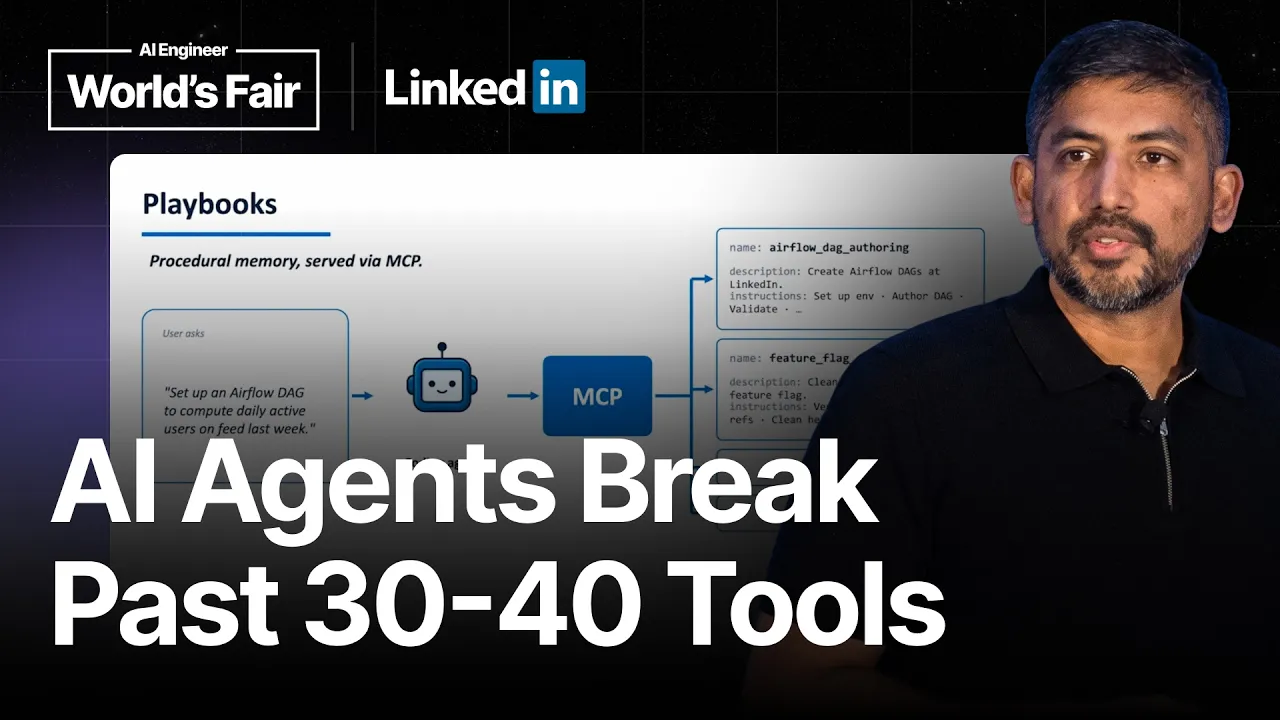
LinkedIn exposes roughly 1,300 tools and 600 playbooks to its coding agents, and all of them sit behind exactly three. MCP degrades somewhere past thirty or forty tools, so Ajay Prakash's team replaced the whole surface with search, get schema, and execute, letting an agent find what it needs instead of carrying everything in context. Prakash is a senior staff software engineer at LinkedIn, and he opens with an on call incident. An alert goes to a coding agent, which pulls the debugging instructions for that specific service, fetches logs and metrics, finds the root cause, proposes mitigation steps, applies them once a human confirms, updates the incident record, and opens a PR for the underlying fix. Minutes instead of hours. The rest of the talk is about the infrastructure that makes that reliable rather than lucky. It did not start there. Agents trained on public repositories knew nothing about a thousand internal repos, custom databases, or a configuration system that new hires spend a week long boot camp learning, so engineers spent longer correcting hallucinations than writing the code themselves. An internal MCP server with code search helped, then documents, Jira, Slack, and feature flags. Tools alone still fell short, because the knowledge of how to use them sat scattered across stale wikis and old Slack threads, and every session started from nothing. Playbooks are the answer: instructions published as tools, invoked like any other tool, kept self contained and split into small referenced pieces so context arrives progressively. Agents are asked to open a PR improving any playbook they find stale, which is what keeps the corpus alive. Speaker info: - https://x.com/ajay_prakash_ai - https://www.linkedin.com/in/ajay-prakash-3780b132/ Timestamps: 0:00 - An on call incident, handled end to end 2:48 - Why coding agents failed inside LinkedIn 5:10 - A thousand repos on internal frameworks 6:34 - An internal MCP, starting with code search 8:30 - Why tools alon
Summary
Generated by gpt-5.6-terraAt-a-Glance
- Verdict: Watch fully
- Core thesis: LinkedIn made coding agents reliable in its proprietary environment not by fine-tuning models, but by giving them discoverable MCP tools plus version-controlled, composable playbooks that encode organizational operating knowledge.
- Why it matters: This is a concrete enterprise agent-control-plane pattern for turning generic coding models into trustworthy operators across internal code, services, documentation, incident systems, and deployment workflows.
- Best use: Use it as a reference architecture for an OpenClaw or enterprise-agent skill system: separate tools from procedural knowledge, retrieve capabilities progressively, scope knowledge locally versus centrally, and create a governed feedback loop for improving instructions.
Executive Summary
Ajay describes LinkedIn's shift from distributing generic coding agents to building the operating context those agents lacked. Models trained on open-source code could not understand LinkedIn's more than 1,000 repositories, internal frameworks, proprietary databases, configuration systems, experimentation platforms, or service-specific conventions. The result was hallucination, stalled workflows, and engineers spending more time correcting prompts than coding manually.
LinkedIn first exposed internal systems through an MCP server, beginning with CodeSearch and expanding to documentation, Jira, Slack, data platforms, and feature flags. This improved retrieval and basic assistance, but did not reliably complete multi-step work because the operational knowledge required to debug, configure, or remediate services was fragmented, stale, duplicative, and too large to load indiscriminately into context.
Its answer was "playbooks": version-controlled instruction bundles exposed to agents as MCP-callable capabilities. A playbook tells an agent how to perform a narrow task and which tools to call; larger procedures compose smaller playbooks. This design supports reuse, limits context loading through progressive discovery, and gives organizations a durable procedural-memory layer that survives individual sessions and model changes.
The system is operationally notable rather than merely conceptual. LinkedIn distributes a local MCP server to managed laptops, updates it hourly, separates central cross-repository playbooks from repository-local ones, centralizes authentication and telemetry, and hides a large capability inventory behind three meta-tools: search, schema retrieval, and execution. LinkedIn reports more than 8,000 daily users, 1,300 tools, and 600 playbooks across engineering and non-engineering functions. The presentation provides strong architecture lessons, though it offers no measured quality, time-saved, incident-success, or safety-outcome comparisons.
Key Takeaways
- Claim: Generic coding agents fail in large enterprises primarily because they lack proprietary organizational context, not simply because the base model is insufficient. | Evidence: LinkedIn has over 1,000 repositories, thousands of microservices and apps, internal frameworks and libraries, proprietary databases, experimentation/tracking systems, and internal configuration management; new engineers require a week-long boot camp to learn these systems. | Implication: Do not expect model upgrades alone to make agents dependable in a private environment; build a contextual layer that captures how work is actually done. | Caveat: The speaker presents this as LinkedIn's operating experience, not a controlled comparison across models or enterprises.
- Claim: Connecting agents to enterprise tools via MCP is a necessary but insufficient first step. | Evidence: LinkedIn exposed CodeSearch first, then added docs, Jira, Slack, data platforms, and feature flags. Agents could find examples and answer basic questions, but still struggled to complete moderately complex workflows end-to-end. | Implication: Tool access must be paired with workflow guidance and selective retrieval; an unrestricted toolbox is not an agent operating procedure. | Caveat: More connected tools can worsen context overload because each tool output consumes context and can trigger compaction that loses useful information.
- Claim: MCP-callable playbooks provide durable procedural memory by packaging task-specific instructions and context as capabilities an agent can invoke. | Evidence: For a request such as setting up an Airflow DAG, the agent identifies the relevant playbook, retrieves its instructions as tool output, and then follows those instructions to call the relevant tools. | Implication: Treat skills/playbooks as first-class, versioned agent interfaces: they should specify both the task procedure and the tools needed to execute it.
- Claim: Playbooks should be narrow, self-contained, and composable rather than monolithic. | Evidence: LinkedIn's stated principles are that each playbook performs one specific task and that larger playbooks reference smaller ones. The speaker cites reuse and progressive discovery of context as the two benefits. | Implication: Design an agent skill library as a dependency graph of small procedures, so the agent loads only the knowledge required for the current branch of work.
- Claim: A self-improving playbook loop can address the staleness problem inherent in enterprise knowledge bases. | Evidence: LinkedIn encourages agents, after using a playbook, to identify outdated, missing, or discrepant instructions; the agent can modify the version-controlled playbook and open a PR, with the update taking effect after approval. | Implication: Capture failures and discoveries at execution time, but route changes through normal code-review-style governance to improve organizational memory without corrupting it. | Caveat: The approval step is essential: agent-generated updates should not automatically become canonical operational guidance.
- Claim: Capability discovery must be designed explicitly because directly exposing many MCP tools degrades agent performance. | Evidence: Ajay says LinkedIn could not scale beyond roughly 30 to 40 directly surfaced tools without harming context or performance. It replaced the full catalog with three meta-tools: search by keywords/tags, get schema for a chosen capability, and execute. | Implication: Build a capability registry and retrieval layer rather than placing every tool and skill in the model's initial context. | Caveat: The transcript does not specify the three meta-tools' exact APIs, ranking method, authorization behavior, or evaluation results.
- Claim: Agent infrastructure should be centrally operated while allowing local, repository-specific knowledge to evolve near the work. | Evidence: LinkedIn deploys one local MCP server by default on employee laptops and updates tools and playbooks hourly. Central playbooks apply across repositories, while local playbooks live with a specific repository and are loaded only when the agent works there. The system reports more than 8,000 daily users, 1,300 tools, and 600 playbooks. | Implication: Use a hybrid governance model: centralize identity, telemetry, distribution, and shared procedures; colocate domain-specific instructions with the codebase or operational surface they govern. | Caveat: Adoption volume demonstrates usage, not necessarily code quality, reliability, cost efficiency, or autonomy safety.
Detailed Brief
Illustrative incident-response workflow and autonomy boundary
- Claims: The target experience is not limited to code generation: an agent can investigate an alert, collect operational evidence, propose mitigation, update the incident record, and prepare a root-cause fix.; The human remains the approval point before the agent takes mitigation actions.
- Evidence: Ajay's opening scenario has an agent retrieve debugging instructions, identify the affected service, fetch logs and metrics, determine root cause from error logs, recommend mitigation, update the incident-management system with metrics and dashboards, check out code, and create a PR.; He says this can occur in minutes versus hours of manual investigation.
- Caveats: This is a representative narrative rather than a quantified production case study; the transcript does not state which actions are permitted automatically, what rollback controls exist, or how incident permissions are scoped.
- Implications: The highest-value agent workflows span observation, diagnosis, action planning, recordkeeping, and corrective engineering rather than a single chat response.; Approval gates should align to operational blast radius: evidence gathering and draft artifacts can be broadly automated, while production mitigation needs explicit control.
Control-plane value beyond tool transport
- Claims: The MCP server acts as a distribution and governance surface, not merely a connector protocol.; Preconfigured system instructions teach coding agents how to search for and use capabilities efficiently.
- Evidence: A single server serves both tools and playbooks and enables centralized authentication and telemetry.; The system is installed by default on LinkedIn laptops, with hourly propagation of MCP, tool, and playbook updates.
- Caveats: The presentation does not detail access-control policy, audit retention, data-boundary enforcement, or how telemetry is used to evaluate unsafe behavior.
- Implications: A production agent platform needs lifecycle management, identity, observability, discovery conventions, and client configuration in addition to model and tool selection.
Notable Concepts & Terms
- Contextual agent playbooks: LinkedIn's MCP-exposed, version-controlled instruction packages that provide task-specific organizational know-how and guide tool use.
- MCP (Model Context Protocol): The agent integration layer LinkedIn uses to expose both enterprise tools and procedural playbooks to coding agents.
- Progressive discovery of context: The agent searches for and loads only the small playbooks needed at each step, limiting context overload versus preloading all organizational knowledge.
- Meta-tools: A small discovery interface—search, schema retrieval, and execution—that lets agents access thousands of capabilities without listing them all in initial context.
- Central versus local playbooks: Central playbooks hold cross-cutting organizational procedures; local playbooks are checked into and automatically scoped to individual repositories.
- Durable procedural memory: The persistent organizational knowledge layer that playbooks provide, preventing agents from rediscovering the same workflow from scattered docs every session.
- Self-improving loop: A workflow in which an agent detects gaps or stale instructions after execution, proposes a playbook update through a PR, and relies on approval for publication.
- CodeSearch: LinkedIn's first MCP-exposed internal capability, allowing agents to search across thousands of repositories with keywords, filters, and regex to find canonical implementation examples.
Operator Notes / Why Ken Should Care
- Define a skill/playbook contract for agent workflows: narrow purpose, trigger description, required inputs, allowed tools, ordered procedure, expected outputs, and explicit approval/escalation conditions.
- Implement capability discovery as a registry with search and schema retrieval; avoid injecting the complete tool/skill catalog into the default agent prompt.
- Separate globally governed skills from repository- or customer-local skills, and load local instructions only when the agent is operating in their associated workspace.
- Make every playbook version-controlled and require review for agent-proposed edits; record failed runs, missing context, and human corrections as candidates for improvement.
- Instrument the control plane before expanding autonomy: capture tool selection, retrieval quality, context growth/compaction, approval decisions, execution outcomes, and reversals.
- Establish action-tier permissions for operational workflows, with read-only investigation and draft artifacts broadly available but high-blast-radius remediation requiring explicit human confirmation.
Source/Metadata
- Title: 500 Skills, Zero Fine-Tuning: LinkedIn's Playbook for AI Agents — Ajay Prakash, LinkedIn
- Transcript words: 4843
- Duration seconds: 1224
- Timestamp note: No timestamps or chapter markers were present. The supplied transcript substantially repeats the presentation content.
Transcript
Ajay Prasad- Hey everyone, good morning. Thanks for being here. I see people are still coming, but my name is Ajay and I am a software engineer at LinkedIn. Today I'm going to be talking about how we are doing context engineering to improve the performance of coding agents at LinkedIn. Imagine you are a software engineer in a big tech company and your products are being used by millions of users on a daily basis. And you happen to be on a team which owns a set of very critical services and you are on call. And you get an alert saying that there is an error spike in one of your services. By the time you are trying to figure out how to deal with this issue, you take the link to the alert and give it to a coding agent like Cloud Code or GitHub Copilot. While you are trying to figure out how to deal with the issue, the coding agent is working in the background. It will fetch the instructions on how to debug such issues in your company and identifies that based on that instruction, this alert is happening in a specific service. Then it fetches instruction and context on how to debug that particular service. And based on those instructions, it will take actions like fetching logs and metrics. Then it uses those logs to identify the root cause of the issue. It identifies based on the error logs where the issue is happening. And it doesn't just find the root cause, it also figures out the steps to mitigate the issue. And once it finds all the details, it summarizes and gives it to you, saying this is the error and this is the issue and these are the actions that you need to take to mitigate. And once you confirm, it also goes ahead and takes those actions on your behalf to mitigate the issue. And it doesn't just stop there. It updates your incident management system with all the details, error metrics, and dashboards. And also, it checks out the code and creates a PR for you to fix the root cause of the issue. All of this happens in a matter of a few minutes, which would have easily taken a few hours if you were to do it manually. This is not fiction. This is how teams at LinkedIn are using coding agents as effective coworkers with deep understanding of LinkedIn's internal systems and code to help the teams be really productive. And this is possible because of a system that we built called contextual agent playbooks and tools at LinkedIn. And today I'm going to talk about why we built the system, how we built it, and what are our learnings from the success. To understand why we built the system, we have to go back to the early days of coding agents. Just like any other company, even at LinkedIn, we wanted to use the coding agents to help our engineers be really productive with AI. So we started giving these coding agents to all of the engineers. And the problem was the coding agents don't really work in a large enterprise like LinkedIn. The biggest problem is the coding agent or the LLMs are trained on open source repos. So they don't have the context of how we maintain code bases at LinkedIn or our internal frameworks, our internal systems. What used to happen was the engineers used to do wide code or try agentic coding, but because the agents lacked context, they used to hallucinate and get stuck in between, or even more dangerous, they used to make up things which are not correct. So the engineers had to prompt these agents manually to do the right thing, which used to take more time than the manual coding itself. So a lot of engineers went back to manual coding. Coding agents were not effective. To understand the problem and get more perspective, if you look at the LinkedIn stack, we have over 1,000 repos, which make up thousands of microservices and apps. And all of these apps and services are built on a lot of internal frameworks and libraries. And we also have a lot of custom built infra. For example, we have our own databases. We have our own experimentation and tracking platform. We have our own configuration management system, which is purely internal to LinkedIn, and coding agents don't have any idea about them. And engineers go through a week-long boot camp whenever a new engineer joins, just to get familiar with these systems. So we looked at this problem and asked ourselves the question: how can we make any coding agent like Cursor or Cloud Code or GitHub Copilot understand our LinkedIn's internal systems so well that they can ship code that our engineers can trust? By trust, I mean the code should be correct, and the quality of the code should be as good as it is written by an actual engineer. So that is the bar we set up, and we wanted to figure out how to get there. In early 2025, Anthropic released MCP, and it quickly became the industry standard for building tools for agents. We leveraged that, and pretty early on, we built our own internal MCP, and the first tool that we built was CodeSearch. We have a pretty sophisticated code search system at LinkedIn, where engineers can go and search for code. It will search across thousands of repos using keywords and custom filters and regex. So we made that available to the coding agents via MCP. This was a really powerful unlock, because now you don't have to manually figure out how to do better search. The agent, you ask a question like, how do I set up a particular thing, and the agent can use the code search tools to figure out the right examples of how we do things at LinkedIn and use that to give you an answer and also implement it based on its findings. This was really powerful. So we added more tools. We added docs, Jira, Slack, and even connected to all of our data platforms and even feature flags. So every tool that we added to our internal MCP created more value. It's almost like a compounding effect, because now an engineer can bring in the PRDs, product requirement documents, and design docs, and also their Jira tasks, which have different contexts, and use all this to give to the coding agent to automate or help with their coding. But there was a problem. Even with a slightly complex workflow, the agents used to not do really well. For example, with the context and tools, the agent was able to answer basic questions and find code examples, but it could not do a complete job reliably end-to-end. The main problem was that to do a specific job end-to-end, it needs to have a lot of tribal knowledge. For example, how to fix a particular error, or how to configure, or how to debug a particular error log. All of this knowledge, even though you have access to the tools, is scattered across a lot of different surfaces. For example, docs, wikis, and Slack conversations. And most of the time, docs and wikis might be outdated or written poorly, and there might be duplicate docs. So the problem is the agents, even though they have access to the tools, used to get lost. The second problem was context overload. As agents use more and more tools, their context gets overloaded, which means every tool output takes up space in the context, which will eventually cause the agent to compact its context while it is working, which causes it to lose some of the information. Then it has to do it all over again. And the third problem was, even if the agent was able to figure out all these details, it doesn't have a way to retain this information. It doesn't have durable memory. So every time an engineer asks the agent to do a certain task, they have to start from scratch. So how do we solve this problem? We built a system in early 2025 called playbooks, where we not only provide the tools to the agents via MCP, we also allow the agents to access these instructions and prompts via MCP. We call it playbooks. And a playbook just appears just like any other regular tool. They have names and descriptions on what they do. And the agent can decide to invoke that playbook just like any other regular tool. And when the playbook is invoked, the instructions and the context within that playbook are returned as the tool output to the coding agent. So the agents have both tools as well as instructions on how to use tools to set up or perform a task. For example, if the engineer asks, how do I set up an Airflow DAG at LinkedIn, the agent will first decide, okay, I have a playbook for creating that specific task. And it will use that playbook to get the information. And then it follows that instruction and calls the relevant tools to get the job done. This was really powerful. Mainly because now anyone at LinkedIn can go ahead and create a playbook and check it into a repository and make it available for everyone else at LinkedIn. So as people started creating more playbooks, we wanted to establish some foundational principles for creating a playbook. The first one is a playbook should be self-contained, which means it should do a very specific task. For example, if it is for setting up an Airflow DAG, the instruction and the construct should be about one specific task. This helps the agents pick the right playbook for the right task. And the second most important one is to break a big playbook into multiple smaller playbooks and reference those smaller playbooks from a bigger playbook. This is a really powerful principle because it has two main advantages. The first one is reusability. If you have a small self-contained playbook, it can be referenced from multiple playbooks. And the other big advantage is progressive discovery of context, which means the agent only reads a smaller playbook when it needs to, instead of reading all of the playbooks at once. It can progressively go and read the playbooks as needed. So this is the same concept as skills as well. Playbooks are very similar to skills, but we developed this entire system around playbooks even before skills was a thing. And playbooks are a little bit more nuanced because it helps us seamlessly capture all of the organizational context and service via MCP without much of a setup. And another cool thing about playbooks is the self-improving loop. You have engineers creating these playbooks and checking into the repository, and one of the main problems with any knowledge base is it gets outdated. The biggest problem is how do you keep the context fresh. The great thing about agents is they can improvise. We encourage the agents to, whenever they use a particular playbook, at the end of the session, identify the learnings. Any outdated information or any discrepancy or any missing information. And we also encourage the agents to figure out how to improve the playbook and use that context to check it out, to update the playbooks, and create a PR. And once it gets approved, the playbook gets updated. This creates a really seamless self-learning loop. So what does the architecture of an MCP server look like? We have one local MCP server, and it is automatically installed on all of the LinkedIn laptops by default. So if you join LinkedIn and you get a laptop, it is pre-installed. And any updates to the MCP server or the playbooks or the tools automatically get updated every hour on all the laptops. And we have a concept of local playbooks and central playbooks. Central playbooks are the playbooks which are cross-cutting in nature. These playbooks apply to multiple repositories, not just one code repository. And then you have local playbooks where these are the playbooks which are very specific to your code repository, and you can just have them checked in with your repo. And only when the coding agents are working in your repo, those playbooks will be automatically picked up. So this helps us scale the local playbooks which are very specific to a repo without having to worry about changing the central repository. And also this is one MCP server which is serving all of the playbooks and tools. So this helps us do a lot of central things like seamless authentication, telemetry, and that we can use for learning to make the whole ecosystem better. You may be wondering how many tools and playbooks it can support. This is a common problem with MCP. We cannot scale it beyond 30 or 40 tools without degrading the context or degrading the performance of the system. So what we do is instead of surfacing all of these playbooks and tools through MCP, we replace them with three meta tools. The first one is search. The agent first uses this tool to search for the relevant tools and playbooks using keywords and tags. We also control the system instructions. Every coding agent is pre-configured with system instruction on how to use these tools and how to use the search really efficiently. And once it finds the right set of tool or playbook, it can then get more details about that particular tool using get schema and then execute that tool or playbook. So this has allowed us to scale to thousands of tools and playbooks. This is the growth chart. Now we have over 8,000 users daily using the system, using tools and playbooks. We have over 1,300 tools and over 600 playbooks. And it's not just engineering. It is not just engineers, but also product managers, designers, TPMs. Across different functions, they are using the tools and bringing their playbooks to automate their workflows. I'll leave you with these key takeaways based on our learning. The first one is the system was successful because we thought about quality and reliability from day one. Even before creating an MCP server, we thought, okay, our fundamental principle should be how do we ensure not just productivity, but how do we ensure the quality and reliability of the system so that it doesn't degrade as we move fast. And the second one was build the right infrastructure for agents. In a large enterprise like LinkedIn, it's not just enough to give all of the engineers all the latest and greatest tools and models. They are not very effective if you don't build the right infrastructure for the agents to operate within your enterprise. That's my time. Thank you for attending and feel free to connect with me on LinkedIn. coworkers with deep understanding of LinkedIn's internal systems and code to help the teams be really productive. And this is possible because of a system that we built called as contextual agent playbooks and tools at LinkedIn. And today I'm going to talk about why we built the system, how we built it, and what are our learnings from the success. To understand why we built the system, we have to go back to the early days of coding agents, right? So just like any other company, even at LinkedIn, we wanted to use the coding agents to be for our engineers and everyone to be really productive with the AI. So we started giving these coding agents to all of the engineers. And the problem was the coding agents doesn't really, or the wide coding doesn't really work in a large enterprise like LinkedIn. So the biggest problem is the coding agent or the LLMs are trained on open source repos, right? So they don't have the context of how we are mature code bases at LinkedIn or our internal frameworks, our internal systems. So what used to happen was the engineers used to do wide code or try the agentic coding, but because the agents lacked context, they used to hallucinate and get stuck in between, or even more dangerous, they used to make up things which is not correct. So the engineers had to prompt these agents manually to do the right thing, which used to take more time than the manual coding itself. So a lot of people, a lot of engineers went back to manual coding. So coding agents was not effective. To understand the problem, to get more perspective, so if you look at the LinkedIn stack, we have over 1,000 repos, which make up thousands of microservices and apps. And we have a lot of all of these apps and services are built on a lot of internal frameworks and libraries. And we also have a lot of custom built infra. For example, we have our own databases. We have our own experimentation and tracking platform. We have our own configuration management system, which is purely internal to LinkedIn, and coding agents doesn't have any idea about them. And engineers go through a week-long boot camp whenever a new engineer joins, just to get familiar with these systems. So we looked at this problem, and we asked ourselves the question, how can we make any coding agent like Cursor or Cloud Code or GitHub Copilot understand our LinkedIn's internal systems so well that they can ship the code that our engineers can trust? By trust, I mean the code should be correct, and also the quality of the code should be as good as it is written by an actual engineer. So that is the bar we set up, and wanted to figure out how do we get there. So in early 2025, last year, Anthropic released MCP, and it quickly became the industry standard for building tools to the agents. We leveraged that, and pretty early on, we built our own internal MCP, and the first tool that we built was CodeSearch. So we have a pretty sophisticated code search system at LinkedIn, where engineers can go and search for code. It will ingest all of, search for any code across thousands of repos, using keywords and custom filters and rejects, etc. So we made that available to the coding agents via MCP. This was a really powerful unlock, because now you don't have to manually figure out how to do better search. The agent, you ask a question, hey, how do I set up a particular thing, and the agent can use the code search tools to figure out the right examples of how we do things at LinkedIn, and use that to give you an answer, and also implement it based on its findings. This was really powerful. So we added more tools. We added docs, Jira, Slack, even connected to all of our data platforms, and even feature flags. So every tool that we added to our internal MCP, it created more value. It's almost like a compounding effect, because now an engineer can bring in the PRDs, product requirement documents, and design docs, and also their Jira tasks, which has different contexts, and use all this to give to the coding agent to automate or help with their coding. But there was a problem. So you connect all these tools, but it's not enough. So even with a slightly complex workflow, the agents used to not do really well. For example, if you give a context, with the tools, the agent was able to answer basic questions and find code examples, but it cannot do a complete job reliably end-to-end. The main problem was to do a specific job end-to-end. It needs to have a lot of tribal knowledge. So all of, for example, how to fix a particular error, or how to configure, how do you debug a particular error log. So all of this knowledge, even though you have access to the tools, it is scattered across a lot of different surfaces. For example, docs, wikis, and Slack conversations, et cetera. And most of the times, I may have experienced that docs and wikis might be outdated, written, and there might be duplicate docs, right? So the problem is the agents, even though they have access to the tools, they used to get lost. The second problem was context overload. As agents use more and more tools, their context gets overloaded, which means every tool output, it takes up space in the context, which will eventually cause the agent to compact its, while it is working, compact its context, which causes it to lose some of the information. Then it has to do all over again. And the third problem was, even if the agent was able to figure out all these details, it doesn't have a way to retain this information. It doesn't have a durable memory. So every time an engineer asks the agent to do a certain task, they have to start from scratch. So how do we solve this problem? So we give these instructions right away, right? So we built a system, we invented a system in early 2025 called as playbooks, where we not only provide the tools to the agents via MCP, we also allow the agents to access these instructions and prompts via MCP. We call it playbooks. And playbook, it just appears just like any other regular tool. And they have names and description on what it does. And the agent can decide to invoke that playbook just like any other regular tool. And when the playbook is invoked, the instructions and the context within that playbook are returned as the tool output to the coding agent. So that way, the agents have both tools as well as instructions on how to use tools to set up or perform a task. For example, if the engineer goes and asks, like, how do I set up an Airflow DAG at LinkedIn, the agent will first decide, okay, so I have a playbook for creating that specific task. And it will use that first effect, uses that playbook to get the information. And then it calls the necessary, follows that instructions and calls the relevant tools to get the job done. This was really powerful. Mainly because now anyone at LinkedIn can go ahead and create a, set up a playbook and check it into a repository and make it available for everyone else at LinkedIn. So as people started creating more playbooks, so we wanted, so this is one of two foundational principles we want everyone to follow when creating a playbook. The first one is, a playbook should be self-contained, which means it should do a very specific task. Only, for example, if it is for setting up an Airflow DAG, it should be about, the instruction and the construct should be about one specific task. This helps the agents pick the right playbook for the right task. And the second most important one is to break a big playbook into multiple smaller playbooks. So this has, and reference those smaller playbooks from a bigger playbook. So this is a really powerful principle because just like, so it has two main advantages, right? So the first one is reusability. So if you have a small self-contained playbook, it can be used from multiple, reference from multiple playbooks. And if you, the another big advantage is progressive discovery of context, which means the agent, only when it needs to read a smaller playbook, instead of reading the entire, all of the playbooks at once, it can progressively go and read the playbooks as it wants. So this is the same concept as skills as well. So playbooks are very similar to skills, but we developed this entire system around playbooks, even before skills was a thing. And playbooks are a little bit more nuanced because it helps us seamlessly capture all of the organizational context and service via MCP without much of a setup. And another cool thing about this playbooks is the self-improving loop. So you have engineers creating these playbooks and checking into the repository, and one of the main problems with any knowledge base is it gets outdated. How do you, the biggest problem is how do you keep the context fresh, right? So great thing about agents is they can improvise. So we have, we encourage the agents to, whenever they use a particular playbook, at the end of the session, to identify the learnings. So any outdated information or any discrepancy or any missing information. And we also encourage the agents to figure out how to improve the playbook and use that context to check it, to update the playbooks, check out the repository and update the playbooks and create a PR. And that, once it gets approved, it gets, the playbooks gets updated. Right? This creates a really seamless fly. of self-learning loop. So what does the architecture of a MCP server looks like? So this particular system, we have one local MCP server, and it is automatically installed on all of the LinkedIn laptops by default. So if you join LinkedIn and you get a laptop, it is pre-installed. And any updates to the MCP server or the playbooks of the tools, it automatically gets updated every one R on all the laptops. And we have a concept of two local playbooks and central playbooks, which means, so central playbooks are the playbooks which are cross-cutting in nature. So you have, these playbooks apply for multiple repositories, not just one code repository. And then you have local playbooks where these are the playbooks which are very specific to your code repository, and you can just have them checked in with your repo. with your repo, and only when the coding agents are working in your repo, those playbooks will be automatically picked up. So this helps us scale the local playbooks which are very specific to repo without having to worry about changing the central repository. And also this is one MCP server which is serving all of the playbooks and tools. So this helps us do a lot of central things like seamless authentication, telemetry, and that we can use for learning to make the whole ecosystem better. You may be wondering like how many tools and playbooks it can support, right? So this is a common problem with MCP. We cannot scale it beyond 30 or 40 tools without degrading the context or degrading the performance of the system. So what we do is instead of surfacing all of these playbooks and tools through MCP, we replace them with three meta tools. So the first one is search. The agent first uses this tool to search for the relevant tools and playbooks using keywords and tags. So we also control the system instructions. So every coding agent is pre-configured with system instruction on how to use these tools and how to use the search really efficiently. And once it finds the right set of tool or playbook, it can then get the more details about that particular tool using get schema and then execute that tool or playbook. So this has allowed us to scale to thousands of tools in playbook. So this is the growth chart. So now we have over 8,000 users daily using the system daily, using tools and playbooks. So we have over 1,300 tools and over 600 playbooks. And it's not just engineering, right? So it is not just engineers, but also product managers, designers, TPMs. So across different functions, they are using the tools and bringing their playbooks to automate their workflows. So I'll leave you with this takeaway, key takeaways based on our learning. The first one is the system was successful because we thought about quality and reliability from day one. So even before creating an MCP server, we thought, okay, our fundamental principle should be how do we ensure not just productivity, but how do we ensure the quality and also reliability of the system so that it doesn't degrade as we move fast? And the second one was build the right infrastructure for agents. In a large enterprise like LinkedIn, it's not just enough to give all of the engineers all the latest and greatest tools and models. They are not very effective if you don't build the right infrastructure for the agents to operate within your enterprise. Yeah, that's my time. Thank you for attending and feel free to connect with me on LinkedIn. Another thing about the limitations of the system !