How to Become a 1-Person Creative Team in 2026
Description
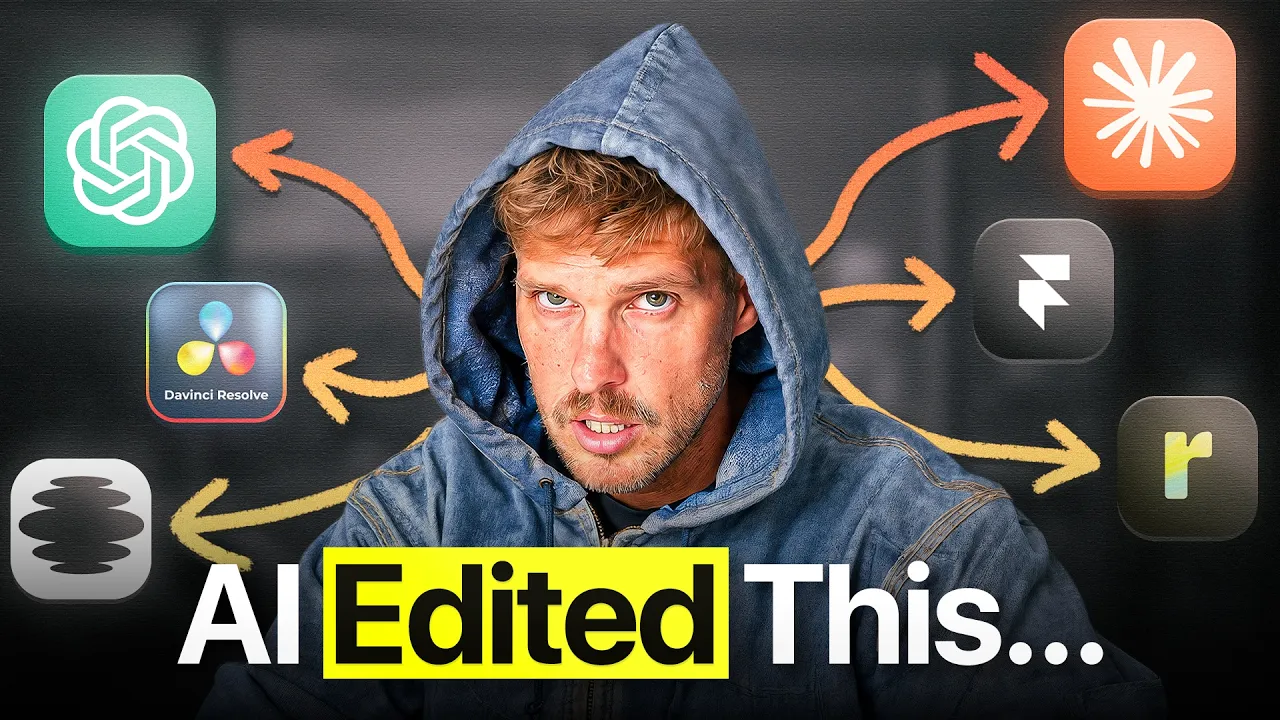
This video is brought to you by Framer, learn more about using Framer Agents to build websites here. Code: OREN2 https://framer.link/Oren2 Video editing: https://www.hyperstudios.us/p/the-new-rules-of-brand-marketing Oren walks through the modern toolkit for creative teams: editing video with Tesseract, executing motion graphics with ChatGPT and Claude, design with Framer, and executing ads with Runneth. Sign up for my weekly brand strategy newsletter: https://hyperstudios.us Join the next Cut30 short form bootcamp: https://cut30.co Grow your brand with our agency: https://www.darkroomagency.com/oren About Me: https://orenjohn.com/ For Brand Partnerships: oren@delucamediagroup.com
Summary
Generated by gpt-5.6-terraAt-a-Glance
- Verdict: Watch fully
- Core thesis: A one-person creative team becomes viable not by asking AI to make finished work from scratch, but by converting proven creative judgment into reusable briefs, style kits, movement libraries, templates, and review loops that agents can execute quickly.
- Why it matters: The video offers a concrete control-plane pattern for AI creative operations: separate agent-friendly execution tools from human-oriented tools, encode standards as reusable assets, and retain human review at the points where taste and brand judgment matter.
- Best use: Use it to design a repeatable AI-assisted content-production system for video, graphics, motion, ad research, and product visualization—not as a recommendation to blindly adopt the named tools.
Executive Summary
The speaker argues that small teams and individual creators now have an execution advantage over larger organizations because AI can absorb much of the repetitive production layer: rough cuts, silence removal, take selection, audio mixing, captions, titles, image sourcing, basic layouts, and motion-graphics generation. The strategic work remains ideation, direction, reference selection, feedback, and distribution systems.
His operating model is not one-shot generation. For video, he supplies raw footage, script, soundtrack, preselected images, and visual references; requests a structured first pass; then iterates conversationally on specific issues such as image scale, caption typography, color, or layout. The key claim is that better inputs and ongoing feedback—not a better generic prompt alone—are what prevent generic output.
The strongest reusable idea is to productize creative judgment. Build a style kit of fonts, colors, components, and visual references; build a moves kit of approved animations and transitions; generate a storyboard from a timestamped script; review that plan before rendering; and use editable templates rather than regenerating assets from scratch. The same approach applies to webpages, ad briefs, unboxings, and 3D product visuals.
The speaker is candid that these workflows optimize throughput and competent quality rather than peak creative excellence. He still uses traditional editing software when a project needs complex manual control or detailed color work. But he contends that systematized AI work can outperform low-cost outsourcing while making many otherwise-unmade assets economically viable.
Key Takeaways
- Claim: The winning unit is an AI-enabled creative operator who directs a system, rather than a person expecting an AI tool to autonomously produce finished creative. | Evidence: The speaker frames the role as the "chief marketer" or highly enabled individual contributor, citing the lead marketer at Whisperflow and a creator-strategist friend who shoots, edits, appears in, and produces UGC for multiple brands as one person. | Implication: Ken should treat creative AI leverage as an operating-design problem: consolidate direction, standards, and feedback into a capable owner rather than merely adding generation tools to a fragmented process. | Caveat: The speaker positions this as a small-team advantage; he says large organizations struggle to restructure while operating, but does not provide comparative operating metrics or quality benchmarks.
- Claim: AI video editing works best as a brief-to-iterative-chat workflow, with a defined sequence of production tasks rather than a request to edit raw footage blindly. | Evidence: For each video, the speaker provides raw shots, a script, song, prepared images, and reference videos, then asks for a cutdown, silence removal, take selection, audio mix, grade, captions, and titles. He subsequently directs changes such as full-width imagery, green-screen compositing, a new color pass, serif captions, line breaks, and 20% smaller text. | Implication: Build an explicit creative-edit agent runbook with required inputs, sequential deliverables, acceptance criteria, and a human approval loop—not an unconstrained "edit this" task. | Caveat: He explicitly says dumping raw footage into an AI editor will yield "mid" content; quality depends on preparation and directed revision. He still manually checks and adjusts color grading.
- Claim: Agent-native creative tools can materially improve throughput because they operate directly on structured tasks and can run in parallel, unlike agents controlling software designed for humans. | Evidence: He contrasts browser/computer use in DaVinci Resolve—capable but slower and limited to one active task—with Tesseract, described as an agent-oriented editor where he can run multiple video-editing chains simultaneously. He says even using it only for captions and audio mixing removes work he dislikes. | Implication: When designing AI operations, prioritize systems with native, structured agent interfaces and parallel-job support; reserve GUI-driving agents for exceptions or high-control work. | Caveat: For complex edits and work requiring detailed manual tweaking or extensive color grading, he continues to use DaVinci Resolve. Specific tool capabilities and pricing are likely to change rapidly.
- Claim: The primary remedy for generic AI design is constrained execution inside a real layout system, backed by reusable design instructions. | Evidence: The speaker says standalone generative design often looks wrong because it does not respect grids and layout. He uses Framer's editable design canvas and agent to create UI-style graphics and landing-page variations, then encodes recurring requirements as a skill: use a hero component, specified typography, one CTA, headlines under eight words, approved background options, and a prior webinar page as reference. | Implication: For repeatable web and graphic tasks, create a governed component/style system that AI modifies, instead of accepting unconstrained raster outputs as final design. | Caveat: He does not claim this produces the best design of his career; the stated goal is good work at scale, potentially better than cheap outsourcing.
- Claim: Reliable AI motion graphics require two reusable assets: a style kit and a pre-approved moves kit, followed by storyboard approval before generation. | Evidence: He creates a library from three-second clips of motion treatments he likes—such as tosses, haze transitions, swarms, contact sheets, fields, and cycles—along with fonts, colors, and other visual rules. For a DoorDash concept, he gave the system a timestamped script, had it map each moment to a motion from the library, reviewed the storyboard and transitions in chat, then generated branded animations. | Implication: Treat creative references as a versioned capability library: approved moves, transitions, visual tokens, and examples should be selectable inputs to generation, not tacit knowledge held by one creative director. | Caveat: The speaker warns against letting the model "wing it," because its default motion choices are often poor. Generated assets also remain difficult to edit unless moved into an editable-template workflow.
- Claim: Editable templates are economically and operationally superior to repeatedly regenerating creative assets. | Evidence: He uses Claude Opus 5.5 with Hyperframes to turn motion concepts into templates that can be adjusted without rerendering an entire asset. He compares this to using Tesseract rather than controlling a human-oriented editor: faster changes, fewer credits, and greater control. | Implication: Standardize around an ecosystem long enough to accumulate templates and operating knowledge; avoid tool churn that prevents durable internal assets from forming. | Caveat: He emphasizes that model rankings are transient and says his team still does roughly 85% of its work in ChatGPT despite testing multiple ecosystems.
- Claim: Ad intelligence and competitive references should feed directly into the creative system, especially for high-volume paid creative. | Evidence: Using Runnith, the speaker searches active ads and formats across brands, compares format mixes, and pulls references into briefs. He cites Rag & Bone as having 1,009 live ads across 25 formats, with 40% categorized as proof formats, and uses Tiffany unboxing ads to build an unboxing library including skeptic hooks, value stacks, silent hands-only videos, podcast unboxings, and recipient-reaction concepts. | Implication: Connect market research, reference retrieval, creative templates, and ad testing into one loop so production decisions derive from observed formats rather than memory or isolated brainstorming. | Caveat: The cited ad-library examples show what brands are running, not necessarily causal proof that each format performs. Creative should still be tested against the target brand's audience and economics.
Detailed Brief
The reusable production architecture: from one-off request to internal creative product
- Claims: For any recurring creative output, the speaker recommends asking what a reusable tool would look like rather than solving one asset at a time.; A useful internal creative tool exposes the variables an operator will repeatedly want to alter: camera height, angle, framing, speed ramps, background gradients, color, turn type, and source imagery.; The operational objective is to shift the team from manually making assets to designing repeatable production capabilities.
- Evidence: The speaker shows a custom product-visualization studio built for ready-to-launch products that can generate 3D models from mockups and change camera, frame fill, speed, and gradient-background parameters.; He distinguishes a desired "double turn" from a "single turn" as an example of a creative choice that may need either an explicit control or a visual reference.; He reports that the process allows his team to produce substantially more assets and presents a fully AI-edited Kai Cenat brand-unboxing video, completed in roughly three prompt rounds, that received 300,000 views.
- Caveats: A 300,000-view example demonstrates that an AI-enabled asset can perform, but it does not isolate whether editing automation caused the result.; The workflow requires enough creative taste to identify variables, curate references, and judge output; the tools do not substitute for this direction.
- Implications: Inventory recurring creative deliverables and identify their controllable parameters before selecting tooling.; The moat is likely to be the proprietary reference corpus, templates, approval criteria, and feedback history—not access to the underlying model.
Creative quality is primarily a context-management problem
- Claims: The speaker treats insufficient context as the common cause of generic design, weak briefs, poor AI edits, and unhelpful motion-graphics outputs.; References should be operational inputs rather than inspiration boards: they should specify edit DNA, caption style, visual treatment, and approved movements.; The human role shifts toward authoring constraints, selecting references, and performing high-leverage critique between passes.
- Evidence: For video, he points to supplying prior videos as style references and giving agents a partial image set before asking them to find supplementary images.; For design, his Framer skill captures repetitive decisions that he would otherwise explain manually for each community-call landing page.; For motion, he builds the library from short recordings of treatments he has already judged effective.
- Caveats: Reference-based production can create stylistic convergence or overly derivative work if teams do not periodically refresh the source library and preserve room for original concepts.
- Implications: Creative systems should store references with metadata about when and why to use them, not merely as unstructured files.; Review should occur at planning artifacts such as briefs, shot lists, and storyboards, where changes are cheaper than after final rendering.
Notable Concepts & Terms
- Chief marketer: The speaker's label, attributed to Motion CEO Reza, for an unusually capable individual contributor who can carry a large share of a marketing function through AI-enabled execution.
- Agent-native editing: Creative software designed for an AI agent to manipulate directly, which the speaker contrasts with slower computer-use automation over applications built for humans.
- Style kit: A reusable collection of fonts, colors, visual rules, and references that constrains generated design and motion work to a recognizable brand standard.
- Moves kit: A library of pre-approved animation patterns and transitions, constructed from curated examples, which prevents models from inventing weak default motion treatments.
- Script-to-storyboard workflow: A process in which a timestamped script is mapped to specific shots, motion treatments, and transitions for review before creative assets are generated.
- Framer skills: Saved, reusable instructions and references for Framer's design agent, intended to make recurring webpage work conform to team standards.
- Hyperframes: A tool the speaker uses to turn motion work into editable templates, reducing rerendering, credits, and revision friction.
- Runnith: An ad-intelligence and briefing tool used to retrieve active paid-ad references, compare creative-format mixes, and generate reference-led ad briefs.
Operator Notes / Why Ken Should Care
- Pilot a creative-agent workflow on one repeatable, low-regret asset class—such as short-form clips or product unboxings—and require a standard input packet: script, raw media, brand tokens, reference assets, desired music, and acceptance criteria.
- Create a versioned creative context repository with separate folders or schemas for brand style tokens, approved motion patterns, caption/title conventions, ad-format references, and rejected examples with reasons.
- Design the workflow as staged approvals: brief and inputs, rough cut/storyboard, final render. Put human review before expensive or hard-to-reverse generation steps.
- Evaluate tools by editability, batch/parallel execution, cost per revision, export/control interfaces, and data-access permissions—not by first-pass demo quality alone.
- For paid creative, establish an experiment loop that tags every produced asset by format and reference lineage, then joins production metadata to performance outcomes; do not infer effectiveness merely from competitor ad presence.
- Avoid giving browser-control agents unrestricted access to accounts, extensions, source libraries, or brand systems without scoped credentials, logging, and review, especially when agents can install extensions or retrieve external assets.
Source/Metadata
- Title: How to Become a 1-Person Creative Team in 2026
- Transcript words: 11804
- Duration seconds: 1352
- Timestamp note: No usable timestamps or chapter markers were provided. The transcript contains a substantial duplicated second pass of the video, so the source has materially less unique content than the stated word count suggests.
Transcript
In this video, I'm going to talk about becoming a one-person creative team. How all the new cutting-edge tools that we have access to allow a single person to do pretty incredible things in terms of content workflow, ad workflow, creative workflow. So I am in the middle of this. I put out a lot of content. I put out a video every day for short form. I put out a YouTube every week. We're clipping those. We're doing carousels. I'm making ads for brands. Plus, we make tons of ads at the agency. And we are more enabled than ever. In this video, I'm going to cover how we are doing video editing and using AI to actually edit videos and give you the frameworks that will work for you. Same thing with motion graphics. We are developing motion graphics in that same exact way. I'm going to go through that. I'm going to talk about how we are speeding up graphic design with similar processes. And I'm going to show you one of the tools that we're using for brainstorming and references to help enable a bunch of this. So you can have an exact workflow. It's going to be full of tutorials with screen sharing the whole thing. We are here in my office where I work every day. I'm showing you projects that we work on right now. If you follow these steps, you will be able to at least 2x your output or half your speed. So first, why is this even important? Why is this a conversation? My friend Reza, he's the CEO of a company called Motion. We're going to show one of their tools here in a bit. He has this concept he's been harping on called the chief marketer. This idea of an individual contributor who does an absolute ton for a marketing team. So for instance, when I was at Cannes and we hosted a panel this summer, the lead marketer of Whisperflow was on that team. And it was just him. It had been just him from one to that company becoming extremely popular as a single person. Then he began hiring and building a team around him. And you see this more and more often. My friend Drew, we have a YouTube video coming out right around this one. He runs social media and creative strategy for brands. And he is actually shooting a bunch of the videos for the social media teams. He is editing them. He is in them. He's doing UGC content for a bunch of them, all just as one person. And he's ultra enabled by tools like what we're going to go through. And this role is becoming more critical, right? One person can do way more for a marketing team. And then every marketing team needs that one person who is just super cracked. And then if you're a creator like I am, I have support, editors, designers, because I'm making a ton of content. But it is so much easier now than when I started to have so much of this done for you so you can focus on the ideas. It is really incredible. Small teams are more cracked than ever. And big teams aren't going to pivot to catch up. That's one of the hardest things I find when I go talk to the big orgs I do workshops with—it's so hard for them to grasp if they can grasp it. They don't know how to restructure the org. It's repairing the plane while it's running. It's really hard for them. And that is an advantage for younger people and for younger companies. But to be the creative hub, there are kind of four key tenets here. Whether this is for you as a creative or for a company. Ideation—coming up with ideas. I have lots of videos about this. More tactical in this video. Content creation—actually shooting and making things. Again, I have plenty of other videos on that. Then there is content editing, content production. Who is designing, who is editing, who is making graphics? How are you making it good? How are you doing a lot of it? That is what we are gonna hit in depth here. And then there is marketing systems. How do you distribute it? Analytics, ads, distribution, accounts, et cetera. It will also be its own video. So today we're gonna cover how to make the tedious parts easy. And we are going to start with using AI for video editing, which I have been doing a lot. So to give you some context, this video I am showing on screen right here is completely edited by ChatGPT on the O1 model using DaVinci Resolve on my computer. And we're gonna talk about two types of editing here. So DaVinci is $300. I know it's not for everybody. And I had never opened it before I started doing this process to edit these videos. But DaVinci is excellent. I compared it to CapCut, Premiere, everything for computer use. AI controlling your browser to do the stuff for you. It is by far the best of your options there. So this is where I started. I began developing videos within this. I still do it for some things. You are gonna see this video you are about to watch is gonna be fully edited. I'm not editing any of this you're watching right now. It will all be done by AI as well. But then there's a second piece of software called Tesseract, which is free or super cheap, that edited this video that I did here. I'm gonna show you how to use and pair for a flow here. So the difference between using browser use to edit a video and using something like Tesseract is that this is designed for agents. So browser use actually takes control. It goes into the editor and actually clicks around the buttons and does all the adjustments. And it's good and it's a little slow. Can it fully replicate the human editing experience for videos like mine? Absolutely. It is just as good as editing them as I am. But why I'm using Tesseract a lot more is because it is fast. Basically it's an editor that is made to be done agentically. There's no extra portion. If you're controlling the other software, it's software meant for humans. This is software meant for an agent. So it can just interface and it can do things a lot faster and you don't even have to touch it. So how does this all work? So first you are editing in chat. And if your expectations are, I'm just gonna drop this video here and it's gonna hand me a finished piece—that's not quite how this works. But I'm gonna show you the exact flow. You are basically chatting your way to a video. So an average workflow for me to create a piece of content like this—this was generated in Tesseract—is you send a brief, you provide a bunch of information and context and setup you have for the video. So I provided my raw shots here. I provided a bunch of images and asked it to fill in other images. I had the song I wanted to use in the background and I had the script and I gave it all of that information plus some references. You can see here right in the chat, reference one, reference two. These are my videos that I wanted it to mimic the editing style and the look and feel of. So that's step one. You are gonna give it a brief, which requires some preparation. Just dumping all your raw footage and having the expectation it's gonna be good—it's gonna lead to mid content. Prepare for it like you're preparing to edit the video. And then you have, what are you requesting? So for everything that you're gonna edit in video and AI, you are gonna request a cut down. You want it to remove all silences and you want it to pick the good takes if you repeat takes. So for instance, when I record, I keep doing a take until it's good. And then with a good take, I stop. So I can tell it, hey, just take the last take on anything I repeat. If not, you can ask it to help you identify which you should pick. Be like, hey, cut it down. Tell me which takes you think are good and let me choose. And it will basically highlight those in the software and you can choose them. But you ask for a cut down, remove all the silences as close as you can. I will have a prompt that you will be able to copy that is in the guide that is gonna come with this down below. You can copy for audio. From that cut down, you are gonna ask it to mix the audio of that cut down and make the audio sound good. This is where AI is already better than me. I've never touched my audio mix beyond normalizing it. Use this, it will sound much better. It'll mix your songs and stuff much better than at least I would. Color grade. If you are shooting in log footage, ask it for a grade and to match some of the things you have. That's one of the things I end up still touching a lot manually. I will go look at and adjust a color grade and then tell it to move. Just the benefit of these hybrid workflows. Captions and titles. You ask it to match the captions to your script or just generate the captions automatically and you can go through and edit them and then match them to how you say it. Only one to two words per line and the exact placement. You will notice in this video, I use multiple fonts. You are going to ask it to mix the audio of that cut down and make the audio sound good. This is where AI is already better than me. I've never touched my audio mix beyond normalizing it. Use this, it will sound much better. It'll mix your songs and stuff much better than at least I would. Color grade. If you are shooting in log footage, ask it for a grade and to match some of the things you have. That's one of the things I end up still touching a lot manually. I will go look at and adjust a color grade and then tell it to move. Just the benefit of these hybrid workflows. Captions and titles. You ask it to match the captions to your script or just generate the captions automatically and you can go through and edit them and then match them to how you say it. Only one to two words per line and the exact placement. You will notice in this video, I use multiple fonts. Some of the fonts are accentuated or italicized at different points and important parts. You can ask it to do that too. Pick out important phrases and highlight them. Give it examples of caption styles and it will build a framework for that. And then same thing with titling. This video doesn't have a bunch of titles on it, but I have plenty that do. You want to identify that. So even if it just does that, even if you are a video editor there and you say, cool, my cutdowns, my audio, my captions and my titles are all done, you're immediately just saving so much time that you were spending actually doing that work before. Now you can actually focus on the core of the edit, but can also finish the whole thing. So for instance, I, with computer use, gave ChatGPT access to my Chrome browser, install a Chrome extension and it logged into my Cosmos and found more images. I found what I'm talking about. I'm talking about these brands in here. I had about a third of the images I had prepped. And I was like, hey, find me more. I want the video to move faster. And it went and it hunted down more and put them inside the video. And it just requires that instructions. And you'll see here, 37, this 37 first cut is there. And then I'm chatting back. Okay, so for the images, make them as big as they can. So the first draft of this, the images were smaller. I was like, go full width on this and then put them behind me, green screen me out of there and give it another shot. I didn't really love the color. I asked for another color pass, right? So I'm chatting my way through. I have multiple videos in this where I'll be asking, hey, make these captions serif. Separate these words on these lines. Make the text 20% smaller. I am feedbacking the video inside the software. And this isn't even like, this is a plugin inside of ChatGPT. I'm not even leaving ChatGPT to do it. I never look at a timeline. All I do is ask for the improvements and it does it. And so if you're doing other work like this, I'm just going in between all the other stuff I do in my day. I'm on calls, I'm on Zooms, I'm writing stuff, I'm briefing, I'm working on other content. And I'm just checking back to be like, what's the status? Okay, let me add in another edit. And so it's a very casual way to constantly get edits done. But the other main reason I like using Tesseract is you can do multiple at once. I can have multiple chains, editing multiple videos versus computer use. You can just do one at a time. So if you want to use that, you can grab that from Mirage. It's mirage.app.tesseract. And they have the prompt for you to copy, to start and just put inside your ChatGPT. I'm using Astra Light for all of this. You do not need to use a heavyweight Astra. And it does not use much usage. I'm at probably 37% left of my week on this. And I am hammering it for stuff constantly on a Max plan. You can do it for light stuff too. So for instance, I just asked it to do the captions on this video because I hate doing the captions. And I just put the final in here to add that on top of and do the audio mix. So to compare, where I will still use DaVinci is when I want to do a bunch of color grading or I know I'm going to have a super complicated edit, I want to be able to tweak manually. That's where I will still use it. I know not all of you are paying $300 for a piece of software. So I want to make sure I included the free version breakdown as well. But this video is a breakdown of the Kai Sanats new brand was edited completely in DaVinci. I asked it to grab the images that are in here. I gave it all the cuts, including the B-roll and asked it to cut it down for an unboxing video. It generated these images, pulled them off the website, put them on white. I gave it a style reference for that. Again, if you get something that doesn't look good, just tell it what to do. This had little eyebrow text on here and some layouts. It was like, just give it to me on white. It gave me this cut down, gave me the captions, me wearing it. I did not touch the edit on this. I just recorded it and prompted. This was only about three sets of prompts to finish this video. It has 300,000 views. I wouldn't have made it otherwise. I got that hoodie just to be like, what is the quality of this brand? I'm just curious. I have tons of references like over here, just clothes I buy just for quality, fit, wash references and stuff. And the fact that I could just rip this video and then put it into DaVinci is one of the reasons it came out and I wouldn't even have a 300,000 view video without the ability to edit there. So all of this, I have complete breakdowns, prompts, and guides that are linked down below here that you can grab. Now I want to talk about design and then we're going to talk about motion graphics and then we are going to talk about briefs. So design, one of the main issues with using AI for design is it does not understand layouts. If you've done it, if you've used ChatGPT or any of this stuff to generate ads or if you've tried to use any of the AI generative stuff to make ads, it all just looks off. And a lot of why it looks off is the grid. So basically it's not, it doesn't align stuff to a grid like you see here. So I've actually been using Framer, the website. The website software has a canvas and you have an agent on the side, you probably heard me talk about before, where you can just ask it stuff and it will design it. And so for instance, I had designed this landing page template and these descriptors, and I was like, hey, I was actually making a video about this for Framer and I was like, hey, can you just add these callout images on it in a matching style? I was like, oh, this can actually design really well. It's a design canvas and I'm prompting all this with an agent. I'm not touching any layouts for this. I obviously can. I can go click it and edit it here. And this is the secret design tool that we've been running now is that, hey, I want to have a mock-up graphic that I want to look like an actual UI UX graphic, not a trash AI generated graphic. It's doing this to match the website styles. And then I can go click and be like, yeah, I don't want to have steps in there. It's going to auto adjust. And this is actually a pretty excellent flow. If you want to have design, it looks a certain way and you can drop images and stuff in here too. I'm doing all this without images, just placeholders. But yeah, if you saw my Google flow video, literally this is the graphics for Google flow. I made in there generated this as another video idea where we're putting stock images inside of these placeholders for a sourcing video. I did all this is Framer's designing all this. And so this is the secret hack because they have GPT inside Framer and you can just design with it. And so we're going pretty fast by just laying out a bunch of those things quick. And so again, if you are trying to focus on, I want to be as enabled as possible to make stuff that looks good at scale, you're not going to achieve greatness with any of this, right? No, this is going to be like, I'm not going to get the best edit that I've ever made in my life with any of those tools. But are you going to be able to do a lot more and have it be far better and also be better than outsourcing some cheap stuff? Absolutely. And on design, Framer is the secret one for that. So speaking of which, We're putting stock images inside of these placeholders for a sourcing video. I did all this. A framer is designing all this. And so this is the secret hack because they have GPT inside Framer and you can just design with it. And so we're going pretty fast by just laying out a bunch of those things quick. And so again, if you are trying to focus on, I want to be as enabled as possible to make stuff that looks good at scale, you're not going to achieve greatness with any of this, right? No, this is going to be like, I'm not going to get the best edit that I've ever made in my life with any of those tools. But are you going to be able to do a lot more and have it be far better and also be better than outsourcing some cheap stuff? Absolutely. And on design, Framer is the secret one for that. So speaking of which, Framer also has skills now and they sponsored this video. I'm going to talk about the skills and how they work and why they're useful. So many of you have seen how excited I am for how fast I can actually deploy and design websites with Framer. In particular, with the new Framer design agent we just talked about. And as we just mentioned, there's also a big conversation on the quality of design with these new age tools. I'll call it every bad design you see or something that looks generic happens for the same reason. And really the same reason briefs of any kind fail. Nobody gave enough context. This video is sponsored by Framer and that's exactly what their new feature inside of Framer agent skills solves. Framer's design agent plus skills allows you to really hone in the design of your webpages and design excellent work enabled by AI across your whole team. So every time I run a community call, I rebuild the same landing pages on creativedirector.net. It's a similar hero, gradient pattern. You've seen these. I use the same testimonial blocks, the same custom forms. I'm doing it by hand or I'm re-explaining and giving references to the Framer agent every single time. So now I made a skill. I typed slash and I can see right here, art direction, toolkit style. And I can write it the way I brief somebody on my team. Use the hero component, use these type styles, one CTA only, headlines under eight words, give you some options for backgrounds. And it will do that based on the skill. And I can mention in my last webinar page so it has a reference. And whatever I ask for, it builds it from this system instead of starting from scratch, which is especially important because I'm not going to do this all myself in the future. My team is. They don't have the same design backgrounds I do. So this helps ensure they can execute at my standards. If the first pass is on brand, I can still make changes right here in the canvas. Write in the headline, add image variations and then publish. If you're a designer or a team doing web work over and over or you've never been satisfied with agent-based design tools, skills like this is how you can turn your standards into a system. And look, I'm getting this designed in front of me as we do this. And the more images and context I give it, the better it's going to be. You can use the link in my description for 30% off an annual pro plan with Framer. Get back to it. So this is the fun one, motion graphics. So when I talked about video editing, I was doing the video editing in ChatGPT Astra, which is my preferred model for that. But I am testing all models, all things at all times, trying to make the best choices for our team. And so I've been working on the motion toolkit for motion graphics with Claude Opus 5.5. So the key thing to understand about motion graphics, which you can now completely do in this to help accentuate your videos, is you need to give it a toolkit. If you just ask, everyone always just tries to ask, oh, build me a motion graphics thing, X or Y. It's the same problem with video editing. You need to give it context. And what I noticed is the default choices that it makes are not good. So what I did is I built a toolkit. So all these moves come from clips I took from other videos. So I went through and found a bunch of videos who had motion graphics, things that I liked and styles I liked. I made little three-second screen recordings. And I asked it to make a library of these different animations, like this toss, the haze transition you see here, the swarm of graphics, the contact sheet, all of these things, including all these custom moves that I'm looking at for my type of stuff, fields, cycles, et cetera, to match my style of videos. It built me this toolkit. And every time I've added these over time, I started with these first eight and then I began adding separate ones for when I can give an image. All these are meant to be done with provided images. All these are based on the kind of stuff I've been doing in my scripts that once I do it, I actually add it. And when you have a toolkit like this and you can play around with that, I need to be able to visualize what things look like. So I want to be able to say, hey, cool. If I was to do this in green and brown, would that be a cool enough visual style? And so then this is attached to Hyperframes. So I use Clog Code and Hyperframes gets another one. I think it's either free or like 20 bucks. And so Hyperframes generates templates for all of these that makes it really easy to edit and change. If you basically just ask it, it's similar to the relationship between Tesseract and doing it in DaVinci, where if you do it in Tesseract, it's much faster and easier to change things. Same thing here. It's much easier. They can just adjust the animation versus having to re-render an entire thing is one of the reasons to use Hyperframes. So we'll use way less credits and you'll have more control over what you can edit and change, which is one of the big problems. If you've ever tried to generate stuff, you realize edits really suck, but then you move that workflow into Hyperframes from just doing it direct and Clogged and it will get way better. And just a quick note, I have generated these in both. So I've also used Astra to do a bunch of motion graphics and it's solid there too. These models change constantly. This is about the schools of thought you put into no matter what the model is. I'm not going to make an update to this video every time they release some new model, that one's the best. Pick your player, pick your ecosystem. Don't get FOMO on the next ecosystem. Stick with it and build systems like this that you can do, right? I test everything because I make content about it. I want the best workflows for my team. I have essentially infinite resources. I know not everyone does. We still do 85% of our work out of ChatGPT. So this is the style kit and the moves kit. So style kit, I gave it all these fonts, right? These are my fonts you see in my other content. These are these colors and styles that are applicable. You need to build that same kit out with references. What do I want to look like? What are the fonts I have? What are the colors? You can make a color picker thing like we did here. So you have your style kit and you have your moves kit. These are all moves. And so then what you're going to do is you're going to go script to shot list. So for instance, this is one I built. I was making a video for DoorDash. I ended up going in a different direction. I didn't do the animations, but we built all of these in the same way. I sent my script and it built animations based on my script. So you will give it, say, here's my script with the timestamps. You can easily get a timestamp generator. Honestly, I'm pretty sure that all the chats you could just drop your audio file in there and it'll generate it for you. You give that to the motion graphics and it's going to generate this storyboard, which I do before anything's made. And it's literally telling me frame by frame which move it's going to use from our move toolkit and what it sees. And I can in chat, edit and say, I don't like that. I don't like this. I asked for a list of transitions as well because I want them to all have that retention element to it. And let me show you what the final was there. So yeah, this is an example now of what it created from that, right? You see all the transitions that are going between this. You see all the graphics that it was able to generate inside of there, all based on the script, all based on the storyboard in DoorDash's colors and branding. Because remember, we have the color pickers. I can choose that red, I can tell it the fonts and we're able to generate all this. So all this is motion graphics done in that process. This storyboard, which I do before anything's made. And it's literally telling me frame by frame which move it's going to use from our move toolkit and what it sees. And I can in chat edit and say, I don't like that. I don't like this. I asked for a list of transitions as well because I want them all to have that retention element to it. And let me show you what the final was there. So yeah, this is an example now of what it created from that, right? You see all the transitions that are going between this. You see all the graphics that it was able to generate inside of there, all based on the script, all based on the storyboard in DoorDash's colors and branding. Because remember, we have the color pickers. I can choose that red, I can tell it the fonts and we're able to generate all this. So all this is motion graphics done in that process. So walk through that again so you have it. Build out your style kit. What are your fonts and things you look like there? Then build out your moves. You want these to be pre-approved. Don't let it just wing it. Bring in moves that you like. Then work in transitions between those moves. You build a library of that. Then you bring in your script with timestamps. Ask it to generate a storyboard from your script and you will get a doc like this. Edit that. Actually give it feedback. Most people just let it cook. You've got to give feedback. I like this. I don't like this. Just add it in chat. Then generate and ask for edits. This is an absolute cheat code of stuff that used to cost so much money or take so much time and it's actually mind-boggling that I can even just show you this here right now. All right, the last tool we're going to talk about here is Runnith. Runnith is an incredible tool if you run ads on Meta that basically takes all of the ads you are running, has a library of every ad all the other brands are running and will tell you what formats are working for you, what formats you should try. It will auto-brief. It will auto-bring in references. It will even generate a bunch of this. So it has basically your whole brand's world, your competition, et cetera, in one place and makes it super easy to brief at scale with actual good ads. This video isn't sponsored by them or anything. This is just something that I use very frequently. And I'm going to give an example of just using it for inspiration here. So I can be like, in this one, we were pitching a luxury fashion brand and I was like, okay, I want to go through the ad libraries of luxury fashion brands to show people that mirror the approach that we take. We do this full funnel approach and you top of funnel ads, bottom of funnel ads, even if you're luxury. And so I went and hunted down different styles of ads from Chanel, for instance, and linked them to me here as references that I can use. And even here, I'm getting a comparison of brand formats to proof formats to distinct formats. Who's running funnel stuff? So hey, Rag and Bone has a thousand and nine ads live in 25 formats, 40% of them are proof formats. And I can go ask for it. So for instance, if I'm doing motion graphics or rendering, Tiffany's does all these luxury unboxings. So I can ask for those ads. I can click into these files here and just download them, which makes it super easy for me to then go drop into the motion graphics and be like, hey, I want edit styles like this. I want this DNA. I want this caption style. I want this edit style. And it will list these out. So for instance, I'm working on an unbox toolkit that we're going to use every time I'm doing unboxing for a brand. I want to have a bunch of different unbox styles we can brief creators with or that we can make because everyone just makes the same unboxing video. So literally Runneth went and grabbed me 10 styles of unboxing, like skeptic hook, value stack of what's in the box and around it, unbox and then use, silent hands only, podcast unboxing. I'm like, oh, these are all great. I can go grab my toolkit and I have examples of them here and I can go ask for more links like gift recipient reaction videos. Okay, it's giving me four of them and I can pop them over there. So I would say, if you are briefing or you are giving context to the kind of stuff we worked on before, especially for ads, this is a tool that if you're really churning out ads, you are making hundreds of creatives a month and doing that is absolutely super crucial for all the references that I'm bringing into this because you can't expect all the answers to the questions you're getting around how am I going to edit this? How am I going to brief this? How am I going to design these motion graphics to be in your brain? You're going to want to pull them from somewhere and this is basically pulling it from stuff you know people are spending money on designed to get money on the other side. So anyway, the toolkit for video editing specifically is down below and linked. I'm still getting A plus at motion graphics. I don't have a separate toolkit for you for that but I have some cool new tools that I'm building. Maybe I'll give y'all a preview just for a note. I built this studio here. This is a studio where I can do product visualizations from mock-ups because we work on a lot of ready to launch products. So in this, I am able to generate 3D models. I can adjust camera height and angle here, how much it fills the frame. I can speed ramp, et cetera. I put all these preferences and things in here. This is designed to do exactly what I want it to do. I can even adjust. I can turn these backgrounds into gradients. I can adjust what the gradients are. This is all the kind of stuff you're able to build. If you really are into this kind of stuff and you really know the creative things you want, you can build all these repeatable tools for it. And if you want to be cracked at doing creative stuff at scale like this, that's how you need to think. Oh, I want to be able to make 3D product visualizations. Well, great. I don't want to make just one. I want to be able to do that with any product. So what would a tool look like? What styles would I want to change? What would be the variables? What can I show it as examples of this double turn versus a single turn? Could I just ask for that or do I need to give them an example? What would I want to do being in? I need to make a 3D model. How would I make a 3D model? Break things down into systems and build tools for them. That is what we are doing. My whole team is working like that and it's enabling us to put out way, way, way more assets. And look, things look good. All this is hot. Nothing I showed in this entire video was like, oh, it's some bad AI stuff. Everything was good. And if you are the kind of person that can put this stuff together or has your own toolkit, you're interviewing for a job and you're like, yo, here's my custom tools that I have that enabled me to do this stuff better and faster than everybody else. That is an advantage that you have. As always, appreciate y'all watching. Thank you for locking in with me. But it is so much easier now than when I started to have so much of this done for you so you can focus on the ideas. It is really incredible. I mean, small teams are more cracked than ever. And big teams aren't going to pivot to catch up. That's one of the hardest things I find when I go talk to the big orgs I do workshops with is it's so hard for them to grasp if they can grasp it. They don't know how to restructure the org. It's like repairing the plane while it's running. It's really hard for them. And that is an advantage for younger people and for younger companies. But to be the creative hub, there are kind of four key tenants here. Whether this is for you as a creative or for a company. And ideation, coming up with ideas. I have lots of videos about this for more tactical in this video. Content creation, actually shooting and making things. Again, I have plenty of other videos on that. Then there is content editing, content production. Who is designing, who is editing, who is making graphics? How are you making it good? How are you doing a lot of it? That is what we are gonna hit in depth here. And then there is marketing systems. How do you distribute it? Analytics, ads, distribution, accounts, et cetera. It will also be its own video. So today we're gonna cover how to make the tedious parts easy. And we are going to start with using AI for video editing, which I have been doing a lot. So to give you some context, this video I am showing on screen right here is completely edited by ChatGPT on the Astro model using DaVinci Resolve on my computer. And we're gonna talk about two types of editing here. So DaVinci is $300. I know it's not for everybody. And I had never opened it before I started doing this process to edit these videos live. But DaVinci is excellent. I compared it to CapCut, Premiere, everything for computer use. AI controlling your browser to do the stuff for you. It is by far the best of your options there. So this is where I started. I began developing videos within this. I still do it for some things. You are gonna see this video you are about to watch is gonna be fully edited. I'm not editing any of this you're watching right now. It will all be done by AI as well. But then there's a second piece of software called Tesseract, which is I think free or like super cheap that edited this video that I did here. I'm gonna show you how to use and pair for a flow here. So the difference between using browser use to edit a video and using something like Tesseract is that this is designed for agents. So browser use actually takes control. It goes into the editor and actually clicks around the buttons and does all the adjustments. And it's good and it's a little slow. Can it fully replicate the human editing experience for videos like mine? Absolutely. It is just as good as editing them as I am. But why I'm using Tesseract a lot more is because it is fast. Basically it's an editor that is made to be done agentically. There's no extra portion. If you're controlling the other software, it's software meant for humans. This is software meant for an agent. So it can just interface and it can do things a lot faster and you don't even have to touch it. So how does this all work? So first you are editing in chat. And if your expectations are, I'm just gonna drop this video here and it's gonna hand me a finished piece. That's not quite how this works. But I'm gonna show you the exact flow. You are basically chatting your way to a video. So an average workflow for me to create a piece of content like this, this was generated in Tesseract, is you send a brief, you provide a bunch of information and context and setup you have for the video. So like I provided my raw shots here. I provided a bunch of images and asked it to fill in other images. I had the song I wanted to use in the background and I had the script and I gave it all of that information plus some references. You can see here right in the chat, reference one, reference two. These are my videos that I wanted it to mimic the editing style and the look and feel of. So that's step one. You are gonna give it a brief, which requires some preparation. Just dumping all your raw footage and having the expectation it's gonna be good, it's gonna lead to mid content. Prepare for it like you're preparing to edit the video. And then you have, what are you requesting? So for everything that you're gonna edit in video and AI, you are gonna request a cut down. You want it to remove all silences and you want it to pick the good takes if you repeat takes. So for instance, when I record, I keep doing a take until it's good. And then with a good take, I stop. So I can tell it, hey, just take the last take on anything I repeat. If not, you can ask it to help you identify which you should pick. Be like, hey, cut it down. Tell me which takes you think are good and let me choose. And it will basically highlight those in the software and you can choose them. But you ask for a cut down, remove all the silences as close as you can. I will have a prompt that you will be able to copy that is in the guide that is gonna come with this down below. You can copy for audio. From that cut down, you are gonna ask it to mix the audio of that cut down and make the audio sound good. This is where AI is already better than me. I've never touched my audio mix beyond normalizing it. Use this, it will sound much better. It'll mix your songs and stuff much better than at least I would. Color grade. If you are shooting in log footage, ask it for a grade and to match some of the things you have. That's one of the things I end up still touching a lot manually. I will go look at and adjust a color grade and then tell it to move. Just the benefit of these kind of hybrid workflows. Captions and titles. You ask it to match the captions to your script or just generate the captions automatically and you can go through and edit them and then match them to how you say it. Only one to two words per line and the exact placement. You will notice in this video, I use multiple fonts. So some of the fonts are accentuated or italicized at different points and important parts. You can ask it to do that too. Pick out important phrases and highlight them. Give it examples of caption styles and it will build a framework for that. And then same thing with titling. This video doesn't have a bunch of titles on it, but I have plenty that do. You want to identify that. So even if it just does that, even if you are a video editor there and you say, cool, my cutdowns, my audio, my captions and my titles are all done, you're immediately just saving so much time that you were spending actually doing that work before. Now you can actually focus on the core of the edit, but can also finish the whole thing. So for instance, I, with computer use, gave ChatGPT access to my Chrome browser, install a Chrome extension and it logged into my Cosmos and found more images. I found what I'm talking about. I'm talking about these brands in here. I had about, let's say, a third of the images I had prepped. And I was like, hey, find me more. I want the video to move faster. And it went and it hunted down more and put them inside the video. And it just requires that instructions. And you'll see here, 37, this 37 first cut is there. And then I'm chatting back. Okay, so for the images, make them as big as they can. So the first draft of this, the images were smaller. I was like, go full width on this and then put them behind me, green screen me out of there and give it another shot. I didn't really love the color. I asked for another color pass, right? So I'm chatting my way through. I have multiple videos in this where I'll be asking, hey, make these captions serif. Separate these words on these lines. Make the text 20% smaller. I am feedbacking the video inside the software. And this isn't even like, this is a plugin inside of ChatGPT. I'm not even leaving ChatGPT to do it. I never look at a timeline. All I do is ask for the improvements and it does it. And so if you're doing other work like this, like I'm just going in between all the other stuff I do in my day. I'm on calls, I'm on Zooms, I'm writing stuff, I'm briefing, I'm working on other content. And I'm just checking back to be like, what's the status? Okay, let me add in another edit. And so it's a very casual way to constantly get edits done. But the other main reason I like using Tesseract is you can do multiple at once. I can have multiple chains, we editing multiple videos versus computer use. You can just do one at a time. So if you want to use that, you can grab that from Mirage. It's mirage.app.tesseract. And they have the prompt for you to copy, to start and just put inside your ChatGPT. I'm using Astra Light for all of this. You do not need to use a heavyweight Astra. And it does not use much usage. I'm at probably 37% left of my week on this. And I am hammering it for stuff constantly on a Max plan. You can do it for light stuff too. So for instance, I just asked it to do the captions on this video because I hate doing the captions. And I just put the final in here to add that on top of and do the audio mix. So to compare, where I will still use DaVinci is when I want to do a bunch of color grading or I know I'm going to have a super complicated edit, I want to be able to tweak manually. That's where I will still use it. I know not all of you are paying $300 for a piece of software. So I want to make sure I included the free version breakdown as well. But this video is a breakdown of the Kai Sanat's new brand was edited completely in DaVinci. I asked it to grab the images that are in here. I gave it all the cuts, including the B-roll and asked it to cut it down for an unboxing video. It generated these images, pulled them off the website, put them on white. I gave it a style reference for that. Again, if you get something that doesn't look good, just tell it what to do. Like this had little eyebrow text on here and some layouts. It was like, just give it to me on white. It gave me this cut down, gave me the captions, me wearing it. I did not touch the edit on this. I just recorded it and prompted. This was only about three sets of prompts to finish this video. It has 300,000 views. I wouldn't have made it otherwise. Like I got that hoodie just to be like, what is the quality of this brand? I'm just curious. I have tons of references like over here, just clothes I buy just for quality, fit, wash references and stuff. And the fact that I could just rip this video and then put it into DaVinci is one of the reasons it came out and I wouldn't even have a 300,000 view video without the ability to edit there. So all of this, I have complete breakdowns, prompts, and guides that are linked down below here that you can grab. Now I want to talk about design and then we're going to talk about motion graphics and then we are going to talk about briefs. So design, one of the main issues with using AI for design is it does not understand layouts. If you've done it, if you've used like ChatGPT or any of this stuff to generate ads or if you've tried to use any of the AI generative stuff to make ads, it all just looks off. And a lot of why it looks off is the grid. So basically it's not, it doesn't align stuff to a grid like you see here. So I've actually been using Framer, the website. The website software has like a canvas and you have an agent on the side, you probably heard me talk about before, where you can just ask it stuff and it will design it. And so for instance, like I had designed this landing page template and these descriptors, and I was like, hey, I was actually making a video about this for Framer and I was like, hey, can you just add these callout images on it in like a matching style? I was like, oh, this can actually design really well. Like it's a design canvas and I'm prompting all this with an agent. Like I'm not touching any layouts for this. I obviously can. I can go click it and edit it here. And this is kind of the secret design tool that we've been running now is that, hey, I want to have like a mock-up graphic that I want to look like an actual UI UX graphic, not like a trash AI generated graphic. It's doing this to like match the website styles. And then I can go click and be like, yeah, I don't want to have steps in there. It's going to auto adjust. And like, this is actually a pretty excellent flow. If you want to have design, it looks a certain way and you can drop images and stuff in here too. I'm doing all this without images, just placeholders. But yeah, if you saw my Google flow video, literally this is the graphics for Google flow. Like I made in there generated this like as another video idea where I were, we're putting stock images like inside of these placeholders for a sourcing video. I did all this is a framers designing all this. And so this is kind of like the secret hack because they have GPT inside framer and you can just design with it. And so we're going pretty fast by just laying out a bunch of those things quick. And so again, if you are trying to focus on, I want to be as enabled as possible to make stuff that looks good at scale, you're not going to achieve greatness basically with any of this, right? No, this is going to be like, I'm not going to get the best edit that I've ever made in my life with any of those tools. But are you going to be able to do a lot more and have it be far better and also be better than like outsourcing some cheap stuff? Absolutely. And on design, Framer is the secret one for that. So speaking of which, Framer also has skills now and they sponsored this video. I'm going to talk about the skills and how they work and why they're useful. So many of you have seen how excited I am for how fast I can actually deploy and design websites with Framer. In particular, with the new Framer design agent we just talked about. And like we just mentioned, there's also a big conversation on the quality of design with these new age tools. I'll call it every bad design you see or something that looks generic happens for the same reason. And really the same reason briefs of any kind fail. Nobody gave enough context. This video is sponsored by Framer and that's exactly what their new feature inside of Framer agent skills solves. Framer's design agent plus skills allows you to really hone in the design of your webpages and design excellent work enabled by AI across your whole team. So every time I run a community call, I rebuild the same landing pages on creativedirector.net. It's a similar hero, gradient pattern. You've seen these. I use the same testimonial blocks, the same custom forms. I'm doing it by hand or I'm re-explaining and giving references to the Framer agent every single time. So now I made a skill. I typed slash and I can see right here, art direction, toolkit style. And I can write it the way I brief somebody on my team. Use the hero component, use these type styles, one CTA only, headlines under eight words, give you some options for backgrounds. And it will do that based on the skill. And I can mention in my last webinar page so it has a reference. And whatever I ask for, it builds it from this system instead of starting from scratch, which is especially important because I'm not going to do this all myself in the future. My team is. They don't have the same design backgrounds I do. So this helps ensure they can execute at my standards. If the first pass is on brand, I can still make changes right here in the canvas. Write in the headline, add image variations and then publish. If you're a designer or a team doing web work over and over or you've never been satisfied with agent-based design tools, skills like this is how you can turn your standards into a system. And look, I'm getting this designed in front of me as we do this. And the more images and context I give it, the better it's going to be. You can use the link in my description for 30% off an annual pro plan with Framer. Get back to it. So this is the fun one, motion graphics. So when I talked about video editing, I was doing the video editing in ChatGPT Astra, which is my preferred model for that. But I am testing all models, all things at all times, trying to make the best choices for our team. And so I've been working on the motion toolkit for motion graphics with Claude Opus 5.5. So the key thing to understand about motion graphics, which you can now completely do in this to help accentuate your videos, is you need to give it a toolkit. If you just ask, everyone always just tries to ask, oh, build me a motion graphics thing, X or Y. It's the same problem with video editing. You need to give it context. And what I noticed is the default choices that it makes are not good. So what I did is I built a toolkit. So all these moves come from clips I took from other videos. So I went through and found a bunch of videos who had motion graphics, things that I liked and styles I liked. I made little three-second screen recordings. And I asked it to make a library of these different animations, like this toss, the haze transition you see here, the swarm of graphics, the contact sheet, all of these things, including like I have all these custom moves that I'm looking at for my type of stuff, fields, cycles, et cetera, to match my style of videos. It built me this toolkit. And every time I've added these over time, I started with like these first eight and then I began adding separate ones for when I can give an image. Like all these are meant to be done with provided images. All these are based on like the kind of stuff I've been doing in my scripts that once I do it, I actually add it. And when you have a toolkit like this and you can play around with that, I need to be able to visualize what things look like. So I want to be able to say, hey, cool. If I was to do this in green and brown, would that be a cool enough visual style? And so then this is attached to hyperframes. So I use clog code and hyperframes gets another one. I think it's either free or like 20 bucks. And so hyperframes generates templates for all of these that makes it really easy to edit and change. If you basically just ask it, it's similar to the relationship between Tesseract and doing it in DaVinci, where if you do it in Tesseract, it's much faster and easier to change things. Same thing here. It's much easier. They can just kind of like adjust the animation versus having to re-render an entire thing is one of the reasons to use hyperframes. So we'll use way less credits and you'll have more control over what you can edit and change, which is one of the big problems. If you've ever tried to generate stuff, you realize edits really suck, but then you move that workflow into hyperframes from just doing it direct and clogged and it will get way better. And just a quick note, I have generated these in both. So I've also used Astro to do a bunch of motion graphics and it's solid there too. These models change constantly. This is about the schools of thought you put into no matter what the model is. I'm not going to make an update to this video every time they release some new model, like this one's the best. Pick your player, pick your ecosystem. Don't get FOMO on the next ecosystem. Stick with it and build systems like this that you can do, right? I test everything because I make content about it. I want the best workflows for my team. I have essentially infinite resources. I know not everyone does. We still do 85% of our work out of ChatGPT. So this is the style kit and the moves kit. So style kit, I gave it all these fonts, right? These are my fonts you see in my other content. These are these colors and styles that are applicable. You need to build that same kit out with references. What do I want to look like? What are the fonts I have? What are the colors? You can make a color picker thing like we did here. So you have your style kit and you have your moves kit. These are all moves. And so then what you're going to do is you're going to go script to shot list. So for instance, this is one I built. I was making a video for DoorDash. I ended up going in a different direction. I didn't do the animations, but we built all of these in the same way. I sent my script and it built animations based on my script. So you will give it, say, hey, here's my script with the timestamps. You can easily get a timestamp generator. Honestly, I'm pretty sure that all the chats you could just drop your audio file in there and it'll generate it for you. You give that to the motion graphics and it's going to generate this storyboard, which I do before anything's made. And it's literally telling me frame by frame which move it's going to use from our move toolkit and what it sees. And I can in chat, edit and say, I don't like that. I don't like this. I asked for a list of transitions as well because I want them to all kind of have that retention element to it. And let me show you what the final was there. So yeah, this is an example now of what it created from that, right? You see all the transitions that are going between this. You see all the graphics that it was able to generate inside of there, all based on the script, all based on the storyboard in DoorDash's colors and branding. Because remember, we have the color pickers. I can choose that red, I can tell it the fonts and we're able to generate all this. So all this is motion graphics done in that process. So walk through that again so you have it. Build out your style kit. What are your fonts and things you look like there? Then build out your moves. You want these to be pre-approved. Don't let it just wing it. Bring in moves that you like. Then work in transitions between those moves. You build a library of that. Then you bring in your script with timestamps. Ask it to generate a storyboard from your script and you will get a doc like this. Edit that. Actually give it feedback. Most people just let it cook. You've got to give feedback. I like this. I don't like this. Just add it in chat. Then generate and ask for edits. This is an absolute cheat code of stuff that used to cost so much money or take so much time and it's actually mind-boggling that I can even just show you this here right now. All right, the last tool we're going to talk about here is Runnith. Runnith is an incredible tool if you run ads on Meta that basically takes all of the ads you are running, has a library of every ad all the other brands are running and will tell you what formats are working for you, what formats you should try. It will auto-brief. It will auto-bring in references. It will even generate a bunch of this. So it has basically your whole brand's world, your competition, et cetera, in one place and makes it super easy to brief at scale with actual good ads. This video isn't sponsored by them or anything. This is just something that I use very frequently. And I'm going to give an example of just using it for inspiration here. So I can be like, like in this one, we were pitching a luxury fashion brand and I was like, okay, I want to go through the ad libraries of luxury fashion brands to show people that kind of mirror the approach that we take. We do this full funnel approach and you top of funnel ads, bottom of funnel ads, even if you're luxury. And so I went and hunted down different styles of ads from Chanel, for instance, and linked them to me here as references that I can use. And even here, I'm getting a comparison of brand formats to proof formats to distinct formats. Who's running funnel stuff? So hey, Rag and Bone has a thousand and nine ads live in 25 formats, 40% of them are proof formats. And I can go ask for it. So for instance, if I'm doing motion graphics or rendering, Tiffany's does all these luxury unboxings. So I can ask you for those ads. I can click into these files here and just download them, which makes it super easy for me to then go drop into the motion graphics and be like, hey, I want edit styles like this. I want this DNA. I want this caption style. I want this edit style. And it will list these out. So for instance, I'm working on an unbox toolkit that we're going to use every time I'm doing unboxing for a brand. I want to have a bunch of different unbox styles we can brief creators with or that we can make because everyone just makes the same unboxing video. So literally runneth went and grabbed me 10 styles of unboxing, like skeptic hook, value stack of what's in the box and around it, unbox and then use, silent hands only, podcast unboxing. I'm like, oh, these are all great. I can go grab my toolkit and I have examples of them here and I can go ask for more links like gift recipient reaction videos. Okay, it's giving me four of them and I can pop them over there. So I would say, if you are briefing or you are giving context to the kind of stuff we worked on before, especially for ads, this is a tool that if you're like really churning out ads, you are making hundreds of creatives a month and doing that is absolutely like super crucial for all the references that I'm bringing into this because you can't expect like all the answers to the questions you're getting around how am I going to edit this? How am I going to brief this? How am I going to design these motion graphics to be in your brain? You're going to want to pull them from somewhere and this is basically pulling it from stuff you know people are spending money on designed to get money on the other side. So anyway, the toolkit for video editing specifically is down below and linked. I'm still getting A plus at motion graphics. I don't have a separate toolkit for you for that but I have some cool new tools that I'm building. Maybe I'll give y'all a preview just for a note. Like I built this studio here. This is a studio where I can do product visualizations from mock-ups because we work on a lot of like ready to launch products. So in this, I am able to generate 3D models. I can adjust camera height and angle here, how much it fills the frame. I can speed ramp, etc. I put all these preferences and things in here. This is designed to do exactly what I want it to do. I can even adjust. I can turn these backgrounds into gradients. I can adjust what the gradients are. This is all the kind of stuff you're able to build. Like if you really are into this kind of stuff and you really like know the creative things you want, you can build all these repeatable tools for it. And if you want to be like cracked at doing creative stuff at scale like this, that's how you need to think. Oh, I want to be able to make 3D product visualizations. Well, great. I don't want to make just one. I want to be able to do that with any product. So what would a tool look like? What styles would I want to change? What would be the variables? What can I show it as examples of this double turn versus a single turn? Could I just ask for that or do I need to give them an example? What would I want to do being in? I need to make a 3D model. How would I make a 3D model? All right, well, if I have a photo, can I make a model from that? Like break things down into systems and build tools for them. That is what we are doing. My whole team is working like that and it's enabling us to put out way, way, way more assets. And look, things look good. All this shit is hot. Nothing I showed in this entire video was like, oh, it's some bad AI stuff. Everything was good. And if you are the kind of person that can put this stuff together or has your own toolkit, you're interviewing for a job and you're like, yo, here's my custom tools that I have that enabled me to do this stuff better and faster than everybody else. That is an advantage that you have. As always, appreciate y'all watching. Thank you for locking in with me.