Agents That Write Their Own Tools at Runtime — Sandhya Subramani, AWS
Description
This agent starts with zero tools. Ask it for something it can't do, and it writes the tool and uses it without restarting. Sandhya Subramani, senior developer advocate for GenAI at AWS, demos meta-tooling with the open-source Strands Agents SDK. That means agents that write, load and use their own tools at runtime, and even spin up their own sub-agents. All it takes is a system prompt describing what a good tool looks like, plus three tools: editor, shell and load_tool. She walks through agentic patterns (swarm, graph, handoff, workflow), demos a travel planner that builds its own sub-agents, and covers the evals and guardrails you need before trusting a self-modifying agent in production. In this talk: • Meta-tooling: editor, shell and load_tool plus one system prompt • Agents that create their own sub-agents • Evals for self-modifying agents: goal success, tool choice, parameters, inter-agent flow • Guardrails: sandboxed execution, constrained permissions and observability SPEAKER Sandhya Subramani, Senior Developer Advocate, GenAI, AWS LinkedIn: https://www.linkedin.com/in/sandhyasubramani/ GitHub: https://github.com/sandhya-subramani LINKS Strands Agents: https://strandsagents.com Strands Agents (GitHub): https://github.com/strands-agents Strands Agents tools: https://github.com/strands-agents/tools CHAPTERS 0:00 Agents that forge their own tools 0:40 Fixing code at runtime 1:24 Demo: an agent with zero tools 2:49 It writes a calculator tool 3:39 It writes a character counter 4:59 Meta-tooling with Strands Agents 5:59 What Strands Agents is 6:44 Three tools: editor, shell, load_tool 7:43 Teaching the agent what a good tool looks like 8:43 The system prompt in code 9:53 Why this matters in production 10:43 Agents that create agents 11:03 Swarm, graph, handoff, workflow 11:53 Demo: a self-assembling travel planner 14:17 Self-healing agents 15:21 With great power: evals 17:06 Guardrails: sandbox, permissions, observability 18:56 Self-improving agents 19:21 St
Summary
Generated by gpt-5.6-terraAt-a-Glance
- Verdict: Watch fully
- Core thesis: A minimally provisioned agent can generate, persist, dynamically load, and invoke new tools or sub-agents at runtime, enabling capability expansion and limited self-repair without a redeployment cycle.
- Why it matters: This is a concrete control-plane pattern for adaptive agent systems, but it shifts the central engineering problem from tool authoring to safely governing code generation, execution, permissions, and evaluation.
- Best use: Use it as an implementation-oriented reference for prototyping runtime tool generation in a sandboxed agent environment and for defining the evals and guardrails required before granting autonomous write or execution access.
Executive Summary
Sandhya Subramani presents "meta tooling": an agent pattern in which an initially capability-light agent writes the Python tools it needs in response to a user request, stores them in a designated directory, dynamically loads them into its runtime, and immediately invokes them. Her core implementation claim is that this can be bootstrapped with a strong tool-template system prompt plus three capabilities: an editor, a shell/directory-inspection tool, and a dynamic loader.
The demos progress from an agent creating a math-calculator and character-counting tool on demand to an agent creating a small travel-planning multi-agent system comprising flight, activities, and itinerary sub-agents. The intended product value is avoiding the normal engineering/deployment turnaround when an agent encounters an unanticipated request or runtime failure: instead of failing, it can extend or modify its own capabilities.
The talk's most valuable point is not that runtime code generation is possible, but that it must be treated as a high-risk execution system. Subramani argues for evaluation across end-goal completion, response/trace quality, tool selection and parameters, and inter-agent sequencing/communication; these must be paired with execution-environment sandboxing, constrained tools and permissions, access controls, and telemetry/observability.
The presentation is an energetic, code-focused introduction rather than evidence of production reliability. The demos use simple local utilities and static travel advice; the speaker explicitly notes that real-time information requires separately granting or creating tools backed by external APIs. The transcript is also substantially duplicated, so the source has less unique content than its stated 20-minute duration suggests.
Key Takeaways
- Claim: Runtime tool creation can turn a previously incapable agent into one that can fulfill novel requests without restarting or redeploying the application. | Evidence: In the demo, an agent with no prewritten files in its tools package receives a math request, creates a math_calculator tool, loads it at runtime, and then uses it; it similarly creates a character-counter tool when asked for character counts. | Implication: For long-tail tasks, a system can provision a constrained code-generation path rather than prebuilding every possible utility, but only inside a governed execution boundary. | Caveat: The examples are simple deterministic utilities, not proof that generated tools are reliable, secure, or correct for consequential production actions.
- Claim: The minimal architecture for meta tooling is a tool-writing capability, environment inspection, dynamic loading, and an explicit prompt-level tool contract. | Evidence: The speaker specifies three tools—editor, shell, and load tool—and a system prompt that defines the @tool decorator/template, required storage location, and a rule to check whether an equivalent tool already exists before writing a new one. | Implication: Ken should view this as a reusable control-plane primitive: catalog existing capabilities, generate only when there is a verified gap, write to an approved location, validate, then explicitly register the capability. | Caveat: The claimed simplicity of "one line" or a few lines abstracts away the hard work embedded in the system prompt, loader semantics, filesystem boundaries, and runtime policy.
- Claim: The same mechanism can create multi-agent topologies, not just functions: a parent agent can decompose a task and generate specialized sub-agents at runtime. | Evidence: For a Hawaii itinerary request, the demo creates three focused agents—flight, activities, and itinerary—and then invokes them. The speaker identifies swarm/parallel, graph/handoff, and composite workflow patterns as possible generated structures. | Implication: Dynamic agent creation is useful when task decomposition is uncertain, but production systems need strict limits on agent count, allowed topology, delegation depth, budgets, and interfaces. | Caveat: The demonstrated travel planner is deliberately simple, limited to two to four sub-agents, and lacks real-time API access; agent generation does not itself supply authoritative data or safe coordination.
- Claim: Self-healing should mean an agent detects and repairs bounded runtime failures, rather than unconstrained autonomous source-code mutation. | Evidence: Subramani describes intentionally pushing the demo until it errors, including a max-token-related failure, after which the agent recognizes the error and attempts to fix the affected tool or agent; she says the system can also update an existing agent when requirements change. | Implication: If applying this pattern, separate diagnosis, patch proposal, isolated test execution, policy validation, and promotion/rollback; do not let a production runtime overwrite trusted source directly. | Caveat: No validation, rollback, approval process, test gate, or example of a successful repair is shown, so the self-healing claim remains a conceptual/demonstration-level capability.
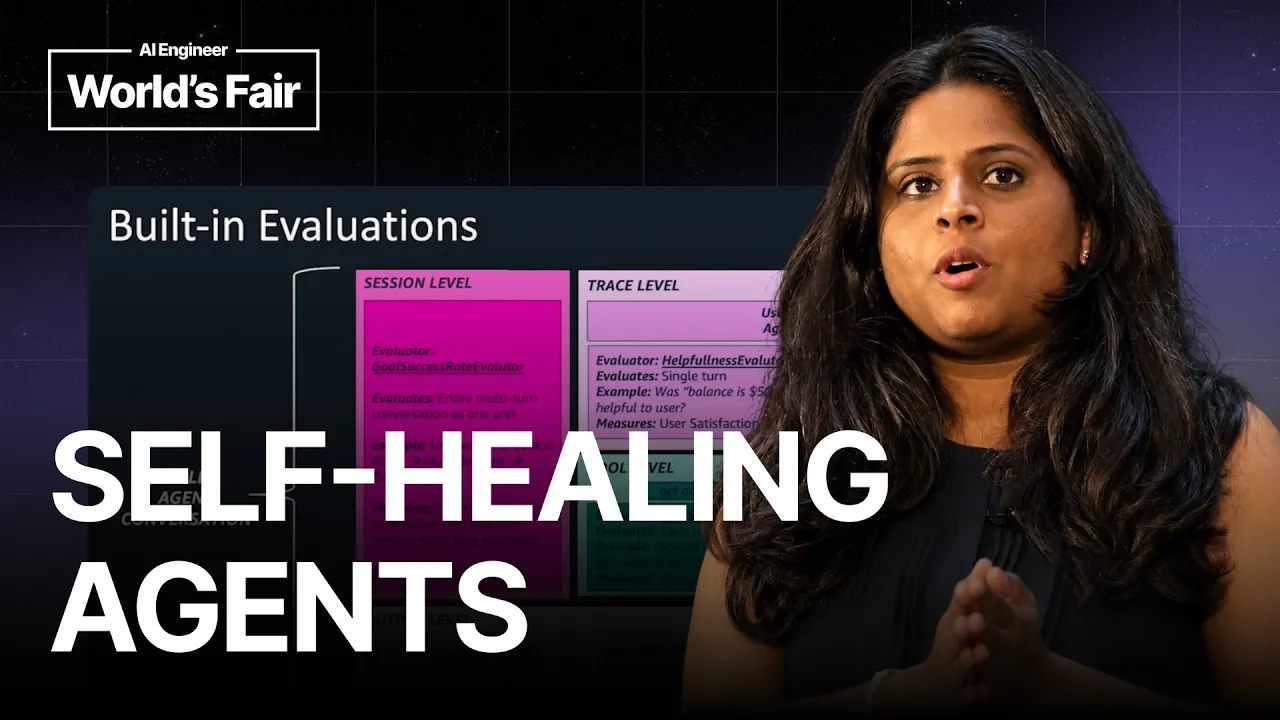
- Claim: Evaluating a self-extending agent requires inspection at multiple layers, not merely checking whether the final answer sounds correct. | Evidence: The framework is said to include eight evals spanning session-level end-goal achievement, trace helpfulness and factuality, correct tool choice, correct tool parameters such as account ID, inter-agent dependency/sequencing, and intra-agent messages. | Implication: Ken should instrument and gate dynamic-capability workflows on execution traces: evaluate outcome, provenance, selected action, parameters, and delegation chain before allowing higher-risk operations. | Caveat: The talk names evaluation dimensions but does not provide scoring methods, threshold policies, benchmark results, or evidence that the claimed eight evals prevent unsafe code changes.
- Claim: Sandboxing and least-privilege controls are prerequisites because a meta-agent that can create tools can also modify or delete assets. | Evidence: The speaker explicitly warns that an agent able to spin up tools and agents can modify and delete data. She recommends sandboxing the code execution environment itself, constraining tool permissions, controlling who can submit requests, limiting permitted request types, and collecting OTEL/telemetry. | Implication: Treat generated code as untrusted: run it with ephemeral filesystem and identity scopes, approved dependency and network policies, explicit resource budgets, auditable tool grants, and no production-write access by default. | Caveat: Sandboxing alone is insufficient if the sandbox retains broad credentials, network egress, writable mounts, or access to sensitive APIs.
- Claim: An agent harness can decouple the agent structure and prompts from a particular frontier model, enabling model substitution and experimentation. | Evidence: The speaker describes the open-source AWS harness as bring-your-own-model, with support for MCP and A2A, and says a newer model can be swapped in without rewriting prompts or overall architecture. She also claims the Python implementation wrote the TypeScript version of the framework. | Implication: Preserve model-provider abstraction in Ken's agent control plane, but independently verify framework naming, maturity, APIs, security model, and whether model changes alter code-generation behavior enough to require reevaluation. | Caveat: The transcript inconsistently calls the framework "TransAgent" early and "Strands" later; it supplies no comparative performance, portability, or generated-code quality data.
Detailed Brief
Implementation flow implied by the demos
- Claims: The parent agent is prompted to inspect available tools before generating a new one, preventing at least basic duplicate capability creation.; Dynamic loading is the key distinction from ordinary code generation: the newly written file becomes executable by the already-running agent rather than waiting for a process restart.; A generated capability can be a simple tool or an agent definition, using the same editor/shell/loading substrate.
- Evidence: The tool prompt includes the required decorator, specification, storage path, and the instruction to create a tool only when one does not already exist.; The presenter says an earlier load_tools_from_directory=true mechanism was later made into a dedicated load tool.; The travel example writes separate files/definitions for flight, activities, and itinerary roles by calling the editor multiple times.
- Caveats: The talk does not cover pre-execution linting, static analysis, dependency allowlists, schema validation, test generation, code signing, versioning, cache invalidation, or tool conflict resolution.; The tool-existence check described is semantic only to the degree the model can identify overlap; it is not a formal capability registry.
- Implications: A robust implementation should use a registry with normalized capability schemas and versions rather than relying only on filesystem inspection and prompt instructions.; Make dynamic registration a policy-enforced deployment step: generated artifact, validation result, capability manifest, scoped identity, and expiry should all be recorded.
Production boundary the talk leaves open
- Claims: The speaker frames runtime adaptation as a way to shorten the loop from unexpected user request or error to a system response.; External-world capabilities remain dependent on separately authorized integrations; autonomous code writing does not create trustworthy access to live data by itself.
- Evidence: The example of a domestic-flight application receiving an India-to-Hong Kong request is used to contrast immediate adaptation with a two-week engineering turnaround.; The Hawaii planner cannot access real-time information unless it is given an external API-backed capability, such as a weather lookup.
- Caveats: For regulated, financial, or customer-impacting workflows, reducing turnaround time can trade off against authorization, data quality, change-management, and incident-accountability requirements.; The speaker's examples do not demonstrate actual booking, authenticated account lookup, payment handling, or real-world API calls.
- Implications: Reserve autonomous tool generation initially for read-only, reversible, low-blast-radius tasks; move to API-connected actions only after policy and evaluation coverage are proven.; Distinguish capability generation from capability authorization: a generated weather or booking client should not inherit credentials automatically.
Notable Concepts & Terms
- Meta tooling: The central pattern: an agent writes and uses new tools at runtime when its existing capability set does not meet a request.
- Editor, shell, and load tools: The three primitives presented for writing artifacts, inspecting the execution context, and dynamically registering generated tools.
- Dynamic tool loading: Loading a newly generated tool from an approved directory into a running agent, avoiding a restart or redeployment.
- Self-healing agent: An agent that recognizes a bounded runtime failure and attempts to alter its tool or agent implementation to recover.
- Swarm, graph, and workflow patterns: The speaker's three multi-agent orchestration forms: parallel sub-agents, sequential/handoff structures, and composites.
- Session-, trace-, tool-, and inter-agent-level evals: The proposed evaluation stack for verifying goal completion, answer quality, action correctness, parameters, sequencing, and agent communications.
- Execution-environment sandboxing: Sandboxing the environment in which generated code runs, not merely isolating the agent process, to limit filesystem and system blast radius.
- Strands / "TransAgent": The AWS open-source agent harness referenced by the speaker; the transcript uses both names, so the exact product/framework naming should be verified before adoption.
Operator Notes / Why Ken Should Care
- Build a small proof of concept with the three-primitives pattern, but constrain it to an ephemeral sandbox, read-only inputs, no ambient production credentials, and a dedicated generated-artifact directory.
- Require a generation pipeline of capability-gap check, structured tool manifest, lint/type/schema validation, isolated test execution, approval/policy decision, scoped registration, and automatic expiry or rollback.
- Define evaluation gates before enabling any generated tool: task success, groundedness, correct tool/parameter selection, side-effect audit, and delegation/trace integrity.
- Set hard runtime limits for generated tools and agents: filesystem scope, dependency allowlist, network egress, API scopes, execution time, token/cost budgets, recursion/delegation depth, and maximum generated artifacts per session.
- Verify the referenced AWS framework's actual name, open-source repository, sandboxing semantics, MCP/A2A support, and operational maturity; do not rely on the talk's broad feature claims alone.
- Avoid treating self-modification as production self-healing until patch testing, human escalation criteria, immutable audit logs, and rollback paths are in place.
Source/Metadata
- Title: Agents That Write Their Own Tools at Runtime — Sandhya Subramani, AWS
- Transcript words: 7514
- Duration seconds: 1240
- Timestamp note: No timestamps or chapters were provided. The transcript contains a substantial duplicated segment and a trailing extraction artifact.
Transcript
Hi, everyone. Welcome, welcome. Agents that forge their own tools. What is so great about this? Can't your cloud code do this? Or can't your cursor or your code editors? Can't they all write their own tools? So what am I even talking about here? Why is this such a big deal? All of your agents can write tools by themselves. But how many agents do you know that can fix code at runtime? Let's say you've got something in production. It's running. Everything looks great. But something is failing. Then what happens? You have to probably bring it down, fix it by yourself, and then restart it, and then work with your cloud code or whichever editor you're using, and then bring it back up. Right? But imagine if your agent was smart enough to figure out, oh, there is a bug here. Something's not working. I'm falling into an error. I need to fix myself. And it realizes what it can do to fix itself, writes its own tools, writes its own agents, and fixes itself. How cool would that be? Right? And that's what I'm here to talk to you about today. Let me quickly show you a demo, because I think I like leading in with demos, so you know what you're getting into. So let's start with that. Right? So here I have a simple agent here called agents.py. This agent—we can go over the code in a bit—but this agent has nothing. It's just got a pretty cool system prompt. And then it's calling the system prompt, and it's got three tools. And if you look at the tools package, there are actually no tools files that are written. So technically, this agent has no capability by itself. Right? It shouldn't be able to do anything. Right? Or it should technically hallucinate because of the LLM that is running under the hood. But let's say I say something. Okay, so first I'm going to start running this. So we know it's running. Okay? So in runtime, right now this is running. Now I'm going to say, hey, you know what? Help me calculate something, some complex math equation. Right? When I say this, this agent, which technically has nothing available, is going to be calling the three tools that it's got. And we'll look into the tools that it's got in just a bit. And it's going to say, oh, you know what? Let me create a math calculator tool because that's what you're asking for. And it's not just going to create. It's going to let me use this tool that I'm creating right now at runtime without having to rerun it. So, okay, so it's clearly gone ahead and created. So let's look at tools again. It's created the math calculator dot tool. And it's saying, okay, I do all these things. I've got min, max, and so on. It's gone and created this entire new tool. So it's saying I can do all these things. Right? So let's say calculate... What's the square of some number. Right? I'm just typing out a random number. So now it's calling that math calculator tool that it just wrote by itself and it's giving me the answer. Not just that, right? So let's say I give it something completely out of the blue and I say, cool, whatever, count number of characters in my word. Okay? So then it's saying, okay, so it's going to check if it can use any of the tools that it's currently got access to. It doesn't. So what it's saying is, okay, let me write a tool to count the number of characters you want because clearly it knows that it does not have the capability to do it. And so it's going ahead and it's creating—ah, there we go. Even before I could finish speaking, it created a character counter for us. So let's say, do it for this word. And it's not even a word. I'm just going to put random things. You know what? I should have actually done something that I could count so I can validate it. But the thing is, it's calling a tool. It's calling the character counter tool and it's telling me that it's got 28 letters. Let's do it something we can test. So I'm just going to do it for these three letters, right? We'll see if it knows. So I'm not even telling it what to do. I'm just typing three letters. It knows that it has to do it and it's doing it. How powerful is this? So what I want to leave you with today is show you how you can build something like this, where you can use it. I think it's pretty powerful and how we can implement it in our day-to-day work. So now let's get down to the code. This is an idea called meta tooling. And I'm using an open source framework called TransAgent. My name is Sandy and I work at AWS and we at AWS build TransAgent as an open source agentic harness that you can use to run your LLMs with. So show of hands, how many developers do we have in the room? A quick show. Oh, most of you. Brilliant. I'm talking to the right audience. If not, I will change things around a little bit. So if you guys like getting to the code, I'm going to get into the code with me. So the main thing we need here for agents, and I have a slide deck that goes with it, is we need just three types of tools: the editor, the shell, and the load tool, along with the system prompt that lets us implement this function. So I'm going to quickly go to my slide deck that helps us understand this better. Like I mentioned, this is TransAgent. This is our agentic AI harness. And you can use your own LLMs, bring your own models. Another cool part, because this is a harness, is the fact that if let's say tomorrow there's a new, state-of-the-art LLM that comes out, you don't have to rewrite all of your system prompt. You don't have to rewrite the structure. You don't have to change your entire architecture. You can keep it as it is. And whichever model you use, you can just replace it. So it also lets you experiment with model performance without really rewriting your entire architecture. So it's super powerful. It supports MCP, A to A, all of that cool stuff. It has a bunch of model providers. You can get started. So what do we do? Very simple, right? Five lines of code. Import agent. From there, import shell. Shell is the very first tool that we need because we need to give it access to the directory. We need to give it access. It needs to know what it's running, where it's running, where your code base is located. So that is just one of the tools that you need. And then if you ask it, what can you do? It understands what's going on under the hood. So to technically start being able to use it on the fly, right? So then let's get into what I actually just built a couple of minutes ago and I showed you. Over here, what am I trying to do? The idea, because this is community driven, AWS manages it and maintains it for you, people write a lot of pre-built in-built tools, but there's also community written tools. And so all you need is three tools to be able to start implementing meta tooling. So what do you need? First of all, you need to have a system prompt that tells your agent what a good tool looks like. How does that work? We have to start with the @tool decorator function. That's how it knows it's a tool. And then you tell it what a tool looks like and where it should be stored, right? And so you call the system prompt there. That's all you say. And then you can give it access to different tools. I highlighted load_tools from directory equals true because that is what enables the agent to start letting it run the tools that it's generated at runtime dynamically. And we later on decided we should just make this into a tool by itself. So now that's become the load tool. So now when you go and say, hey, create five new tools for yourself and start using them, it's going to know what it's going to do. So let's go back to the code that I showed you earlier, right? Same thing. It's got the system prompt. And here I'm saying you are the meta tooling agent that creates your own tools and custom tools at runtime. So I'm defining the tool template. I'm telling it what a tool looks like. I'm giving it the tool specification of what it's supposed to look like. And then I'm giving it rules for what it's supposed to do and where it's supposed to write into. And I'm also telling it always check if it exists or not. Only if it doesn't exist, then write a new tool. And I'm telling it. And we later on decided we should just make this into a tool by itself. So now that's become the load tool. So now when you go and say, hey, create five new tools for yourself and start using them, it's going to know what it's going to do. So let's go back to the code that I showed you earlier, right? Same thing. It's got the system prompt. And here I'm saying you are the meta tooling agent that creates your own tools and custom tools at runtime. So I'm defining the tool template. I'm telling it what a tool looks like. I'm giving it the tool specification of what it's supposed to look like. And then I'm giving it rules for what it's supposed to do and where it's supposed to write into. And I'm also telling it always check if it exists or not. Only if it doesn't exist, then write a new tool. And I'm telling it. So I'm giving it three tools. Editor, which allows it to write. The shell tool, which shows it what it has. And the load tool, which allows it to load from the directory the tool dynamically. And this is all you need. And it takes just one line of code, right? System prompt equals system prompt, three different tools. And this is just code so that I can chat with it continuously. And so when I do this, it's actually able to start running. Create five random tools for yourself. And so it's going to start creating these five new tools. And the power of this is when you're deploying code into production, you might want to wait for the agent to be smart enough to figure out what's wrong and to be able to answer questions for itself. Let's say you're building this app that's supposed to book flight tickets domestically. But let's say you have one user who's saying, no, no, I want a flight ticket from, I don't know, India to Hong Kong. And your agent gives up because it's not been explicitly programmed to do that or it's not been trained to have access to be able to do that. But do you just want it to fail? Do you want it to run into an error? Do you want to give it back to your deployment, to your engineering team, and have a turnaround of two weeks and then come back? No, you want to be able to solve it. So this is one of the ways by which you can handle that, right? So again, let's get back to the code and we have more cool things coming up. Now, I was speaking about tools that can, this agent that can write its own tools. Can it also write its own agents? Yes, it can. And I have another demo for that, but wait until the last few minutes for that, right? So when we talk about agents that write their own agents also, we want to understand agentic patterns. We have three primary patterns. The first one is swarm, where you have sub-agents that work with each other in parallel. So they work on a task in a combined fashion and they take different parts of the task themselves. Then you have a graph where the result of one sub-agent gets fed into the other sub-agent and then there's a handoff. And then you could also have workflows that have a combination of all of these, right? So with the workflow, you could have a parallel set of sub-agents calling each other and then there could be nodes and graphs and all of that. And so they, all of this can be created by just the agent itself. We don't need to. We can do it ourselves, but we don't necessarily need to. So let's quickly go check how that looks. So this is the exact same thing. This is for my meta-agents. I'm doing the exact same thing. I've given it three tools. Over here, I'm actually, if you look at my agents file, it's pretty empty. And I'm saying agent is the tool file template. So I'm saying just break it into two to four sub-agents. I'm keeping it simple. No swarm. Nothing fancy here. Simple demo. And use it. And this is the tool spec for what an agent should look like. And I'm happy to share the code with you after this, right? And these are the rules that it follows. Same thing, right? One line is all it takes. System prompt, equal system prompt, three tools. And then same. So I'm going to start running this now. Python three agent dot py. And so I'm flying to Hawaii, or whichever place. To Hawaii. Let's just say Hawaii. Help me plan my itinerary. OK. So this is all I'm telling it. I'm not even telling it, hey, go make your own agent or go create your own tool. This is all I'm telling it. This is how your customers would chat with it, right? They just tell them what their problem is and they expect you to figure it out, right? So this agent is going to be like, oh, great. Here I'm going to be printing out. I'm going to be creating these into three focus sub-agents. The flight agent. The activities agent. The itinerary agent. And it's calling the editor tool three times. One for each of these. So I see that it's already created the activities. Yeah, it's creating. It's pretty fast. It's creating the activities agent. It's created a flight agent that's doing something. It's created an itinerary agent. Let me call out the one thing this can't currently do right now is access real-time information because I've been given it a tool that has access to real-world API, right? So assuming you add that on, you can ask it what's the weather like. And it'll be, you know what? Let me write a tool that can always grab the latest weather in whichever location and recommend stuff. So based off of that, it created those agents. And if you look at it somewhere here, it should technically be calling those agents. There we go. See, it's calling the activities agent. And then saying these are the main airports. These are the best beaches. These are what it is. And this is what you have to do. And so how amazing is it that you can now have your agent? So now your focus is not just building a good agentic system that can get the job done. You would also maybe want to start thinking about healing, writing self-healing code. About creating an agent that can sort of go over itself, look at what bugs are there, and fix itself. Had this been a longer session, I usually do longer sessions. I usually ask the audience to ask you to do crazy stuff. And I try breaking it. And what happens is this actually ends up breaking. You will see a bunch of errors coming up. And this thing is just talking, chatting away. So I need to probably set the max token somewhere here. And so it actually ends up erroring and breaking. But it recognizes that it's erroring. And it says, oh, man, I'm erroring. Let me fix myself. And it will go and fix this exact same tool or agent that it's got here. So now if I'm, I don't want Hawaii. Why do you make it for Hawaii? Do for something else. It's going to be, sure. Let me do it. Let me update the agent. So it's super, super powerful. But then again, we have to keep in mind that this is just autonomously doing things by itself. With great power also comes great responsibility, even greater responsibility. So what do we need to do with it, right? We need A, evals. What are some inbuilt evals that TransAgent has? We have totally eight different evals. The first one is at an overall session level. We want to figure out if I told it, hey, book my flight tickets. Is it actually booking? Did it achieve the end goal? That is part one of it, right? End goal achievement. Second thing we want to look at it is at a trace level. Was it actually helpful? If I say, what is my balance? And it says my balance is 500 bucks. Is that the expected type of answer? Part one. Part two, did it make up the answer? Is that the actual answer that you're supposed to get? You need to be able to evaluate that. But it doesn't just end there. What about tool access, right? What about did it use the right tool to get to that answer or did it use the wrong tool? And within that specific tool, did it use the right parameter? Is the account ID actually 123 or is it supposed to be, is it messing up? We want insight into what is going on so that we can trust it and reliably give it access. Again, it doesn't just end there. We also want to understand inter-agent dependency. When we're building multi-agentic systems, we want to look at the overall outcome and the overall response. If it's the way you wanted it to be, you want to make sure that it's calling the different tools and the different sub-agents in the right sequence. And you also want to take a deeper dive into what the message is, the intra-agent communication looks like, and if that's up to the mark. But it doesn't just end there. What about tool access? What about did it use the right tool to get to that answer or did it use the wrong tool? And within that specific tool, did it use the right parameter? Is the account ID actually 123 or is it supposed to be, is it messing up? We want insight into what is going on so that we can trust it and reliably give it access. Again, it doesn't just end there. We also want to understand inter-agent dependency. When we're building multi-agentic systems, we want to look at the overall outcome and the overall response. If it's the way you wanted it to be, you want to make sure that it's calling the different tools and the different sub-agents in the right sequence. And you also want to take a deeper dive into what the message is, the intra-agent communication looks like, and if that's up to the mark. All of this together gives us the full end-to-end agent conversation within our session. This gives us the insight. Again, this also isn't good enough. We want to make sure it doesn't cause undue damage. If this meta tooling or this meta agent can spin off tools and agents, it can also modify and delete. Do I want it to delete my data? Do I want it to delete stuff that I have put all of my effort into building? No. So what do I do? I have to have guardrails in place. Four different types of guardrails. The first one is your environment. We need to make sure that we're sandboxing the environment. And when I say sandboxing the environment, it's not your typical sandbox where your agent is in one container and you're protecting it from the rest of the world. We want the environment in which this code is executing to be sandboxed. And Strands recently launched a feature about a few weeks ago where we can sandbox the code execution environment. And that is what guarantees that it doesn't touch the rest of your code execution environments and it doesn't mess up everything else and it doesn't write into wrong places and delete from the wrong places. Next, we have to constrain the tools. We have to constrain permissions. We have to constrain who's got access and who can ask it questions and what types of questions we need to ask. And observability. All of your evals, your OTEL, your telemetry, all of that data needs to be there in order to be able to say that, reliably, I think I can go ahead and build an agentic system that can think for itself, that it can do more than what it's just been set out to do. Because it can fix things when things are broken on the fly, on the run. And it can solve more capabilities than it has been initially taught to. This is the starting of self-improving agents and self-evolving agents. At some point, I'm convinced they will take over the world and I'm going to be at risk. But until then, I think this is incredible. And if anything, if I want to leave you with anything, I would want to leave you with a quick idea of where Strands is, where Strands started, and where we are now. We started with building their own tools. We moved to getting them to create agents by themselves. Now it's at a point where they can update their own source code. Fun fact, we created Strands agents three years ago internally. It was supposed to be this internal thing before agents was even a thing. And it was so powerful that we said, you know what, let's just open source it and give it back to the community. And we wrote the Python version of Strands. And the Python version of Strands wrote by itself the TypeScript version of Strands. So it did update its own source code. It's pretty powerful. I'm pretty psyched. And if this is my call to action, if this sounds interesting to you, reach out to me. Scan these and we can have a conversation later. I'm happy to share my slide deck and my code with you. And we can chat offline. Thank you very much. This is my LinkedIn. We have 30 seconds to go, I think. Thank you. Right? It shouldn't be able to do anything. Right? Or it should technically hallucinate because of the LLM that is running under the hood. But let's say I say something like... Okay, so first I'm going to start running this. So we know it's running. Okay? So in runtime, right now this is running. Now I'm going to say, hey, you know what? Help me calculate something, some complex math equation. Right? When I say this, this agent, which technically has nothing available, is going to be calling the three tools that it's got. And we'll look into the tools that it's got in just a bit. And it's going to say, oh, you know what? Let me create a math calculator tool because that's what you're asking for. And it's not just going to create. It's going to let me use this tool that I'm creating right now at runtime without having to rerun it. So, okay, so it's clearly gone ahead and created. So let's look at tools again. It's created the math calculator dot tool. And it's saying, okay, I do all these things. I've got min, max, blah, blah, blah. It's gone and created this entire new tool. So it's saying I can do all these things. Right? So let's say calculate... Oh, yikes. What's the square of blah, blah, blah. Some number. Right? I'm just typing out a random number. So now it's calling that math calculator tool that it just wrote by itself and it's giving me the answer. Not just that, right? So let's say I give it something completely out of the blue and I say, cool, whatever, count, number of characters in my word. Okay? So then it's like, okay, so it's going to check if it can use any of the tools that it's currently got access to. It doesn't. So what it's saying is, okay, let me write a tool to count the number of characters you want because clearly it knows that it does not have the capability to do it. And so it's going ahead and it's creating... Ah, there we go. Even before I could finish speaking, it created a character counter for us. So let's say, do it for this word. And it's not even a word. I'm just going to put random things. You know what? I should have actually done something that I could count so I can validate it. But the thing is, it's calling a tool. It's calling the character counter tool and it's telling me that it's got 28 letters. Let's do it something we can test. So I'm just going to do it for these three letters, right? We'll see if it knows. So I'm not even telling it what to do. I'm just typing three letters. It knows that it has to do it and it's doing it. How powerful is this? So what I want to leave you with today is show you how you can build something like this, where you can use it. I think it's pretty powerful and how we can implement it in our day-to-day work. Very niche. So now let's get down to the code. This is an idea called meta tooling. And I'm using an open source framework called TransAgent. My name is Sandy and I work at AWS and we at AWS build TransAgent as an open source agentic harness that you can use to run your LLMs with. And so show us hands, how many developers do we have in the room? A quick show. Oh, most of you. Brilliant. I'm talking to the right audience. If not, I will change things around a little bit. So if you guys like getting to the code, I'm going to get into the code with me. So the main thing we need here for agents, and I have a slide deck that goes with it, is we need just three types of tools. The editor, the shell, and the load tool, along with the system prompt that lets us implement this function. So I'm going to quickly go to my slide deck that helps us understand this better. Like I mentioned, this is TransAgent. This is our agentic AI harness. And you can use your own LLMs, bring your own models. Another cool part, because this is a harness, is the fact that if let's say tomorrow there's a new, the state-of-the-art LLM that comes out, you don't have to rewrite all of your system prompt. You don't have to rewrite the structure. You don't have to change your entire architecture. You can keep it as it is. And whichever model you use, you can just replace it. So it also lets you experiment with model performance without really rewriting your entire architecture. So it's super, super powerful. It supports MCP, A to A, all of that cool stuff. It has a bunch of model providers. You can get started. So what do we do? Very simple, right? Five lines of code. Import agent. From there, import shell. Shell is the very first tool that we need because we need to give it access to the directory. We need to give it access. It needs to know what it's running, where it's running, where your code base is located. So that is just one of the tools that you need. And then if you ask it, what can you do? It understands what's going on under the hood. So to technically start being able to use it on the fly, right? So then let's get into what I actually just built a couple of minutes ago and I showed you. Over here, what am I trying to do? The idea, because this is community driven, AWS manages it and maintains it for you, people write a lot of pre-built in-bit tools, but there's also community written tools. And so all you need is three tools to be able to start implementing meta tooling. So what do you need? First of all, you need to have a system prompt that tells your agent what a good tool looks like. How does that work? We have to start with the at tool decorator function. That's how it knows it's a tool. Excuse me. That's how it knows it's a tool. And then you tell it what a tool looks like and where it should be stored, right? And so you call the system prompt there. That's all you say. And then you can give it access to different tools. I highlighted load tools from directory equals true because that is what enables the agent to start letting it run the tools that it's generated at runtime dynamically. And we later on decided we should just make this into a tool by itself. So now that's become the load tool. So now when you go and say, hey, create five new tools for yourself and start using them, it's going to know what it's going to do. So let's go back to the code that I showed you earlier, right? Same thing. It's got the system prompt. And here I'm saying you are the meta tooling agent that creates your own tools and custom tools at runtime. So I'm defining the tool template. I'm telling it what a tool looks like. I'm giving it the tool specification of what it's supposed to look like. And then I'm giving it rules for what it's supposed to do and where it's supposed to write into. And I'm also telling it always check if it exists or not. Only if it doesn't exist, then write a new tool. And I'm telling it. So I'm giving it three tools. Editor, which allows it to write. The shell tool, which shows it what it has. And the load tool, which allows it to load from the directory, the tool from the directly dynamically. And this is all you need. And it takes just one line of code, right? System prompt equals system prompt, three different tools. And this is just code so that I can chat with it continuously. And so when I do this, it's actually able to start running. Create five random tools for yourself. And so it's going to start creating these five new tools. And the power of this is, like I said, when you're deploying code into production, you might want to wait for the agent to be smart enough to figure out what's wrong and to be able to answer questions for itself. Let's say you're building this app that's supposed to book flight tickets domestically. But let's say you have one user who's saying, no, no, I want a flight ticket from, I don't know, India to Hong Kong. And your agent gives up because it's not been explicitly programmed to do that or it's not been trained to have access to be able to do that. But do you just want it to fail? Do you want it to run into an error? Do you want to give it back to your deployment, to your engineering team, and have a turnaround of two weeks and then come back? No, you want to be able to solve it. So this is one of the ways by which you can handle that. Right? So again, let's get back to the code and we have more cool things coming up. Now, I was speaking about tools that can, this agent that can write its own tools. Can it also write its own agents? Yes, it can. And I have another demo for that, but wait until the last few minutes for that. Right? So when we talk about agents that write their own agents also, we want to understand agentic patterns. We have three primary patterns. The first one is swarm, where you have sub-agents that work with each other in parallel. So they work on a task in a combined fashion and they take different parts of the task themselves. Then you have a graph where the result of one sub-agent gets fed into the other sub-agent and then there's a handoff. And then you could also have workflows that have a combination of all of these. Right? So with the workflow, you could have a parallel set of sub-agents calling each other and then there could be nodes and graphs and all of that cool stuff. And so this, and so they, all of this can be created by just the agent itself. We don't need to. We can do it ourselves, but we don't necessarily need to. So let's quickly go check how that looks. So this is the exact same thing. This is for my meta-agents. I'm doing the exact same thing. I've given it three tools. Over here, I'm actually, if you look at my agents file, it's pretty empty. And I'm saying agent is the tool file template. So I'm saying just break it into two to four sub-agents. I'm keeping it simple. No swarm. Nothing fancy here. Simple demo. And use it. And this is the tool spec for what an agent should look like. And I'm happy to share the code with you after this. Right? And these are the rules that it follows. Same thing. Right? One line is all it takes. System prompt, equal system prompt, three tools. And then same. So I'm going to start running this now. Python three agent dot py. And so I'm flying to Hawaii, or whichever place. To Hawaii. Let's just say Hawaii. Help me plan my itinerary. OK. So this is all I'm telling it. I'm not even telling it, hey, go make your own agent or go create your own tool. This is all I'm telling it. This is how your customers would chat with it. Right? They just tell them what their problem is and they expect you to figure it out. Right? So this agent is going to be like, oh, great. Here I'm going to be printing out. I'm going to be creating these into three focus sub-agents. The flight agent. The activities agent. The itinerary agent. And it's calling the editor tool three times. One for each of these. So I see that it's already created the activities. Yeah, it's creating. It's pretty fast. It's creating the activities agent. It's created like a flight agent that's doing something. It's created an itinerary agent. Let me call out the one thing this can't currently do right now is access real-time information. Because I've been given it a tool that has access to real-world API. Right? So assuming you add that on, you can ask it what's the weather like. And it'll be like, you know what? Let me write a tool that can always grab the latest weather in whichever location and recommend stuff. So based off of that, it created those agents. And if you look at it somewhere here, it should technically be calling those agents. There we go. See, it's calling the activities agent. And then saying these are the main airports. These are the best beaches. These are what it is. And this is what you have to do. And so how amazing is it that you can now have your agent? So now your focus is not just building a good agentic system that can get the job done. You would also maybe want to start thinking about healing, writing self-healing code. About creating an agent that can sort of go over itself, look at what bugs are there, and fix itself. Had this been a longer session, I usually do longer sessions. I usually ask the audience to ask you to do crazy stuff. And I try breaking it. And what happens is this actually ends up breaking. You will see a bunch of errors coming up. And this thing is just talking, chatting away. So I need to probably set the max token somewhere here. And so it actually ends up erroring and breaking. But it recognizes that it's erroring. And it says, oh, man, I'm erroring. Let me fix myself. And it will go and fix this exact same tool or agent that it's got here. So now if I'm like, I don't want Hawaii. Why do you make it for Hawaii? Do for something else. It's going to be like, sure. Let me do it. Let me update the agent. So it's super, super powerful. But then again, we have to keep in mind that this is just autonomously doing things by itself. With great power also comes great responsibility, even greater responsibility. So what do we need to do with it? Right? We need A, evals. What are some inbuilt evals that TransAgent has? We have totally eight different evals. The first one is at an overall session level. We want to figure out if I told it, hey, book my flight tickets. Is it actually booking? Did it achieve the end goal? That is part one of it. Right? End goal achievement. Second thing we want to look at it is at a trace level. Was it actually helpful? If I say, what is my balance? And it says my balance is 500 bucks. Is that the expected type of answer? Part one. Part two, did it make up the answer? Is that the actual answer that you're supposed to get? You need to be able to evaluate that. But it doesn't just end there. What about tool access? Right? What about did it use the right tool to get to that answer or did it use the wrong tool? And within that specific tool, did it use the right parameter? Is the account ID actually 123 or is it supposed to be, is it messing up? We want insight into what is going on so that we can trust it and reliably give it access. Again, it doesn't just end there. We also want to understand inter-agent dependency. When we're building multi-agentic systems, we want to look at the overall outcome and the overall response. If it's the way you wanted it to be, you want to make sure that it's calling the different tools and the different sub-agents, it's in the right sequence. And you also want to take a deeper dive into what the message is, the intra-agent communication looks like, and if that's up to the mark. All of this together gives us the full end-to-end agent conversation within our session. This gives us the insight. Again, this also isn't good enough, right? We want to make sure it doesn't cause undue damage. If this meta tooling or this meta agent can spin off tools and agents, it can also modify and delete. Do I want it to delete my data? Do I want it to delete stuff that I have put all of my effort into building? No. So what do I do? I have to have guardrails in place. Four different types of guardrails. The first one is your environment. We need to make sure that we're sandboxing the environment. And when I say sandboxing the environment, it's not your typical sandbox where your agent is in one container and you're protecting it from the rest of the world. We want the environment in which this code is executing to be sandboxed. And Strands recently launched a feature about, I think, a few weeks ago where we can sandbox the code execution environment. And that is what guarantees that it doesn't touch the rest of your code execution environments and it doesn't mess up everything else and it doesn't write into wrong places and delete from the wrong places. Right? Next, we have to constrain the tools. We have to constrain permissions. We have to constrain who's got access and who can ask it questions and what types of questions we need to ask. And observability. All of your evals, your OTAL, your telemetry, all of that data needs to be there in order to be able to say that, hey, reliably, and say, hey, I think I can go ahead and build an agentic system that can think for itself that it can do more than what it's just been set out to do. Because it can fix things when things are broken on the fly, on the run. And it can solve more capabilities than it has been initially taught to. This is the starting of self-improving agents and the self-evolving agents. At some point, I'm convinced they will take over the world and I'm going to be at risk. But until then, I think this is incredible. And if anything, if I want to leave you with anything, I would want to leave you with a quick idea of where strands is, where strands started with, and where we are at now. We started with building their own tools. I mean, we moved to getting them to create agents by themselves. Now it's at a point where they can update their own source code. Fun fact, we created strands agents three years ago internally. It was supposed to be this internal thing before agents was even a thing. And it was so powerful that we said, you know what, let's just open source it and give it back to the community. And we wrote the Python version of strands. And the Python version of strands wrote by itself the TypeScript version of strands. So it did update its own source code. It's pretty powerful. I'm pretty psyched. And if this is my call to action, if this sounds interesting to you, reach out to me. Scan these and we can have a conversation later. I'm happy to share my slide deck and my code with you. And we can chat offline. Thank you very much. This is my LinkedIn. We have 30 seconds to go, I think. if you if you if you if you if you if you if you if you if you if you if you if you if you if you if you if you if you if you if you if you if you if you if you if you if you if you if you if you if you if you if you if you if you if you if you if you if you if you if you if you if you if you if you if you if you if you if you if you if you if you if you if you if you if you if you if you if you if you if you if you if you if you if you if you if you if you if you if you if you if you if you if you if you if you if you if you if you if you if you if you if you if you if you if you if you if you if you if you if you if you if you if you if you if you if you if you if you if you if you if you if you if you if you if you if you if you if you if you if you if you if Thank you.