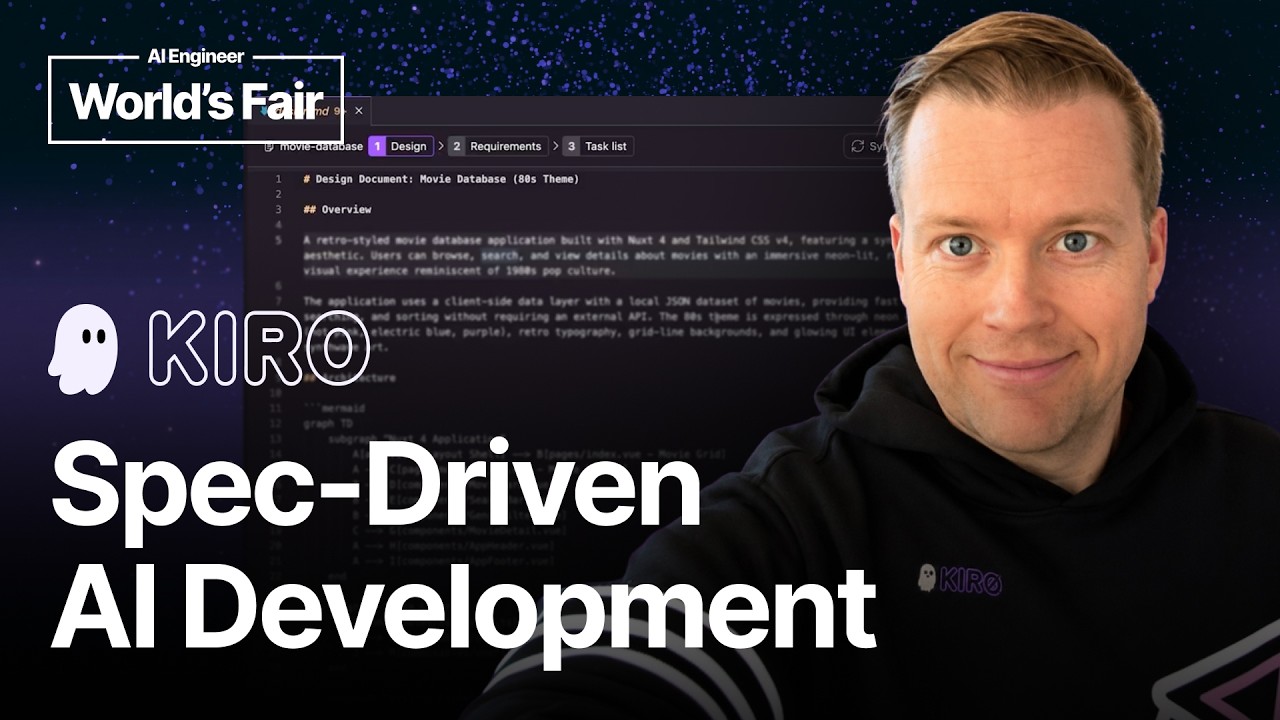
Using Spec-Driven Development for Production Workflows - Erik Hanchett, AWS
Description
AI coding assistants are great at completing small tasks or features. However, what do you do when you are working with more complex code bases, and you need to build in-depth features that need upfront planning? This talk explores spec-driven development as a solution to this problem. I'll show you how modern AI coding assistants (like Kiro) can help break down complex tasks into three distinct phases. We'll look at the real-world tradeoffs of this approach, and most importantly and how you can use it in your own projects right away. Speakers: - Erik Hanchett (Amazon Web Services): Erik Hanchett is a Senior Developer Advocate at AWS who teaches developers how to build with modern web, AI, and the cloud. X/Twitter: https://x.com/erikch LinkedIn: https://www.linkedin.com/in/erikhanchett/ GitHub: https://github.com/erikch
Summary
Generated by claude-sonnet-4-5At-a-Glance
- Verdict: Watch fully
- Core thesis: Spec-driven development (writing requirements and design docs before code) significantly improves AI coding assistant outputs by providing structured context and preventing 'overeager AI intern' behavior, and AWS Kiro productizes this workflow with vibe/spec modes.
- Why it matters: This addresses the core problem of AI assistants going off-rails without sufficient guidance, offering a repeatable structured workflow that scales from greenfield to legacy projects and complex features.
- Best use: Ken should extract the three-phase workflow (requirements → design → implementation tasks) and apply it to agent-driven coding projects, especially where maintaining quality/consistency matters more than raw speed.
Executive Summary
Eric Hanchett from AWS presents spec-driven development as a structured approach where specifications (requirements docs and design docs in markdown) are created before any code is written. The core insight: AI coding assistants behave like 'overeager interns' who need clear guidance to avoid going off-rails. Spec-driven development provides that guidance by forcing upfront planning and context documentation that feeds into the LLM, resulting in higher-quality, more consistent code generation.
AWS productized this workflow in Kiro (IDE and CLI), which offers 'spec mode' and 'vibe mode.' Spec mode automates the three-phase process: 1) user requirements generation (using EARS format with user stories), 2) high-level design document creation (with mermaid diagrams, sequence diagrams), and 3) implementation task lists with property-based tests. The workflow includes interactive Q&A to clarify requirements upfront, optional quick-plan mode for faster generation, and integration with Model Context Protocol (MCP) to pull requirements from JIRA/Asana/etc.
Hanchett emphasizes this isn't just for greenfield projects—mature codebases with dozens of spec files benefit equally. He warns against context extremes (too much or too little in steering docs/agents.md), recommends using 'skills' (on-demand instruction files triggered by keywords), and stresses the human-in-the-loop principle: you must review all generated specs and code. The demo shows a movie database project where Kiro generated design docs with architecture diagrams, requirements in EARS format, and task lists including an MVP subset (tasks 1-4) plus property-based tests using FastCheck that run hundreds of iterations to validate requirements compliance.
The approach is tool-agnostic—you can manually implement this workflow with any LLM by prompting for requirements → design → tasks sequentially, or use GitHub's open-source SpecKit. MCP integration allows pulling PM-written requirements directly from project management tools. Hanchett's MVP tip: after task list generation, explicitly ask the AI to identify and prioritize the top 4 tasks that deliver a working MVP before implementing the full feature set.
Key Takeaways
- Claim: Spec-driven development treats AI assistants like 'overeager interns' who need structured guidance to avoid going off-rails | Evidence: Hanchett shares his personal experience as an intern dropping everything when a VP suggested random ideas, then learning to write things down and consult his manager first—exactly the discipline AI assistants lack without specs | Caveat: Frontier models are improving with built-in planning/thinking modes, but Hanchett argues explicit human-created specs still outperform autonomous planning because requirements constantly change and new paradigms emerge | Implication: For production workflows, invest time in upfront spec creation rather than relying on 'vibe coding' (unstructured prompting), especially for complex features or projects requiring consistency | Timestamp: 01:30
- Claim: The optimal context zone for AI coding is a 'Goldilocks' balance—too much in agents.md/steering docs causes problems just like too little | Evidence: Hanchett warns specifically about overloading the initial agents.md or claw.md files with rules, recommending 'just enough rules and guidelines' rather than exhaustive documentation | Caveat: No specific threshold given for what constitutes 'too much' vs 'too little'—this appears to require experimentation and iteration per project | Implication: Ken should treat steering docs as minimal viable guardrails, not comprehensive documentation, and test/refine them based on output quality rather than trying to anticipate every edge case upfront | Timestamp: 05:20
- Claim: Property-based tests generated from requirements provide significantly stronger validation than traditional unit tests | Evidence: Kiro generates property-based tests using FastCheck that run 'dozens if not hundreds of times with different values' to validate requirements—example given: genre filtering must produce 'exactly a sorted set of unique genres' across any movie dataset | Caveat: Property-based testing requires requirements to be specified with sufficient precision to generate meaningful properties; vague requirements yield weak tests | Implication: When implementing spec-driven workflows, prioritize creating testable, precise requirements statements that can be translated into property-based tests for robust validation | Timestamp: 22:45
- Claim: Request an MVP subset from the full task list to get a working system before implementing all features | Evidence: Hanchett's workflow: after task list generation, he explicitly asks 'please take the top four tasks, put them at the top, and create an MVP for me first'—his movie demo shows tasks 1-4 delivering 'browsable movie grid with search, genre filtering, sorting, and full 80s synthwave theme' | Caveat: The AI must understand project structure well enough to identify which tasks form a coherent minimal product vs arbitrary first tasks; this requires good requirements/design docs | Implication: Don't linearly implement all generated tasks—always force the assistant to identify and prioritize the minimum viable subset that demonstrates core functionality before expanding | Timestamp: 16:40
- Claim: MCP (Model Context Protocol) enables pulling PM-written requirements from JIRA/Asana directly into spec workflows, but it's still maturing | Evidence: Hanchett shows MCP connecting model providers to data sources, specifically mentioning JIRA/Asana tickets being pulled into spec generation; addresses 'is MCP dead?' question by saying 'there's a long road ahead especially with security stuff' | Caveat: Internet opinions shift frequently; some claim MCP functionality can be replaced with command-line tools; security concerns remain unresolved | Implication: Ken should experiment with MCP for requirements sourcing but maintain fallback manual processes; the protocol's value is in structured requirements import, not just general tool integration | Timestamp: 18:30
- Claim: Spec-driven development works equally well for legacy codebases as greenfield projects, with mature apps accumulating 'dozens and dozens of spec files' | Evidence: Hanchett explicitly counters the assumption this is greenfield-only, stating he's 'seen existing apps that are years old have dozens and dozens of these different spec files in them' and that 'it works very well' for legacy projects | Caveat: No specific guidance given on adapting the workflow for legacy code (e.g., how to handle existing architecture constraints, technical debt documentation) | Implication: Don't limit spec-driven development to new projects; apply it to major features, refactorings, or bug fixes in existing codebases to maintain the same quality/consistency benefits | Timestamp: 13:10
Detailed Brief
Core Spec-Driven Development Workflow (Tool-Agnostic)
- Claims: The workflow has three mandatory phases: user requirements → design document → implementation tasks; Requirements use EARS format (specific structured format shown in demo); Design documents include mermaid diagrams, ASCII art, sequence diagrams; Implementation phase generates task lists plus property-based tests; You can start with either requirements or design document first; The workflow can be implemented manually with any LLM or coding assistant
- Evidence: Manual workflow steps: 1) prompt for user requirements (or feed existing ones), 2) review and prompt for design doc, 3) review and prompt for implementation tasks; GitHub's open-source SpecKit provides this workflow across multiple assistants; Kiro's spec mode automates the three phases with optional interactive Q&A before generation; Quick-plan mode in Kiro generates all documents rapidly based on Q&A responses; Demo showed design doc with architecture mermaid diagrams, sequence diagrams, and property test code using FastCheck library
- Caveats: Requires upfront time investment before any code is written; Quality depends on initial prompt quality and human review/refinement; Some developers may find the structure too heavyweight for simple features (Hanchett suggests 'vibe coding' those instead); Property-based tests only work if requirements are specified with precision
- Implications: Teams should establish when to use spec mode vs vibe mode based on feature complexity and risk; The three-phase structure provides natural review checkpoints before code generation; Property-based testing approach could be extracted and applied separately from full spec workflow; MCP integration means requirements can come from external project management systems rather than being LLM-generated
Kiro Product Specifics and AWS Positioning
- Claims: Kiro launched in GA late last year as AWS's AI IDE coding assistant with CLI version; AWS saw customers using 'bespoke patterns' of having agents create requirements/design docs before productizing it; Kiro offers 'vibe mode' and 'spec mode' as distinct workflows; Preview launch 'went viral' with tens of thousands of downloads, requiring gating; CLI usage is now matching or exceeding IDE usage; Kiro includes 'skills' (on-demand instruction files triggered by keywords or slash commands); Spec mode added support for bug fixes in addition to feature development
- Evidence: Website at kiro.dev with IDE/CLI downloads available; Discord community at discord.gg/kiro.dev; Demo showed IDE version with spec mode creating movie database project; Steering docs in Kiro are similar to agents.md files in other tools; Skills can be integrated with or run parallel to spec-driven workflows
- Caveats: Hanchett explicitly states 'I don't want this to be a half hour pitch for Kiro'—the workflow is tool-agnostic; No pricing, model selection, or performance benchmarks mentioned; No comparison to competitors like Cursor, Windsurf, GitHub Copilot beyond mentioning SpecKit; Gating during preview suggests potential capacity/scaling concerns
- Implications: AWS is betting that structured workflows (spec mode) differentiate better than raw LLM power (vibe mode); The viral launch suggests significant developer appetite for more structured AI coding approaches; CLI-first trend indicates developers want to stay in terminal workflows rather than switching to IDEs; Skills feature suggests extensibility/customization is important for production use
Human-in-the-Loop and Quality Control Principles
- Claims: You are ultimately responsible for all generated code, not the agent; Human review is mandatory after each phase (requirements, design, implementation); Use normal code review processes and tools in addition to human review; Stop after design doc generation to 'update it with your knowledge and expertise and taste'; Review markdown files for 'inconsistency, hallucinations, and errors'; Multiple people can review CRs/PRs using AI assistance tools
- Evidence: Hanchett's warning: 'if something goes wrong, you are the person that is going to be blamed for it, not the agent'; Explicit recommendation to pause and edit design docs before proceeding to implementation; Clarification that 'human in the loop' doesn't mean solo review—teams can use AI review tools plus multiple human reviewers; Demo workflow showed manual review and back-and-forth editing at each phase
- Caveats: No specific guidance on what to look for during reviews beyond 'inconsistency, hallucinations, and errors'; Balance between 'steering' the AI and letting it generate freely isn't clearly defined; Unclear how much editing typically happens vs full regeneration when issues are found
- Implications: Spec-driven development increases review surface area (specs + code) vs traditional coding (just code), requiring time allocation; Organizations need to establish review standards specific to AI-generated specs and code; The multi-phase approach creates natural gates for approval workflows in larger teams; Teams should combine AI-assisted review tools with human oversight rather than choosing one or the other
Model Context Protocol (MCP) Integration
- Claims: MCP connects model providers to different data sources via a standard protocol; Primary use case: pulling requirements from JIRA, Asana, or other PM tools; You can add rules in steering/agents.md files to automatically pull from MCP servers during spec generation; MCP is 'still maturing' with 'a long road ahead especially with security'; Some claim MCP functionality can be replicated with command-line tools
- Evidence: Diagram shown with Kiro + OpenAI/Anthropic connected to data sources via MCP protocol in the middle; Example: configure agents.md to say 'when using spec-driven development flow, grab information from this MCP server'; Alternative: manually specify MCP lookup in first prompt ('look at this MCP server when you create requirements'); Hanchett addresses 'Isn't MCP six months old and dead now?' directly, defending its ongoing relevance
- Caveats: Security concerns remain unresolved; Internet opinion on MCP shifts frequently, with some dismissing it as redundant; No specific examples shown of MCP in action during demo; Unclear if MCP support is Kiro-specific or works with the manual workflow approach
- Implications: MCP's real value is in structured requirements import from existing PM tools, not general tool connectivity; Teams with robust JIRA/Asana requirements should experiment with MCP integration to avoid duplication; Don't over-invest in MCP architecture given ongoing maturation and security questions; The ability to pull PM-written requirements addresses common concern about AI hallucinating requirements
Notable Concepts & Terms
- Spec-driven development: Structured approach where specifications (requirements + design docs) are created in markdown before any code is written, specifically to guide AI coding assistants
- Vibe coding: Unstructured/freeform prompting of AI coding assistants without upfront planning—the opposite of spec-driven development, appropriate for simple features
- EARS format: Specific structured format for requirements documents used in Kiro's spec mode (includes introduction, requirements, user stories); shown in demo but not explained in detail
- Property-based tests: Tests that validate requirements by running dozens/hundreds of iterations with different values to ensure properties hold across input space (example: FastCheck library in TypeScript/Node)
- Steering docs / agents.md / claw.md: Initial configuration files containing rules and guidelines for AI assistants; must be carefully balanced to avoid too much or too little context
- Skills: On-demand instruction files triggered by keywords or slash commands that provide specific capabilities to AI assistants; can be used alongside spec-driven workflows
- Model Context Protocol (MCP): Standard protocol for connecting model providers (OpenAI, Anthropic) to data sources (JIRA, Asana); enables pulling PM-written requirements into spec workflows
- Quick-plan mode: Recently added Kiro feature that rapidly generates all spec documents (requirements, design, tasks) based on Q&A responses without iterative review
- Kiro: AWS's AI IDE coding assistant (launched GA late last year) with both IDE and CLI versions, featuring distinct 'vibe mode' and 'spec mode' workflows
- SpecKit: GitHub's open-source implementation of spec-driven development workflow, installable across multiple coding assistants
Operator Notes / Why Ken Should Care
- The three-phase workflow (requirements → design → implementation) maps cleanly to agent architectures: planning agents generate specs, execution agents implement tasks, validation agents run property tests
- Property-based testing insight is highly valuable for agent validation—instead of brittle unit tests, generate properties from requirements that can be tested across input space
- The 'AI as overeager intern' mental model is useful for prompt engineering: treat assistants as needing explicit guardrails rather than autonomous judgment
- MVP extraction technique (asking AI to identify minimum viable task subset after full task list generation) is a reusable pattern for any multi-step agent workflow
- Context management warning ('Goldilocks zone' for steering docs) aligns with known RAG/context window optimization challenges—more isn't always better
- MCP integration suggests that agent workflows should prioritize pulling structured requirements from existing systems (JIRA, Notion, etc.) rather than hallucinating from scratch
- The shift from IDE to CLI usage indicates that developers want to integrate AI assistance into existing terminal/command-line workflows rather than adopting new IDEs
- Spec-driven development's applicability to legacy codebases suggests it's a general refactoring/feature development pattern, not just greenfield architecture
- Skills/on-demand instruction files are essentially agent capabilities that can be composed; this modular approach could scale better than monolithic system prompts
- The human-in-the-loop checkpoints after each phase (requirements review, design review, task review) create natural approval gates for agentic systems in production
Watch Map
- 00:00: Introduction and definition of spec-driven development
- 01:30: Why spec-driven development: AI assistants as 'overeager interns' analogy
- 03:45: Eric Hanchett introduction and background
- 05:20: Context management: Goldilocks zone for steering docs, skills, trust warnings
- 07:10: History of Kiro development and AWS customer patterns
- 09:30: Manual spec-driven workflow (tool-agnostic) and GitHub SpecKit mention
- 11:45: Kiro spec mode overview in IDE
- 13:10: Spec-driven development for legacy codebases, not just greenfield
- 14:20: Requirements document phase: EARS format, Q&A, quick-plan mode
- 15:40: Design document phase: mermaid diagrams, review checkpoint
- 16:40: Implementation phase: task lists, property-based tests, MVP extraction tip
- 18:30: Model Context Protocol (MCP) explanation and JIRA/Asana integration
- 20:45: Live demo: movie database project overview
- 21:30: Demo: design document with architecture and sequence diagrams
- 22:45: Demo: property-based tests using FastCheck
- 23:50: Demo: requirements document in EARS format
- 24:40: Demo: task list with MVP subset (tasks 1-4)
- 26:20: Demo: property-based test details and execution
- 27:15: Closing: kiro.dev, Discord, LinkedIn/BlueSky contact info
Source/Metadata
- Title: Using Spec-Driven Development for Production Workflows - Erik Hanchett, AWS
- Transcript words: 5547
- Duration seconds: 1067
- Timestamp note: Timestamps estimated from transcript flow as video duration was 1067 seconds (17:47)
Transcript
Hey everyone, my name is Eric Hanchett and today I want to tell you about spec-driven development and how you might use it in your workflows today. So there's a couple of things we want to talk about. First, what is spec-driven development and then how can it make you a better and faster coder? So we don't just want you to code faster but we want you to actually create higher quality code from it and I think spec-driven development helps you with this and I'm going to explain why and how. It's a structured approach where specifications are created before any code is written. That's the definition of the specs or the requirements of spec-driven development and it goes to the heart of what it is. So what we're doing is we are writing these markdown files, we're writing the specifications and the design document before any of the code is written and this actually works really well with large language models and our coding assistants that we use and I'm going to show you exactly how that works. Now a question I sometimes get is why? Like why should we use this spec-driven development workflow and then how can we do it? So to answer that why question, I think about our coding assistants, our large language models that we're using every day as AI interns. You need to really prompt them, you really need to push them the right way. No pun intended with the prompting. So you really need to guide them because if you give them just a little bit of leeway they will go off the rails and spec-driven development really helps guide them in the right direction. I remember when I was an intern and one of my first jobs we had a VP that would walk around and he would just come up with random ideas off the top of his head and when he told me it I would drop everything and work on it and then later my boss would be like, hey Eric, why did you drop everything? Well the VP said something and then I learned about well you got to take his information that he gives you, write it down, put it in your schedule, talk to me, talk to my manager about it. So I was a little too eager and this is what AI interns are basically these large language models do nowadays and we got to be careful about it. I didn't really give you much of an introduction so I'll give it to you now. My name is Eric Hanchett. I'm a senior developer advocate at AWS. I have over 15 plus years of software development experience and if you want to connect with me you can check out LinkedIn. That's probably the best place to go. Just look for Eric Hanchett and yeah talk to me, follow me. I'd love to talk to you more about it. Another question that people often ask me about spec-driven development is can't the latest frontier models just do everything for us already? Why do we need this? And while I do say that the models are getting better and better every year and every release, sometimes incrementally, sometimes by leaps and bounds, it's still not perfect and giving the large language model more context is actually really important because it does help guide it in the right direction and with our software always changing and with the requirements always changing and with new paradigms and shifts, you always need to guide it where it needs to go. Some large language models, some harnesses are starting to think more about this and adding in a little bit more of a thinking or planning mode before it jumps into writing code. But there's nothing better than actually having those documents created and having you be in the middle before it jumps into that next part with creating code. So let's keep a few things in mind before we get too far. There is quite a lot of information out there. I have some opinions. These are my opinions. Let me know. Connect with me on LinkedIn if you agree or disagree. But I think you need to keep these in mind before using spec-driven development or vibe coding or anything in between. You have to be careful with context. Now I told you before that spec-driven development gives you a lot of context that gets fed into that large language model. But sometimes you have too much of a good thing. What you need to do is when you are working with these large language models, usually you create like an agents.md or claw.md at the beginning with some information in it. I would be very careful not to put too much information or too little information in that. It's like that Goldilocks zone of information is what you need. So you just need to give it enough rules and guidelines that it knows what to do. We call it steering docs in Kiro, which I'll mention about in a minute. But you just got to be very careful what you put in those documents. I also highly recommend when you're using spec-driven development to use skills. Skills are like instruction files that you can give to your coding agents that are run on demand. So usually they have keywords in them. And when the coding assistant sees those keywords, they'll activate the skill or you can do slash in the skill name and then run it. But this actually really helps when you're doing the spec-driven development process. You can actually add skills when it creates your design documents or whatever else. You can use those in parallel or with the spec-driven development or when you actually implement the tasks. And just be careful about giving too much trust. Remember everything in the spec-driven development flow is you, meaning that you are the human in the loop, so to speak. You need to be the code reviewer of all the code that's generated through this process. You need to be interactively looking at the design documents and the requirements documents that are created because at the end of the day, if something goes wrong, you are the person that is going to be blamed for it, not the agent. And that's not to say that we don't use tools to help do code reviews. Someone once told me, like, are you saying you're the human in the loop? You do the code review and no one else? Of course, we might have multiple people doing code reviews. And definitely use your normal AI coding assistance and review tools to help you review any pull requests that you create or CRs. So let me give you a little bit of a history lesson of where we have been, especially at AWS. We saw this need, especially from our teams and our customers that they were vibe coding, they were using this coding assistance, but they weren't getting the outputs that they wanted. And what we saw is that these customers were using this bespoke pattern of having the agents, the coding assistance, create these full-down requirements documents and these design documents. And we decided to create an application to do this all for them. So we released Kiro late last year in general availability. It's our new AI IDE coding assistant. We also have a command line interface or CLI version, which is just as popular. I think right now it's switching. Most people are starting to use CLIs more often than IDEs. So if you like to do that, you can use the CLI. But what we really focused on with Kiro is you can see in these screenshots is this vibe and spec mode. So we're going to jump into spec mode in a little bit, but we really thought this really encompassed what we were The coding assistance, create these full-down requirements documents and these design documents. And we decided to create an application to do this all for them. So we released Kiro late last year in general availability. It's our new AI IDE coding assistant. We also have a command line interface or CLI version, which is just as popular. I think right now it's switching. Most people are starting to use CLIs more often than IDEs. So if you like to do that, you can use the CLI. But what we really focused on with Kiro is you can see in these screenshots is this vibe and spec mode. So we're going to jump into spec mode in a little bit, but we really thought this encompassed what we were hearing from our customers. People wanted more ways to work with larger features and more complex projects. And they really needed the coding system to know exactly what their project was doing. We also released the website at Kiro.dev. Feel free to, after this presentation, go check it out. You can download our CLI, our IDE, and give it a try because we're really proud of it. It's fun. When we released this, it actually went viral. We got tens of thousands of downloads. A lot of people were asking us about Kiro. So we were really happy to release this. And we actually, when we set it up in preview, we had so many downloads, we had to put a gate in front of it. And then people found around the gate, but now it is publicly available for everyone to try and give it a shot. But I don't want this to be a half hour pitch for Kiro. You can do this process of spec-driven development without Kiro. And there's a few ways. One is that you have to just do this manually with anything. You could tell your assistant, your large language model to include the following. First is the user requirements. You would tell them, please, based on XYZ, create a whole set of user requirements. Now you can feed it your own user requirements beforehand and say, okay, use this as a basis. Or you can have the editor, the AI IDE, go ahead and create it for you. Then you look back and forth and make sure it's okay. Then you tell the assistant to create the design document. Then you look back at that. And then you have it create the implementation details. These are the tasks list, the tasks one by one to actually implement it based on the requirements and the design document you created. So you could do this in a manual way, if you like. I'll give a shout out to SpecKit. This is GitHub's open source way of doing this process. You can install it in a variety of different coding assistants. Now in Kiro, you have this, this is the IDE version. We have plan mode inside the CLI, if you prefer the CLI. But in the IDE, you would choose spec. And then you would go ahead and give it a prompt. So in this case, I could say, build a movie MCP server to keep track of movies I've watched. Or build a movie website. Whatever you want. Now, you're probably thinking, is this spec only good for greenfield brand new projects? And I would say, absolutely not. I've seen existing apps that are years old have dozens and dozens of these different spec files in them. On this example, it's more of a greenfield, but you can definitely use it for existing legacy projects as well. It works very well. And I would just say that these are really good for when you're doing in-depth features, when your project needs a little more upfront planning. And you just want to build things in a structured way. It definitely works really well with complex projects. We actually added a spec mode for bug fixes, too. So you can use it for smaller things. Though you may want to just vibe code those things instead. Here's what our requirements document looks like. So in the first part, it creates this requirements phase where it's in this ears format. And it gives you the introduction, the requirements, the user stories. We also have a process where it asks you questions beforehand. So we added in some extra question and answer. So as you put your prompt in, it'll ask you some clarifying questions before it creates this requirements phase. You can also do this quick plan mode we just added, which will go ahead and just generate all these documents quickly for you based on the questions and answers you give. So there's a lot of different ways you can do this. Then you'll create a design document, which is a higher level design document. You can also start with the design document first. Some people take this design and requirements to combine them. But typically with our spec driven development flow, you can either start one or the other. And then you might have mermaid diagrams here, ASCII art with all the information. Now, this is at the point I would highly recommend if you're trying this at home to stop and go in and update it with your knowledge and expertise and taste to exactly what you're looking for. Because it's only as good as what you put in. But you'll find out that even with a smaller prompt and with the clarifying questions, it does a pretty good job. And of course, you always want to review it for the markdown files for inconsistency, hallucinations, and errors. And then finally, you get to the implementation phase. This will be a list of tasks. It also has something called property-based tests in them, which are tests that are against the requirements document and design document. You can additionally have those created and ran. I would highly recommend it. So that way, it makes sure that the tasks actually are implemented correctly. I usually also, a quick tip here, once it creates this task list, I tell it, please take the top four tasks, put them at the top, and create an MVP for me first. So that way, I can actually see it working. And then I'll implement them. I'll implement the MVP version first. Now, I love model context protocol. I'm not going to go into exactly all the details of it, but it's a way, essentially, for your model providers to connect to different data sources. So in this case, I'm using Kiro, and maybe I'm using OpenAI or Anthropic, and we want to connect to different data sources. So we have this MCP protocol in the middle, and it connects everything together for us, which is awesome. Now, I get this question. Isn't MCP six months old, and it's dead now? Now, a lot of people on the internet have opinions that change every other day, and some people were saying that you can do a lot of stuff with MCP just with command line tools. I really think MCP is still maturing. There's a lot of a long road ahead for it, especially with some of the security stuff it's doing. So in this case, I'm using Kiro, and maybe I'm using OpenAI or Anthropic, and we want to connect to different data sources. So we have this MCP protocol in the middle, and it connects everything together for us, which is awesome. Now, I get this question. Isn't MCP six months old, and it's dead now? Now, a lot of people on the internet have opinions that change every other day, and some people were saying that you can do a lot of stuff with MCP just with command line tools. I really think MCP is still maturing. There's a long road ahead for it, especially with some of the security stuff it's doing. I would keep an eye out for MCP. But one of the main reasons I like it, especially for the spec-driven development flow, is you can have something like in JIRA or Asana, all your tickets, all your large requirements stocks, and then you can have it being pulled into your spec-driven development flow when it creates your specs, which makes it much easier to work with. So if you have a product manager that has actually written a requirements document, you can pull that in. And it just makes it a little bit easier. I'm talking about any kind of project management service, and grab technical details for it. You can also put additional rules in your steering or your agents.md files that tells it, so if you're using spec-driven development flow, make sure you grab the information out of this MCP server. And that way it knows where to look. Or you can just specify it in the first step, like, hey, look at this MCP server when you create the requirements. So let me show you a quick demo. This is the latest version of Kiro, the IDE version. And let me give you a quick show of it. Now, just for the sake of time, I don't have time to actually go in and create a brand new project from scratch, but I use this one. It's a movie database. So this is more of a green-field, brand-new project, but I think you'll still get the idea. I was in the spec mode here. I said, please create me a movie website. So what it did is it started with this design document. And in this case, I actually told it to start with design instead of requirements. And then this shows the actual preview of the markdown file. So you can see it created a bunch of different mermaid diagrams that show the architecture of it. It gives you sequence diagrams. And I went back and forth with this and updated and edited it, and it created this all for me. If I scroll down to the bottom of this document it created, you can see here it created a bunch of property tests. And these are really special tests. It uses FastCheck in this TypeScript in the node world to do these tests, which actually run dozens, if not hundreds, of times with different values to make sure that these requirements are satisfied correctly, which is really nice. And then it created this requirements document. And once again, this EARS format. So it's really very simple with these user stories, requirements. Let me see if I can open it up again. Here's it in preview. So here's the requirements document. Requirements one, movie data loading. When the application initialized, the filter engine shall load. So it gives you step by step exactly what it's doing here. And then when I went back and forth with this, I got to the task list and I asked it, hey, in the task list, can we create an MVP? So it went ahead and updated the task list and even says right here, tasks one through four deliver a working MVP, browsable movie grid with search, genre filtering, sorting, and the full 80s synth wave theme. So it actually redid all the requirements to get this MVP up and running out of the door, which I really enjoyed. I went ahead and just implemented all of them after that, but you could see how it works. You can also see it created this property-based tests, which are nice, which I can go back in and take a look at the execution. You can also, let me see if I scroll to the bottom here. Here it is. So if I just hover, it shows a little bit of information about the property-based test. Like with property tests for genre filtering, for any movie data set, the extracted genres list must contain exactly a sorted set of unique genres. So it tells me exactly what it did at this point. So if you want to learn more, you can go to Kiro.dev or you can join our Discord at discord.gg/Kiro.dev. I highly recommend everyone watching. Check it out and make sure you connect with me on LinkedIn at Eric Hand Chat. Love to just connect with as many people as I can. And also on Blue Sky at Eric CH or X. Thanks. assistance and review tools to help you review any pull requests that you create or CRs. So let me give you a little bit of a history lesson of where we have been, especially at AWS. We saw this need, especially from our teams and our customers that they were vibe coding, they were using this coding assistance, but they weren't getting the outputs that they wanted. And what we saw is this, these customers were using this bespoke pattern of having the agents, the coding assistance, create these full-down requirements documents and these design documents. And we decided to create a application to kind of do this all for them. So we released Kiro late last year in a general availability. It's our new AI IDE coding assistant. We also have a command line interface or CLI version, which is just as popular. I think right now it's switching. Most people are starting to use CLIs more often than IDEs. So if you like to do that, you can use the CLI. But what we really focused in on with Kiro is you can see in these screenshots is this vibe and spec mode. So we're going to jump into spec mode in a little bit, but we really thought this really encompassed what we were hearing from our customers, but people wanted more ways to work with larger features and more complex projects. And they really needed the coding system to know exactly what their project was doing. We also released the website at Kiro.dev. Feel free to, after this presentation, to go check it out. You can download our CLI, our IDE, and give it a whirl because, you know, we're really proud of it. It's fun. When we released this, it actually went a little bit viral. We got tens of thousands of downloads. A lot of people were asking us, asking us about Kiro. So we were really happy to release this. And we actually, when we set it up in preview, we had so many downloads, we had to put a gate in front of it. And then people found around the gate, but now it is publicly available for everyone to try and give it a shot. But I don't want this to be a half hour pitch for Kiro. You can do this process of spec-driven development without Kiro. And there's a few ways. One is that you, basically, you have to just, you could do this manually with anything. You could tell the, your assistant, your large language model to include the following. First is the user requirements. You would tell them, please, based on XYZ, create a whole set of user requirements. Now you can feed it your own user requirements beforehand and say, okay, use this as a basis. Or you can have the editor, the AI ID, go ahead and create it for you. Then you look back and forth and make sure it's okay. Then you tell the assistant to create the design document. Then you look back at that. And then you have it create the implementation details. These are the tasks list, the tasks one by one to actually implement it based on the requirements and the design document you created. So you could do this kind of a manual way, if you like. I'll give a shout out to SpecKit. This is GitHub's open source way of doing this process. You can install it in a variety of different coding assistants. Now in Kiro, you have this, this is the IDE version. We have plan mode inside the CLI, if you prefer the CLI. But in the IDE, you would choose spec. And then you would go ahead and give it a prompt. So in this case, I could say like, build a movie MCP server to keep track of movies I've watched. Or build a movie website. Whatever you want. Now, you're probably thinking, is this spec only good for greenfield brand new projects? And I would say, absolutely not. I've seen existing apps that are years old have dozens and dozens of these different spec files in them. On this example, it's kind of more of a greenfield, but you can definitely use it for existing legacy projects as well. It works very well. And I would just say that these are really good for when you're doing in-depth features, when your project needs a little more upfront planning. And you just want to build things in a structured way. It definitely works really well with complex projects. We actually added a spec mode for bug fixes, too. So you can use it for smaller things. Though you may want to just kind of vibe code those things instead. Here's what our requirements document looks like. So in the first part, it creates this requirements phase where it's in this ears format. And it gives you the introduction, like the requirements, the user stories. We also have a process where it asks you questions beforehand. So we added in some extra question and answer. So as you put your prompt in, it'll ask you some clarifying questions before it creates this requirements phase. You can also do this quick plan mode we just added, which will go ahead and just generate all these documents quickly for you based on the questions and answers you give. So there's a lot of different ways you can do this. Then you'll create a design document, which is a higher level design document. You can also start with the design document first. Some people kind of take this design and requirements to combine them. But typically with our spec driven development flow, you can either start one or the other. And then you might have mermaid diagrams here, ASCII art with all the information. Now, this is at the point I would highly recommend if you're trying this at home to stop and go in and update it with your knowledge and expertise and taste to exactly what you're looking for. Because it's only as good as what you put in. But you'll find out that even with a smaller prompt and with the clarifying questions, it does a pretty good job. And of course, you always want to review it for the markdown files for inconsistency, hallucinations, and errors. And then finally, you get to the implementation phase. This will be a list of tasks. It also has something called property-based tests in them, which are tests that are against the requirements document and design document. You can additionally have those created and ran. I would highly recommend it. So that way, it makes sure that the tasks actually are implemented correctly. I usually also, a quick tip here, once it creates this task list, I tell it, please take the top four tasks, put them at the top, and create an MVP for me first. So that way, I can actually see it working. And then I'll implement them. I'll implement the MVP version first. Now, I love model context protocol. I'm not going to go into exactly all the details of it, but it's a way, essentially, for your model providers to connect to different data sources. So in this case, I'm using Kiro, and maybe I'm using OpenAI or Anthropic, and we want to connect to different data sources. So we have this MCP protocol in the middle, and it connects everything together for us, which is awesome. Now, I get this question. Isn't MCP six months old, and it's dead now? Now, a lot of people on the internet have opinions that change every other day, and some people were saying that, well, you can do a lot of stuff with MCP just with command line tools. I really think MCP is still maturing. There's a lot of a long road ahead for it, especially with some of the security stuff it's doing. I would keep an eye out for MCP. But one of the main reasons I like it, especially for the spec-driven development flow, is you can have something like in JIRA or Asana, all your tickets, all your large requirements stocks, and then you can have it being pulled into your spec-driven development flow when it creates your specs, which makes it much easier to work with. So if you have a product manager that has actually written a requirements document, you can pull that in. And it just makes it a little bit easier. I'm talking about any kind of project management service, and grab technical details for it. You can also put additional rules in your steering or your agents.md files that tells it, so if you're using spec-driven development flow, make sure you grab the information out of this MCP server. And that way it knows where to look. Or you can just specify it in the first step, like, hey, look at this MCP server when you create the requirements. So let me show you a quick demo. This is the latest version of Kiro, the IDE version. And let me give you a quick show of it. Now, just for the sake of time, I don't have time to actually go in and create a brand new project from scratch, but I use this one. It's a movie database. So this is more of a green-filled, brand-new project, but I think you'll still get the idea. I was in the spec mode here. I said, please create me a movie website. So what it did is it started with this design document. And in this case, I actually told it to start with design instead of requirements. And then this shows the actual preview of the markdown file. So you can see it created a bunch of different mermaid diagrams that show the architecture of it. It gives you sequence diagrams. And so I went back and forth with this and updated and edited it, and it created this all for me. If I scroll down to the bottom of this document it created, you can see here it created a bunch of property tests. And these are really special tests. It uses FastCheck in this TypeScript in the node world to do these tests, which actually run dozens, if not hundreds, of times with different values to make sure that these requirements are satisfied correctly, which is really nice. And then it created this requirements document. And once again, this EARS format. So it's really very simple with these user stories, requirements. Let me see if I can open it up again. Here's it in preview. So here's the requirements document. Requirements one, movie data loading. When the application initialized, the filter engine shall load. So it kind of gives you step by step exactly what it's doing here. And then when I went back and forth with this, I got to the task list and I asked it, hey, in the task list, can we create like an MVP? So it went ahead and updated the task list and even says right here, tasks one through four deliver a working MVP, browsable movie grid with search, genre filtering, sorting, and the full 80s synth way theme. So it actually redid all the requirements and to get this basically MVP up and running out of the door, which I really enjoyed. I went ahead and just implemented all of them after that, but you could see how it works. You can also see it created this property based tests, which are nice, which I can go back in and take a look at the execution. You can also, let me see if I scroll to the bottom here. Here it is. So if I just kind of hover, it shows like a little bit of information about the property based test. Like with property tests for genre filtering, for any movie data set, the extracted genres list must contain exactly a sorted set of unique genres. So it tells me exactly what it did at this point. So if you want to learn more, you can go to Kiro.dev or you can join our Discord at discord.gg slash Kiro.dev. I highly recommend everyone watching. Check it out and make sure you connect with me on LinkedIn at Eric Hand Chat. Love to just connect with as many people as I can. And also on Blue Sky at Eric CH or X. Thanks.