Stop Guessing Your vLLM Config: Benchmarking LLMs on Runpod - Chris Vela, Runpod
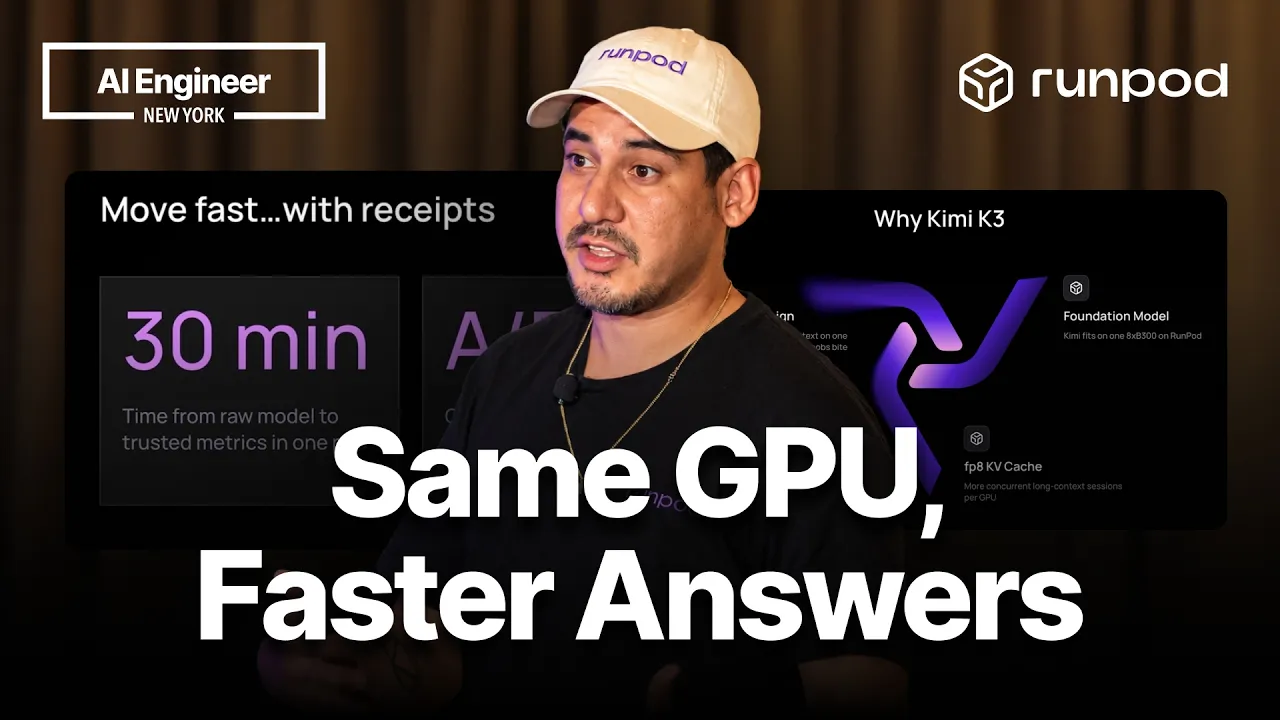
Description
Most teams spin up a new open model with the default vLLM recipe and hope for the best. Runpod forward-deployed engineer Chris Vela shows how to choose configs from data instead, starting with the use case and concurrency, and demos BenchPod, a benchmarking dashboard built on vLLM that tests configs live without restarts. He runs Kimi K3 on a B300, shows how tuning max batch tokens cuts inter-token latency, and asks whether you need a frontier model at all. Chapters: 0:00 Intro 0:29 What Runpod does 1:32 Everyone's guessing at vLLM configs 2:53 Version and CUDA gotchas 3:48 BenchPod: benchmarking on top of vLLM 6:07 Running Kimi K3 on a B300 7:40 Demo 10:01 Tuning max batch tokens 13:34 From R&D to production 14:21 Do you need the frontier model? Chris Vela https://www.runpod.io Join us in SF for the second annual AIE CODE summit: https://aie.codes our last flagship summit of 2026. Applications live now!
Summary
Generated by gpt-5.6-terraAt-a-Glance
- Verdict: Skim
- Core thesis: Production vLLM deployments should be selected and tuned through workload-specific benchmarks—rather than default recipes—because version compatibility, context/KV-cache allocation, batching, concurrency, and GPU choice materially determine latency, reliability, and cost.
- Why it matters: For self-hosted agent infrastructure, this is a practical reminder that a model endpoint is not production-ready merely because it launches: serving configuration and hardware must be validated against the actual agent workload and expected concurrency.
- Best use: Use this as a concise deployment checklist and a signal to build or adopt a repeatable benchmark-and-promotion gate for self-hosted models; skim the Runpod/BenchPod demo and product framing.
Executive Summary
Chris Vela argues that teams commonly deploy newly released models with a stock vLLM recipe, then discover too late that the model version, CUDA stack, context setting, batching configuration, GPU capacity, or cold-start behavior does not fit production. His proposed remedy is to define the intended workload first—such as coding agents, summaries, long-running tasks, or a specific user count—then benchmark competing configurations against the metrics that matter for that workload.
The concrete demo centers on an unreleased Runpod template called BenchPod: a Dockerized vLLM/OpenAI-compatible serving layer with a dashboard, experiment controls, API-accessible metrics, stored run history, error scanning, and a watchdog/self-healing mechanism. The intended workflow is to change serving YAML, run concurrency tests, compare results, and promote the empirically best configuration from a pod to multi-node or serverless deployment.
His main benchmark observation is that increasing maximum batched tokens on Kimi K3 did not materially alter time to first token, but did substantially reduce inter-token latency, making long jobs complete faster than under the base recipe. This illustrates the broader point: optimizations should be selected by whether the workload values TTFT, token generation speed, throughput, or concurrency—not by generic advice.
The talk also tempers frontier-model enthusiasm. Kimi K3's million-token context is constrained to roughly half that on a B300 in his setup, and a B300 node is cited at about $40,000 per month. Vela says DeepSeek on four H200s can be sufficient for many workloads, reserving Kimi for especially long, detailed tasks. The source is useful operationally but repetitive and light on reproducible benchmark values, exact configurations, or independent comparisons.
Key Takeaways
- Claim: Treat model serving as an empirical workload-fit problem, not a default-config deployment exercise. | Evidence: Vela says teams often use the base vLLM recipe without establishing whether they need a coding agent, summaries, long-context work, or support for a particular number of users; he specifically calls out context-window selection, KV-cache utilization, and concurrency as pre-production decisions. | Implication: Define representative production traces and acceptance targets before choosing model size, GPU type, context limit, or serving flags. | Caveat: The talk does not provide a universal configuration or threshold; the correct choice depends on request shapes, context lengths, concurrency, and the business latency objective.
- Claim: Software-stack compatibility is a first-class production risk for rapidly released models. | Evidence: He warns that an older vLLM version may not run a new model such as Kimi K3, and gives a specific environment example: Kimi did not work with CUDA 12.8 in his setup but did work with CUDA 13.0. | Implication: Pin and test the model, vLLM build, CUDA/driver, container image, and tokenizer/tooling as one release artifact in CI/CD rather than upgrading a single component ad hoc. | Caveat: This CUDA observation is presented as a deployment-specific experience, not a general compatibility matrix.
- Claim: Batch-token tuning can improve long-request completion speed even when first-token latency barely moves. | Evidence: In tests spanning concurrency levels of 1, 8, 64, and 192 users, Vela reports that raising the maximum number of batch tokens produced little change in time to first token but reduced inter-token latency substantially, allowing long jobs to finish faster than with the base vLLM recipe. | Implication: Benchmark TTFT separately from inter-token latency, throughput, and completion time; optimizing solely for responsiveness at the first token can leave agentic long-horizon jobs unnecessarily slow. | Caveat: No actual latency numbers, token limits, model settings, prompt distributions, or hardware-control details are supplied, so the reported result is directional rather than directly transferable.
- Claim: Production benchmarking must include cold starts, failure recovery, and scaling behavior—not only steady-state tokens per second. | Evidence: Vela describes Kimi K3 weight download/loading delays of up to roughly 30 minutes in iteration, reports a nine-minute cold start on a live Kimi K3 instance, and says a GPU failure over a weekend was self-healed across four nodes without affecting internal users. | Implication: Include startup time, image/weight caching, health checks, restart behavior, and multi-replica failover in the promotion criteria for any agent-facing endpoint. | Caveat: The reliability account is an internal anecdote; no availability metrics, recovery-time distribution, or fault-injection evidence is given.
- Claim: An API-accessible observability and experiment layer is valuable even when agents consume the model directly. | Evidence: BenchPod is described as exposing live GPU and serving metrics, error scans, persisted data, a playground, and FastAPI calls, so an agent or external system can query operational data without relying on the dashboard. | Implication: Keep a human-visible control plane for oversight while making deployment and benchmark telemetry programmatically consumable by routing, orchestration, and automated evaluation systems.
- Claim: Frontier long-context models should be justified by task value, because their infrastructure cost and context capacity can make smaller alternatives more rational. | Evidence: Vela says Kimi K3's nominal one-million-token context could only be used at about half that level on a B300, estimates a B300 node at roughly $40,000 per month, and contrasts it with his use of DeepSeek on four H200s for work that does not require Kimi's especially long, detailed-task capability. | Implication: Route ordinary tasks to cheaper models and reserve expensive long-context capacity for cases where quality or context requirements demonstrably justify it. | Caveat: The cost figure is platform- and time-dependent, and the comparison does not include quality evaluations, utilization rates, or total-cost calculations.
Detailed Brief
BenchPod proposed operating model
- Claims: BenchPod is positioned as a centralized benchmark and serving template rather than a replacement for vLLM itself.; The deployment loop is intended to be fast: select a GPU pod, specify models and serving YAML, apply an experiment, compare saved runs, and advance the winner to clustered or serverless serving.; The system is intended to support multiple self-hosted models, with Vela mentioning Kimi, GLM, DeepSeek, and Qwen 3.8; Runpod's longer-term direction includes smarter routing across them.
- Evidence: The template was not yet publicly available at recording time; Vela says it was expected by the end of the month.; It is described as a Docker image containing a vLLM OpenAI-compatible API, selectable versions/models, a FastAPI layer, stored benchmark data, live metrics, and a watchdog.; Vela reports approximately 50 internal users on the Kimi instance and says most of the internal group was using it instead of cloud-hosted alternatives.
- Caveats: BenchPod is a vendor-described, unreleased product at the time of the talk, so its features, maturity, support boundaries, and benchmark methodology should be verified before it is treated as production infrastructure.; The source repeatedly calls the serving framework 'VLM,' apparently referring to vLLM; implementation teams should validate exact package, version, and image names.
- Implications: A useful control-plane pattern is configuration-as-code plus benchmark history plus health telemetry, rather than manually changing endpoint settings with no recorded comparison.; Multi-model self-hosting creates a natural foundation for policy-based model routing, but routing quality and governance require workload and cost telemetry first.
Self-hosting governance gap
- Claims: Vela identifies tooling, context knowledge sources or wikis, and AI governance as the next concerns after basic serving performance.; His operational stance is that agents should not eliminate human awareness of infrastructure state; operators need an eagle's-eye view even if the data can be consumed automatically.
- Evidence: He explicitly says Runpod is looking next toward governance for self-hosted LLM use.; The dashboard emphasis includes GPU status, CUDA version, errors, live metrics, historical storage, and experiment comparison.
- Caveats: The talk does not define governance controls such as access policies, audit logging, data isolation, model authorization, tool permissioning, or evaluation guardrails.
- Implications: Do not equate self-hosting with complete control: establish an explicit governance layer around model access, data context, tools, and operational auditability.
Notable Concepts & Terms
- vLLM: The LLM serving framework underlying the proposed deployment and benchmarking workflow; the transcript calls it 'VLM,' but the video title identifies vLLM.
- BenchPod: Runpod's described but unreleased template for deploying vLLM, changing configurations, running benchmarks, observing metrics, and adding self-healing behavior.
- TTFT (time to first token): A responsiveness metric that Vela distinguishes from token-generation speed; it matters when users or agents need an early response signal.
- ITL / inter-token latency: The delay between generated tokens; Vela's key experiment suggests it can improve with higher maximum batch tokens and matters for long completions.
- KV cache: Inference memory used to retain prior-token attention state; its allocation and utilization affect feasible context length, concurrency, and GPU selection.
- max number of batch tokens: A vLLM serving control that limits batched token processing; in Vela's test it affected inter-token latency more than time to first token.
- Kimi K3: The long-context model used as the demo workload; Vela positions it for detailed, long-running tasks rather than as a default model for every team.
- B300 / H200: GPU hardware references used to illustrate capacity-cost tradeoffs: a B300 was cited for Kimi K3 and a four-H200 setup for DeepSeek.
Operator Notes / Why Ken Should Care
- Create a benchmark gate for every self-hosted model upgrade: pin the full container/runtime matrix, run representative traces at expected concurrency, and require pass criteria for TTFT, inter-token latency, completion time, error rate, cold start, and recovery.
- Separate routing tiers by workload: evaluate a lower-cost default model for routine tasks and reserve premium long-context capacity for tasks whose measured quality gain covers the incremental infrastructure cost.
- Instrument model-serving health as control-plane data accessible to orchestration: expose configuration version, GPU/resource state, queue/concurrency, latency distributions, restart events, and benchmark history.
- Before adopting BenchPod, verify release status, exact vLLM/CUDA compatibility, licensing/support, benchmark methodology, data persistence/security controls, and whether its watchdog behavior meets required incident and failover standards.
- Add governance requirements to the self-hosting design now: model access authorization, prompt/context data handling, tool permissions, audit logs, evaluation records, and rollback procedures.
Source/Metadata
- Title: Stop Guessing Your vLLM Config: Benchmarking LLMs on Runpod - Chris Vela, Runpod
- Transcript words: 4533
- Duration seconds: 989
- Timestamp note: No timestamps or chapters were present in the supplied transcript; the transcript also contains a substantial repeated segment.
Transcript
My name is Chris Vela. I work at RunPod. I'm a forward deploy engineer. Today I'm going to be talking about benchmarking VLMs, especially the struggle that people have when a new model comes out. I'll be sharing some learnings we've had internally at RunPod and from customers. Today I'm going to be showing you a dashboard that is built on top of VLM using our pods. To give you context, RunPod is in NeoCloud. We make it easy for you to rent GPUs starting from R&D to more serverless production workflows. A lot of times what I see with customers, especially with VLM, is someone wants the latest model but doesn't know how to spin it up or get to production. They don't know which knobs to touch and just use whatever the base config is. I'm guessing a lot of you have seen VLM recipes before. They're a good start, but in this world we're always moving fast. How do you get to more production-level code? And at the same time, not just guessing. How do you actually have data? How do you show your manager or staff engineer that this is actually better and working correctly? I've seen a lot of people guessing. Often I see people using the wrong VLM version, not using the nightly version, or having the wrong context window size. I always take a step back and ask: what are you trying to achieve with your LLM model? Is it going to be a coding agent? Are you just doing summaries or basic tasks? That's usually the first question before getting Kimi K3 with a million long context. That's not always necessary. How many users are going to use this? A lot of times everyone's trying to get the smallest GPU for the cheapest price. But if you're going to have more concurrent users, you need to think about how you're utilizing the KV cache. There are all these optimization knobs you need to figure out before going to production. We move fast at RunPod. We make it very easy—it's like a VM, dockerized, you can bring your own image. But at the end of the day, if you've used VLM before, you know that if you use version 0.27, it's not going to work. We're moving so fast the code doesn't keep up. You need to have the right version. That often becomes a CI-CD process. If people don't understand what's happening, they start struggling and seeing errors, wondering why it's not working. The layers within it haven't been written or it's very in-development code. That's a problem. When Kimi K3 comes out, I would not put that on production just yet. You're going to see a lot of hallucinations. It's just not ready. So what I propose: I created something called BenchPod. It's going to be a template that hasn't come out yet. It's built on top of VLM with a whole metric system where you can benchmark very easily. A lot of people familiar with VLM can already benchmark, but this centralizes everything so you can see everything and change the config very quickly. That's a very important thing I've noticed with our pods—you set up a config, then have to restart the image, wait for cold starts. It's all this loading and you're not moving fast. You're waiting 30 minutes for Kimi K3 to download the weights and load into GPU. It's wasted time. If you have an agent you don't care, but it's a pain point when we're trying to move fast. The cool thing about RunPod is you can find these machines. If you have the question "I want to run Kimi K3 on a B300," we have B300s. You can start testing and seeing if these metrics are true. BenchPod is built like a Docker image of VLM open API with every version already. We have a payload that creates a whole FastAPI application you can use for agents. You can specify which models you want. We have a whole watchdog that self-heals. If you're going to production levels, you don't have to worry about it. This past Sunday, Kimi went down on our instance and self-healed. We have four nodes running it, so none of our internal users saw any problem. It was production-ready without having to think about it much. It makes it much simpler to have production workflows. I'm going to be showing Kimi K3 because we've been using that a lot. I'm guessing a lot of people here are familiar with Kimi K3. One million contexts. One thing that's interesting on B300—you can't get to the one million, you have to use half of it. But one thing I've noticed, especially for our team using it for coding agents, is that it's very much enough for long tasks. It utilizes KV cache very well. In terms of time to first token, it's very quick. In the demo, I'll show you my coding agent running this Kimi model on RunPod. This is our dashboard with a lot of metrics. It can look like a lot, but essentially we're thinking about GPU metrics, CUDA version (which is very important—if you're running Kimi it doesn't work on 12.8 CUDA but works on 13.0), benchmarking, looking at all data, and a playground to test before putting it into your coding agent or just hitting the open API response. You can start testing real quick if this is working. There's a lot of CI-CD process with cold starts happening. I'm going to show you the demo. Really, I'm going to show you RunPod itself. We don't have this template up yet. It will be up probably at the end of the month. We just have a Docker image we can put in there. Right now there aren't B300s available, but I have one running. That's the fun thing about working in this industry—supply can be dependent. We make it really easy. You can put storage volume, deploy it. We have a part two so you can deploy when you're available. If we see this screen, it will deploy whenever it gets started. That's literally the process—you click that button and BenchPod starts up. I can show you here. I have it on the wrong one, but I'll show you here. This is our actual Kimi running currently. A cool thing is you start with a whole error scan so you have actual data to know what's happening. We have live metrics as things are running. All of this is backed up in storage data. It's all FastAPI calls so your agent could easily call all this data. You can actually serve everything. You don't even have to use the UI. I'm a big proponent of still having awareness of what's happening as we go to agents. Having this gives me a good eagle's eye view of what's happening with my Kimi K3 instance. You can see here, this past weekend we had a failure with a GPU and were able to fix it. Being able to do a cold start time of nine minutes on Kimi K3 is pretty good. The cool thing here is we have the serve function. You can start out experiments and essentially apply them—it will restart real quick. It's literally just the config YAML file from VLM. For this demo, I tested changing the max number of batch tokens sent through. I wanted to show you what speed ups would happen. I ran these before because we're not going to spend 20 minutes just looking at benchmarks. These benchmarks are running concurrency, starting with one concurrent user, then eight, 64, 192. We can compare multiple runs against each other. Even just increasing the batch tokens doesn't really change time to first token that much. But an interesting thing I noticed is that increasing batch tokens actually decreases inner token latency quite a bit. If you're running a long job, it's actually much faster finishing than the base config you find on VLM recipe. The cool thing is you can add this to an agent and start going crazy with it. You can get those answers much quicker and have the data. If you have it on a pod, you can start moving to a multinode cluster or serverless. If you're scaling up and down, this is a perfect way of getting real data. To give you context on our serverless, a lot of people do the same thing—just put whatever the base config is and then struggle waiting for workers to start up. This gets you the real data. You're now ready for production. It makes it really simple and bases everything in facts. I can show you here—this is actually Kimi writing. I was asking what is a bench pod. Sorry for the spelling. But this is a little Kimi instance running through it. It's pretty quick. I'd say there are probably 50 users right now on our internal one. Most of us are getting off cloud and just using this. We have other instances with GLM, Deep Seek, Qwen 3.8. I think in the future we're looking more at smart routers. How do we host all this without being reliant on someone else? Let me go back to our thing real quick. Some important data we were just talking about—if anyone wants to screenshot that. I said you can specify the experiment yourself too. If you're going to have 500 people using this all the time, you can see how well this is going to be. At the end of the day, how do we go from R&D to production? I think BenchPod will make it much easier for people to use. What I want you guys to know is: pick a pod, get a GPU machine. You have your model. Compare configs. Don't just start with the VLM recipe. The VLM recipe is proven, but it's not production ready. Test it. Have your agent test it. Based on what you need—if it's ITL, if you need TTF TPOT metrics—optimize on that and ship that winner. Go to serverless. Scale out. Now you have a working LLM model that can be used internally and for customers. It makes it very simple. One thing I would say, especially with Kimi, is that it's not always necessary for a team. A big thing most people don't think about is that you can use a smaller model. A B300 node on our platform is going to cost you 40K a month essentially. It might go up or down a little, but it's a very powerful machine. When you're thinking about serving stuff internally or for yourselves, what makes the most sense. Just because it's the frontier model doesn't mean it makes sense. I run Deep Seek on four H200s and it does a really good job. Kimi is more for long tasks when I'm trying to solve something very detailed. The other thing is making sure your tooling is there. That's a big thing. Context, I'm not going to go through too much about context wikis and all that, but having that ability and AI governance is the next step we're going with BenchPod. Just something to always be thinking about, especially if you're self-hosting your LLM models. Is there any questions? We'll also be at the booth downstairs. Add me on LinkedIn if you want to talk more. I'm always exploring every new model every week, so I always have gotchas I've been learning. Also scan the QR code so you can get credits and test out RunPod. The template will be out at the end of the month so you can play around with it. to have more concurrent users, you need to start thinking about like, how am I going to be utilizing the KV cache? So all this is, there's all these little like optimization knobs that you need to like figure out before you go to production. And a lot of times we're trying to move fast. So yeah, like, like I said, like run pod, like we like have very much like, you know, we make it very easy. It's like a VM. It's dockerized. You can bring your own image. But at the end of the day, like, like who here has used like VLM before? Okay, so, you know, like when you're looking for like, like, especially like KVK3, like if you use like a version of like, you know, 0.27, it's not going to be working. Like, like, we're moving so fast, the code is not getting as fast. Like, you need to have the right version. And a lot of times that turns into kind of like a CI-CD process that, especially if people who don't understand what's happening, just start struggling, they start seeing errors and they're like, why is it not working? You know, the layers within it are not, they haven't been written or they're, it's very in development code. And at the same time, that's actually kind of a problem is like, Kimmy K3 comes out, you know, the next day, I would not put that on production just yet. You're going to be seeing a lot of probably hallucinations. It's just not ready in that state, I would say. So what I propose, so I created this thing called, it's called BenchPod. It's going to be a template, it hasn't come out yet. So it's essentially built on top of like, VLM. It's a whole metric system, you can benchmark very easy. And a lot of you who are familiar with like, VLM, you can benchmark already. But this kind of centralizes everything. So you can be able to see everything, be able to change the config very quickly. That's like a very important thing that I noticed is that, especially with people who use like our pods, is you set up a config, but then you have to restart the image, you have to wait for cold starts to happen. It's all this loading and you're not moving as fast. You're waiting like 30 minutes, like for Kimmy K3 to like download the weights, load into GPU. It's kind of wasted time. I mean, if you have an agent, you know, you really don't care. But that is a pain point, especially when we're trying to move fast. And at the same time, it's like, the cool thing about RunBod is, you can find these machines. So if you have that question, it's like, I want to run Kimmy K3 on a B300, we have B300s. And you can start going from like not just like reading about it, you can actually start testing it and seeing if you know, there's truth to all these metrics. So yeah, so like, like I said, like BenchPod is more like, it's built like a Docker image of VLM open API, we're going to be having every version already. We just have a little like, like payload that like pretty much creates this whole fast API application, you can use it for your agents. The cool thing is, you can serve, you can pretty much specify which models you want to have. We have a whole watchdog too. So like self heals too. So if you are actually starting to go to more production levels, you can actually, you don't have to worry about it. And like, I will show you, like, this past Sunday, Kimmy went down on our instance, and it self healed. And you know, we have we have right now like four nodes running it. So none of like our internal users saw any problem, it was production ready, didn't have to like think about it too much. And at the end of the day, yeah, like it's, it makes it much more simple, simple process to have a production workflow workflows. So I'm guessing a lot of people, I'm going to be showing Kimmy K3, because we've been using that a lot. I'm guessing a lot of people here are very familiar with Kimmy K3. So you know, one, one million contacts. One thing that's interesting on 1B300, can't get to the 1 million, you got to use half of it. But one thing I've noticed, especially for our team, like we're using it a lot for coding agents, that is very much enough to do long tasks. It's utilizing KVCache very well, too. So in terms of speed of like time to first second, it is very, very, very quick. And like in the demo, I'll show you two with like my coding agent running this Kimmy model on RunPod. So this is like our dashboard, has a lot of metrics, and it can look looks like a lot. But essentially, you know, we're always thinking about like the GPU, like, you know, have a lot of like GPU metrics, you know, and what CUDA version you're on, which is very, very important. You know, if you're running Kimmy, it doesn't work on a 12.8 CUDA, but it works on 13.0. And really, it's what we have is like, the bench, we can we can look at benchmarking, look at all our data, we can like playground with it. So like, before you even put it into your like coding agent, or just hitting the open AI response, you can start testing real quick, if this is working. And just a lot of like more CI, CD process of like, you know, calling on my cold stars happening. So I'm going to show you guys the demo. So So really, like, I'm going to show you real quick, like RunPod itself. So we don't have this template up yet. Like I said, it will be up probably at the end of the month. But really, all we have is just like a Docker image, we can be able to put that in right there. If it loads correctly. But yeah, so right now, there's not B300s, but I have one running right now. That's the fun thing about working in this industry. You know, supply can be dependent. But yeah, in the sense of that, like, you know, we make it really easy, you can put storage volume, you deploy it, you know, we have a part two, so you can deploy when you're available. So, you know, if we're seeing the screen like this, it will deploy whenever it gets started. So that's like literally the process, you click that button, BenchPod like starts up. And I can show you like, right here. I have it on the wrong one, but I'll show you guys here. So like, this is like, this is our actual like Kimi running currently. So a cool thing is like, you know, you start like, it has a whole error scan. So you have actual data to know like what is happening. Cool thing is we have live metrics too, as like things are running. All of this is also like backed up and like storage data. So like, it's all backed up no matter what. It's all fast API calls. So your agent could easily just call all this data. You can actually just serve everything. Like, you don't even have to use the UI. I think I'm a big proponent of like, as we go to agents, it's like, I still want to have like some awareness of what's happening. And having this gives me a good like, like eagle's eye view of like, what is happening with my Kimi K3 instance. But yeah, like you can see here, like, I was going to show you like, this past weekend, we had a failure with a GPU, we were able to fix it. But being able to just do a cold start time like nine minutes on it, like K3 is pretty, pretty good. And the cool thing here is that we have the serve. So you can start out experiments, and essentially like, apply them, it will restart real quick. You can, it's literally just like the config YAML file from like VLM. And so like, for this like little demo, what I tested was, we were just changing the max number of batch tokens that were sent through. And I kind of wanted to show you guys like, you know, what, what kind of like speed ups would happen with this. I'll go right here. So I ran these before, because we're not going to spend like 20 minutes just looking at benchmarks. So these benchmarks are running like concurrency. So they're, they're running, you know, starting with like just one concurrent user, and then eight, 64, 192. And the cool thing is like, we can be at, we can actually compare multiple runs against each other. You can kind of see like, even just increasing the match, the number of batch tokens, doesn't really change that much the like time to first second. But interesting thing that I did notice of increasing that is like the inner token latency actually decreases quite a bit when you increase that batch tokens, which means it's like the request itself, if it's especially running like a long, like job essentially, it's actually much faster finishing the job than the base like config that like you find on VLM recipe. The cool thing is, is like, you can add this to an agent and just start going crazy with it. And you can start getting those answers much, much quicker, have the data and move from this, if you have it like on a pod, you can start moving to, you know, a multinode cluster, you can move to serverless too. So if you're going to be like scaling up and down, that that this is a perfect way of like actually getting data. And just to give you like a context on our serverless, like serverless, a lot of people will do the same thing. They, they just put whatever the base config is, and then are struggling as like, they're waiting for workers to start up. This actually gets you the real data, you're now ready to go to production, makes it really, really simple. And just gives, it's like I always say, it's basing everything in facts. And I can like show you guys right here, like this is actually like Kimmy writing. So I was just like, what is a bench pod? I spelled it, sorry. But this is a little Kimmy instance running through it. Yeah. And you know, it is pretty, pretty quick. Like, like I would say like, there's like a probably like 50 users right now on our internal one. And we, most of us are getting off cloud and just using this. And we have other instances with like GLM, uh, deep seek, uh, Quinn 3.8. Um, but yeah, like I think in the future, we're looking to more at like smart routers. Like how, how do we host all this without being reliant on someone else? Um, yeah. So let me go back to our, uh, thing real quick. So, some like important data that we were just talking about it, if anyone wants to screenshot that, but, uh, like I said, like you can, you can specify the experiment yourself too. So if you were like, I'm going to have like 500 people using this all the time. Like, I want to like see how well this is going to be. Um, but at the end of the day, like I said, is how do we go from R and D to production? And I think this is where like bench pod will make it a lot more easier for people to use. Um, so like at the end of the day, like what I want you guys to like know is like, um, you know, pick a pod, get like a GPU machine. You have your model, compare configs. Don't just start with like the VLM recipe. The VLM recipe is proven, but it's not production ready. Um, and then test, have your agent test it. And then whatever, you know, based on what you need, if it's ITL, if you need TTF TPOT like metric, like optimize on that and then ship that winner, go to service, scale out. And now you can like, um, now you have a working LLM model that, uh, can be used internally, can be used for customers. Um, yeah, it's, it just makes it very, very simple. Um, but yeah, um, one thing I would say, especially with like Kimmy that I've noticed is, um, it's not always necessary for a team. Like, like a big thing that I think like most people don't think about is that, um, you can use a smaller model, you know, it's a B 300 right now, like a node that's like on our, on our platform, like that's going to cost you 40 K a month essentially. And it might go up, might go down a little, but you know, it's a very powerful machine. And I think when you're thinking about like how you're going to be, um, serving stuff, if you want to be doing this internally or for yourselves is like what makes sense the best. And just because it's the, the frontier model, maybe it doesn't make sense. Um, like I said, like, like I run a deep seek on a four H 200s and it does a really good job. Uh, Kimmy is more for like long tasks that I'm trying to solve something like very, very detailed. Um, but like I said, the other thing is like making sure you're like tooling to is like on there. That's a big thing. Um, context, like I, I'm not going to be going through too much about like context, uh, like wikis and all that, but the ability to have all that, uh, and like AI governance is the next step that we are going to be going with front pod, but just something to always be thinking about it, especially if you're going to be self, um, hosting your, um, your LL models. But yeah, is there any questions? Like, and we'll also be at the booth, so like downstairs, but yeah, add me on LinkedIn. Uh, if you want to talk more, I'm always exploring every new model, like every week. So, uh, always have some like, uh, gotchas that I've been learning through the, through the time I've been doing all this work and, uh, yeah, also scan the car, uh, QR code. So you can get, uh, um, you'll get some credits and, um, you can test out run pod. And like I said, the template will be out like at the end of the month, so, uh, you can go play around with it.