Why Can't Anyone Answer Questions About the Business? — Garrett Galow, WorkOS
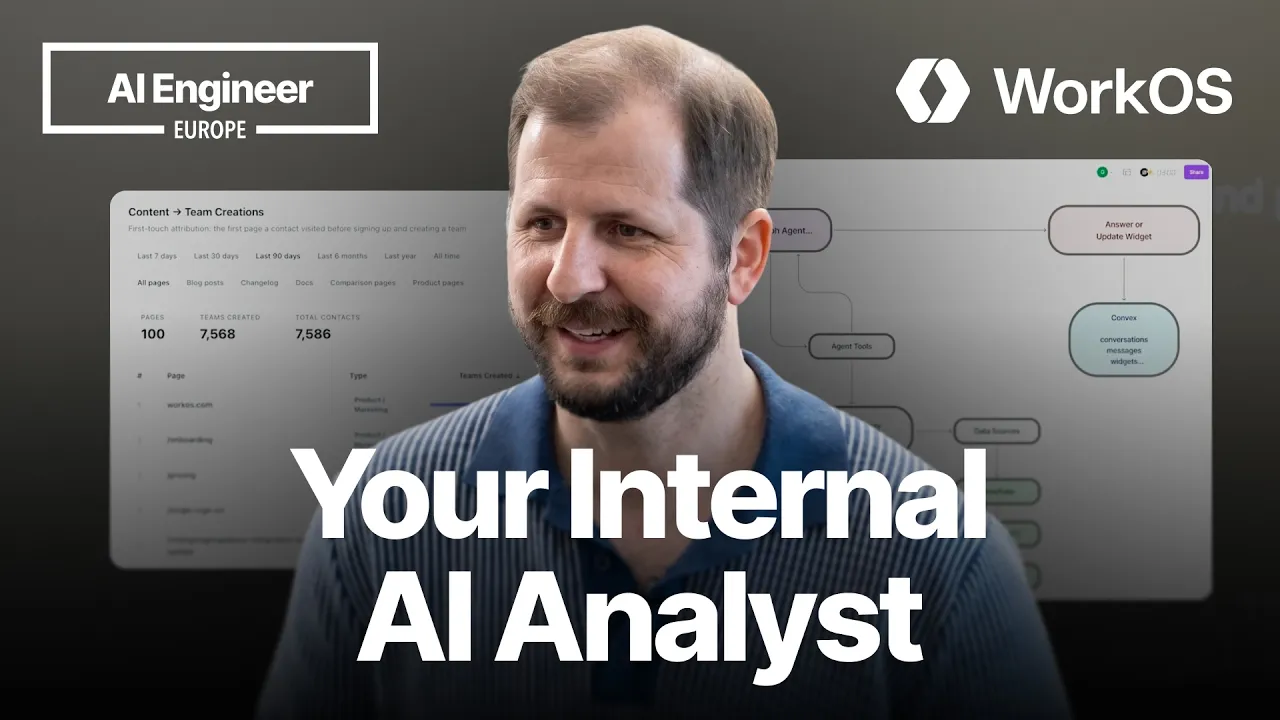
Description
Every business question that needs SQL follows the same loop: explain the question, wait for an engineer, get an answer, realize it needs one more join, share a one-off in Slack, repeat. Garrett Galow from WorkOS built Studio to break that loop — an internal workspace where anyone can ask questions against Snowflake, Linear, and Notion in natural language and get answers or reusable widgets without filing a request. The widgets are the interesting part: the LLM writes them once as declarative JavaScript that calls the underlying data sources directly, so every subsequent run is deterministic and cheap. Three things made it reliable enough to hand to a support team. Preflight sequencing that injects schema context only at the moment a tool is invoked, not upfront, keeping the context window clean. A layering rule that explicitly tells the model to distrust its own knowledge about WorkOS and go to primary sources. And query validation that runs every generated Snowflake query before hardcoding it into a widget, catching the valid SQL that returns zero rows failure mode. Speaker info: - https://www.linkedin.com/in/garrett-galow/
Summary
Generated by claude-sonnet-4-5At-a-Glance
- Verdict: Watch fully
- Core thesis: Non-technical teams can self-serve business intelligence by building reusable, LLM-generated data widgets that execute deterministic code rather than relying on repeated agent invocations—eliminating the analyst request bottleneck without scaling a BI team.
- Why it matters: Ken's team likely faces the same friction: support/GTM asks questions, engineering writes SQL, waits for follow-ups, and can't keep up; this architecture lets business users build once, reuse forever, and share across Slack/dashboards without engineering after initial setup.
- Best use: Study the three-part reliability framework (sequencing, layering, validation) and the widget architecture—especially the shift from agent-per-query to generated JavaScript—then apply the pattern to internal data access problems and evaluate whether WorkOS Pipes or a similar integration layer fits your stack.
Executive Summary
Garrett Galow (WorkOS product lead) presents Studio, an internal tool that lets non-technical employees answer ad-hoc business questions and build persistent dashboards without SQL knowledge or engineering requests. Studio uses Claude Opus via LangGraph to query Snowflake/Linear/Notion, interpret schemas, generate answers, and write reusable 'widgets'—sandboxed JavaScript that runs deterministic queries on demand. The core insight is that once the LLM writes the widget code, subsequent data refreshes bypass the agent entirely, making the final artifact fast, reliable, and cost-effective. WorkOS uses this daily: support looks up blocked Radar sessions, marketing measures content-driven signups, and teams share widgets in Slack instead of maintaining a sprawling Retool instance or BI backlog.
The talk dives into three reliability techniques that made Studio production-grade. First, sequencing: the agent runs preflight checks (are integrations connected? do I need clarifying questions?) and only injects tool context—like Snowflake schema and join patterns—at invocation time, avoiding context bloat. Second, layering: base prompts, per-org rules, and per-tool context stack so the LLM can adapt without re-prompting; crucially, WorkOS tells the model to distrust its training data about WorkOS itself and instead query primary sources (docs, actual tables). Third, validation: every generated SQL query executes in a dry-run before being embedded in a widget; zero-row results trigger retries. This pre-validation catches silent failures (valid syntax, wrong semantics) that plague typical BI agents.
Garrett demonstrates two widgets live: a content-attribution table filtering blog/doc views that precede team signups, with time-slice controls and category filters; and a Radar session lookup that support uses to explain why a user was blocked, displaying attempt history and status without sharing raw SQL. Both update on demand by re-executing the widget's JavaScript, not by re-running the agent. The architecture routes prompts through an API to LangGraph/Opus, proxies queries to data sources, stores session state in Convex, and uses WorkOS's own Pipes product for third-party OAuth integrations. Widgets are shared via a dashboard or Slack bot, turning one-off questions into durable, team-wide assets.
On permissioning, WorkOS is migrating from per-user OAuth (every employee logs into Snowflake) to org-level connectors with role-based read/edit rules—so one admin sets up the connection and Studio applies RBAC at query time. On cost, Garrett says Opus's quality premium justifies the spend; once a widget is built, the LLM isn't invoked on refresh, so marginal cost per query is near zero. On schema prep, WorkOS didn't restructure Snowflake—they just documented a four-join pattern between customers and users once in the tool context, and the LLM reuses it reliably. On governance, Garrett acknowledges trust-but-verify risk: if a generated query misses a filter (e.g., deleted=false), wrong data becomes 'truth.' Their mitigation is encoding common filters in context and making obvious semantic errors fail visibly rather than silently.
Key Takeaways
- Claim: Studio eliminates the analyst request loop by letting non-engineers build reusable data widgets via natural language, then share them across the company—widgets run deterministic JavaScript rather than invoking the LLM on every refresh. | Evidence: Live demo: marketing team asks 'what content leads to team signups,' receives an answer, then requests a persistent table widget with time slices; Studio writes JavaScript that queries Snowflake on demand; support team uses a Radar session widget daily to look up blocked users by email without SQL. | Caveat: Garrett notes a trust-but-verify problem: if the agent generates a query that omits critical filters (e.g., status='active'), the widget produces plausible-but-wrong data; WorkOS mitigates this by embedding common filter logic in the tool context and validating zero-row results, but silent semantic errors remain possible if schema context is incomplete. | Implication: For Ken's team, this means business/GTM can build their own analytics without a BI backlog—but you must curate schema context (join patterns, filter rules) and establish a light review process for widely shared widgets to prevent 'fake truth' dashboards; the payoff is scaling data access without scaling a data team. | Timestamp: 02:30
- Claim: The three-part reliability framework—sequencing (preflight checks, context injection at invocation), layering (base prompt + org rules + per-tool context), and validation (dry-run every query before embedding it)—is what made Studio production-ready after early prototypes failed silently. | Evidence: Sequencing: agent verifies integrations are connected, asks clarifying questions, then injects Snowflake schema only when Snowflake tool is invoked to avoid bloating the context window for every tool. Layering: base prompt tells the LLM to distrust its training data about WorkOS and query primary sources (docs, tables). Validation: every SQL query runs a test execution; zero-row results trigger a retry instead of creating an empty widget. | Caveat: Garrett doesn't quantify how often validation catches failures or how many retry loops are typical; also, the 'distrust training data' heuristic only works if primary sources (docs) are kept up to date—stale docs will still mislead the agent. | Implication: Ken should adopt the three-layer pattern: inject tool context late, stack prompts hierarchically, and always validate outputs before persisting; the validation step is especially critical for SQL/API agents where syntactically valid code can return semantically wrong data; measure retry rates in staging to tune context. | Timestamp: 14:20
- Claim: Injecting tool context only at invocation time—rather than front-loading all schemas into the prompt—prevents context window bloat and lets the agent scale to many integrations without degrading quality. | Evidence: Garrett shows WorkOS's Snowflake context block: a long, structured guide explaining customer→environment→resource joins and common filter requirements; this is injected only when the agent decides to call Snowflake, not on every prompt; he references another speaker's earlier talk about avoiding preloading all tool context. | Caveat: This assumes the agent can correctly decide which tool to invoke; if the agent picks the wrong tool or misses a relevant one, late context injection won't help; WorkOS mitigates this with a checklist step ('determine tools needed') before invocation. | Implication: For Ken's agent workflows, design a tool router or pre-flight step that maps the user's question to likely tools, then inject deep context per tool; this keeps the initial prompt lean and lets you add new integrations without retuning the base prompt; watch for cases where the agent should query multiple tools but only invokes one. | Timestamp: 14:55
- Claim: Once a widget is created, it is deterministic code—refreshing data does not re-invoke the LLM, so cost per query is minimal and reliability is high; the LLM is only used again if the user requests an edit to the widget. | Evidence: Demo: Garrett hits 'refresh' on the Radar session widget; it re-runs the embedded JavaScript/SQL without calling Opus; he explicitly says 'the LLM is not involved once the widget is developed until I go back and say, can you make an adjustment.' | Caveat: This means the widget is only as correct as the initial generation; if the LLM wrote buggy or incomplete logic, every refresh perpetuates the error until a human notices and asks for a fix; there's no incremental self-correction. | Implication: Ken's team should treat widget generation as the critical path: invest in evals, validation, and context to get the initial code right, because post-creation it's locked in; for high-stakes widgets, consider a human review gate before marking them 'official'; the upside is zero marginal LLM cost after creation. | Timestamp: 08:45
- Claim: WorkOS runs the same eval suite in both staging and production, treating them identically, so developers experience the same agent behavior that end users do—this prevents staging-only optimizations that break in prod. | Evidence: Garrett states: 'We use evals in both our staging and production instances. We treat all of that the same. So that way we get the same experience when we're developing Studio versus when our teammates are using it.' | Caveat: He doesn't detail the eval design, coverage, or pass-rate thresholds; also, treating staging and prod identically requires prod data access in staging (or high-fidelity synthetic data), which may be a compliance/security hurdle for some teams. | Implication: Ken should mirror prod conditions in staging—same LLM, same integrations, same context, same evals—and avoid 'demo magic' that relies on curated examples; this increases confidence that staging improvements will translate to real usage; also, instrument prod queries as ongoing evals to catch drift. | Timestamp: 16:20
- Claim: WorkOS didn't need to clean up or restructure Snowflake to make Studio work; they just documented complex join patterns once in the tool context, and the LLM learned to reuse them—self-descriptive column names and table schemas do most of the heavy lifting. | Evidence: Q&A: Garrett says 'No, actually… we have just one specific problem where the connection between a customer entity to the users is four joins deep because of reasons… we tell Studio about it once, it knows how to do that every time. LLMs are quite good at interpreting table schema pretty well.' | Caveat: This assumes your schema has reasonably descriptive names; if your tables are named 'tbl_a', 'tbl_b', or have opaque legacy abbreviations, the LLM will struggle; also, WorkOS has a single documented join-hell case—teams with many such patterns may need more context or a metadata layer. | Implication: Ken doesn't need a data-warehouse overhaul to ship an agent; start by writing down the tricky joins and edge-case filters, then test whether the LLM can generate correct queries; if column names are cryptic, consider a light metadata annotation pass or aliasing layer rather than a full refactor. | Timestamp: 17:50
- Claim: Opus outperforms other models so much that WorkOS is willing to pay the cost premium rather than trade quality; the per-refresh cost is negligible because widgets run code, not repeated agent loops. | Evidence: Q&A: 'Opus outperforms other models so much that I wouldn't trade the cost off in a way that would trade off quality… the widgets themselves, once they're generated, are declarative, so you're not paying the LLM cost every time.' | Caveat: Garrett doesn't provide cost benchmarks or compare Opus to Sonnet/Haiku; he also doesn't mention whether they've tried routing simple queries to cheaper models; the claim is qualitative ('so much better') rather than quantitative. | Implication: Ken should test whether Opus is necessary for all queries or if a tiered approach (cheap model for simple lookups, Opus for complex schema reasoning) saves money without hurting quality; track quality-per-dollar, not just absolute quality, especially if query volume grows 10×. | Timestamp: 19:10
Detailed Brief
The Studio architecture: natural language → widget → persistent code
- Claims: Studio is an internal workspace where employees ask questions in natural language (via Slack bot or dashboard), and an LLM agent generates either an immediate answer or a reusable 'widget'—sandboxed JavaScript/UI that queries data sources on demand.; The architecture routes prompts to a Python API → LangGraph agent → Claude Opus → integration proxy for Snowflake/Linear/Notion → results stored in Convex.; Widgets are the key abstraction: once generated, they execute deterministic code without re-invoking the LLM, so refreshing a dashboard is fast, cheap, and reliable.
- Evidence: Live demo: 'what content leads to team signups?' → agent runs Snowflake queries → returns table → user says 'build a widget' → agent writes JavaScript with time-slice filters → widget is shared with team and refreshed on demand.; Garrett: 'The widgets are actually code… it's writing JavaScript that is making the underlying API calls… the LLM is not involved once the widget is developed.'; Diagram shown: Slack/Dashboard → API → LangGraph + Opus → Integration Proxy → Snowflake/Linear/Notion → State stored in Convex.
- Caveats: Widgets lock in the initial logic; if the agent generates incorrect SQL, every refresh perpetuates the error until a human asks for a fix.; The agent must correctly decide which tool to invoke; late context injection helps prevent bloat but assumes the router step is accurate.; Today, integrations are per-user OAuth (each employee logs into Snowflake); WorkOS is migrating to org-level connectors with RBAC to reduce friction.
- Implications: Ken's team can build a similar system using LangGraph/Claude + tool proxies + a sandboxed JS runtime; the key win is shifting from 'run agent every time' to 'agent writes code once, code runs forever.'; Invest in the widget runtime: sandbox it properly, version control the generated code, and add a review/approval flow for widely shared widgets.; Consider using WorkOS Pipes (or Merge/Nango) for third-party integrations if your team needs Linear/Notion/Salesforce connectors rather than building OAuth flows from scratch.
The three-part reliability framework: sequencing, layering, validation
- Claims: Sequencing: the agent runs preflight checks (integrations connected? clarifying questions needed? which tools apply?) and injects tool context only at invocation time to avoid context window bloat.; Layering: base prompt + org-level rules + per-tool context + per-widget context stack hierarchically; critically, the base prompt tells Opus to 'distrust knowledge around our product' and query primary sources (docs/tables) instead of relying on training data.; Validation: every SQL query is executed in a dry-run before being embedded in a widget; zero-row results trigger a retry; this catches 'valid syntax, wrong semantics' bugs.
- Evidence: Garrett: 'We make it run a lot of preflight checks… determine tools… at the time it decides to invoke a tool, that's when we inject context… we don't want to preload all that context because it blows out your context window.'; Layering example: base prompt + org rules + Snowflake context (join patterns, filter requirements) + 'distrust training data, use primary sources.'; Validation: 'We have it always run the query and validate that it gets data back… many times they can have a valid SQL query but that returns zero data… so it basically pre-validates its work before deploying it into a dashboard.'
- Caveats: Garrett doesn't quantify retry rates or failure modes; if zero-row validation triggers frequently, the agent may loop or give up before producing a widget.; The 'distrust training data' heuristic assumes WorkOS docs are up to date; stale or incomplete docs will mislead the agent even if it queries them.; Late context injection assumes the router (tool-selection step) is accurate; if it picks the wrong tool, the injected context won't help.
- Implications: Ken should structure agent prompts in layers: global rules → domain context → tool context → task context, injecting each at the right step to keep prompts lean and composable.; Always validate agent outputs before persisting them—especially for SQL/API calls where syntax correctness ≠ semantic correctness; log zero-row queries as a quality signal.; If your product changes rapidly, instruct the agent to query docs/schemas rather than rely on model training; maintain a single source of truth (e.g., versioned schema metadata) that the agent can reference.
Real-world use cases: support, marketing, and self-serve BI
- Claims: Support team uses Studio daily to look up Radar (bot-blocking) sessions by user email, answering 'why was this user blocked?' without involving engineering.; Marketing uses a content-attribution widget to see which blog posts, docs, changelogs drive team signups, filtered by time slice and content category, to tailor content strategy.; GTM/sales likely query Salesforce or internal usage data; Garrett mentions future org-level connectors will let non-Salesforce users read certain Salesforce data based on RBAC.
- Evidence: Demo: Garrett searches his own email in the Radar widget, sees attempt history and blocked status; support team shares similar queries in Slack to diagnose customer issues.; Demo: content widget shows homepage (most views), pricing page, specific blog posts (e.g., changelogs, docs) ranked by signups; filters for last 7/30/90 days and category (blog/doc/marketing page).; Q&A: 'You don't want every employee to have a Salesforce account, but you probably should let them read certain Salesforce data… we're building org connectors with role-based access.'
- Caveats: Support example assumes WorkOS captures enough event data (Radar attempts/blocks) in Snowflake; if logging is incomplete, the widget will say 'no sessions found' even for real users.; Marketing widget depends on attribution tracking (user → content viewed → signup); if analytics are noisy (bots, multi-touch, long cycles), the 'most effective content' ranking may be misleading.; Garrett doesn't show a sales/forecasting use case; unclear whether Studio handles time-series forecasts or aggregations beyond simple group-by queries.
- Implications: Ken's support/GTM teams should list their top 10 recurring data questions (e.g., 'why did X fail?', 'how many users hit feature Y?') and prototype widgets for them first; high-frequency questions justify the setup cost.; Ensure your event logging is clean and complete before layering an agent on top; an agent querying bad data is worse than no agent at all.; For multi-source queries (Snowflake + Salesforce), test whether the agent can join them correctly or if you need a denormalized view/staging layer.
Permissioning and org-level connectors: WorkOS Pipes as the integration layer
- Claims: Today, each employee OAuth-connects their own Snowflake/Linear/Notion accounts; WorkOS is migrating to org-level connectors (one admin sets up, everyone inherits) with role-based read/edit rules.; WorkOS uses its own product, Pipes, for third-party integrations—demonstrating dogfooding and giving WorkOS a forcing function to improve Pipes based on internal Studio usage.; Org connectors will allow a non-Salesforce user to read certain Salesforce data (e.g., account health) if their Studio role grants access, even though they don't have a Salesforce seat.
- Evidence: Q&A: 'Today, the integrations are user based… that's annoying… we're actually working on org connectors using our own product, Pipes… one person sets up the connection and then can set rules about default access.'; Garrett: 'We have a product called Pipes, which does third party integrations. We're using our own product under the hood here.'; Example: 'By default in Linear, you get read-only access; based on roles in the Studio application, certain people get admin or edit access.'
- Caveats: Org-level connectors require a permissioning layer on top of the underlying API—WorkOS hasn't shipped this yet, so current users still do per-account OAuth.; RBAC config (who can read what) is manual setup; if your org structure changes frequently, maintaining role mappings could be brittle.; Garrett doesn't mention how Studio handles PII or data residency; if Snowflake has sensitive customer data, RBAC alone may not satisfy compliance requirements.
- Implications: Ken's team should evaluate WorkOS Pipes (or Merge, Nango, etc.) if you need pre-built OAuth connectors to SaaS tools; building OAuth flows for 10+ integrations is painful.; Design RBAC early: map your org roles (eng, support, sales, exec) to data access levels (read-only, edit, admin) before rolling out an internal agent tool.; If you handle PII or regulated data, add an audit log for every query the agent runs and alert on anomalous access patterns (e.g., support querying executive compensation data).
Notable Concepts & Terms
- Widget (Studio concept): A reusable, sandboxed piece of JavaScript/UI code generated by the LLM that encapsulates a query + visualization; widgets run deterministic code on refresh without re-invoking the agent, making them fast, cheap, and shareable across Slack/dashboards—the key abstraction that turns one-off questions into persistent tools.
- Sequencing (reliability technique): Running preflight checks (integrations connected? clarifying questions needed? which tools apply?) and injecting tool context only at invocation time, rather than front-loading all schemas into the prompt—prevents context window bloat and lets the agent scale to many integrations.
- Layering (prompt architecture): Stacking base prompt + org rules + per-tool context + per-widget context hierarchically, with a critical rule to 'distrust training data about WorkOS' and query primary sources (docs/tables) instead—ensures the agent uses fresh, accurate schema info even when the model's training is stale.
- Validation (pre-deployment check): Executing every generated SQL query in a dry-run before embedding it in a widget, checking for zero-row results, and retrying if needed—catches 'valid syntax, wrong semantics' bugs where the query runs but returns meaningless data.
- WorkOS Pipes: WorkOS's third-party integration product (OAuth connectors for SaaS tools); Studio uses Pipes internally as the integration proxy, demonstrating dogfooding and allowing WorkOS to iterate on Pipes based on real Studio needs—relevant for Ken if he needs pre-built Linear/Notion/Salesforce connectors.
- Org connectors (upcoming feature): Shared integrations where one admin sets up the OAuth connection (e.g., to Snowflake) and all employees inherit access based on RBAC rules, rather than every user logging in individually—reduces friction and lets non-licensed users read certain data (e.g., support reading Salesforce without a Salesforce seat).
- Radar (WorkOS product): WorkOS's security product that blocks bots and bad actors during authentication; the talk uses Radar session lookups as a support-team use case for Studio, demonstrating a real-world widget that queries blocked/allowed login attempts by user email.
- LangGraph: The agent orchestration framework WorkOS uses to route prompts, manage tool invocations, and handle state—sits between the API and Claude Opus in Studio's architecture; LangGraph is LangChain's graph-based agent framework.
- Convex: The database WorkOS uses to store Studio session state (queries, widget definitions, conversation history) so the system preserves context across sessions—Convex is a serverless database with reactive queries.
Operator Notes / Why Ken Should Care
- For Ken's internal agent/data-access projects, the widget architecture is the insight: generate deterministic code once, run it forever without re-invoking the LLM—this makes self-serve BI fast, cheap, and reliable after the initial generation; invest in the generation step (evals, validation, context) because widgets lock in the logic.
- The three-part reliability framework (sequencing, layering, validation) is directly applicable to any agent that writes code or queries data; late context injection and zero-row validation are quick wins Ken can adopt without refactoring his whole stack.
- If Ken's team faces the 'analyst request bottleneck' (GTM asks questions, eng writes SQL, repeat), Studio's approach lets you unblock them without scaling a BI team—but you must curate schema context (join patterns, filter rules) and establish a review process for shared widgets to prevent wrong-but-plausible dashboards.
- WorkOS Pipes is worth evaluating if Ken needs third-party integrations (Linear, Notion, Salesforce, etc.)—the fact that WorkOS dogfoods it for Studio suggests it's production-ready, and Ken can skip building OAuth flows from scratch.
- Opus vs. cheaper models: Garrett says Opus is worth the cost, but Ken should test a tiered approach (cheap model for simple lookups, Opus for complex schema reasoning) to see if it saves money at scale; track quality-per-dollar, not just absolute quality.
- The permissioning/org-connector challenge is real: per-user OAuth is annoying, but org-level connectors with RBAC require careful design; Ken should define data access levels (read/edit/admin) per role before rolling out an internal agent tool.
- For AI content/GTM: the marketing widget (content → signups) is a template for attribution analysis; if Ken's content team asks 'which posts drive conversions,' an agent-built widget could answer it without a data team—but ensure attribution tracking is clean (bots, multi-touch, etc.).
- For investing: WorkOS is pre-product-market fit with Studio (internal only, not commercialized yet), but the pattern (LLM writes code → code runs forever) is the future of self-serve BI; watch whether they open-source or productize it, and whether similar tools (e.g., Hex, Observable, Mode's agent features) adopt the widget abstraction.
- For AI ops: treat widget generation as the critical path—run evals in both staging and prod (WorkOS does this), log retry rates and zero-row queries as quality signals, and version-control generated code so you can diff/audit changes; also, instrument prod queries as ongoing evals to catch schema drift.
- For workflow: Studio's Slack bot integration means employees ask questions where they already work, reducing friction; Ken should consider Slack as the primary interface for internal agents rather than forcing users into a separate dashboard—WorkOS shows this is production-viable.
Watch Map
- 00:00: Intro: WorkOS does enterprise platform (SSO, directory sync); Garrett runs product, today's talk is about internal tooling, not the core product.
- 01:15: Problem statement: analyst request bottleneck—GTM/support asks questions, eng writes SQL, waits for follow-ups, shares one-off results in Slack; doesn't scale.
- 02:30: Studio demo begins: 'what content leads to the most new team signups?'—agent queries Snowflake, returns table; user asks for a persistent widget with time slices.
- 04:00: Architecture overview: Slack/Dashboard → API → LangGraph + Opus → Integration Proxy (Snowflake/Linear/Notion) → Convex for state storage.
- 05:20: Widget demo 1: content-attribution table with time-slice filters (7/30/90 days) and category filters (blog/doc/marketing page); live refresh without LLM.
- 07:00: Widget demo 2: Radar session lookup—support searches user email, sees attempt history and blocked status; used daily by support team in Slack.
- 08:45: Key point: widgets are deterministic JavaScript; refreshing does not re-invoke the LLM, so cost per query is minimal and reliability is high.
- 10:00: Live widget generation: agent writes code, shows conversation history including retry when UI had a visual bug; user asks for fix, agent updates widget.
- 11:30: Support use case: team uses Studio in Slack for ad-hoc queries (e.g., 'find all sessions for this customer') without involving engineering; self-serve scales.
- 13:00: Reliability framework part 1—Sequencing: preflight checks, clarifying questions, tool selection, then inject context at invocation time to avoid bloat.
- 14:20: Reliability framework part 2—Layering: base prompt + org rules + per-tool context; 'distrust training data about WorkOS, query primary sources (docs/tables).'
- 15:30: Reliability framework part 3—Validation: always run the query and validate data is returned; zero-row results trigger retry before embedding in widget.
- 16:20: Evals: WorkOS runs the same eval suite in staging and production, treating them identically to ensure developers experience the same behavior as end users.
- 17:00: Q&A begins: Snowflake cleanup—no, just documented the four-join pattern once in tool context; LLMs are good at interpreting schema if column names are descriptive.
- 18:00: Q&A: Widget audit/governance—some trust-but-verify risk; context includes common filters (status='active', deleted=false) to prevent silent errors; hit rate is very high.
- 18:40: Q&A: Mixing data from multiple tools—yes, widgets can pull from Snowflake + Linear + Notion; once generated, widget runs code (not agent) on refresh.
- 19:00: Q&A: User access control—today per-user OAuth; migrating to org-level connectors with RBAC (one admin sets up, all users inherit based on role).
- 19:30: Q&A: Cost—Opus outperforms other models so much that WorkOS is willing to pay; widgets run code after generation, so marginal cost per query is near zero.
- 19:45: Closing: Studio is how WorkOS answers any question about the business; open for more questions.
Source/Metadata
- Title: Why Can't Anyone Answer Questions About the Business? — Garrett Galow, WorkOS
- Transcript words: 3752
- Duration seconds: 1145
- Timestamp note: Video duration provided (1145 seconds ≈ 19 minutes); transcript included speaker tags and some timing context, so timestamps above are estimated based on pacing and demo flow.
Transcript
Music Good afternoon everyone. I know it's the last day, hopefully you're still holding on, not too tired of talking about AI yet. Yeah, today's going to be a little different. So I work for WorkOS, my name's Garrett, I run product for the team. I'm not exactly talking about our product today, so I'll do 10 seconds about WorkOS, just to get that out of the way since my company cares about that. We do enterprise platform features, we're developer platform. The quick and easy is if you've ever logged into Cursor, you've used WorkOS. Whether that was username and password or you went through your enterprise IDP, we power enterprise platform features for the likes of Cursor, Anthropic, OpenAI. Today though I'm going to talk about something a little bit different. I'm going to talk about how we operate internally and things that we've built to make ourselves more productive. So I imagine most of you are probably engineers or on the technical side. You might have questions about things about your company, about how customers are using the product, how things are working. Your go-to-market teams or your support teams definitely have questions about how customers are using your product, trying to figure out answers to questions. You might have Retool inside your company, you might have built dashboards and things like that. Of course those can be fairly rigid, right? You build a very specific thing, someone comes and says, oh actually, but I need this extra bit of data. I need to find out, answer this different question that the dashboard doesn't answer. And so either you go and build that, you change it, right? We see a workflow that looks kind of like this, where someone has a question, often about the business. They may not be technical enough to go answer it themselves. They often need something like SQL or someone that has access to the data. They have to explain their question, why they need it answered, context to answer it. They wait, someone like you has to go answer the question, provide that data back to them. Did you actually answer the question? Did you provide enough detail? Oh no, that's great, but I actually need the next layer deeper. Got to go back and forth. You probably share that in Slack, a one-off. Doesn't really scale very well. We have this problem. If you didn't, we have this problem every day. And so we built a tool called Studio that serves as an internal workspace where people can answer questions and build these apps or dashboards themselves. So I'm going to show you both what it looks like to build this out. I'll also show you a few examples of some of the tools that we use every day inside of Studio. And then I'll talk a little bit about how it works under the covers. So I don't get this completely wrong. I have a little prompt here already. But so, a common thing we have, we do a lot of marketing. We're doing podcast advertisements. We're doing Google ads. We're getting people to come to WorkOS site, whether that's our blog, our docs, or a marketing site. And then we want to know what content are they reading and what's effective, right? What is someone reading on our site and then converting to actually using the app? So I want to know, hey, what content leads to the most new teams? We call our customers teams internally. So leads to the most new team creations. So I can fire this off and we will, Studio starts operating. It basically says, okay, I want to find this data. I need to look at what internal resources do I have access to? So it knows that it has access to my Linear, my Notion, my Snowflakes. We have these data sources that we connect to. And then basically understands how to use these tools and starts to run queries. So in this case, it's going to run a bunch of Snowflake queries, which is our internal database. It's where we store a lot of this data. And it's going to go through, figure out the schemas, look at the tables that it needs to, and do it. While it's doing this, since it might take just a minute, I'm going to talk a little bit about how it works under the hood. So you can either go to our internal Studio dashboard or in Slack, we have a Slack bot. So you can ask questions of Studio. That kicks off the process. We run an API behind the scenes that takes that, parses it, and then runs it through LangGraph, which is an agent that's both tied to LLM, which in this case we're using Opus, along with the tools and the guidance layer for how it should interact with these systems. So we have this integration proxy to the data sources, primarily like Snowflake, Linear, and Notion are the tools that we use. And this guidance layer basically defines rules around how you should query this data, the context you need to successfully query the data. Our Snowflake is a pretty sprawling set of databases, so it needs to get context around what's the representation of a customer inside of Snowflake? How do I join tables in a way that's effective? So the agent drives all of this, makes queries, the LLM runs, and then of course it provides back answers or updates widgets, which I'll show you in a minute. And then we store a lot of that state today in Convex as a way to locally store this information so it's preserved over sessions. So we go back. Cool, it looks like we've actually gotten a bunch of data here. Let me make it a little bit bigger for you. So we can see obviously people go to our homepage, people look at the pricing page. We can see the blog posts that are most effective for driving team signups. Changelogs and docs. And get the summary. Okay, but this is great, so it answers my question, but I want this to be a long standing thing that I can reuse. So can you build a table of this that lets me see this data over various time slices? And so here it's not just run the queries, get the answer. But I actually wanted to build a reusable tool that I can share with my teammates that I can use in our weekly syncs. And so it's going to think through how to do this. And then it's going to go and build what we call a widget. A widget is in this case basically sandbox code that runs. And it's both the UI, the APIs, and the query necessary to power a fully usable tool. So this is going to think for a minute as it actually creates the widget. So can you build a table of this that lets me see this data over various time slices? And so here it's not just run the queries, get the answer. But I actually wanted to build a reusable tool that I can share with my teammates that I can use in our weekly syncs. And so it's going to think through how to do this. And then it's going to go and build what we call a widget. A widget is in this case sandbox code that runs. And it's both the UI, the APIs, and the query necessary to power a fully usable tool. So this is going to think for a minute as it actually creates the widget. I have another version of it that I can show you. We'll see if they look the same across instances. But this is one that I had pre-built before this. So it basically gives me this data of teams over different time spans. What content is driving those signups. And it's live, right? If I run this, it's going to rerun that query. It's going to give me the data for different time slices. I can make it full screen here, show it. And so it's going to think through this. Look, and we get a pretty similar, slightly different view. But this one actually has category filters. So I can look at based on the kind of content that it's running. And see what are the most effective, we have a lot of blog posts. Which are the most effective ones that drive traffic to the platform? So we can tailor our content effectively. But this is useful for a lot of things. For example, Radar is one of our internal products. It's a security product that blocks bots and bad actors. And sometimes customers say, hey, why did this user get blocked by Radar? Right? Can you help me understand? And so we've built some of these dashboards and stuff ourselves. But typically that involves having to go through, a lot of our GSEs are sharing SQL queries. To be able to run and answer these questions. But instead of having to do all that, I can just, I've already built this widget. That has the APIs or the queries hooked up. And I can just do a search for myself in this case. My personal email. And in this case, it's running a real query against our database. To actually pull this data and look at it. And so you can see the conversation history here of me talking with it. Hey, can you build me this dashboard? Runs a bunch of queries. It actually messed up at first. But I, saying, hey, can you, there seems to be an issue. Can you keep going? It did it. And the last thing was it had a visual UI bug in the type column. So it's like, hey, can you fix that? Visual bug. I'd like it to be one nice little column. And so here we can see for Cursor, here's one of our customers that uses Radar. Here's all the times that I logged into Cursor with my personal email. And whether I was blocked or not. I had a test here where I blocked myself in one of our test environments. And so this becomes a self-serve tool that our support team can use to look this stuff up. And so this has been really powerful for our support team. They use this in Slack all the time because they don't need different customers at different specific issues. And they can say, hey, can you go find me all the sessions that this customer has so I can find out what went wrong, right? And so we're not trying to build, we don't need to have some sort of platform team or data team building these dashboards that are going to be used and need to be constantly modified. Our support team can basically, if it's a one-off, get the question answered themselves. And if they're finding that they're asking the same question a lot, they can build these and then we can share them internally to other folks. And so we build out our own dashboard and tooling in a self-serve manner. So I'll wrap up with what did we have to do here to make it useful and reliable? So there are three things that became really important in building this. The first is sequencing. So this is how should the agent approach when it gets a new question, when it gets a prompt, how should it do this? So we make it run a lot of pre-flight checks. So this is are the tools connected correctly? Do you have enough context to better answer the question? If not, ask clarifying questions. And then determine, run through a checklist to determine the tools that it should actually use to call. We actually, at the time it decides to invoke a tool, that's when we inject context around how to use the tool. So for example, if I show some of the tooling that we use, like for Snowflake, for example, we have this context that we embed. And it's not trivial. It's fairly long because it encodes basically the schema of our internal database and how to understand how do you connect teams to the environments, to the resources that they're using. And so this gets injected at runtime when Snowflake is being adjusted. I saw someone earlier in a talk talking about how you don't want to preload all that context of all your tools because it blows out your context window. Second is layering. So we have the base prompt that Studio uses to show it off with. We have the defaults. And then we have org rules around in a given setup for a given tool, there might be a specific context. If someone's going and editing a tool, we want that context to be maintained. And then last, we tell the LLM to specifically distrust knowledge around our product often, just because sometimes the model training is using outdated data. Our product changes very quickly. Things are moving all the time. And so we actually use, we tell it to no, no, no, go for primary sources, look up data in our docs and things like that. So it's basically pre-validating its work before it's deploying it into a database. We have the defaults. And then we have org rules around in a given setup for a given tool, there might be a specific context. If someone's going and editing a tool, we want that context to be maintained. And then actually last, we tell the LLM to specifically distrust knowledge around our product often, just because sometimes the model training is using outdated data. Our product changes very quickly. Things are moving all the time. And so we actually use, we tell it to no, no, no, go for primary sources, look up data in our docs and things like that. So it's basically pre-validating its work before it's deploying it into a database. So it's actually running queries that don't just rely on what the model knows about Work OS necessarily. And then last, validation. So if it's going to write a query to our Snowflake instance, we have it always run the query and validate that it gets data back. Many times they can have a valid SQL query, but that returns zero data. If it doesn't notice that, it's not very useful. So it actually runs queries, validates them before it hardcodes them into widgets and things like that. So it's basically pre-validating its work before it's deploying it into a dashboard. And then, yeah, we run obviously evals when we're developing the product. Evals are very useful. I don't have time to go into how to develop and design evals. But we use evals in both our staging and production instances. We treat all of that the same. So that way we get the same experience when we're developing Studio versus when our teammates are using it. [SPEAKER_00] So yeah, that Studio, it is our way of basically being able to answer any question about the business. Anything I can answer for y'all? [SPEAKER_00] Yep. [SPEAKER_02] Sorry, go ahead. Did you have to do a clean up on your Snowflake? [SPEAKER_02] No, actually, and we have, there's just one specific problem. Where the connection between a customer entity to the users that they have or whatever is four joins deep because of reasons. And every new employee has to learn if you want to do that, you have to copy and paste this join block and use it. It's we tell Studio about it once. Right? It knows how to do that every time. LMs are quite good at interpreting table schema pretty well. And so there's a lot of stuff they can get. If you have pretty self descriptive column names and stuff, it can figure out. But again, we do have that context block that we provide because it does matter for example, in Radar, we have attempts, which is people trying to log in. We have detections for when things and it's like, oh, you need to join those, you know, these tables join this way. And just by telling it that it can basically run effective queries for that data. So there is some information you want to provide. But surprisingly good. You don't need to rag all this stuff, you know, we have no rag database for us in all of this. [SPEAKER_00] We're just invoking tools directly, with just context on top. [SPEAKER_00] Question? [SPEAKER_00] Yeah. I just think that's exactly what we do. We just got a context thing that tells it how to do all the joins. Yeah. And then it knows, and then it knows those quirks. One of the things we've been looking at though, we do something similar, but is those queries get generated. [SPEAKER_01] So, I mean, it's so widgets, you call the widgets. Do those get audited or governed by anyone? Because our concern is that someone generates a query, their skill gets it wrong, and then it becomes a truth, and everyone thinks it's true, and no one's ever checked it. So do you have anything like that? Yeah, I mean, there's definitely a little bit of you know, there's always some trust but verify, you know. I've actually been pretty impressed that the hit rate on the cross this is very, very high. I think there's a category of which you can actually embed into the context of you know, make sure you only pull non-deleted entities, right? Make sure you pull things in an active status, right? There's kinds of things that your data probably have, you have consistency around of a status column, right? And those are the kinds of things that I've seen that elements will miss if they don't know. It's how many users have this resource? And it's just doing a count group by customer ID, right? And it's oh no, you actually need these filter columns. But if you have that in your context, that's the kind of thing that protects against a lot of those issues. So I find that that has removed a lot of the problems for us. And then, you know, if it misses from there, it's you know, it's making a bigger error. That's pretty obvious. Can I send you a widget of data from multiple tools? [SPEAKER_04] So you can mix and match it? Yeah. [SPEAKER_00] Yeah. So we have, you know, just those few, we're adding more of those connections, but yeah, it can pull from different tools and combine that data into one interface. And how would you refresh the data afterwards? [SPEAKER_05] Would you need to know how to replay those tools sequentially? [SPEAKER_05] So it's actually, the widgets are actually code. [SPEAKER_00] So it's writing JavaScript that is making the underlying API calls to that service through the tools. [SPEAKER_00] So once the widget is created, it is reliable. It is not the LLM running the tool. So when I hit refresh here, this is actually just requerying data from those tools. So the LLM is not involved once the widget is developed until I go back and say, hey, can you make an adjustment to this widget? Can you add this column or whatever? So the actual final product is very reliable in that regard. Right. And if you need to pass a different data, it's just an input argument to that. [SPEAKER_03] Yeah. You know, here it's like I'm giving an input and that's just being fed into the query, any sort of JavaScript do it. [SPEAKER_00] Right. So when I hit refresh here, this is actually just requerying data from those tools. So the LLM is not involved once the widget is developed until I go back and say, hey, can you make an adjustment to this widget? Can you add this column or whatever? So the actual final product is very reliable in that regard. Right. And if you need to pass different data, it's just an input argument to that. [SPEAKER_03] Yeah. You can do here it's like I'm giving an input and that's just being fed into the query, like any sort of JavaScript do it. [SPEAKER_00] Right. So when you're doing these user input things again, right, you're not relying on the LLM to parse that correctly. It's writing declarative code. Yep. How do you respect user access to the data? [SPEAKER_02] How do you what? Respect user access to the data. [SPEAKER_02] Oh yeah. It's a great question. Today, the integrations are user based. So I'm connecting Snowflake and Linear and Notion myself. That's something we're actually working on changing because that's annoying. You don't want every employee to have to necessarily do that. And there are cases where maybe you don't have a Salesforce account, but you probably should better read certain Salesforce data. So actually working on the thing that drives these integrations, we have a product called Pipes, which does third party integrations. So we're actually using our own product under the hood here. We're building out organic, what we call org connectors. [SPEAKER_00] So one person sets up the connection and then can set rules about what's the default level of access when people are querying that. [SPEAKER_00] So for example, you could say by default in Linear, you get read only access by certain people based on roles in the studio application, they get admin or edit access or something like that. [SPEAKER_00] So we're building that permissioning layer on top of it because doing the per user login is annoying. Cool. Yeah, sure. Yeah. [SPEAKER_02] How do you handle the costs? [SPEAKER_02] So obviously using Opus, is there any action that you do? [SPEAKER_02] The widgets themselves, once they're generated, are declarative, so you're not paying the LLM cost every time. But honestly, for us, we're willing to pay the cost for the questions being answered. [SPEAKER_00] Opus outperforms other models so much that I wouldn't trade the cost off in a way that would trade off quality that we wouldn't deem acceptable. [SPEAKER_00] So I think we're pretty willing to spend the money.