Generative UI... in Python? — Jeremiah Lowin, Prefect
Description
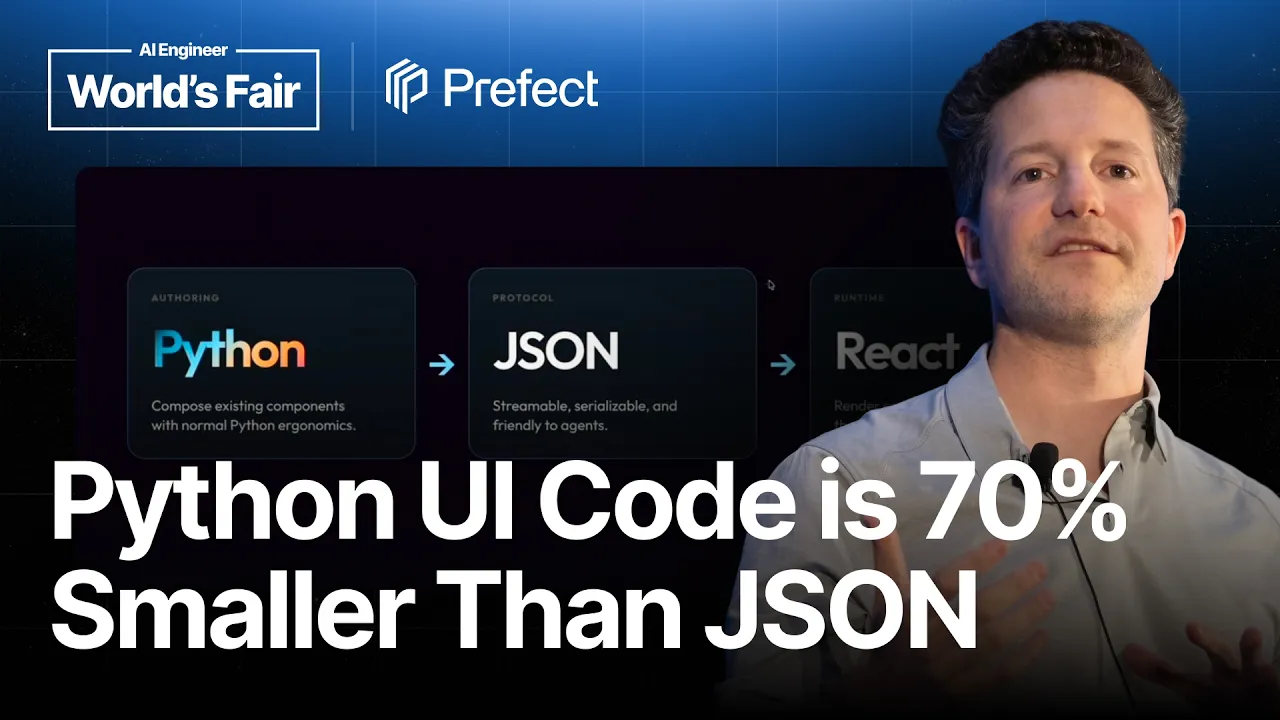
Because only the agent can reach an MCP server, a naive file upload tool makes the agent retype the file into the server character by character. Jeremiah Lowin calls it the world's most expensive copy paste operation, and it is the problem MCP apps exist to remove. Lowin is founder and CEO of Prefect and the author of FastMCP. MCP apps, a protocol extension added this year, let a tool result skip the agent and arrive at the user as HTML, CSS, and JavaScript: a real interface a person can click. That solves one problem and creates another, because FastMCP's users are overwhelmingly Python engineers inside enterprises, and shipping React from Python is not something he would pretend to do. The way out was constraining the problem. His users are not building consumer facing branded products; they share and collect information, which means tables, forms, and charts. Prefab is the result, a Python DSL where nesting context managers builds the interface structure and every component is a class that renders as a polished one. Reactive variables give client side interactivity with no JavaScript. The pipeline runs Python to a declarative representation to a JSON protocol to a React app, and Lowin is blunt that the JSON is the actual point: a serializable UI is one an agent can generate, receive, or edit. The Python DSL, he says, was an accident he noticed later. Two details land. The Prefab documentation is rendered entirely in Prefab, editable in place. And a UI streamed as Python turned out roughly seventy percent smaller than the same UI as JSON, so they now send Python over the wire and convert it in a sandbox. Speaker info: - https://x.com/jlowin - https://www.linkedin.com/in/jlowin/ - https://jlowin.dev Timestamps: 0:00 - MCP apps, and bypassing the agent 3:20 - Shipping UIs to an audience of Python engineers 4:45 - Constraining the problem to tables, forms, charts 5:43 - Composing a front end rather than building one 6:37 - The DSL, and the JSON in the middle 8:54
Summary
Generated by gpt-5.6-terraAt-a-Glance
- Verdict: Watch fully
- Core thesis: Prefab extends FastMCP with a Python-native, component-composition DSL that renders through a JSON intermediate representation into React-based MCP Apps, giving Python teams interactive agent interfaces without asking them to build conventional front ends.
- Why it matters: It offers a practical architecture for moving high-bandwidth and human-in-the-loop tasks out of an agent context window while retaining a constrained, auditable path for agent-generated interfaces.
- Best use: Use this as an implementation-pattern talk for MCP-facing tools: evaluate Prefab/FastMCP for internal operational UIs, especially structured data views, forms, charts, and direct file transfer.
Executive Summary
Lowin frames MCP Apps as a structural improvement over normal MCP tool calls. In the conventional pattern, a user request goes through the agent, the agent invokes a server-side tool, and the tool result returns through the model context before reaching the user. MCP Apps instead let a tool deliver a complete HTML/CSS/JavaScript interface directly to the user, enabling the agent to facilitate a task while the human handles rich interactions such as scheduling, booking, form completion, or file upload.
Prefab is Prefect's answer to the problem of giving FastMCP's predominantly Python and enterprise-oriented users practical UI capabilities. Rather than porting the full front-end ecosystem into Python, it deliberately narrows the problem to composing polished, predefined components for organizational workflows: tables, forms, charts, and data displays. Python context managers express UI hierarchy, reactive variables provide client-side bindings, and a React renderer ultimately presents the interface.
The deeper architecture is not Python itself but a serializable UI representation. Prefab's Python DSL compiles to a JSON UI protocol rendered by a hosted React application. This intermediate representation lets humans create UIs, agents modify them, or agents generate them dynamically. In practice, Prefect found that streaming Python was roughly 70% more compact than streaming JSON; it now executes streamed Python in a sandbox, converts it to JSON server-side, and renders it, reducing token use and latency.
For agent-system operators, the most concrete value is bypassing the LLM for interactions it should not mediate. The file-upload example avoids sending a megabyte of document text through an agent merely to copy it into an MCP server. The talk is especially useful because it identifies a sensible boundary: use constrained component composition for internal operational interfaces, not as a claim that Python should replace custom consumer-grade frontend development.
Key Takeaways
- Claim: MCP Apps change an MCP tool from an agent-mediated text-result interaction into a direct, interactive user interface connected to the app backend. | Evidence: Lowin contrasts the standard MCP cycle—tool result returns to the agent context—with MCP Apps, where the tool returns HTML, CSS, and JavaScript to the user; the user can then interact directly with the application and its backend. | Implication: Design agent workflows so the model discovers and launches the right interface, while humans complete high-fidelity operational actions inside the UI rather than through chat. | Caveat: MCP Apps require a client that supports them, and the talk notes that agent interaction with the app itself is an upcoming MCP extension rather than the primary capability demonstrated.
- Claim: Prefab succeeds by constraining UI creation to composition of high-quality components rather than trying to make Python a general replacement for the JavaScript frontend ecosystem. | Evidence: The target FastMCP users are described as enterprise Python developers primarily sharing and collecting organizational information; Prefab focuses on tables, forms, and charts and ships roughly 130–140 composable components rendered as shadcn-based UI elements. | Implication: Prefab is best evaluated for internal tools and MCP operational surfaces, where standard interaction patterns and guardrails matter more than unrestricted visual customization. | Caveat: Lowin explicitly says this is not intended for arbitrary, fully branded, consumer-grade custom interfaces.
- Claim: The implementation separates authoring from rendering: Python defines a declarative UI, JSON serves as the transport/intermediate protocol, and a React app renders the result. | Evidence: Nested Python context managers describe UI structure; instantiated component classes accept parameters such as CSS classes; the resulting representation serializes to JSON and is rendered by a React MCP App. | Implication: This is a reusable control-plane pattern: retain a typed or constrained server-side authoring language while using a standard browser renderer, instead of coupling agent applications to bespoke frontend code.
- Claim: FastMCP makes simple interactive tool outputs low-friction: returning a Prefab component instead of a normal dictionary automatically produces an MCP App. | Evidence: A team-directory tool becomes interactive by returning a Prefab DataTable; FastMCP detects the component, provisions the app machinery, and produces a table with search, filtering, sorting, and pagination. Adding a Grid and PieChart composes a chart beside that table. | Implication: Existing MCP tools that return structured operational data can be upgraded incrementally into usable interfaces rather than rebuilt as separate web applications.
- Claim: Direct UI-to-server file transfer is a high-value MCP App use case because it avoids routing large payloads through the LLM. | Evidence: Lowin describes the failure mode of an upload tool that an agent must call after receiving a file: a megabyte of text can effectively become an expensive model-mediated copy-paste operation. FastMCP's built-in upload component lets a user drag and drop directly into the server-backed app. | Implication: Treat files and other high-bandwidth inputs as direct, authenticated app-channel payloads; keep only metadata, references, or derived results in agent context. | Caveat: The transcript emphasizes cost and efficiency, but does not specify the authentication, authorization, malware scanning, retention, or data-loss controls required for production uploads.
- Claim: A serializable UI protocol enables generative UI, but Prefect found Python is materially more efficient than JSON as the agent-facing generation format. | Evidence: In the demo, Claude streams a UI representation that is rendered in real time. Prefect initially streamed JSON, then found the equivalent Python representation was about 70% smaller; it now streams Python, executes it in a sandbox, converts it to JSON server-side, and renders it. | Implication: For model-generated interfaces, use a restricted DSL or sandboxed representation and measure serialized token size; a verbose canonical JSON schema may be a poor prompt-and-streaming format even if it remains the right renderer protocol. | Caveat: Executing model-generated Python safely depends on the quality of the sandbox and on limiting accessible components and capabilities; the talk does not detail that security model.
Detailed Brief
Interaction model and reactive bindings
- Claims: Prefab supports client-side interactivity without requiring the Python author to write JavaScript.; Reactive values can be referenced across components so that controls, labels, and displayed values update together.
- Evidence: The framework uses an Rx reactive-variable abstraction; assigning the same reactive attribute to multiple composed components links their behavior.; Lowin shows controls and text updating together entirely on the client, with the framework compiling the required JavaScript implementation.
- Caveats: The presentation does not explain state persistence, complex asynchronous client behavior, debugging ergonomics, or how reactive bindings behave under multi-user concurrency.
- Implications: Use the system first for bounded interaction loops such as filters, parameter selection, previews, and form state, rather than assuming it covers the full state-management requirements of a sophisticated standalone application.
Application mode beyond one-shot tool results
- Claims: Prefab supports both a one-shot interactive-tool model and a longer-lived FastMCP App model with a backend.; A FastMCP App uses a class with one or more app.ui entry points plus optional app.tool methods callable from the interface.
- Evidence: Lowin describes app.ui methods as the UI entry points that return Prefab components and app.tool methods as backend methods a UI element can invoke, such as submitting form data to a database.; The upload component is presented as a built-in utility alongside other server-connected capabilities.
- Caveats: No full end-to-end production application example is shown, so operational concerns such as session isolation, authorization boundaries, deployment topology, and observability remain unaddressed.
- Implications: Separate simple result visualization from workflows that require durable backend mutations, and demand explicit application-level security and state designs before using the latter in sensitive systems.
Notable Concepts & Terms
- MCP Apps: An MCP extension that lets a tool deliver a full interactive web interface directly to the user instead of returning only data into the agent's context window.
- FastMCP: Prefect-maintained Python framework for building MCP servers; it integrates Prefab so returned components can become MCP Apps automatically.
- Prefab: An open-source scoped UI framework that uses Python composition to define interfaces for MCP and internal data-oriented applications.
- JSON intermediate representation: The serializable canonical UI protocol between authoring and React rendering; it enables human-authored, agent-modified, and agent-generated UI flows.
- Context-manager UI DSL: Prefab's use of nested Python context managers to express component hierarchy in a form intended to mirror the visible UI structure.
- Rx reactive variables: Prefab's binding mechanism for client-side interactive state across components without manually writing JavaScript.
- Generative UI: An agent dynamically produces a constrained UI representation that the client renders in real time, rather than selecting only from pre-authored screens.
- Sandboxed streamed Python: Prefect's revised generative-UI transport approach: stream compact Python, execute it in a sandbox, translate it to JSON, and render it.
Operator Notes / Why Ken Should Care
- Prototype one existing MCP tool that returns a table, report, or form as a Prefab component; measure whether direct manipulation reduces follow-up chat turns and model-context usage.
- Move uploads, large documents, images, and other high-bandwidth inputs to a direct app-to-server transfer path; send the agent a file reference and extracted metadata rather than raw contents where possible.
- Before allowing generative UI, define a component allowlist, sandbox escape test suite, authorization model for UI-triggered backend tools, and output-size/rate limits.
- Benchmark the token and latency trade-off of your own UI representations; preserve a canonical schema for validation/rendering, but consider a more compact restricted authoring DSL for model generation.
- Verify target client support for MCP Apps and establish a fallback path for clients that only display conventional MCP tool results.
Source/Metadata
- Title: Generative UI... in Python? — Jeremiah Lowin, Prefect
- Transcript words: 4633
- Duration seconds: 1058
- Timestamp note: No timestamps or chapters were provided. The transcript contains repeated material in its latter portion, particularly the upload and generative-UI discussion.
Transcript
Thank you all for coming out. I'm going to talk today about one of the weirdest pieces of software I've ever written. It's on the edge of a whole lot of stuff I've been putting forward into the world. So join me if you will. We're going to try and have the most reasoned approach to a very strange thing that agents in MCP and other things have enabled. And so to begin, I want to talk about MCP apps. I don't know if any of you were able to join any of the other talks earlier today, maybe the one that Ido and Liat just gave maybe an hour ago. Just a show of hands, MCP apps, familiarity. Okay, this is probably the best crowd I've ever given this talk to, actually. So that's fantastic. For those that didn't put their hands up, MCP apps is an extension of the MCP protocol that was introduced, I think, in January of this year. And the idea is this is a typical request response cycle for an MCP tool. The user makes a request to the agent. The agent, in turn, decides to use an MCP tool that's hosted on an MCP server. A tool result comes back into the agent's context, and the agent chooses to form some response and send it out to the user. And so fundamentally, MCP servers are these fantastic ways of adding functions and business logic to your agents, but never a direct connection between a user and the MCP server. It always goes through the brain of the agent, and more importantly, through the context window of the agent. So MCP apps are an extension of this, which allow us actually to bypass the agent, and instead what happens is the following. The user requests something from the agent. The agent uses a tool, but instead of that tool request going back to the agent, it is sent out to the user, and it's sent out as HTML, CSS, JavaScript. It's a full UI, and it can be whatever you want it to be. And so the idea is you have this way to make, to put the internet into your agent, so to speak. You can ship any custom, branded, useful UI that you want. You can let the user have any interactive experience that they want. And then the user, as you can see in the diagram, the user now can interact with the application. They can use the tools. They can send information back into a backend hosted on that app, and really get a full experience. So you can imagine booking a table at a restaurant, or changing your seat on a plane, or interacting with a schedule. For AI engineers, there's a lot of things that you can do as a user now where the agent facilitated it, but you are going to interact as a human. And there's an extension coming now. This is going to come out in the July MCP release where the agent can actually interact with the app as well. And this will tee up some really interesting use cases we're not going to talk about today, but you could hypothetically play a game of chess against the agent now in a visual app where you make a move, and then the agent interacts with the app as well. And so I think that's going to open up a whole new world of possibilities. Now, some of you may know a framework that I'm the author of and my company maintains called Fast MCP. Fast MCP is one of the most popular ways of building MCP servers. And so whenever new cool things come to the world of MCP, the first thing I wonder is, how can I deliver this to our users? And one of the most important things I have to share with you about our user base is that they're mostly Python engineers. And so this is a problem when we want to deliver front ends and UIs, because how are we actually going to do that? And this is the point in the talk where I reveal that I don't remember what the next slide exactly is, so we're going to take a peek at it. Nope, we're going to come back. We have a challenge now. How are we going to have Python engineers build UIs that are best practice, that are interactive, that are beautiful, that are useful, without pretending that we're going to do something silly, something that's been tried, and jam all of the front end, all of the ecosystem, everything into Python in some sort of weird, compromised, haphazard Frankenstein of a system? And so I really struggled with this. I need, I really need, I feel an obligation to find a way to deliver this. But I can't pretend we're going to ship React in Python. It's not going to work. And so we thought pretty hard about who are our users in the Fast MCP ecosystem? Who are these Python developers who tend to be in enterprises? What are they doing and what do they need these UIs for? What do they need these MCP apps for? What they don't need is consumer grade custom UIs that are fully branded. That's not what these folks are doing. What they are primarily charged with is sharing information throughout their organization, for collecting information throughout their organization. And so it changed the nature of what we expect them to do within MCP apps framework, and that constraint became really useful. So fundamentally, we expect that they're going to do things like build tables, they're going to collect information through forms, and they're going to want to share charts. And so fundamentally with this constraint, we can introduce a piece of software that we open sourced a few months ago and has been surprisingly popular among this crowd called Prefab. And it's a scoped UI building framework for the purpose of delivering UIs through an agent for the set of purposes that I mentioned a moment ago. So this is a hello world card. You might see this in any front end framework, literally any one. It'll have something that looks like this, and it's on their website, and you type your name in, and it updates live. But of course, the weird thing about this one is that the code that generated it is entirely written in Python. And so I hope that you're feeling what I feel when I look at this, which is a really weird combination of yes, that's cool, and this really freaks me out. The yes, that's cool comes from the fact that I think there's something about this code, even if you can't see it up close, that can make it a little bigger. There's something about this that makes sense. You can see the structure of the UI in the code. But there's also something about it that's obviously alien and a little bit odd. And we come to this conclusion when you feel that, when you look at it, which is that when you compose a front end in Python, it actually starts to feel good as long as we scope the challenge right. We are not trying to build a front end from scratch. We are trying to compose a front end from a bunch of world-class, well-designed components. And that's how we keep the guardrails. And that's how we keep the user in mind. The user here is not trying to do something arbitrary. They're trying to take a well-structured front end and put it in front of whomever they're delivering it to. And so here's a little quick tour of that DSL. Primarily, we're using context managers. For those of you who do know Fast MCP, you know that arguably you could reduce Fast MCP down and say, the core innovation of Fast MCP is that we use the Python decorator to build an entire MCP server. So if you want to take the same reductive approach to Prefab, you could say we use a context manager to build an entire UI. And by nesting components as context managers, as you see here, we are building up the exact same structure in the UI. It feels very natural when you read it. You can see how things are structured. Each element of the UI, each component, which is a beautiful shad-cn component when it's rendered, as you can see here, is a class that you instantiate. You can parameterize it. You can pass it stuff like CSS classes and make it look however you want. And then the last thing, which we're not going to have enough time to really explore today, is these reactive variables. I'll show you a demo of those in a moment. But essentially, we have a full way to create client-side interactivity and bind data between components that allows you to build these really rich experiences, again, without having to go fully into the JavaScript world and leave an ecosystem that my user base, at least, is extremely comfortable with. And this is the pipeline that Prefab is essentially exposing. We use a Python DSL that I just shared with you. We use that to build a declarative representation of a UI. That then gets serialized into a JSON protocol. And that JSON protocol is ultimately rendered by a React app, which is hosted as the actual MCP app. And so this is going to open up a whole lot of possibilities for us that, again, I'm going to show you in just a second. But the key to this whole thing is the JSON in the middle. The Python is actually an accident that I discovered after the fact because it was a weird idiosyncratic thing that I wanted. The point of this was, can we create a serializable representation of a UI? And that's the JSON protocol, again. And because it's serializable, I can generate it from an agent. I can send it to an agent. And this is the pipeline that prefab is essentially exposing. We use a Python DSL that I just shared with you. We use that to build a declarative representation of a UI. That then gets serialized into a JSON protocol. And that JSON protocol is ultimately rendered by a React app, which is hosted as the actual MCP app. And so this is going to open up a whole lot of possibilities for us that, again, I'm going to show you in just a second. But the key to this whole thing is the JSON in the middle. The Python is actually an accident that I discovered after the fact because it was a weird idiosyncratic thing that I wanted. The point of this was, can we create a serializable representation of a UI? And that's the JSON protocol, again. And because it's serializable, I can generate it from an agent. I can send it to an agent. I can generate it as a human and ask an agent to modify it. There's all this cool stuff that happens because of that intermediate representation in JSON. And then when the Python DSL just fell out of this and was really beautiful and easy to use, I felt like we had something. So we have these docs. And to prove the point, this was another constraint we took on. I don't even know what this is. These are the docs for the data table component in prefab. I think there's 130 or 140 components that we ship that you can compose into an arbitrary form. The docs for prefab are 100% rendered in prefab. So the data table that's here in the basic usage, it is live rendered in prefab. The Python code, you can see it at the bottom of the screen. That Python code is being rendered live by the renderer to generate that. If you want, you can take any example in the prefab docs. You can click a link, pop them into the playground, and you can edit the code live, the Python code live, and you will see the UI. And again, this is super weird. If you're feeling uncomfortable about this, that is okay. It makes a lot more sense when we constrain the problem and remember that we're composing a UI rather than building it. So I want to bring this back to the thing I opened with now, which is MCP servers and more specifically MCP apps. You are welcome to use prefab for any kind of front end problem you have. My team has started using it for small interactive data apps and things to explore. They've been building presentations with it. We ship a dark mode theme that honestly looks kind of like the one I'm showing you right now to make slides and presentations. You can do a lot of stuff with it. But the reason we built it, the use case that it is satisfying is for MCP servers. And so I want to give you a quick tour of three ways that you can use it, three increasingly sophisticated ways that you can use it in your MCP server. The first is to build an interactive tool. As I showed you at the beginning of the talk, typically an MCP tool is something your agent calls and the agent gets the result and you don't get to interact with it at all. So what's the easiest way that we can advance that interactive functionality? I'm going to show you here. This is a fast MCP tool. It's been decorated with a tool decorator, as you can see, and it's just a Python function that returns some information. Bearing in mind this information will go to the agent, not the user. If we want to turn this into a fully interactive tool with prefab, we're going to make one change. Instead of returning a Python dictionary at the end, which will go to the agent, we're going to return a prefab component. In this case, it's the data table. This is what I just showed you the docs for a moment ago. And when we return this prefab component, fast MCP will automatically detect that. It will automatically infer that you, in fact, want to return an MCP app, and it will spin up all the machinery to get the HTML, the JavaScript, the CSS, the render, everything in place so that your user will see a data table. Here's what this looks like in practice. This is using the Goose client, which is an excellent one. I asked a server that had the function I just showed you, show me the team directory, and what pops up, this would be better as a GIF, I apologize, but what pops up is a fully interactive data table component. It supports searching and filtering and sorting and pagination and all this stuff. And all it is is what I showed you a moment ago, just return the data table class, and all this will be taken care of. So, what if we can go a step further? What if, in addition to the data table, we want to show a pie chart right next to the data table that breaks down this team directory? As you might imagine, very, very similar code. Instead of the data table alone, we're now going to import a grid and a pie chart. And if you look at the bottom, you'll see that we compose both the pie chart and the data table into a grid very naturally with a context manager. And this is the result. We now get a pie chart next to our data table. So, this follows a principle that we really try to hold in a lot of our software at Prefect, which is one line of code, one big noticeable change. We try to keep that complexity incremental, and so this satisfies a lot of things that I think are really important about frameworks and DSLs. This is very quickly, because we won't have time to go into it, this is just an example I threw together and recorded of fully client-side interactivity, where all of these controls are linked, stuff's updating, text is updating, values are updating, no JavaScript was written. This is just a couple of classes composed that all have the same attribute assigned, so they all work together automatically. Oh, and I did throw in a quick code example of what that looks like. We have a class called Rx, which, as you may guess, stands for reactive. If you use these reactive variables, you can just reference them anywhere in your code. You can format them. You can make them the name of something, and it will automatically compile into the correct JavaScript implementation. The second thing that we can do is a Fast MCP app. So if an interactive tool is a one-shot, here's a user interface, and you can interact with it in the client, a Fast MCP app is a full application with a back-end, and in this case, the MCP server is going to be the back-end. We don't have time to go through a full worked example in this session, but here's what the code looks like, just to give you a sense of the ergonomics. We're going to write a class, which is our Fast MCP app, and then we're going to decorate at least two functions with app.ui. That's the entry point that's going to return the prefab components that form the base UI of that application, and then at least one, I guess this is optional, so zero or more app.tools, and these are essentially back-end methods that you can now reference in the UI. So you could have a button that takes data that the user has entered into a form and sends it to a database using a decorated tool like this. One thing that we use and we ship as a built-in component now in Fast MCP is an upload component. So as you can see, because only the agent has access to an MCP server, you can't simply upload a file to an MCP server. It has to go through the brain of the agent. And so what ends up happening is a lot of people create an upload tool on their MCP server, forget that the agent has to actually call it, and what you end up doing is the world's most expensive copy-paste operation. You give the agent a megabyte of text, the agent retypes it character by character into the MCP, and now, yes, in fact, you have uploaded it, but it's extremely inefficient. So this is a really good use case for an MCP app, where you ask the agent to bring up the app interface, you drag a file into it, and now the file bypasses the agent and goes right into the server. And we've made that a one-liner like this, along with a handful of other useful tools. And is this a GIF? This is not a GIF. Or if it is, it's not rendering. But it would look like this in your client. And any client that supports MCP apps, if you ask the agent, I need to upload something, it can now show you this, and you can upload safely and, most importantly, cheaply. Oh, I do have a GIF. Never mind. Know your own slides is a good lesson from this talk. So here's the agent is now interacting with a file that I just uploaded, that I dragged and dropped. I'll make these slides available later if you'd like to see this, or, of course, it's a one-liner. You could try it in your servers this afternoon. The last thing that I want to talk about, which is sort of enabled by this architecture, is a fully generative UI. We're just going to skip and let this play while I talk. So this is a very simple demo where I asked Claude, hey, just, I'm giving a talk on this. But it would look like this in your client. And any client that supports MCP apps, if you ask the agent, I need to upload something, it can now show you this, and you can upload safely and, most importantly, cheaply. Oh, I do have a GIF. Never mind. Know your own slides is a good lesson from this talk. So here's the agent is now interacting with a file that I just uploaded, that I dragged and dropped. I'll make these slides available later if you'd like to see this, or, of course, it's a one-liner. You could try it in your servers this afternoon. The last thing that I want to talk about, which is enabled by this architecture, is a fully generative UI. We're just going to skip and let this play while I talk. So this is a very simple demo where I asked Claude, hey, I'm giving a talk on this. Just start streaming the most interesting UI you can come up with. And so it just went. And what it's doing here is we exposed a tool that accepts the JSON, the protocol serialization of a UI that Prefab is based on. And so now, as the agent is streaming that information over the wire, we are in real-time rendering whatever we've got, healing that JSON and rendering it. And so this was a really cool demo, and it was really effective. And people like this because now you don't even have to define the UI yourself. All you have to do is use the skill we already ship, share it with your agent so it knows how to write a UI, and off it goes. It can make you whatever you want. There are some clients that have built-in versions of this. If they have a built-in version, you may prefer to use it by all means. But this may be a way for you to build your own custom approach or limited set of components that are useful to you. Now, a really interesting thing happened when we spun this up. So as I mentioned, originally the plan was for the agent to send JSON over the wire and have it be rendered into this full React application. What we ended up discovering is that the Python representation of a UI is about 70% smaller than the JSON representation. So we don't do this anymore. When I recorded this demo with streaming JSON, what we now do is we actually stream the Python over the wire. It's executed in a sandbox. It's turned into JSON on the server, and then that's rendered. And so this has a dramatic token efficiency cost and latency benefit. So it would work exactly the same as when I recorded this demo, but this is just one of those things that we've learned on the fly. And it's really fascinating that the Python representation is just that much more compact and ergonomic than the full JSON one. So that's Prefab. If you'd like to check it out, if you're curious, if you want to see the weirdest thing I've ever built, along with however many other people, you can see the docs at prefab.prefect.io. You can see the full library, which is on our GitHub here. And this is already fully baked into Fast MCP. So if you're using a recent version of Fast MCP, you should be able to install this optional addition, import the components, return them, and start playing with these MCP apps. Thank you all for coming. And we've made that a one-liner like this, along with a handful of other useful tools. And is this a GIF? This is not a GIF. Or if it is, it's not rendering. But it would look like this in your client. And any client that supports MCP apps, if you ask the agent, I need to upload something, it can now show you this, and you can upload safely and, most importantly, cheaply. Oh, I do have a GIF. Never mind. Know your own slides is a good lesson from this talk. So here's the agent is now interacting with a file that I just uploaded, that I dragged and dropped. I'll make these slides available later if you'd like to see this, or, of course, it's a one-liner. You could try it in your servers this afternoon. The last thing that I want to talk about, which is sort of enabled by this architecture, is a fully generative UI. We're just going to skip and let this play while I talk. So this is a very simple demo where I asked Claude, hey, just, I'm giving a talk on this. Just start streaming the most interesting UI you can come up with. And so it just went. And what it's doing here is we exposed a tool that accepts the JSON, the protocol serialization of a UI that Prefab is based on. And so now, as the agent is streaming that information over the wire, we are in real-time rendering whatever we've got, healing that JSON and rendering it. And so this was a really cool demo, and it was really effective. And people like this because now you don't even have to define the UI yourself. All you have to do is use the skill we already ship, share it with your agent so it knows how to write a UI, and off it goes. It can make you whatever you want. There are some clients that have built-in versions of this. If they have a built-in version, you may prefer to use it by all means. But this may be a way for you to build your own custom approach or limited set of components that are useful to you. Now, a really interesting thing happened when we spun this up. So as I mentioned, originally the plan was for the agent to send JSON over the wire and have it be rendered into this full React application. What we ended up discovering is that the Python representation of a UI is about 70% smaller than the JSON representation. So we don't do this anymore. When I recorded this demo with streaming JSON, what we now do is we actually stream the Python over the wire. It's executed in a sandbox. It's turned into JSON on the server, and then that's rendered. And so this has a dramatic, dramatic token efficiency cost and latency benefit. So it would work exactly the same as when I recorded this demo, but this is just one of those things that we've learned on the fly. And it's really fascinating that the Python representation is just that much more compact and ergonomic than the full JSON one. So that's Prefab. If you'd like to check it out, if you're curious, if you want to see the weirdest thing I've ever built, along with however many other people, you can see the docs at prefab.prefect.io. You can see the full library, which is on our GitHub here. And this is already fully baked into Fast MCP. So if you're using a recent version of Fast MCP, you should be able to install this optional addition, import the components, return them, and start playing with these MCP apps. Thank you all for coming.