Advanced Workshop: Mastering AI Observability — Doug Guthrie, Braintrust
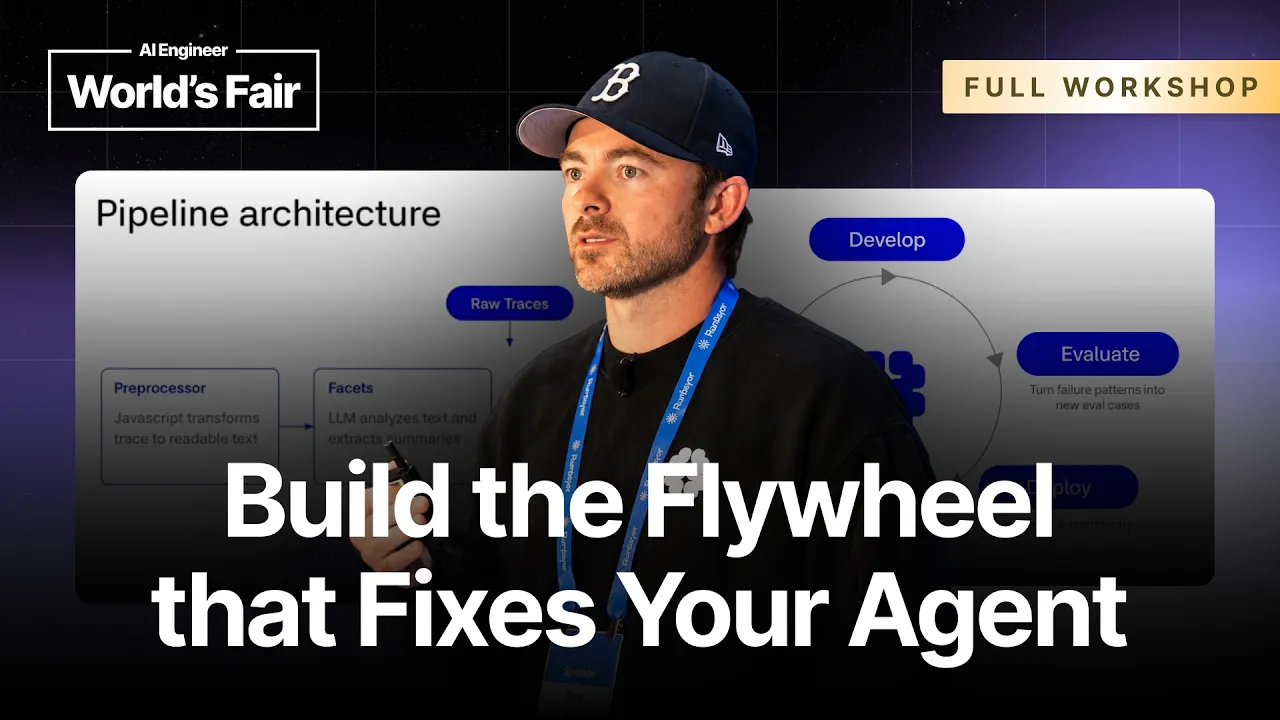
Description
A batch of 968 sample support traces exposes order lookup failures and broken escalation calls. Doug Guthrie uses those cases to connect Braintrust observability with the work of improving an agent. The workshop starts with a Python support agent built on the OpenAI Agents SDK, adds tracing, establishes an offline evaluation baseline, and publishes custom scorers. Online automations grade incoming traces, while Topics groups patterns in tasks, sentiment, and workflow issues. A custom facet targets failures that the default issue classification misses. Guthrie configures conversation grouping and sampling, imports the sample traces, and inspects the resulting labels and topic maps to find cases worth investigating. The next step is to turn those findings into changes. The embedded Loop assistant queries trace data with SQL and examines representative failures. Selected examples return to evaluation datasets so subsequent changes can be checked against real failure cases. A coding agent with the Braintrust CLI and an improvement skill extends that process into the repository: investigate logs, propose code and scorer changes, add regression examples, and run evaluations. Guthrie shows an automation that packages findings, explanations, and evaluation evidence into a pull request for review. Audience questions cover deployment, sampling rates, project scope, access controls, and how evaluation assets should evolve with the agent. A final demonstration exposes an agent evaluation to a playground, letting collaborators adjust prompts and models while execution stays on the evaluation server. Speaker info: - https://www.linkedin.com/in/doug-guthrie-07994a48 - https://github.com/dpguthrie - https://github.com/dpguthrie/mastering-ai-observability-workshop Timestamps: 0:00 - Workshop overview and companion repository 5:08 - Tracing as the foundation of observability 8:00 - Connecting production feedback to development 9:46 - Scorers, judges, and human calibration 15:06 -
Summary
Generated by gpt-6.1-terraAt-a-Glance
- Verdict: Skim
- Core thesis: Improve agents through a production-to-development flywheel that combines detailed traces, calibrated evaluation scores, and clustering of previously unknown failure patterns.
- Why it matters: Ken can apply the architecture to agent operations and coding-agent oversight, where raw traces alone do not reveal which failures are recurring or which changes are safe to deploy.
- Best use: Use the observability and scoring design as a checklist, then inspect the workshop repository or test the approach on real traces; the provided transcript cuts off before the promised end-to-end demonstration.
Executive Summary
Braintrust solutions engineer Doug Guthrie argues that observability and evaluation are complementary: capture each agent step, tool input, and output; identify meaningful production failures; turn those examples into tests; and evaluate changes before deployment. The operational challenge is not merely collecting traces but finding useful signal at scale.
He distinguishes known failure modes, which can be measured with code-based checks and LLM judges, from unknown patterns that may surface through clustering. Judges should produce reasons, be calibrated against human review, and evolve with the agent. For initial evaluations he favors strict binary scores and challenging examples over reassuring perfect scores.
Braintrust's Topics feature is his proposed discovery mechanism: preprocess traces, summarize them against task, issue, sentiment, or custom facets, embed the summaries, and cluster them into labeled patterns. He describes a hosted model intended to make broad coverage affordable, but offers vendor claims and synthetic examples rather than independent proof of accuracy.
The workshop also covers deployment boundaries, provider authentication, and a CLI that can give coding agents access to observability workflows. Internet problems disrupted audience participation, and the supplied transcript ends in extensive repeated text before the promised full demonstration; its declared word count therefore overstates substantive coverage.
Key Takeaways
- Claim: The useful unit of agent observability is a closed improvement loop, not a trace viewer. | Evidence: Guthrie's loop is develop a change, run regression evaluations, deploy, observe production, extract failure examples, and return them to datasets and new evaluations. | Implication: Ken should judge an observability stack by how readily production evidence becomes reproducible tests and deployment decisions, not just by trace collection. | Caveat: The provided transcript describes the loop but cuts off before demonstrating it end to end.
- Claim: Instrument intermediate agent decisions and tool calls, including their inputs and outputs, to localize quality degradation. | Evidence: Guthrie contrasts a step-by-step trace with a black box and notes that even a coding agent cannot diagnose missing information that was never captured. | Implication: Trace coverage across orchestration and tools is a prerequisite for meaningful agent debugging and evaluation.
- Claim: Use deterministic checks for objective requirements and human-calibrated LLM judges for subjective quality; neither is a set-and-forget metric. | Evidence: Examples include schema validation and checking whether tool A preceded tool B; judges assess qualitative criteria and provide explanations that humans can review. | Implication: Ken can reserve inexpensive checks for clear invariants while measuring judge agreement with human reviewers before relying on scores for release or operational decisions. | Caveat: Guthrie's suggestions to use binary scores, harsh examples, few-shot prompts, and potentially a stronger judge model are practical heuristics, not validated universal rules; model cost and traffic volume matter.
- Claim: Offline evaluations and online scoring serve different decisions and should be connected. | Evidence: Offline scores indicate whether a change improved or regressed the agent and can be wired into CI; online scores flag live interactions, such as cases where routing accuracy is zero. | Implication: Use offline tests as a release gate and live scoring to find production patterns that the existing test suite misses.
- Claim: Clustering production traces can expose unexpected failure modes and product demand that predefined evaluators cannot anticipate. | Evidence: Topics generates task, issue, and sentiment groupings or custom facets; Guthrie says resulting clusters can reveal silent failures, edge cases, and feature requests. | Implication: Treat clusters as leads for human investigation and dataset expansion, not as verified incident counts or autonomous roadmap decisions. | Caveat: The claimed usefulness is vendor-reported; the workshop uses synthetic support-agent data and does not establish clustering precision, recall, or causality.
- Claim: A scalable discovery pipeline can transform long traces into structured labels that people or coding agents can query. | Evidence: The described pipeline preprocesses the conversation and tool calls, summarizes each trace by facet, embeds the summary, and builds a labeled topic map; custom preprocessors can include metadata or spans omitted by default. | Implication: Ken can use this pipeline as a reference architecture while testing whether summarization discards evidence needed to detect important failures. | Caveat: Guthrie quotes hosted-model pricing of $0.06 per million input tokens and $0.40 per million output tokens, but does not establish total end-to-end cost or accuracy.
- Claim: Observability workflows can be exposed to a coding agent through a CLI and task-specific skills. | Evidence: The workshop installs the Braintrust CLI and runs 'bt setup skills' for Codex; Guthrie says the CLI can query SQL, inspect logs, create datasets, and run evaluations. | Implication: There is a concrete integration pattern for agent-assisted diagnosis, but its effectiveness and appropriate permissions must be assessed independently. | Caveat: The supplied transcript ends before showing the coding agent actually perform the promised workflow.
Detailed Brief
Deployment, provider access, and data boundaries
- Claims: Guthrie describes SaaS, bring-your-own-cloud, and hybrid hosting options; in the hybrid model Braintrust hosts the control plane, web application, and metadata while traces, datasets, and experiments can reside in the customer's VPC.; Online LLM judges use customer-configured models, whereas the Topics pipeline uses Braintrust-hosted models.; Long-running conversation processing can be configured with timing settings; custom preprocessors and facets allow teams to adjust what information is analyzed.
- Evidence: Provider configuration supports API keys, recently introduced workload identity federation for some major providers, and custom gateways with specified authentication and connection details.; The presenter notes that gateway firewall rules may require IP allowlisting.
- Caveats: The transcript does not establish the complete data flow, retention policy, or exact security guarantees for the hosted Topics models or the BYOC option.
- Implications: Keeping the data plane in a VPC is not by itself proof that all metadata and model-processing paths remain inside the customer's security boundary.
Vendor positioning and limits of the workshop evidence
- Claims: Guthrie positions Braintrust as framework- and language-agnostic and claims its purpose-built Brainstore backend enables scale and insight generation beyond conventional trace storage.; He suggests applying Topics to coding-agent sessions, including Claude Code, Codex, Cursor, and OpenCode, to understand how engineers use those tools.
- Evidence: He says Braintrust moved away from ClickHouse and built Brainstore in late 2024, and asserts competitors subsequently built their own databases.; The dummy support agent uses the OpenAI Agents SDK and Python; the setup includes uv, a project-specific environment file, configured AI providers, and a Braintrust API key.
- Caveats: Comparative claims about ClickHouse, LangSmith, Arize, customer adoption, and Braintrust's lead are the presenter's assertions, not independent benchmarks.; The session's internet problems prevented normal audience participation, and the transcript's repeated 'Control B' ending obscures whatever followed.
- Implications: Coding-session clustering may illuminate usage patterns, but the speaker acknowledges that additional machinery is needed to establish whether the tools actually improve workflow outcomes.
Notable Concepts & Terms
- Production-to-development flywheel: The loop that turns deployed-agent observations into datasets, evaluation-driven changes, and subsequent releases.
- Online versus offline scoring: Online scores assess live interactions; offline evaluations compare candidate changes against test cases before release.
- LLM judge calibration: Human review of model-generated scores and reasoning to detect misalignment and revise evaluation criteria.
- Topics and facets: Braintrust's clustering feature and its analysis lenses, such as task, issue, sentiment, or a custom question.
- Trace preprocessor: The configurable step that reduces a trace to information suitable for downstream summarization and clustering.
- Brainstore: Braintrust's claimed purpose-built database for ingesting and querying agent-observability data at scale.
- Hybrid control plane/data plane: The described hosting split in which Braintrust operates the control plane while customer traces and related data can remain in a customer VPC.
Operator Notes / Why Ken Should Care
- Select one consequential agent workflow and define the minimum trace fields and failure examples needed to reproduce a bad outcome.
- Build a small human-labeled holdout set and measure judge disagreement and missed clusters before using automated scores for release gates.
- Run a cost and coverage pilot on representative production traces, including long sessions and metadata-heavy failures, rather than relying on quoted model-token prices.
- Request a written data-flow, retention, and authentication review for hosted Topics processing and any hybrid deployment before sending sensitive traces.
- Scope coding-agent CLI credentials and SQL access narrowly, and require review before an agent changes datasets, evaluators, or deployment settings.
- Locate the presenter's GitHub workshop repository and inspect or run the missing end-to-end example; the transcript does not supply a complete walkthrough.
Source/Metadata
- Title: Advanced Workshop: Mastering AI Observability — Doug Guthrie, Braintrust
- Transcript words: 9810
- Duration seconds: 6697
- Timestamp note: No timestamps or chapters were supplied. The transcript ends in extensive repeated text, so later workshop content is unavailable.
Transcript
Hey everybody. My name is Doug Guthrie. I'm a Solutions Engineer at BrainTrust. I have a few colleagues in the room that can help if you get stuck anywhere within the workshop today. Also, I get interrupted all day long during calls, so if you want to stop me at any point and ask a question, I'm up for that as well. Hopefully you've had a chance to grab the QR code by now. It just takes you out to this repo. This is what we're going to be using today as part of the workshop, and going through understanding how you can do observability within BrainTrust and using all of the different features within there to build better agents. That's really why we're all here. How do we actually create good quality agents? I'll leave this up for 10 more seconds or so. I'm going to have this again later in the presentation when we actually get into the workshop, so if you don't get it, you can also Google D.P. Guthrie and GitHub and search that repository on GitHub and you'll be able to find it. Cool. So we're all here to master AI observability, and I'm going to give you what that looks like in the context of using BrainTrust. Quick agenda. I do have some slides that I want to set the foundation for doing observability, and I think what we've learned about how to do it really well. So I'll set the foundation for what that looks like, give you a sense for how do we generate signal in this massive amount of noise. You all have probably seen a trace, or you can understand that the agents that you're building are generating a massive amount of data, and being able to parse through all of that and actually derive some type of signal or insight is challenging. That's where the challenge resides. There's one side of actually being able to trace and then have a platform that allows for observability, then there's the other side of how do we actually do something with it and derive some type of insight. So I'll show you what that looks like within BrainTrust, and then we'll walk through all of what I described or what I've shown on these slides in the workshop. As I said, if you have a question, feel free to jump in. I do not mind. I'll try to save some time at the end for some Q&A as well. So feel free to save your question to the end. So just a quick BrainTrust intro if you're not familiar. We are an AI evals and observability platform. Our sole goal is to help our customers build better agents. We help enable our customers to understand what quality looks like, and then how to improve it in a real measurable way. One of the more fun parts about my job is that I actually get to go speak to some of these customers that you see up there on the top right. I get to understand how they are building their agents. And a lot of those learnings actually make their way into our product, make their way into my other engagements with customers. So I get to go actually talk to the engineers of Cloudflare, and I get to talk to the engineers of Dropbox, and I get to understand what they're doing, the types of scores they're creating, how they think about our new feature topics, what that creates, the types of automations they're building on top of it. I hope to give you some sense of that today. I mentioned some of this, right? We are an evals and observability platform. You think about evals and observability, I think they're like two sides of the same coin taken together. It's really what's going to allow you to create better quality agents. If you hang around, and I mean if you aren't a BrainTrust customer, if you're not using BrainTrust today, I would highly recommend coming back and looking at BrainTrust in the next month or two. Where I think we see the industry at large today is a very passive way of observing data. What I alluded to is being able to derive insight. BrainTrust is moving I think a little bit more towards what we call active observability. It's actually giving you the primitives, the foundations, to give you the right insights, where you don't actually have to pull from your platform and understand what that means in the context of your agent, and what you need to go do to improve it. So active observability is the way in which we can start to bring those insights to you so that you can build better quality agents. So quick BrainTrust stuff there. I'll plug this again at the end, but we do have a booth at the Expo. I think it opens around five. Come and find me. I'll be there tonight. Come and find me. Ask some more questions. We'll be here all week as well. So the foundation to all of this, the foundation to observability in general, is tracing. You have to be able to understand all of the different steps that your agent takes. Right? What are the things that it's doing to get to its final output? And not only that, but what are the inputs to those tools? What are the outputs of those? And if you start to think about all of the different steps that your agent can take, this can balloon pretty quickly. And being able to parse through this is the challenge that we are trying to solve. But without that tracing, right, we're not actually able to understand what's going on, where quality is actually deteriorating. And so being able to, one, trace all of this data and then derive some type of insight, again, is where BrainTrust is going to provide some value. But in general, if you're thinking about observability, if you don't have some part of your stack with a trace that looks like this, then it's a black box. It's going to be very challenging for you to actually surface those quality issues. Or you know, point codecs or cloud code or whatever you're using out there to understand what's going on. If that data is not there, you can't actually surface those places where the agent is falling down, where it could be improved. So tracing is the foundation. I think if you look at the eval side, and of course, talking today about observability, it all centers around us being able to capture all of the different things that our agent is doing. So just another call out on the BrainTrust side. We have a lot of different ways. So I'll skip ahead just a little bit. The workshop that we're doing is built on a dummy support agent. The agent isn't the thing that's important, but it's built with the OpenAI Agents SDK. We have lots of different integrations with all of the different agent frameworks. We have integrations with all of the AI providers. We have different programming languages. So depending on how you are building your agent, whether the example today is in Python, but it could be TypeScript, it could be Java, Ruby, Go. So we are pretty flexible in that we allow you to bring whatever it is you're doing today from a programming language perspective or how you are building your agent, whether it's with a framework, whether you're using open telemetry, whether you're hand rolling your own orchestration, whatever it is, BrainTrust has a way to hook into that pretty seamlessly. And I think if you're looking out across the market, right, if you're trying to understand how do I trace this agent, you're going to have to have the ability to go across a lot of different things generally. And you can see over here there's a lot of different ways in which you can integrate your stack into BrainTrust. So again, the dummy agent today is using the OpenAI Agents SDK, but that's certainly not what we're confined to. This is something that I say the word flywheel, I don't know, a hundred times a day, it seems. The whole idea and where I think we've gotten a lot of feedback from our customers is the way in which they are building better agents today is they are creating something like this, right? And what I mean by that is that production should inform development. You should have a really simple and easy way to create a flywheel that allows you to develop some type of change, fix something within your agent, test whether that change regressed the agent in some way or improved it. You should be able to have the confidence to go and deploy that agent to production. When you deploy, right, we need to be able to observe it. That observation, though, we need to tack something on top of that, which maybe you don't see necessarily called out specifically within this flywheel, but you need to be able to derive some type of insight at scale. Most of the customers, especially on the slide that I showed earlier, they have a massive amount of scale and being able to derive insight, having a human comb through that data would just be incredibly challenging. And so we need to layer intelligence on top of that. And that's one of the things that BrainTrust will offer. You should have a really simple and easy to create flywheel that allows you to develop some type of change, fix something within your agent, test whether or not that change regressed the agent in some way or improved it. You should be able to have the confidence to go and deploy that agent to production. When you deploy, we need to be able to observe it. That observation, though, we need to attach something on top of that, which maybe you don't see necessarily called out specifically within this flywheel, but you need to be able to derive some type of insight at scale. Most of the customers, especially on the slide that I showed earlier, they have a massive amount of scale and being able to derive insight, having a human comb through that data would just be incredibly challenging. And so we need to layer intelligence on top of that. And that's one of the things that the brain trust will offer. But I think if you're thinking about the process of building a better agent in general, you need a flywheel like this. You need to create something where production in some way informs how you go and change your agent. And so this is what I'll show you a little bit today when we go through the workshop is how we can actually surface some of those insights in an automated way from our support agent, bring those insights back to our development process, make some type of change, run an eval. That loop becomes incredibly important. And hopefully it becomes a very trivial thing that most companies and most developers can just very easily plug into. So when I say signal, in this context, I mean two different things that we will wire up also during the workshop. I mean scores. So this could be evaluators. This is just a way to measure the output of your agent in some way. You have some particular failure mode. You have something that you're trying to understand about the agent when it received some input. We can create a lot of different types of scores. One of them you see over on the far left is a code-based score. These are generally very fast, very cheap, very easy to run. You can imagine I'm trying to validate a schema. I am trying to understand was tool A called before tool B? Was it called in the right order? Things that can be produced very quickly and without having to go into an LLM. The more subjective though is the LLM judge. We want to bring some sort of human understanding to that trace, to that interaction that just happened with that eval case or even online as well. And so you could actually give the LLM some criteria of how you want to assess the output or assess that conversation. And it should produce some score. And then there's probably a fourth one here. But the third one that you see over on the right is an LLM judge aligned with human review. What's also important you could probably imagine is if I have an LLM judge and it's producing results and we are making decisions based on those results, we should probably understand whether or not those results are good or not. And so there should be some element of human review. I think especially if you are using these judges in an online sense, you are scoring actual interactions of users with your agent. You should be able to provide some type of interface to users to provide that review to calibrate those judges. This isn't a set it and forget it type thing. Your agent will evolve. So too will your scores. The fourth one that I actually have an example of in the workshop is a code-based score, but it invokes an LLM under the hood. You can imagine there is branching logic or there's more advanced or complex things that you need to do based on some type of logic that you want to encode in your code-based score. So you could do that as well. These are some of the things that I think I've heard in different conversations with our students. I think again, it's not always going to fit a hundred percent of the scenarios every single time. It's where I've seen a lot of success across our customer base. Just being able to understand the reasoning that the LLM gave for producing a score is incredibly helpful, especially on that human review side where it's like, "Hey, I can understand why it produced that. That will then inform how I can go change my scores in some way." Binary scoring, I think especially at the outset when we have an agent that we are putting out into production, binary scoring I think is better than A, B, C, D, or so on. And you should be incredibly harsh. You should produce really hard examples. If you get a hundred percent on every single one of your evals, and we probably will today because it's a dummy use case, but if you get a hundred percent on your evals, one, you probably don't have strong enough test cases in your data set. Your scores probably aren't harsh enough. So you should look at that and calibrate accordingly. Another one that I've seen, again grain of salt, including some examples in your prompts tends to help. And then perhaps using a stronger model for scoring than for generation. Let's bring this a little bit closer to human subjectivity as possible. Obviously this can change based on the type of traffic. If we start to talk about online scoring and things like that. But to that point, there are obviously two different types of scores, at least the way that we see that here at BrainTrust. There is the offline, right? This is our evals. We are trying to derive some signal of whether or not we should push this thing to production. This is going to give us indication of did it improve or did it regress? You can imagine wiring this up to CI. You could imagine wiring it up to some sort of automated pipeline where you're running it offline. And then on the flip side, the whole idea, the thing that we're talking about here is how do we derive signal from things that are actually happening in production? And one of those things that you can do is use those online scorers and score that traffic as it's incoming into BrainTrust. And again, the idea is to attach some type of signal where then you as a user can actually go in and be like, "Hey, my routing accuracy score is zero in these examples. Is there some sort of pattern that I should be aware of based on this feedback?" So I need to go from this massive amount of data into something that is much smaller and easier for me to consume. The second signal is a feature that we have in BrainTrust called Topics. The idea here is that you want to understand patterns within your data. You want to go a little bit further beyond the known unknowns, right? So your scores that you've already created in your offline evals, they are failure modes that perhaps you've already recognized. They're things that you already are testing for, but that's certainly not the scope in which your agent can operate or the failure modes that it can encounter. And so we need to understand beyond that. And Topics is one of those things that will help enable that. We should be able to understand silent failures. So you can see there these very traditional scores like factuality and moderation. They're going to catch a very small subset of errors. And probably you have a little bit more bespoke scores that you're using. And then to that point, the evals that you're running again are using those subset of scores to understand improvement or regression. But there is a wide swath of use cases that your test scenarios are not capturing, that your users are actually probing your agent with and trying to get some type of output. And perhaps maybe it's not the right one. So we want to capture these edge cases. We want to capture the tail end and we want to structure the flywheel. We want to bring these examples back to our data sets. We want to run evals. We want to perhaps create new scores based on that feedback. So what is Topics? Topics in general or at a high level is a way for us to understand patterns within your data. We can create clusters of those patterns and give you a sense of frequency with which those things are occurring. Also important to call out here is that there are both built-in and custom facets. And what I mean by that is when you go into your BrainTrust account, you can enable a feature called Topics. And out of the box you can see task, issues, and sentiment. So I can understand, hey, what is the common user intent? How are users feeling when they interact with my agent? And what are the common agent issues? So I can get that sort of taxonomy where I'm not necessarily providing that taxonomy up front. The LLM creates that for me as part of this pipeline. But I can also bring my own custom facets. I can build my own prompt and I can build my own pipeline to create these patterns within your data. Topics in general or at a high level is a way for us to understand patterns within your data. We can create clusters of those patterns and give you a sense of frequency with which those things are occurring. Also important to call out here is that there are both built-in and custom facets. And what I mean by that is when you go into your BrainTrust account, you can enable a feature called Topics. And out of the box you can see task, issues, and sentiment. So I can understand, hey, what is the common user intent? How are users feeling when they interact with my agent? And what are the common agent issues? So I can get that taxonomy where I'm not necessarily providing that taxonomy up front. The LLM creates that for me as part of this pipeline. But I can also bring my own custom facets. I can build my own prompt and I can build my own pipeline to create these patterns within my data, right? With respect to the things that I care about. Go back to this. This is just an example of an illustration that you might see with the topics that were generated. But why would you use it? I think I alluded to this a little bit. But you want to be able to not have blind spots. You want to be able to understand all of the different ways in which your users are interacting with your agents. And then allow that to inform what you go do as a developer, right? This doesn't even necessarily have to be an issue or failure mode. This could be potentially feature requests. New things that your agent could do based on the way users are actually interacting with your agent. So this is one of the ways in which I've seen a lot of our users start to use this. Create this or understand what's going on and inform what a roadmap should look like for the agent, right? It starts to uncover things that we're not necessarily aware of with respect to these agents running in production. Behind the scenes is a really complex pipeline. You see over there on the left a preprocessor. So if you think back to my first slide with that trace, and that's a very small trace relative to what I've seen our customers generate. What we need to do is preprocess that data into something that is meaningful to give to the LLM. So we give you what we call a default preprocessor. We essentially take what you'll see in our thread view, and you'll see that in just a little bit. But it's the back and forth, right? It's the user, it's the assistant, it's the tool calls. We preprocess that massive trace into something that is meaningful, is much smaller. We then pass that to a facet, right? The facet is the thing that I just described. Issues, task, sentiment, your own built-in facets. What we're going to do here, that preprocessed data is going to be passed to that facet. We are going to then summarize it. That summary, we then create a vector embedding of that summary within our backend. On top of that, once we have that vector embedding, we can now go create what we call a topic map. This is what you saw on the previous slide of the scatter plot. This is what now allows us to label our traces and classify them. And if I have those labels and those classifiers, it becomes incredibly trivial for me as a user, using a coding agent on top of Braintrust, to now start to filter through that noise using all of that really rich data. Important call out, the pipeline that you're seeing, the facets and that embedding step, is actually using a hosted model that we have. So we have done a lot of work behind the scenes to create, not just a feature that you would show in a demo. Obviously, we'll see some stuff here today, but this should work at scale. You should be able to run this on 100% of your traces. That's the goal of our topics pipeline. It is, to get a little more detailed than I should, six cents per million tokens on the input side and 40 cents on the output side. Compare that to other models that you might be using on the LLM judge to create that same type of signal. You can create a pretty compelling use case, especially if you start to see value in the topics and the labels and classifiers that we generate as a result of it. I also alluded to this a little bit, why did we build this? We have customers that generate massive amounts of data. And one of the things that I think we solved for very early on was being able to ingest that data and then allowing our customers to query over that data in sub-second speeds. What we didn't necessarily have at the outset was the ability to do something with it, right? And this is where that active observability comes into play. How do we now derive insight from all of this data, especially this data at scale? This is where the challenge comes into play. And so if you have this really complex pipeline that has been architected to both run at scale, and I mean that from a technical perspective as well as a cost one, then we can actually provide, I think, a really interesting primitive and foundation that our customers can build on to inform that flywheel. At the end of the day, the thing that we're trying to do is enable our customers to build that flywheel and to build it in a way that actually improves their agent quality, and they can do it very quickly. All right, hopefully I didn't lose anybody there in the presentation and you all are ready for workshop. Quick show of hands, anybody still need the QR code or the URL for the GitHub repo? Yeah, I'll keep it up here for 30 seconds or so. Oh man, you're going straight competitor here, huh? Wow, I was not prepared for that. I am certainly not the guy. I will not be up here bashing anybody. I do think that we have a stronger offering and I think we have a stronger offering in a lot of different regards. Certainly not in any particular order. One of them is the flexibility that I showed to you on the other slide. There is the ability to go across multiple languages, multiple programming languages, frameworks. It's a very agnostic way to build your agent. Langsmith, I think, has some of that as well, but they are definitely geared towards LangGraph and Langchain and DeepAgents and those types of things. And I think they have features that are only for that. The other thing that I think if you go back, actually I used to have a slide on this, but Braintrust built their own database in late 2024. And the reason that we built this database is Ankur, our CEO, recognized very early on the trajectory that we were going in from an agent perspective. And so we were using ClickHouse behind the scenes at the time and recognized very quickly when we onboarded the likes of the customers that you saw on there, Netflix and Microsoft and Dropbox, that ClickHouse just fell down at scale very quickly. And we had to do something different. And so this is where the engineering team and Ankur built Brainstore. This is our own purpose-built backend. I think at the time, people thought we were crazy. They thought, hey, there are all of these open source alternatives. There's ClickHouse. There are these things that actually allow us to do this and do this well. What you now see, especially on the Langsmith side, they've just built their own database. Arise, they just built their own database six months ago. I think people are starting to recognize that this is actually a problem that's not solved for with out of the box solutions and you need something custom. And so in that regard, I think we're a year ahead of some of these competitors. And where that shows up is in topics, is in being able to generate real insights on data at scale. There's probably some other ones. If you want to come find me afterwards, we can get into it. But I'd say that last one, having our own backend and the things that we were able to build on top of that, has really enabled us, I think, to separate ourselves from other players in the space. Yeah, I mean, during the workshop, the question was just about examples of topics and a little bit more insight into perhaps the process and are we actually generating anything that is meaningfully different because the traces are relatively the same. They are going to be semantically similar. I think you'll see this in the workshop, hopefully. I think the customers that are using this in production would probably disagree with you. That's why they are using it is because they are seeing those differences and they are seeing those show up as different classifiers, as things that they weren't yet aware of before actually running that pipeline. has really enabled us, I think, to separate ourselves from other players in the space. Yeah, I mean, during the workshop, sorry if anybody couldn't hear, the question was just examples of topics and a little bit more insight into perhaps the process and are we actually generating anything that is meaningfully different because the traces are relatively the same. They are going to be semantically similar. I think you'll see this in the workshop, hopefully. I think the customers that are using this in production would probably disagree with you. That's why they are using it is because they are seeing those differences and they are seeing those show up as different classifiers, as things that they weren't yet aware of before actually running that pipeline. I think part of it is just getting your hands dirty a little bit and actually putting in your actual traces. I have dummy demo data where I've used a script to hopefully create some differences that we create this. I think you naturally see even more of that when you have actual users interact with the agent. The traces look probably somewhat similar, right? We're invoking the same tools. It's going through the same workflow. But I think depending on what your agent is doing and what your users are doing with your agent. And I think maybe to back up a little bit, I think a lot of us are building agents that are increasing in complexity or they're building systems that are increasing in complexity. And it creates, I think, some differences that will show up on screen. But you'll see when you create an account, you actually have a free account. You can send data up to a certain point. You can even toggle on topics to see if it is actually generating some of these things. So we'll just encourage you even after this workshop to go play with it and see if it does generate some interesting topics for you. The question is can we use topics perhaps on our own sessions with Cloud Code and Codex and so on? Absolutely. One of the things that you'll see if you go to our integrations page is an integration with Cloud Code, integration with Codex, Cursor, OpenCode. And so you can, I'm actually working with multiple customers right now where they are trying to do exactly that and layer topics on top of that. I think a lot of, I don't know exactly where the question is coming from, but I think what I've heard is that most engineers today, most teams of engineers are using those tools. And there needs to now be, I think, insight into the efficacy or how well these things are actually improving the workflow and those types of things. And I think there's probably some machinery that still needs to be put in place. But if you're just looking to understand what people are doing and those different tools, I think topics is a really good way to start to understand that. So we have a few different hosting options. One is just full SaaS. That's what you're all going to be using today. We have both a BYOC and a hybrid model. And so maybe to back up even further than this or than the question is, BrainTrust was actually architected from day one to support a hybrid deployment. And so by that I mean the control plane, the web app, right, the metadata that we store is always going to be hosted by us. The data plane, so your traces, your data sets, your experiments can actually be hosted within your VPC, within your infrastructure. We deploy across all of the major cloud providers. But yes, you actually, we have those customers that you saw up there, I would wager that 90% of them are self-hosted ones. The question is how do you handle long running conversations with topics? Some of it is, I can probably show you this during the workshop, but there are different settings that you can configure that operate on different traces, that can operate or can only be invoked after a certain time period. So depending on how long conversations tend to last, that tends to inform the settings that you create. But getting into the workshop probably answers that a little bit better, but I think we can answer that one. The preprocessor, we give you a default one. You can bring your own custom preprocessor. You have data that exists outside of what we can parse from input and output or what's going to and from the LLM. You have stuff that's in metadata. You have stuff that's within some other span that maybe we're not preprocessing as part of that default preprocessor. You can absolutely create your own. The other one, again, like I think I mentioned, was the facets. You can bring your own facet. You can build your own thing that you're trying to understand or to derive patterns of within Braintrust. But yes, this, I think one of the other really cool things about this pipeline is it's completely hackable in the best sense of the word. I see a 30 minute timer. I think we have till 11 though. All right. So I'm going to assume everybody has the workshop or the QR code here or at least the access to the repo. Is that, should we zoom in a little bit? Okay. This could be a little bit different based on you having a Braintrust org or not. Like I said, NOAA is back here and can help if you run into anything. Also, if you want to just yell at me for a little bit, that's fine too. So obviously the first thing that we'll need here is a Braintrust organization. And so I'll sort of walk through this guide with you all. And we'll start to understand exactly what I just described there. We want to create that flywheel. And I think we'll focus a little bit more on the online side, but just know that there is the flip side, which is the evals. And I do have an eval as part of this that we can also chat about. All right. So a little bit of a teaser there. It was not meant to do that, but we will create a new organization. If it's your first organization that you've created, you're going to navigate to that link. You may have some different steps at the outset. It may actually ask you to provide some AI providers and generate an API key. Please go through that. I also have steps for those as well. You just see a slightly different flow because I already have organizations created here on the Braintrust side. If you see a screen like I do now, quick raise, raise your hands. Do most people are most people just creating a new Braintrust org for the very first time? Okay, cool. Awesome. I love to see that. We created the org. Is the next step to create a project? Internet issues. Love that. Okay. So nobody can participate. Okay. Bummer. I don't know if anybody was here last year. We have the exact same problem. We'll just go through this though. And I will try not to go too fast knowing that nobody else is doing this here. But so you'll see the we created an organization. You'll also see we automatically created a my project. You can delete this if you'd like. We're going to create our own project for this workshop. I would label it this, AIE-workshop. All of these code in the repo assumes that you have done this. Now you could certainly not do this and then change some other things in the repo, but just wanted to call that out. If you are following along, just know that you'll need to make sure that the project that you've defined here is also matching what you have within the repo. So the other two things that we'll need to sort of complete this is one, we will need to generate or create an AI provider. So if you go over to BrainTrust and into your settings, you'll see a place where you can actually configure your AI providers. I'll click this one up here. There should be a lot of different places for you to add some type of API key or what we just released very recently is workload identity federation for some of our major AI providers. But you can also, what our organizations tend to also do or where I see them also build is they'll have their own gateway. And they want to connect their gateway to Braintrust. They could do that using a custom provider. You sort of give the underlying spec that that gateway sort of conforms to, how we are authenticating to that and some other sort of URL authentication types. So generally speaking, you can connect to a lot of different AI providers in a lot of ways. I haven't seen anybody not be able to connect to anything from Braintrust. So if you go over to BrainTrust and into your settings, you'll see a place where you can actually configure your AI providers. I'll click this one up here. There, there should be a lot of different places for you to add some type of API key or what we just released very recently is workload identity federation for some of our major AI providers. But you can also, what our organizations tend to also do or where I see them also build is they'll have their own gateway. And they want to connect their gateway to BrainTrust. They could do that using a custom provider. You give the underlying spec that that gateway conforms to, how we are authenticating to that and some other URL authentication types. So generally speaking, you can connect to a lot of different AI providers in a lot of ways. I haven't seen anybody not be able to connect to anything from BrainTrust. The other thing maybe just to, if you are following along and you are using a gateway but that gateway has perhaps some firewalls, you'd probably see some errors on this side. Just know that there are ways in which you can allow certain IP addresses to those different places that perhaps only allow certain IP addresses like a gateway. I am going to stop sharing just for a second so you don't see my API key. All right, one more. I'm going to generate an API key also. Okay. All right. So just to recap what I just did here, I went over to AI providers. I added both OpenAI and Anthropic as API keys. The reason that you'll need this is if you do configure online scoring and you're using judges as part of that, you will need to choose some type of model. So another call out here is that when you actually invoke those scores, you are using your own models to do so. The only caveat to do that is that topics pipeline which uses our brain trust built in models for that complex pipeline. All right. So we essentially just did sort of step zero here. We created a new org. We have a project called AIE-workshop. We have an AI provider and then we have an API key. If you haven't done this, all right, so we can now clone this repo. We have an AI provider and you can code. All right, anybody thumbs up, thumbs down, is this okay? Zoom in. Cool. Okay, so let's start going through this. Obviously we're going to be using some different tooling here to power this. I'm using uv as the package manager to install all of my Python dependencies. So if you don't have uv already installed, you would use this command. I already do, so I'm just going to run uv sync and then add some dev dependencies as well. So that should create a virtual environment within your directory and then should install all of the different things that are required to run this workshop. The next thing that we will do is create our .env file, and we already have one as an example. So you can copy that one over. And all you're doing in this one is you are adding an API key that you generated on the brain trust side, and then you are adding a default model. This is really only needed if you wanted to spin up the sort of chat UI and run, I think, evals as well. But these are the two things that you would sort of create or modify within that .env that you just copied over to power and run this workshop. There's some other ones that there's some instructions in that .env file of what you could also change. Like if you wanted to follow maybe those best practices that we talked about earlier of maybe creating or having a better or higher, more powerful judge model, you could do that as well. Just if you're not aware what this should be, there is the .env that we just copied over. Again, I'm just modifying or adding my brain trust API key, and then I added a default model. And this default model obviously is going to be something that is accessible via the providers that I configured on the brain trust side. So if I did open AI, I'm going to do a GPT model, Anthropic, Sonnet, and so on. So just make sure that those two things mirror one another. The other thing that's going to be really important for this workshop is to install the brain trust CLI. This is going to allow you to run arbitrary SQL, to run evals, to view your logs, to create data sets. You think about that flywheel that I just described, a lot of those things are part of that flywheel, and it's something that we can plug into our agent to actually start to do itself, which you'll see at the end of the workshop. So you'll see over here, I already have the brain trust CLI installed. I'm also going to do a BT setup skills, and I'm going to use codecs. You might be using Cloud Code or OpenCode or Cursor or Quen or Gemini. That's supported also, but the idea here is that we are going to give our coding agent access to some skills to understand how to create a data set, how to run evals, how to write SQL, and so on. Yeah. Switch to what? Oh, yeah. That's a really good idea. Where? I don't think I've ever actually done that in here. Any idea? What is it? Control B. Control B. Control B. Control B. Control B. Control B. Control B. Control B. Control B. Control B. Control B. Control B. Control B. Control B. Control B. Control B. Control B. Control B. Control B. Control B. Control B. Control B. Control B. Control B. Control B. Control B. Control B. Control B. Control B. Control B. Control B. Control B. Control B. Control B. Control B. Control B. Control B. Control B. Control B. Control B. Control B. Control B. Control B. Control B. Control B. Control B. Control B. Control B. Control B. Control B. Control B. Control B. Control B. Control B. Control B. Control B. Control B. Control B. Control B. Control B. Control B. Control B. Control B. Control B. Control B. Control B. Control B. Control B. Control B. Control B. Control B. Control B. Control B. Control B. Control B. Control B. Control B. Control B. Control B. Control B. Control B. Control B. Control B. Control B. Control B. Control B. Control B. Control B. Control B. Control B. Control B. Control B. Control B. Control B. Control B. Control B. Control B. Control B. Control B. Control B. Control B. Control B. Control B. Control B. Control B. Control B. Control B. Control B. Control B. Control B. Control B. Control B. Control B. Control B. Control B. Control B. Control B. Control B. Control B. Control B. Control B. Control B. Control B. Control B. Control B. Control B. Control B. Control B. Control B. Control B. Control B. Control B. Control B. Control B. Control B. Control B. Control B. Control B. Control B. Control B. Control B. Control B. Control B. Control B. Control B. Control B. Control B. Control B. Control B. Control B. Control B. Control B. Control B. Control B. Control B. Control B. Control B. Control B. Control B. Control B. Control B. Control B. Control B. Control B. Control B. Control B. Control B. Control B. Control B. Control B. Control B. Control B. Control B. Control B. Control B. Control B. Control B. Control B. Control B. Control B. Control B. Control B. Control B. Control B. Control B. Control B. Control B. Control B. Control B. Control B. Control B. Control B. Control B. Control B. Control B. Control B. Control B. Control B. Control B. Control B. Control B. Control B. Control B. Control B. Control B. Control B. Control B. Control B. Control B. Control B. Control B. Control B. Control B. Control B. Control B. Control B. Control B. Control B. Control B. Control B. Control B. Control B. Control B. Control B. Control B. Control B. Control B. Control B. Control B. Control B. Control B. Control B. Control B. Control B. Control B. Control B. Control B. Control B. Control B. Control B. Control B. Control B. Control B. Control B. Control B. Control B. Control B. Control B. Control B. Control B. Control B. Control B. Control B. Control B. Control B. Control B. Control B. Control B. Control B. Control B. Control B. Control B. Control B. Control B. Control B. Control B. Control B. Control B. Control B. Control B. Control B. Control B. Control B. Control B. Control B. Control B. Control B. Control B. Control B. Control B. Control B. Control B. Control B. Control B. Control B. Control B. Control B. Control B. Control B. Control B. Control B. Control B. Control B. Control B. Control B. Control B. Control B. Control B. Control B. Control B. Control B. Control B. Control B. Control B. Control B. Control B. Control B. Control B. Control B. Control B. Control B. Control B. Control B. Control B. Control B. Control B. Control B. Control B. Control B. Control B. Control B. Control B. Control B. Control B. Control B. Control B. Control B. Control B. Control B. Control B. Control B. Control B. Control B. Control B. Control B. Control B. Control B. Control B. Control B. Control B. Control B. Control B. Control B. Control B. Control B. Control B. Control B. Control B. Control B. Control B. Control B. Control B. Control B. Control B. Control B. Control B. Control B. Control B. Control B. Control B. Control B. Control B. Control B. Control B. Control B. Control B. Control B. Control B. Control B. Control B. Control B. Control B. Control B. Control B. Control B. Control B. Control B. Control B. Control B. Control B. Control B. Control B. Control B. Control B. Control B. Control B. Control B. Control B. Control B. Control B. Control B. Control B. Control B. Control B. Control B. Control B. Control B. Control B. Control B. Control B. Control B. Control B. Control B. Control B. Control B. Control B. Control B. Control B. Control B. Control B. Control B. Control B. Control B. Control B. Control B. Control B. Control B. Control B. Control B. Control B. Control B. Control B. Control B. Control B. Control B. Control B. Control B. Control B. Control B. Control B. Control B. Control B. Control B. Control B. Control B. Control B. Control B. Control B. Control B. Control B. Control B. Control B. Control B. Control B. Control B. Control B. Control B. Control B. Control B. Control B. Control B. Control B. Control B. Control B. Control B. Control B. Control B. Control B. Control B. Control B. Control B. Control B. Control B. Control B. Control B. Control B. Control B. Control B. Control B. Control B. Control B. Control B. Control B. Control B. Control B. Control B. Control B. Control B. Control B. Control B. Control B. Control B. Control B. Control B. Control B. Control B. Control B. Control B. Control B. Control B. Control B. Control B. Control B. Control B. Control B. Control B. Control B. Control B. Control B. Control B. Control B. Control B. Control B. Control B. Control B. Control B. Control B. Control B. Control B. Control B. Control B. Control B. Control B. Control B. Control B. Control B. Control B. Control B. Control B. Control B. Control B. Control B. Control B. Control B. Control B. Control B. Control B. Control B. Control B. Control B. Control B. Control B. Control B. Control B. Control B. Control B. Control B. Control B. Control B. Control B. Control B. Control B. Control B. Control B. Control B. Control B. Control B. Control B. Control B. Control B. Control B. Control B. Control B. Control B. Control B. Control B. Control B. Control B. Control B. Control B. Control B. Control B. Control B. Control B. Control B. Control B. Control B. Control B. Control B. Control B. Control B. Control B. Control B. Control B. Control B. Control B. Control B. Control B. Control B. Control B. Control B. Control B. Control B. Control B. Control B. Control B. Control B. Control B. Control B. Control B. Control B. Control B. Control B. Control B. Control B. Control B. Control B. Control B. Control B. Control B. Control B. Control B. Control B. Control B. Control B. Control B. Control B. Control B. Control B. Control B. Control B. Control B. Control B. Control B. Control B. Control B. Control B. Control B. Control B. Control B. Control B. Control B. Control B. Control B. Control B. Control B. Control B. Control B. Control B. Control B. Control B. Control B. Control B. Control B. Control B. Control B. Control B. Control B. Control B. Control B. Control B. Control B. Control B. Control B. Control B. Control B. Control B. Control B. Control B. Control B. Control B. Control B. Control B. Control B. Control B. Control B. Control B. Control B. Control B. Control B. Control B. Control B. Control B. Control B. Control B. Control B. Control B. Control B. Control B. Control B. Control B. Control B. Control B. Control B. Control B. Control B. Control B. Control B. Control B. Control B. Control B. Control B. Control B. Control B. Control B. Control B. Control B. Control B. Control B. Control B. Control B. Control B. Control B. Control B. Control B. Control B. Control B. Control B. Control B. Control B. Control B. Control B. Control B. Control B. Control B. Control B. Control B. Control B. Control B. Control B. Control B. Control B. Control B. Control B. Control B. Control B. Control B. Control B. Control B. Control B. Control B. Control B. Control B. Control B. Control B. Control B. Control B. Control B. Control B. Control B. Control B. Control B. Control B. Control B. Control B. Control B. Control B. Control B. Control B. Control B. Control B. Control B. Control B. Control B. Control B. Control B. Control B. Control B. Control B. Control B. Control B. Control B. Control B. Control B. Control B. Control B. Control B. Control B. Control B. Control B. Control B. Control B. Control B. Control B. Control B. Control B. Control B. Control B. Control B. Control B. Control B. Control B. Control B. Control B. Control B. Control B. Control B. Control B. Control B. Control B. Control B. Control B. Control B. Control B. Control B. Control B. Control B. Control B. Control B. Control B. Control B. Control B. Control B. Control B. Control B. Control B. Control B. Control B. Control B. Control B. Control B. Control B. Control B. Control B. Control B. Control B. Control B. Control B. Control B. Control B. Control B. Control B. Control B. Control B. Control B. Control B. Control B. Control B. Control B. Control B. Control B. Control B. Control B. Control B. Control B. Control B. Control B. Control B. Control B. Control B. Control B. Control B. Control B. Control B. Control B. Control B. Control B. Control B. Control B. Control B. Control B. Control B. Control B. Control B. Control B. Control B. Control B. Control B. Control B. Control B. Control B. Control B. Control B. Control B. Control B. Control B. Control B. Control B. Control B. Control B. Control B. Control B. Control B. Control B. Control B. Control B. Control B. Control B. Control B. Control B. Control B. Control B. Control B. Control B. Control B. Control B. Control B. Control B. Control B. Control B. Control B. Control B. Control B. Control B. Control B. Control B. Control B. Control B. Control B. Control B. Control B. Control B. Control B. Control B. Control B. Control B. Control B. Control B. Control B. Control B. Control B. Control B. Control B. Control B. Control B. Control B. Control B. Control B. Control B. Control B. Control B. Control B. Control B. Control B. Control B. Control B. Control B. Control B. Control B. Control B. Control B. Control B. Control B. Control B. Control B. Control B. Control B. Control B. Control B. Control B. Control B. Control B. Control B. Control B. Control B. Control B. Control B. Control B. Control B. Control B. Control B. Control B. Control B. Control B. Control B. Control B. Control B. Control B. Control B. Control B. Control B. Control B. Control B. Control B. Control B. Control B. Control B. Control B. Control B. Control B. Control B. Control B. Control B. Control B. Control B. Control B. Control B. Control B. Control B. Control B. Control B. Control B. Control B. Control B. Control B. Control B. Control B. Control B. Control B. Control B. Control B. Control B. Control B. Control B. Control B. Control B. Control B. Control B. Control B. Control B. Control B. Control B. Control B. Control B. Control B. Control B. Control B. Control B. Control B. Control B. Control B. Control B. Control B. Control B. Control B. Control B. Control B. Control B. Control B. Control B. Control B. Control B. Control B. Control B. Control B. Control B. Control B. Control B. Control B. Control B. Control B. Control B. Control B. Control B. Control B. Control B. Control B. Control B. Control B. Control B. Control B. Control B. Control B. Control B. Control B. Control B. Control B. Control B. Control B. Control B. Control B. Control B. Control B. Control B. Control B. Control B. Control B. Control B. Control B. Control B. Control B. Control B. Control B. Control B. Control B. Control B. Control B. Control B. Control B. Control B. Control B. Control B. Control B. Control B. Control B. Control B. Control B. Control B. Control B. Control B. Control B. Control B. Control B. Control B. Control B. Control B. Control B. Control B. Control B. Control B. Control B. Control B. Control B. Control B. Control B. Control B. Control B. Control B. Control B. Control B. Control B. Control B. Control B. Control B. Control B. Control B. Control B. Control B. Control B. Control B. Control B. Control B. Control B. Control B. Control B. Control B. Control B. Control B. Control B. Control B. Control B. Control B. Control B. Control B. Control B. Control B. Control B. Control B. Control B. Control B. Control B. Control B. Control B. Control B. Control B. Control B. Control B. Control B. Control B. Control B. Control B. Control B. Control B. Control B. Control B. Control B. Control B. Control B. Control B. Control B. Control B. Control B. Control B. Control B. Control B. Control B. Control B. Control B. Control B. Control B. Control B. Control B. Control B. Control B. Control B. Control B. Control B. Control B. Control B. Control B. Control B. Control B. Control B. Control B. Control B. Control B. Control B. Control B. Control B. Control B. Control B. Control B. Control B. Control B. Control B. Control B. Control B. Control B. Control B. Control B. Control B. Control B. Control B. Control B. Control B. Control B. Control B. Control B. Control B. Control B. Control B. Control B. Control B. Control B. Control B. Control B. Control B. Control B. Control B. Control B. Control B. Control B. Control B. Control B. Control B. Control B. Control B. Control B. Control B. Control B. Control B. Control B. Control B. Control B. Control B. Control B. Control B. Control B. Control B. Control B. Control B. Control B. Control B. Control B. Control B. Control B. Control B. Control B. Control B. Control B. Control B. Control B. Control B. Control B. Control B. Control B. Control B. Control B. Control B. Control B. Control B. Control B. Control B. Control B. Control B. Control B. Control B. Control B. Control B. Control B. Control B. Control B. Control B. Control B. Control B. Control B. Control B.